Image to Video

Create AI-generated autumn forest scenes with vivid foliage and tall trees. Experience serene moments of a man walking his dog in a dense, mature forest using AI tools. Perfect for nature-inspired visuals, blending human-animal bonds with vibrant seasonal landscapes for professional creative projects.

Recreate
arrow

FAQs

How to generate images/videos from text prompts?

Describe the visual content in natural language (e.g., 'A cyberpunk cat wearing neon goggles') and our AI models will create outputs. Complex prompts trigger multi-stage NLP parsing for enhanced accuracy.

How to refine unsatisfactory results?

Use our Prompt Bot - an AI-powered optimizer that suggests technical modifiers. Simply describe your ideas, desired changes ('more metallic texture'), then you will get optimized prompt variants.

When should I use reference images?

Upload references to: 1) Guide character consistency (e.g., faces/outfits), 2) Control motion patterns in videos using our feature matching algorithm. Supports JPG/PNG

What's the credit system?

Daily login grants 100 credits. Upgrade options: 1) Premium Membership, 2) Credit Packs. Details: https://vivago.ai/subscribe

More From VIVAGO AI

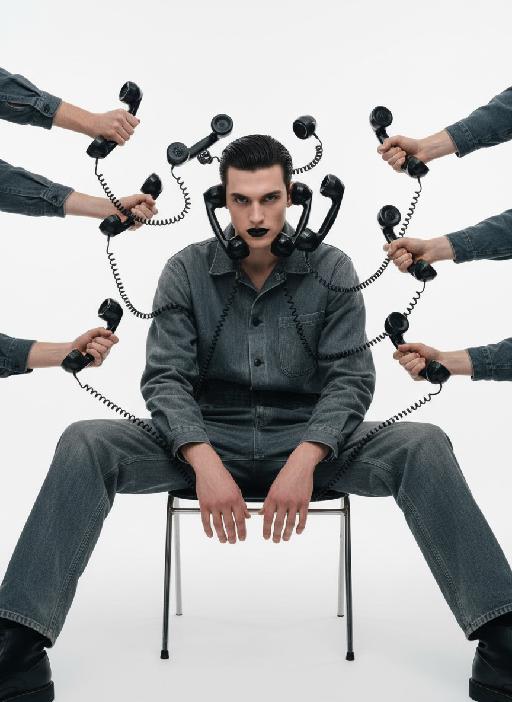
Telephone Ring AI effects generated image

Telephone Ring

"Shooting perspective and focal length: Frontal level view, using a medium telephoto lens (approximately 50mm), with an appropriate focal length, medium close-up shot, able to clearly present the upper body and hand details of the characters, and the picture has no obvious distortion. Equipment: Professional studio camera (such as Canon 5D series or Sony A7 series), combined with a studio lighting system. Character pose: The character is in a sitting position, with legs apart and knees bent, the upper body leaning forward and the head close to the camera; multiple arms extend from all around the frame, each hand holding an old-fashioned black wired telephone, multiple receivers randomly surround the character's head, creating a visual effect of being surrounded. Character expression: Eyes gaze at the camera, the gaze is slightly distant and cold, the facial expression is calm and undisturbed, conveying a restrained emotional tension. Lighting: Use studio hard light, the main light source comes from the front, supplemented by side lighting, forming a clear contrast of light and shade, highlighting the fabric texture and facial contours, the background is pure white, clean and without any color impurities. Style: Pioneer fashion photography, integrating surrealism and minimalism, creating an absurd yet highly tense atmosphere through strong visual impact. Clothing: A set of gray-blue distressed texture workwear, the fabric has fine textures, the fit is loose and firm, the lapel design combines toughness and retro charm. Hair style: Black short hair, using hair gel to comb backward, revealing a full forehead, the style is clean and neat with a sense of lines. Makeup: Matte texture pure black lipstick as the visual focus, the facial base makeup is even and transparent, only highlighting the lip color, the overall makeup is avant-garde and has a distinctive characteristic."

Romantic Castle

The facial features and the number of figures in the uploaded image remain unchanged; Expression: a sweet smile; Appearance & Adornments: voluminous chestnut wavy curls, exquisite natural makeup (soft eye makeup + pink-toned lip makeup), a headband of Mickey or Minnie Mouse crafted from silver sequins; Attire: an exquisitely tailored high-end evening gown, or an elegant haute couture coat paired with a scarf; Scene & Setting: night view of the Disney Castle, warm purple + golden lighting (brightness increased by 30%), golden blooming fireworks (brightness increased by 20%), dark blue sky, bokeh light spots; Lighting: enhanced ambient fill light, even and soft facial lighting with warm tones; Camera: Canon 5D4 + f/1.8 lens, highly detailed textures; 8K high definition; Style: avant-garde fashion photography, film grain texture, cinematic feel, ultra-realistic image quality; the figures have naturally blurred skin with a delicate texture and exquisite makeup; add warm and cozy bright yellow light spots around the frame; medium close-up bust shot.

 Light Vibe AI effects generated image

Light Vibe

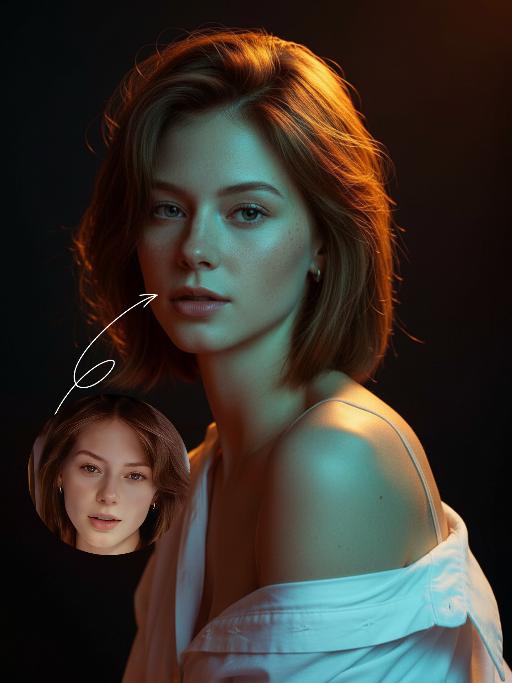
The uploaded portrait serves as the strict identity anchor, with its original facial contours, hairstyle silhouette, fair skin texture, and youthful demeanor replicated with pinpoint accuracy. It is transformed to exude a strong Eurasian Western style, with the hair color replaced by long, wavy light golden hair that maintains a slightly messy and voluminous look. This is a black-and-white artistic portrait of a young woman wearing a loose white shirt, with one shoulder naturally slipping off the garment. Her light golden long hair gently frames her delicate face, with strands illuminated by sunlight to showcase an exquisite luster, while her skin appears delicate and smooth. Sitting upright and facing the camera, she has a calm and pensive gaze, along with a relaxed expression that carries a narrative quality. Shot in a professional studio against a pure gray minimalist background, the image employs soft cinematic side-backlighting to create a three-dimensional silhouette, complemented by a precise ray of hair light that renders each strand of the golden hair distinct and layered with transparency. The shadow areas retain their depth, and the highlight transitions smoothly, fostering an elegant and serene atmosphere. Boasting an 8K hyper-realistic resolution and a high-contrast black-and-white aesthetic, the portrait features extremely sharp details where even pores and individual hair strands are visible, with natural and authentic skin texture. The minimalist composition is free of redundant elements, and the overall style is elegant and sophisticated, combining a sense of refinement with narrative depth to meet the standards of commercial professional photography.

With Deceased

Place the two characters from the uploaded pictures (with strict control over gender, age, clothing, and expression of sadness) in the same scene. The background is a beautiful scene of a warm yellow flower sea with a beautiful sunset. The sunlight shines on the characters' faces, illuminating them with a warm light, creating a warm and romantic atmosphere. The characters stand facing the camera in the middle of the frame, in a half-body close-up shot (the two shots uploaded are of them standing facing the camera). There is a bright light edge effect on the outline, with a smooth and natural transition. The picture quality is of a film level, with a realistic texture. It presents the texture of a reunion and memory. The shooting was done using a Canon 5D Mark IV full-frame camera and a 55mm f/1.4 wide-angle lens. The shallow depth of field effect was used. The warm-toned sunset natural light (golden dusk side backlight) was used to create a warm atmosphere. The high-resolution quality

Night Chat AI effects generated image

Night Chat

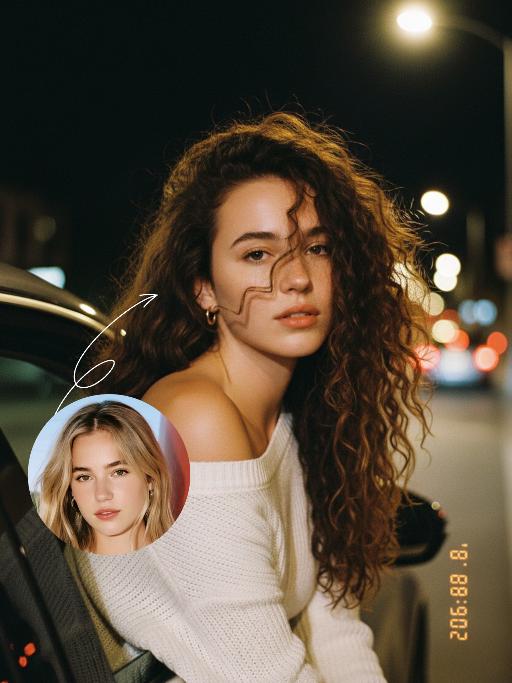
The uploaded figure (with unchanged facial features) is lit by a high-intensity flash fired directly at them, creating stark contrast between light and shadow, prominent highlights on the figure’s face, and a dark-toned background with blurred bokeh light spots. This is a medium close-up portrait: the figure leans out of a car window with their upper body, in an off-the-shoulder pose, their long dark brown curly hair tousled and flowing in the wind. They wear a loose white off-the-shoulder knit sweater, gaze straight at the camera with a lazy and cool expression. Shot from an eye-level perspective, the background features a nighttime urban street with slightly blurred traffic flow, warm yellow street lamp glows and red taillight bokeh, and a shallow depth of field with bokeh effects. The overall mood blends a warm color tone with a cool atmosphere, complemented by film texture and film grain, plus ultra-high-definition details. An orange vertical digital date watermark (2026:00:00) is added to the bottom right corner.

Goodnight Kiss

It presents a realistic and warm scene of the night. In the uploaded picture, the characters are standing upright (their facial features, gender and age remain unchanged. The picture shows the translucent effect of the souls of the deceased, with sacred light edges at the edges of the characters). The characters cover the sleeping person with a blanket, then bend down and gently kiss the sleeping person's forehead, creating a peaceful, intimate and warm atmosphere, filled with family love. Style: American family documentary photography, with retro warm tone filter, shallow depth of field, soft color combination, delicate light and shadow details, and a highly realistic style. Close-up shots of characters, moving shots, gradually focusing on mid-shot shots, action shots, and the advancement of camera focal length.

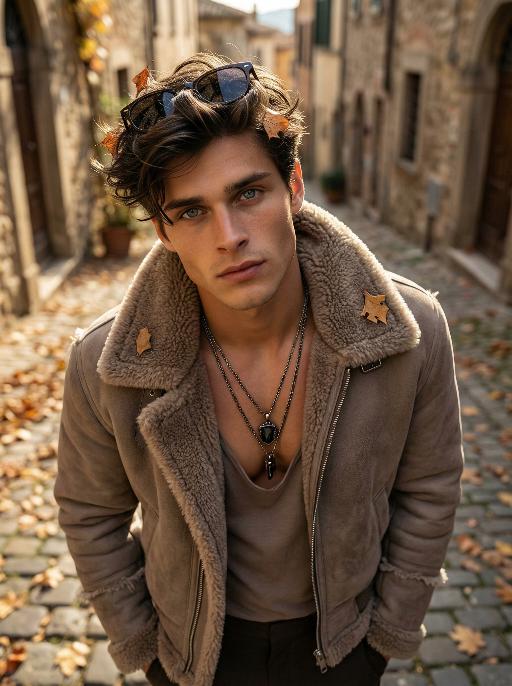
Shearling AI effects generated image

Shearling

Use the exact same facial features, gender, and age as the character in the uploaded image. Use the exact same facial features, gender, and age as the character in the uploaded image. Photorealistic fashion portrait, exact same facial features, gender and age as the character in the uploaded image. Voluminous, textured brownish-black hair with warm highlights, sunglasses perched atop the head. Shot from a high-angle, top-down perspective, with the figure tilting the head upward to gaze directly at the camera, a few dry autumn leaves caught in the hair. Dressed in a cropped, taupe shearling jacket with a thick, fluffy shearling collar and frayed shearling details on the sleeves, zipper partially unzipped to reveal a low-cut, muted taupe inner top. Layered necklaces adorn the neck: multiple metallic chains with a prominent dark pendant resting on the chest. The setting is a sun-dappled Italian street in autumn, with weathered stone buildings, cobblestone pavement, and scattered fallen leaves in the background. Soft, warm golden-hour sunlight filters through, casting gentle shadows on the face and clothing. The background is softly blurred, creating a shallow depth of field. The overall mood is sophisticated, rugged, and effortlessly cool. High detail skin texture, cinematic lighting, 8K resolution, ultra-realistic, high-fashion editorial aesthetic, no text or watermarks.

Load more

Next-Gen Multi-Model AI Video Architecture

Vivago AI isn't just one engine—it’s a unified hub for the world’s most advanced video AI. Whether you need cinematic realism or high-speed social content, we provide the right model for your creative vision.

Free Generate

Beauty and Dolphins

Vacation Time

Stellar Tear

Fish Tank Supervisor

Cinematic Quality & Precision Control

Enables 4K resolution with multi-lens motion control, generating delicate scene via text prompts for customized cinematography.​

TRY NOW

Dynamic AV Sync

Auto-generates original audio to avoid copyright issues. Build 3D immersive environments through layered sound design automatically.

TRY NOW

OpenAI Sora 2

​Advanced visual storytelling with unparalleled physics and consistency.

TRY NOW

Kling v2.6 Pro

Industry-leading cinematic image animation and motion control.

TRY NOW

Google Veo 3 & 3.1

Ultra-fast generation with enhanced realism for creative workflows.

TRY NOW

Vivago AI 2.0

Our proprietary model optimized for efficiency, speed, and cost-effective generation.

TRY NOW

Users' Voice

We listen carefully to the opinions of every user.
Free Generate
Contact Us
I tried the Lip Sync feature inside Vivago.ai’s AI Video Generator for my educational podcast, and the results were stunning! The avatar's lip movements perfectly matched my audio recording, creating a professional AI-generated video without complex editing. Compared with tools like OpenAI Sora 2 and Google Veo 3.1, Vivago Image-to-Video delivers fast, studio-quality results online. It saved me hours of post-production work.
ElenaM (Spain)
Vivago’s Image-to-Video AI transformed my marketing workflow. I uploaded a product image and described the launch scene in text, and it generated a 10-second cinematic AI video with background music and dynamic visuals. The output quality rivals Kling v2.6 Pro and Google Veo 3 Fast. It’s now my go-to AI video generator for social media ads and product campaigns.
KenjiT (Japan)
As a digital artist, I use Vivago.ai 2.0 daily for Image-to-Image and AI Image-to-Video creation. The e-book covers and animated visuals I generate for clients look cinematic and professional. Unlike many standalone AI tools, Vivago integrates multiple leading models into one platform, making it easier to create copyright-safe AI images and videos for publishing.
ChenL (China)
I tried the Lip Sync feature inside Vivago.ai’s AI Video Generator for my educational podcast, and the results were stunning! The avatar's lip movements perfectly matched my audio recording, creating a professional AI-generated video without complex editing. Compared with tools like OpenAI Sora 2 and Google Veo 3.1, Vivago Image-to-Video delivers fast, studio-quality results online. It saved me hours of post-production work.
ElenaM (Spain)
Vivago’s Image-to-Video AI transformed my marketing workflow. I uploaded a product image and described the launch scene in text, and it generated a 10-second cinematic AI video with background music and dynamic visuals. The output quality rivals Kling v2.6 Pro and Google Veo 3 Fast. It’s now my go-to AI video generator for social media ads and product campaigns.
KenjiT (Japan)
As a digital artist, I use Vivago.ai 2.0 daily for Image-to-Image and AI Image-to-Video creation. The e-book covers and animated visuals I generate for clients look cinematic and professional. Unlike many standalone AI tools, Vivago integrates multiple leading models into one platform, making it easier to create copyright-safe AI images and videos for publishing.
ChenL (China)
I absolutely love Vivago’s AI Image-to-Video Generator. As a travel blogger, static images often fail to capture real atmosphere, but Vivago helps me turn photos into vivid cinematic AI videos with motion effects. It feels comparable to OpenAI Sora 2 and Google Veo 3.1, but more accessible and faster for creators who need high-quality AI videos online.
LiamK (Australia)
I tried the Lip Sync feature inside Vivago.ai’s AI Video Generator for my educational podcast, and the results were stunning! The avatar's lip movements perfectly matched my audio recording, creating a professional AI-generated video without complex editing. Compared with tools like OpenAI Sora 2 and Google Veo 3.1, Vivago Image-to-Video delivers fast, studio-quality results online. It saved me hours of post-production work.
ElenaM (Spain)
Vivago’s Image-to-Video AI transformed my marketing workflow. I uploaded a product image and described the launch scene in text, and it generated a 10-second cinematic AI video with background music and dynamic visuals. The output quality rivals Kling v2.6 Pro and Google Veo 3 Fast. It’s now my go-to AI video generator for social media ads and product campaigns.
KenjiT (Japan)
As a digital artist, I use Vivago.ai 2.0 daily for Image-to-Image and AI Image-to-Video creation. The e-book covers and animated visuals I generate for clients look cinematic and professional. Unlike many standalone AI tools, Vivago integrates multiple leading models into one platform, making it easier to create copyright-safe AI images and videos for publishing.
ChenL (China)
I absolutely love Vivago’s AI Image-to-Video Generator. As a travel blogger, static images often fail to capture real atmosphere, but Vivago helps me turn photos into vivid cinematic AI videos with motion effects. It feels comparable to OpenAI Sora 2 and Google Veo 3.1, but more accessible and faster for creators who need high-quality AI videos online.
LiamK (Australia)
Using Vivago.ai’s Image-to-Video AI has greatly enhanced my classroom teaching. I transform textbook notes into historical AI videos with cinematic filters and dynamic animations. Compared with tools like Kling v2.6 Pro and Google Veo 3 Fast, Vivago offers faster generation and easier parameter control for educators who need reliable AI video creation.
RajivG (India)
I frequently create AI videos on Vivago and publish them on TikTok and YouTube Shorts. The AI video templates and trending content ideas help me produce viral-ready clips quickly. With Vivago’s integrated models—including advanced video engines similar to OpenAI Sora 2—I can generate anime-style and cinematic social media videos that drive high engagement.
MarieJ (Spain)
What attracts me most about Vivago.ai is not only the powerful AI Video Generator but also the active AIGC creator community. It combines AI Image-to-Video, Text-to-Video, and leading model integrations like Google Veo 3.1 into one creative platform.
TomW (India)
At first, I was hesitant about using AI video tools. But after trying Vivago Image-to-Video, I realized how easy it is to create professional AI-generated videos online. I just upload an image, add a short prompt, and adjust a few settings. The results are cinematic and copyright-safe, which is essential for commercial projects.
HectorC (Mexico)
Using Vivago.ai’s Image-to-Video AI has greatly enhanced my classroom teaching. I transform textbook notes into historical AI videos with cinematic filters and dynamic animations. Compared with tools like Kling v2.6 Pro and Google Veo 3 Fast, Vivago offers faster generation and easier parameter control for educators who need reliable AI video creation.
RajivG (India)
I frequently create AI videos on Vivago and publish them on TikTok and YouTube Shorts. The AI video templates and trending content ideas help me produce viral-ready clips quickly. With Vivago’s integrated models—including advanced video engines similar to OpenAI Sora 2—I can generate anime-style and cinematic social media videos that drive high engagement.
MarieJ (Spain)
What attracts me most about Vivago.ai is not only the powerful AI Video Generator but also the active AIGC creator community. It combines AI Image-to-Video, Text-to-Video, and leading model integrations like Google Veo 3.1 into one creative platform.
TomW (India)
At first, I was hesitant about using AI video tools. But after trying Vivago Image-to-Video, I realized how easy it is to create professional AI-generated videos online. I just upload an image, add a short prompt, and adjust a few settings. The results are cinematic and copyright-safe, which is essential for commercial projects.
HectorC (Mexico)