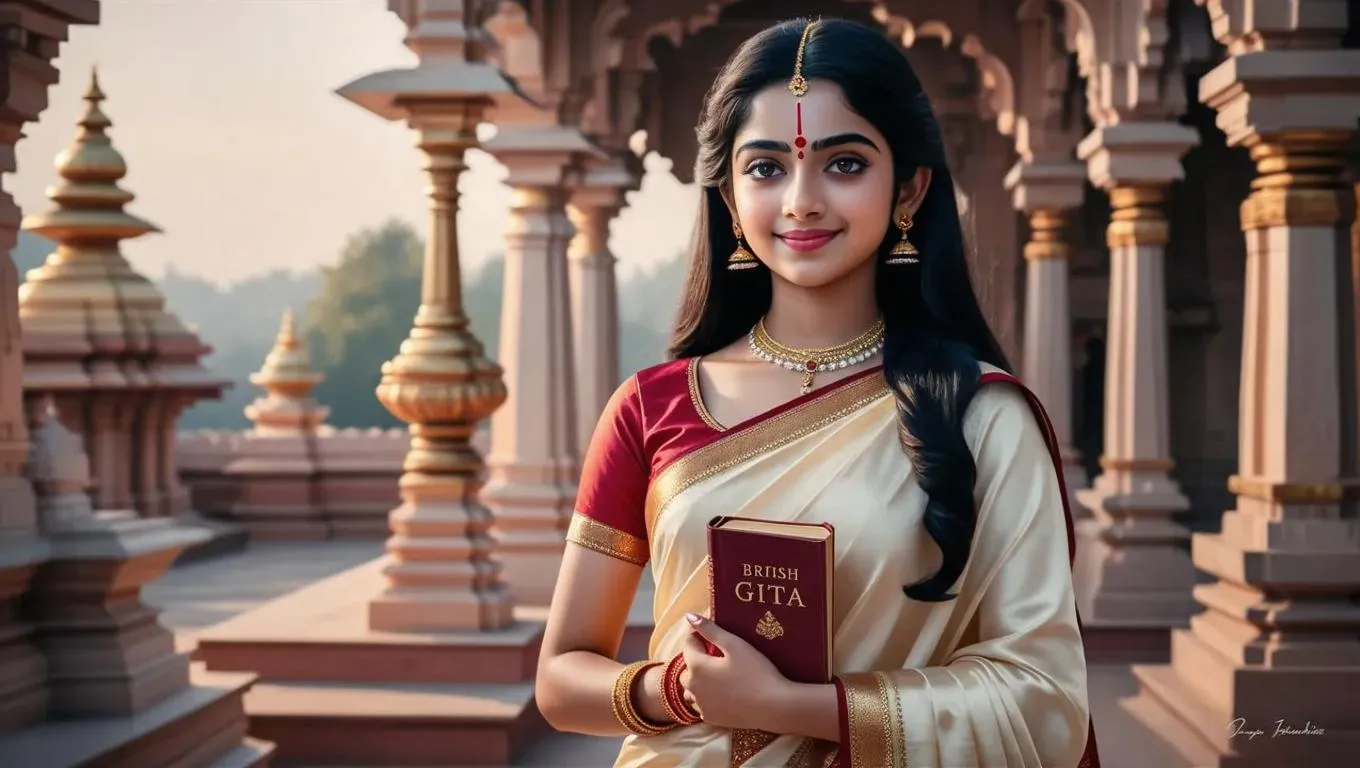
Text to Image

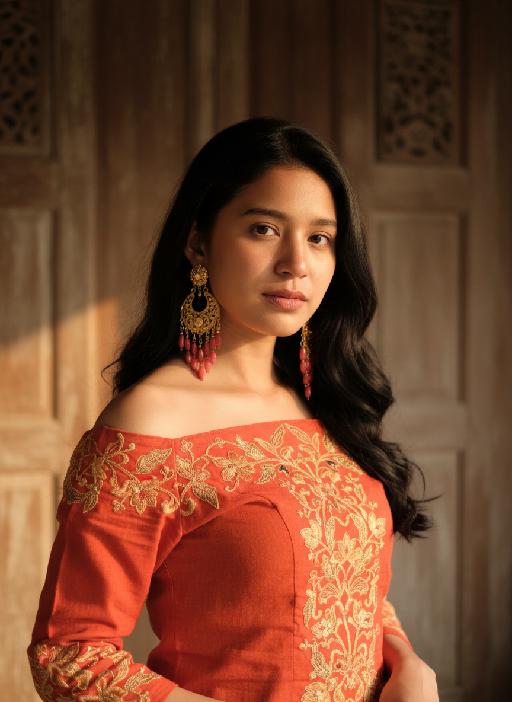
Create a realistic AI-generated portrait of a 23-year-old British Krishna devotee in a simple white-red saree, holding the Bhagavad Gita. Features magical brown eyes, minimal makeup, floral garland, and innocent expression. Vivago.ai’s AI image generator crafts lifelike temple-themed visuals with precise text prompts and editing tools for authentic cultural portrayals.

Recreate
arrow
Text to Image

FAQs

How to generate images/videos from text prompts?

Describe the visual content in natural language (e.g., 'A cyberpunk cat wearing neon goggles') and our AI models will create outputs. Complex prompts trigger multi-stage NLP parsing for enhanced accuracy.

How to refine unsatisfactory results?

Use our Prompt Bot - an AI-powered optimizer that suggests technical modifiers. Simply describe your ideas, desired changes ('more metallic texture'), then you will get optimized prompt variants.

When should I use reference images?

Upload references to: 1) Guide character consistency (e.g., faces/outfits), 2) Control motion patterns in videos using our feature matching algorithm. Supports JPG/PNG

What's the credit system?

Daily login grants 100 credits. Upgrade options: 1) Premium Membership, 2) Credit Packs. Details: https://vivago.ai/subscribe

More From VIVAGO AI

Belly dance

The facial features of the uploaded figure remain unchanged, with natural skin retouching for a smooth complexion and exquisite facial makeup. The figure is dressed in a stunning navy blue off-the-shoulder deep V belly dance costume, which is densely inlaid with sparkling blue gemstones (each gemstone reflects light, emanating a dazzling radiance and showcasing a sleek texture) and diamonds. Its multi-layered ruffled high-slit skirt features intricate detailing of crystal waterfalls and dangling gemstone embellishments. The scene is set in a magnificent and opulent golden palace ballroom (with blurred dining tables and crystal chandeliers hanging in the background). Cinematic warm golden lighting focuses on the crystal adornments of the costume, highlighting their shimmering luster and the bright sparkles on the fabric. Quality: 8K ultra-high resolution, sharp and distinct textures of the crystals and costume, vivid and saturated colors, no blurriness at all. Shot Type: Medium Shot Portrait, framing the figure from the top of the head to the thighs to fully display the upper body and part of the lower body; Framing Distance: the figure is at a medium distance from the camera, with neither close-up magnified facial details nor a full panoramic view of the entire body.

FinalGlam

Use the exact same facial features, gender, and age as the character in the uploaded image. Masterpiece, best quality, ultra-detailed, photorealistic full-body shot, a stunning Brazilian woman dancing samba at Rio Carnival, energetic and graceful dance pose, long wavy dark hair, beautiful facial features, glamorous carnival makeup, golden tan skin, wearing a luxurious and vibrant Rio Carnival costume: sequined and beaded bodysuit in green, yellow, and blue, long elegant skirt that fully covers the hips and buttocks (no exposure, modest and decent), large dramatic feather headdress with gold and blue feathers, feathered hip details (subtly integrated with the skirt, no exposed skin), sparkling jewelry. Background is the lively Sambadrome at night, colorful lights, cheering crowd, fireworks in the night sky, festive confetti floating in the air, dynamic motion blur, warm cinematic lighting, strong rim light, vibrant saturated colors, shallow depth of field, 8K, ultra-realistic.

Moving Figure

Create a 1/7 scale commercialized figure of the character in the illustration, in a realistic style and environment. Render the exact hairstyle and the same outfit with the uploaded figure. Render garments as molded plastic with engraved seams and sculpted folds; keep accessories as plastic parts. Fictionalize any brand text/logos while keeping layout and colors. Place the figure on a computer desk, using a circular transparent acrylic base without any text. On the Apple computer screen, display the Z Brush modeling process of the figure. Next to the Apple computer screen, place a BANDAl-style toy packaging box printed with the original artwork. The background shows a modern realistic room furnished with contemporary furniture, including a display cabinet filled with books, dolls, and scale figures, adding a casual and everyday atmosphere. Behind the Apple computer, place a desk lamp to add detail and depth to the scene.

Elephant Dance

The features of the figure in the uploaded image remain unchanged, standing in an anthropomorphic pose (upper limbs resting naturally on the waist, lower limbs standing on the ground). Adopting the Disney 3D animation style, bright and highly saturated vivid colors are used to create a soft, cute and chibi cartoon image with oversized bright eyes and long, slender eyelashes, and a sweet, endearing expression. The costume features Indian traditional festive style adornments and styling: a gorgeous forehead ornament with geometric patterns (in green, red, yellow and purple) plus colorful tassel beading; delicate traditional Indian colorful patterns on the face and nose; a shawl with fan-shaped patterns (in primary colors of red, purple and blue) trimmed with golden geometric motifs on the edges; green and white striped bands with golden beading worn on the limbs; and small colorful flower ornaments in the style of yellow base + red center + green trim dotted on the ears and body. The overall adornment is intricate with rich color clashing (blending hues of red, green, yellow, purple, blue and more), boasting ultra-realistic details, cinematic artistic effects and high-end artistic presentation.

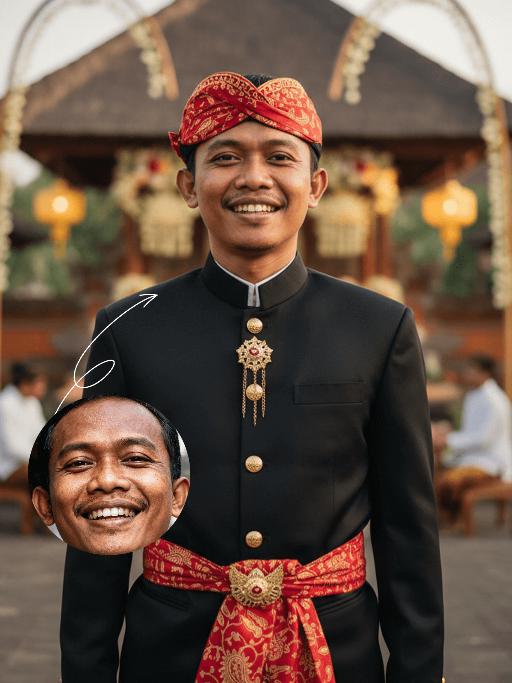
Batik Groom AI effects generated image

Batik Groom

Strictly lock the facial features of the uploaded portrait (preserve facial contours, native Indonesian skin tone, hairstyle and age). Extreme tight half-body close-up portrait, subject positioned in the upper two-thirds of the frame, occupying 90% of the vertical space, centered horizontally, hyper-realistic style, 4K ultra-high definition, soft warm golden hour tropical daylight, grand Balinese-Indonesian wedding atmosphere | A handsome young Indonesian groom with a warm, confident smile, standing front-facing in a modern-traditional wedding ensemble. He wears a tailored black Mandarin-collar jacket with polished gold button detailing, paired with a vibrant red batik-patterned (paisley motif) headwrap (iket) and waist sash (selendang) that drapes elegantly down his torso, plus a vintage gold chain with a fob accessory. The background is heavily blurred to prioritize the subject: a faint glimpse of the opulent Balinese wedding venue with a thatched-roof ceremonial pavilion (bale), tropical flower garlands, glowing traditional paper lanterns, and a distant crowd of guests in traditional attire, ensuring the focus remains entirely on the groom. Focus on the sharp tailoring of his outfit, the intricate batik patterns, and his joyful expression, with warm golden light enhancing the celebratory

Battle

These two individuals had angry and serious expressions, raised their fists, and assumed a fighting stance. They began to engage in a fierce struggle, launching a fierce confrontation. They quickly and powerfully punched each other's faces (one person hit the other's face three times in a row with a powerful punch, and the other person, in an angry state, roared and forcefully hit back three times). They also kicked each other's bodies with their feet. The camera captured the intensity of their movements, focusing on the tension of their bodies and the impact force generated by each punch. The background remained still, and the camera followed the movements of the characters, causing the dynamic confrontation between the two fighters to stand out, with powerful punches, the state of the boxers, and an intense and tense atmosphere.

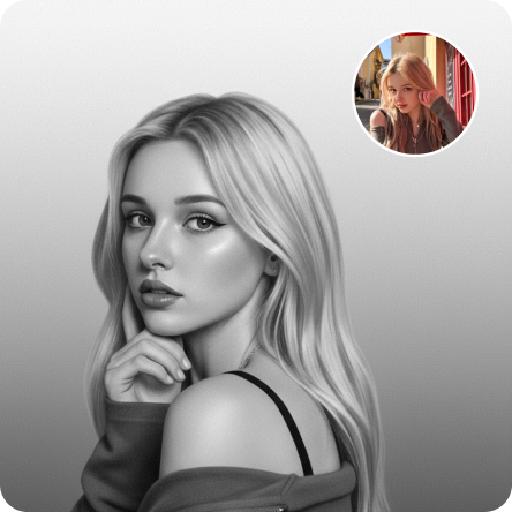
Noir Portrait AI effects generated image

Noir Portrait

Generate black-and-white portrait artworks from the uploaded photos, using editing and artistic photography styles.The background presents a soft gradient effect, transitioning from medium gray to nearly pure white, creating a sense of layering and a quiet atmosphere. The fine film grain texture simulates the soft texture of photography, evoking the classic black-and-white photography. His face, with the outline of the light, evokes a sense of mystery, intimacy and elegance.A gentle directed beam of light diffused softly, caressing the curve of his cheek or flashing light spots in his eyes - this was the emotional core of the picture. The remaining part is occupied by a large amount of negative space, deliberately maintaining simplicity to allow the picture to breathe freely. There are no words or signs in the picture - only the interweaving of light and shadow with emotions. Change the pose for each photo.

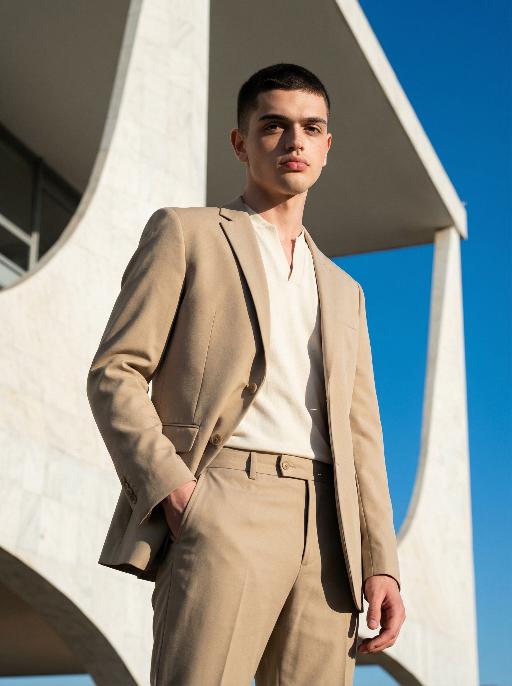
Brasília AI effects generated image

Brasília

Use the exact same facial features, gender, and age as the character in the uploaded image. Photorealistic modernist fashion portrait, Brasilia architectural aesthetic, Oscar Niemeyer style, rational, restrained, structural beauty. Setting: in front of massive white concrete curved structures, vast empty space, clean geometric lines, extremely clear blue sky, minimalist powerful architectural background. Outfit: structured sand or ivory white suit with sharp silhouette, minimalist collarless inner top or clean high-neck base, neat short haircut, refined facial features, no obvious accessories, pure and minimalist style. Pose & Expression: subject height occupies 9/10 of the frame, clear and detailed facial state — natural relaxed gaze, subtle calm expression, distinct facial contours and skin texture visible; dynamic posture with slight movement: one hand naturally hanging by the side, the other gently resting on the suit pocket, shoulder slightly tilted, body with a relaxed yet upright stance, adding subtle dynamism without losing restraint. Lighting: strong side light with clear rim light, distinct shadows cast on the building surface and the subject’s body, high contrast without loss of details, key light highlighting facial features to ensure clarity. Color tone: high dynamic range, cool white and highly pure blue sky, naturally slightly warm skin tone, sharp image, clear contrast. Composition: low-angle upward shot, 35mm or 50mm lens with mild wide perspective, close camera distance, strong architectural presence and sense of power, sharp focus on the subject’s face and upper body. Style: high detail, realistic skin texture, commercial fashion aesthetic, 8K ultra-realistic, no text or watermarks.

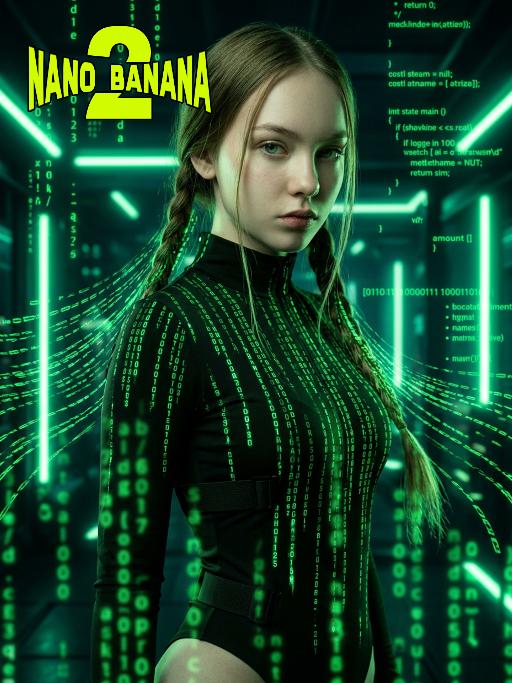
The Matrix AI effects generated image

The Matrix

Medium-close-up shot (showing the upper body of the protagonist, from above the thigh area): In the uploaded picture, the features (unchanged) and gender (also unchanged) of the character are clearly visible. Standing in the center of the frame, with a serious and cold expression, a flowing bright green digital coding stream is presented in his hair. Wearing a high-neck tight outfit, it is covered with a green matrix-like digital rain. It has a cyberpunk style, adopting the color scheme of "The Matrix", with a dark background, dramatic side light, and neon lights emitting bright green light, presenting a green matrix-like digital rain background in the dark environment. The skin texture is fine, the details are realistic, with a clear focus, a cinematic composition, and a style of avant-garde fashion photography. This is a masterpiece, of superior quality, surreal 8K image. There are also some green matrix-like digital rains in the foreground, with a large depth of field effect, and a wide aperture shooting.

Load more

Next-Gen Multi-Model AI Video Architecture

Vivago AI isn't just one engine—it’s a unified hub for the world’s most advanced video AI. Whether you need cinematic realism or high-speed social content, we provide the right model for your creative vision.

Free Generate

Beauty and Dolphins

Vacation Time

Stellar Tear

Fish Tank Supervisor

Cinematic Quality & Precision Control

Enables 4K resolution with multi-lens motion control, generating delicate scene via text prompts for customized cinematography.​

TRY NOW

Dynamic AV Sync

Auto-generates original audio to avoid copyright issues. Build 3D immersive environments through layered sound design automatically.

TRY NOW

OpenAI Sora 2

​Advanced visual storytelling with unparalleled physics and consistency.

TRY NOW

Kling v2.6 Pro

Industry-leading cinematic image animation and motion control.

TRY NOW

Google Veo 3 & 3.1

Ultra-fast generation with enhanced realism for creative workflows.

TRY NOW

Vivago AI 2.0

Our proprietary model optimized for efficiency, speed, and cost-effective generation.

TRY NOW

Users' Voice

We listen carefully to the opinions of every user.
Free Generate
Contact Us
I tried the Lip Sync feature inside Vivago.ai’s AI Video Generator for my educational podcast, and the results were stunning! The avatar's lip movements perfectly matched my audio recording, creating a professional AI-generated video without complex editing. Compared with tools like OpenAI Sora 2 and Google Veo 3.1, Vivago Image-to-Video delivers fast, studio-quality results online. It saved me hours of post-production work.
ElenaM (Spain)
Vivago’s Image-to-Video AI transformed my marketing workflow. I uploaded a product image and described the launch scene in text, and it generated a 10-second cinematic AI video with background music and dynamic visuals. The output quality rivals Kling v2.6 Pro and Google Veo 3 Fast. It’s now my go-to AI video generator for social media ads and product campaigns.
KenjiT (Japan)
As a digital artist, I use Vivago.ai 2.0 daily for Image-to-Image and AI Image-to-Video creation. The e-book covers and animated visuals I generate for clients look cinematic and professional. Unlike many standalone AI tools, Vivago integrates multiple leading models into one platform, making it easier to create copyright-safe AI images and videos for publishing.
ChenL (China)
I tried the Lip Sync feature inside Vivago.ai’s AI Video Generator for my educational podcast, and the results were stunning! The avatar's lip movements perfectly matched my audio recording, creating a professional AI-generated video without complex editing. Compared with tools like OpenAI Sora 2 and Google Veo 3.1, Vivago Image-to-Video delivers fast, studio-quality results online. It saved me hours of post-production work.
ElenaM (Spain)
Vivago’s Image-to-Video AI transformed my marketing workflow. I uploaded a product image and described the launch scene in text, and it generated a 10-second cinematic AI video with background music and dynamic visuals. The output quality rivals Kling v2.6 Pro and Google Veo 3 Fast. It’s now my go-to AI video generator for social media ads and product campaigns.
KenjiT (Japan)
As a digital artist, I use Vivago.ai 2.0 daily for Image-to-Image and AI Image-to-Video creation. The e-book covers and animated visuals I generate for clients look cinematic and professional. Unlike many standalone AI tools, Vivago integrates multiple leading models into one platform, making it easier to create copyright-safe AI images and videos for publishing.
ChenL (China)
I absolutely love Vivago’s AI Image-to-Video Generator. As a travel blogger, static images often fail to capture real atmosphere, but Vivago helps me turn photos into vivid cinematic AI videos with motion effects. It feels comparable to OpenAI Sora 2 and Google Veo 3.1, but more accessible and faster for creators who need high-quality AI videos online.
LiamK (Australia)
I tried the Lip Sync feature inside Vivago.ai’s AI Video Generator for my educational podcast, and the results were stunning! The avatar's lip movements perfectly matched my audio recording, creating a professional AI-generated video without complex editing. Compared with tools like OpenAI Sora 2 and Google Veo 3.1, Vivago Image-to-Video delivers fast, studio-quality results online. It saved me hours of post-production work.
ElenaM (Spain)
Vivago’s Image-to-Video AI transformed my marketing workflow. I uploaded a product image and described the launch scene in text, and it generated a 10-second cinematic AI video with background music and dynamic visuals. The output quality rivals Kling v2.6 Pro and Google Veo 3 Fast. It’s now my go-to AI video generator for social media ads and product campaigns.
KenjiT (Japan)
As a digital artist, I use Vivago.ai 2.0 daily for Image-to-Image and AI Image-to-Video creation. The e-book covers and animated visuals I generate for clients look cinematic and professional. Unlike many standalone AI tools, Vivago integrates multiple leading models into one platform, making it easier to create copyright-safe AI images and videos for publishing.
ChenL (China)
I absolutely love Vivago’s AI Image-to-Video Generator. As a travel blogger, static images often fail to capture real atmosphere, but Vivago helps me turn photos into vivid cinematic AI videos with motion effects. It feels comparable to OpenAI Sora 2 and Google Veo 3.1, but more accessible and faster for creators who need high-quality AI videos online.
LiamK (Australia)
Using Vivago.ai’s Image-to-Video AI has greatly enhanced my classroom teaching. I transform textbook notes into historical AI videos with cinematic filters and dynamic animations. Compared with tools like Kling v2.6 Pro and Google Veo 3 Fast, Vivago offers faster generation and easier parameter control for educators who need reliable AI video creation.
RajivG (India)
I frequently create AI videos on Vivago and publish them on TikTok and YouTube Shorts. The AI video templates and trending content ideas help me produce viral-ready clips quickly. With Vivago’s integrated models—including advanced video engines similar to OpenAI Sora 2—I can generate anime-style and cinematic social media videos that drive high engagement.
MarieJ (Spain)
What attracts me most about Vivago.ai is not only the powerful AI Video Generator but also the active AIGC creator community. It combines AI Image-to-Video, Text-to-Video, and leading model integrations like Google Veo 3.1 into one creative platform.
TomW (India)
At first, I was hesitant about using AI video tools. But after trying Vivago Image-to-Video, I realized how easy it is to create professional AI-generated videos online. I just upload an image, add a short prompt, and adjust a few settings. The results are cinematic and copyright-safe, which is essential for commercial projects.
HectorC (Mexico)
Using Vivago.ai’s Image-to-Video AI has greatly enhanced my classroom teaching. I transform textbook notes into historical AI videos with cinematic filters and dynamic animations. Compared with tools like Kling v2.6 Pro and Google Veo 3 Fast, Vivago offers faster generation and easier parameter control for educators who need reliable AI video creation.
RajivG (India)
I frequently create AI videos on Vivago and publish them on TikTok and YouTube Shorts. The AI video templates and trending content ideas help me produce viral-ready clips quickly. With Vivago’s integrated models—including advanced video engines similar to OpenAI Sora 2—I can generate anime-style and cinematic social media videos that drive high engagement.
MarieJ (Spain)
What attracts me most about Vivago.ai is not only the powerful AI Video Generator but also the active AIGC creator community. It combines AI Image-to-Video, Text-to-Video, and leading model integrations like Google Veo 3.1 into one creative platform.
TomW (India)
At first, I was hesitant about using AI video tools. But after trying Vivago Image-to-Video, I realized how easy it is to create professional AI-generated videos online. I just upload an image, add a short prompt, and adjust a few settings. The results are cinematic and copyright-safe, which is essential for commercial projects.
HectorC (Mexico)