Text to Image

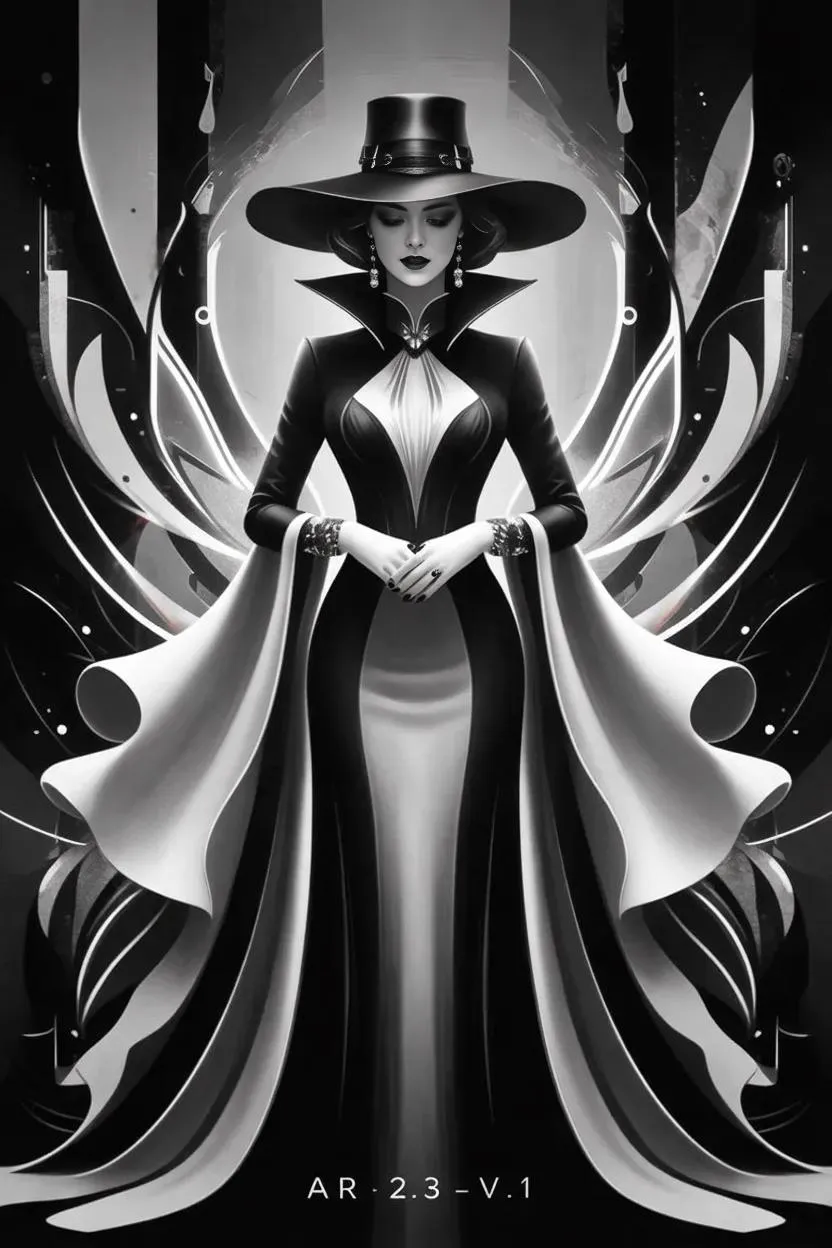
Create striking AI-generated black & white portraits with vivago.ai. Transform prompts into elegant, mysterious artworks featuring enigmatic figures, flowing gowns, abstract backgrounds, and professional-grade monochrome effects for captivating visual depth and dimension.

Recreate
arrow
Text to Image

FAQs

How to generate images/videos from text prompts?

Describe the visual content in natural language (e.g., 'A cyberpunk cat wearing neon goggles') and our AI models will create outputs. Complex prompts trigger multi-stage NLP parsing for enhanced accuracy.

How to refine unsatisfactory results?

Use our Prompt Bot - an AI-powered optimizer that suggests technical modifiers. Simply describe your ideas, desired changes ('more metallic texture'), then you will get optimized prompt variants.

When should I use reference images?

Upload references to: 1) Guide character consistency (e.g., faces/outfits), 2) Control motion patterns in videos using our feature matching algorithm. Supports JPG/PNG

What's the credit system?

Daily login grants 100 credits. Upgrade options: 1) Premium Membership, 2) Credit Packs. Details: https://vivago.ai/subscribe

More From VIVAGO AI

Fire & Dance AI effects generated image

Fire & Dance

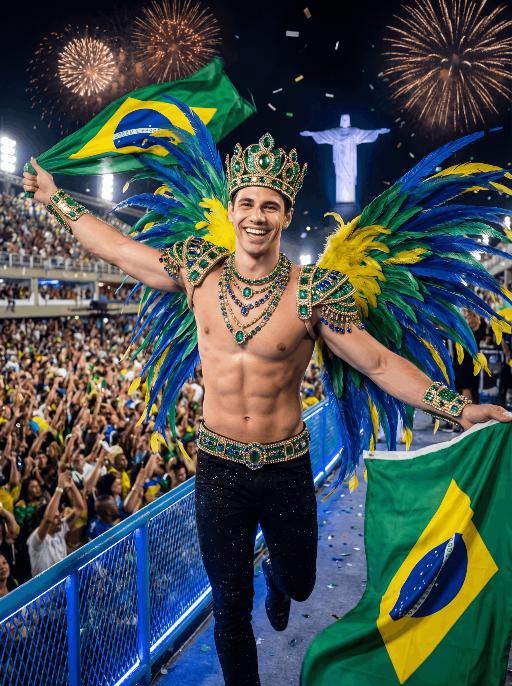
Use the exact same facial features, gender, and age as the character in the uploaded image. Maintain his original identity and natural skin tone. must be clean-shaven (no beard, no mustache, smooth jawline). Preserve a youthful, handsome, and charismatic appearance. A young, muscular Brazilian samba performer at Rio Carnival, running toward the camera with arms wide open in celebration, smiling confidently with bright, expressive eyes. His face is clean-shaven, smooth, and youthful, highlighting strong cheekbones and a defined jawline. holds a large Brazilian flag in one hand, waving it proudly. wears an extravagant Carnival costume: a jeweled green-and-gold crown, elaborate emerald, gold, and sapphire beaded shoulder armor, layered gemstone necklaces, matching ornate wrist cuffs, and a wide decorated belt with intricate embroidery. Large blue, green, and yellow feathered wings extend dramatically from his back. is shirtless, revealing an athletic, well-defined physique with natural skin texture. wears fitted black pants decorated with subtle glitter details. Setting: the Sambadrome at night, filled with a massive cheering crowd. Fireworks explode in the dark sky, casting warm golden and orange highlights across the scene. Christ the Redeemer glows softly in the distant skyline. Confetti fills the air. A blue LED-lit railing in the foreground adds modern contrast lighting. Atmosphere: electrifying, triumphant, patriotic, vibrant, high-energy festival mood. Style: ultra-high-resolution cinematic photography, dramatic contrast lighting, strong rim light outlining his body and feathers, sharp focus on subject, shallow depth of field, 85mm lens, f/1.8, HDR, rich saturated colors, detailed natural skin texture, epic magazine-cover composition.

Pet Belly Dance

"The scene begins with a medium or close-up shot, clearly revealing the subject(s) from the image standing and dancing within the frame.\nAs the camera slowly pulls back, the full bodies of all the animals are gradually revealed. At the same time, they all stand upright and are dressed in bunny-girl-inspired outfits.\nThey begin to dance in an anthropomorphic manner: standing on two legs with their front paws placed on their hips, elegantly swaying their hips from side to side with a soft, subtly seductive rhythm. Their facial expressions are lively and playful, maintaining direct eye contact with the camera, accompanied by slight nods or head tilts to enhance the sense of interaction with the viewer.\nAll animals wear coordinated bunny-girl-themed costumes (with possible slight variations in color and details), which include:\nA form-fitting, waist-cinching bunny-style corset\nA veil or bunny ear accessory worn on the head\nA light, sheer scarf tied around the waist that flutters naturally with their dance movements\nNote:\nThe exact number of subjects must be determined based on the uploaded image.\nThe subject count could be one or multiple—please identify the precise number and use it clearly in the description."

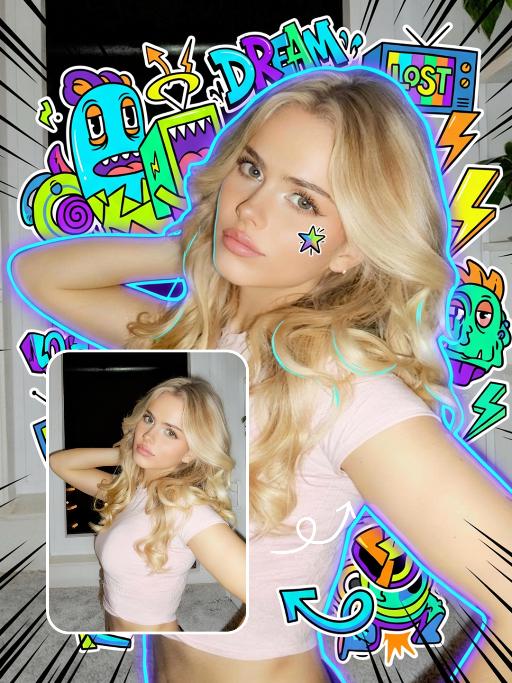
Trendy Stickers AI effects generated image

Trendy Stickers

先将上传的图片扩图成3:4的2k超轻尺寸,然后在图片上加入创意涂鸦内容:不要使用固定元素,而是生成与您所识别的视觉主题相匹配的插画元素。如果是酷炫/前卫风格:可以使用箭头、螺栓、涂鸦标签、失真形状、广播盒或抽象的街头艺术怪兽。如果是可爱/甜蜜风格:可以使用独特的角色、心形、星星、糖果、闪光效果和圆形的有机形状。如果选择“虚幻”风格:运用流畅的线条、花瓣、天体以及神奇的漩涡元素。加入的元素风格:平面二维矢量图,粗犷的轮廓,类似贴纸的美感。鲜艳的色彩与写实照片形成对比或相得益彰。 画面的四个边角加入少量的短小的随机黑色动感的漫画式速度线条;人物的周围加上赛博的霓虹发光光效,人物的面部加入一个小涂鸦元素,人物的皮肤轻微磨皮,皮肤自然美颜效果,面部妆容改成欧美流行风格的自然写实的潮流的妆容;写实的人物与写实的场景风格保持不变。

Industry AI effects generated image

Industry

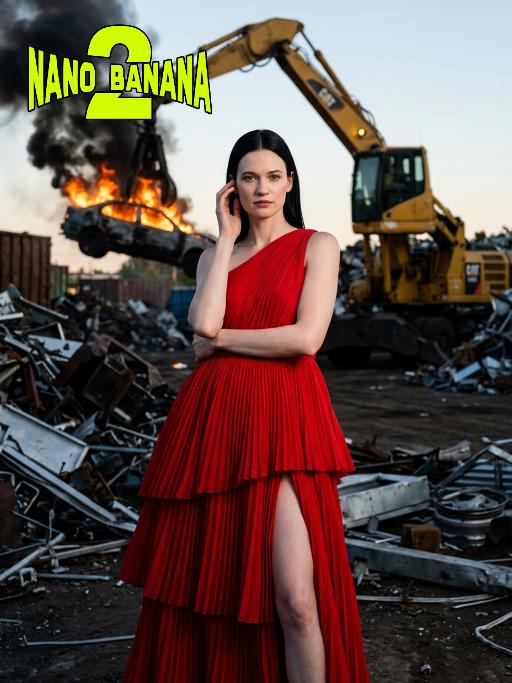
Panoramic shot: The person in the uploaded picture (with unchanged facial features, age and gender) has a refined makeup style. She stands in a junk recycling station covered with distorted metal fragments, wearing a red high-cut, layered, high-end tailored pleated evening gown. Her black straight hair is neatly and smoothly styled. The makeup is clean and transparent, exuding a cold and elegant atmosphere; the posture is elegant: one hand gently rests on the ear, the other arm crossed over the waist, the body slightly tilting towards the camera, the expression is cold and sharp, giving a sense of detachment. In the background, a yellow excavator lifts a burning car, thick smoke billowing upwards. The shooting uses a professional full-frame camera, a 135mm telephoto lens, horizontal perspective, side backlighting at dusk, a strong contrast between warm and cool light, high contrast, rich colors, a fashionable editing style, surreal industrial aesthetics, cinematic visual tension, ultra-fine and realistic effects, avant-garde fashion photography, cinematic realistic effects. The top-level strong contrast lighting effect (side lighting, the edges of the person's face are illuminated).

Fashion Art AI effects generated image

Fashion Art

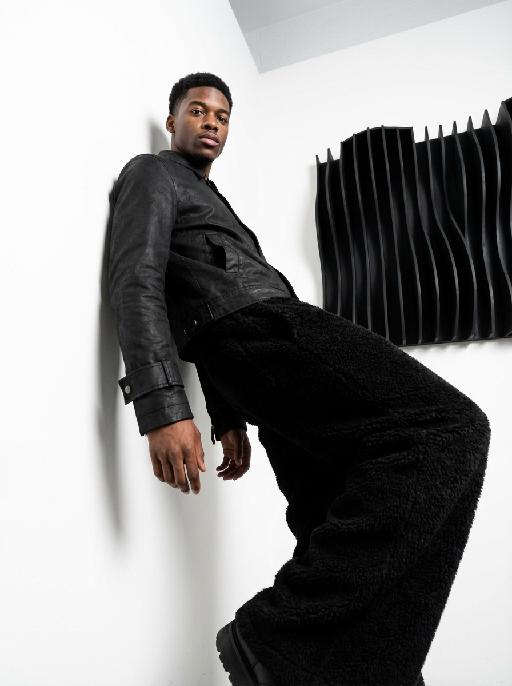
This is a set of professional minimalist style portrait works shot from a low angle. Using a 35mm wide-angle lens, a unique strong perspective distortion effect is presented. This work was taken with a Sony A7R V camera. The uploaded images show the image of the person (with facial features, age and gender unchanged), with neat short hair, matte makeup, highlighting a hard and angular outline, a cold and confident expression, and calm and avant-garde gaze directly at the camera. The body leans against a white matte wall, the right leg is bent and raised, the left arm is placed on the wall, and the right hand is naturally hanging down. Wearing a black worn-out high-end custom leather jacket (with detachable cuffs), a black inner layer, and loose and fluffy black wide-leg pants. The studio uses high-contrast hard light for illumination, with the main light forming a strong contrast line of light and dark in the front, deep shadows, and clear contours. The background is a white matte wall and some black three-dimensional abstract wave-shaped art installations, presenting a strong contrast in visual effect, high contrast, clear texture, and a fashionable and avant-garde photography art style, which can be regarded as a heavyweight work in the fashion world.

With Snowman

The person in the uploaded image retains their original facial features (with tiny snowflakes dusted on the hair strands), wearing a natural and fresh makeup look with a naturally blurred skin finish, and lying gently on the snow with a soft smile. They are dressed in an off-white plush coat paired with a plaid scarf in brown, gray and white tones; a mini snowman (adorned with a floral scarf and twig arms) stands beside them. The scene is a winter outdoor snowfield with bright yet soft sunlight, fine snowflakes floating in the air, and a blurred snowscape in pale blue tones in the background. The style is a high-definition portrait photo with soft light and shadow effects and lens bokeh (out-of-focus highlights) special effects, exuding an overall fresh and healing winter atmosphere. The colors are soft and natural (dominated by blue and white with warm tone accents), with rich details (the plush texture and snowflake texture are clearly rendered), featuring high resolution and exquisite image quality.

Load more

Next-Gen Multi-Model AI Video Architecture

Vivago AI isn't just one engine—it’s a unified hub for the world’s most advanced video AI. Whether you need cinematic realism or high-speed social content, we provide the right model for your creative vision.

Free Generate

Beauty and Dolphins

Vacation Time

Stellar Tear

Fish Tank Supervisor

Cinematic Quality & Precision Control

Enables 4K resolution with multi-lens motion control, generating delicate scene via text prompts for customized cinematography.​

TRY NOW

Dynamic AV Sync

Auto-generates original audio to avoid copyright issues. Build 3D immersive environments through layered sound design automatically.

TRY NOW

OpenAI Sora 2

​Advanced visual storytelling with unparalleled physics and consistency.

TRY NOW

Kling v2.6 Pro

Industry-leading cinematic image animation and motion control.

TRY NOW

Google Veo 3 & 3.1

Ultra-fast generation with enhanced realism for creative workflows.

TRY NOW

Vivago AI 2.0

Our proprietary model optimized for efficiency, speed, and cost-effective generation.

TRY NOW

Users' Voice

We listen carefully to the opinions of every user.
Free Generate
Contact Us
I tried the Lip Sync feature inside Vivago.ai’s AI Video Generator for my educational podcast, and the results were stunning! The avatar's lip movements perfectly matched my audio recording, creating a professional AI-generated video without complex editing. Compared with tools like OpenAI Sora 2 and Google Veo 3.1, Vivago Image-to-Video delivers fast, studio-quality results online. It saved me hours of post-production work.
ElenaM (Spain)
Vivago’s Image-to-Video AI transformed my marketing workflow. I uploaded a product image and described the launch scene in text, and it generated a 10-second cinematic AI video with background music and dynamic visuals. The output quality rivals Kling v2.6 Pro and Google Veo 3 Fast. It’s now my go-to AI video generator for social media ads and product campaigns.
KenjiT (Japan)
As a digital artist, I use Vivago.ai 2.0 daily for Image-to-Image and AI Image-to-Video creation. The e-book covers and animated visuals I generate for clients look cinematic and professional. Unlike many standalone AI tools, Vivago integrates multiple leading models into one platform, making it easier to create copyright-safe AI images and videos for publishing.
ChenL (China)
I tried the Lip Sync feature inside Vivago.ai’s AI Video Generator for my educational podcast, and the results were stunning! The avatar's lip movements perfectly matched my audio recording, creating a professional AI-generated video without complex editing. Compared with tools like OpenAI Sora 2 and Google Veo 3.1, Vivago Image-to-Video delivers fast, studio-quality results online. It saved me hours of post-production work.
ElenaM (Spain)
Vivago’s Image-to-Video AI transformed my marketing workflow. I uploaded a product image and described the launch scene in text, and it generated a 10-second cinematic AI video with background music and dynamic visuals. The output quality rivals Kling v2.6 Pro and Google Veo 3 Fast. It’s now my go-to AI video generator for social media ads and product campaigns.
KenjiT (Japan)
As a digital artist, I use Vivago.ai 2.0 daily for Image-to-Image and AI Image-to-Video creation. The e-book covers and animated visuals I generate for clients look cinematic and professional. Unlike many standalone AI tools, Vivago integrates multiple leading models into one platform, making it easier to create copyright-safe AI images and videos for publishing.
ChenL (China)
I absolutely love Vivago’s AI Image-to-Video Generator. As a travel blogger, static images often fail to capture real atmosphere, but Vivago helps me turn photos into vivid cinematic AI videos with motion effects. It feels comparable to OpenAI Sora 2 and Google Veo 3.1, but more accessible and faster for creators who need high-quality AI videos online.
LiamK (Australia)
I tried the Lip Sync feature inside Vivago.ai’s AI Video Generator for my educational podcast, and the results were stunning! The avatar's lip movements perfectly matched my audio recording, creating a professional AI-generated video without complex editing. Compared with tools like OpenAI Sora 2 and Google Veo 3.1, Vivago Image-to-Video delivers fast, studio-quality results online. It saved me hours of post-production work.
ElenaM (Spain)
Vivago’s Image-to-Video AI transformed my marketing workflow. I uploaded a product image and described the launch scene in text, and it generated a 10-second cinematic AI video with background music and dynamic visuals. The output quality rivals Kling v2.6 Pro and Google Veo 3 Fast. It’s now my go-to AI video generator for social media ads and product campaigns.
KenjiT (Japan)
As a digital artist, I use Vivago.ai 2.0 daily for Image-to-Image and AI Image-to-Video creation. The e-book covers and animated visuals I generate for clients look cinematic and professional. Unlike many standalone AI tools, Vivago integrates multiple leading models into one platform, making it easier to create copyright-safe AI images and videos for publishing.
ChenL (China)
I absolutely love Vivago’s AI Image-to-Video Generator. As a travel blogger, static images often fail to capture real atmosphere, but Vivago helps me turn photos into vivid cinematic AI videos with motion effects. It feels comparable to OpenAI Sora 2 and Google Veo 3.1, but more accessible and faster for creators who need high-quality AI videos online.
LiamK (Australia)
Using Vivago.ai’s Image-to-Video AI has greatly enhanced my classroom teaching. I transform textbook notes into historical AI videos with cinematic filters and dynamic animations. Compared with tools like Kling v2.6 Pro and Google Veo 3 Fast, Vivago offers faster generation and easier parameter control for educators who need reliable AI video creation.
RajivG (India)
I frequently create AI videos on Vivago and publish them on TikTok and YouTube Shorts. The AI video templates and trending content ideas help me produce viral-ready clips quickly. With Vivago’s integrated models—including advanced video engines similar to OpenAI Sora 2—I can generate anime-style and cinematic social media videos that drive high engagement.
MarieJ (Spain)
What attracts me most about Vivago.ai is not only the powerful AI Video Generator but also the active AIGC creator community. It combines AI Image-to-Video, Text-to-Video, and leading model integrations like Google Veo 3.1 into one creative platform.
TomW (India)
At first, I was hesitant about using AI video tools. But after trying Vivago Image-to-Video, I realized how easy it is to create professional AI-generated videos online. I just upload an image, add a short prompt, and adjust a few settings. The results are cinematic and copyright-safe, which is essential for commercial projects.
HectorC (Mexico)
Using Vivago.ai’s Image-to-Video AI has greatly enhanced my classroom teaching. I transform textbook notes into historical AI videos with cinematic filters and dynamic animations. Compared with tools like Kling v2.6 Pro and Google Veo 3 Fast, Vivago offers faster generation and easier parameter control for educators who need reliable AI video creation.
RajivG (India)
I frequently create AI videos on Vivago and publish them on TikTok and YouTube Shorts. The AI video templates and trending content ideas help me produce viral-ready clips quickly. With Vivago’s integrated models—including advanced video engines similar to OpenAI Sora 2—I can generate anime-style and cinematic social media videos that drive high engagement.
MarieJ (Spain)
What attracts me most about Vivago.ai is not only the powerful AI Video Generator but also the active AIGC creator community. It combines AI Image-to-Video, Text-to-Video, and leading model integrations like Google Veo 3.1 into one creative platform.
TomW (India)
At first, I was hesitant about using AI video tools. But after trying Vivago Image-to-Video, I realized how easy it is to create professional AI-generated videos online. I just upload an image, add a short prompt, and adjust a few settings. The results are cinematic and copyright-safe, which is essential for commercial projects.
HectorC (Mexico)