Text to Image

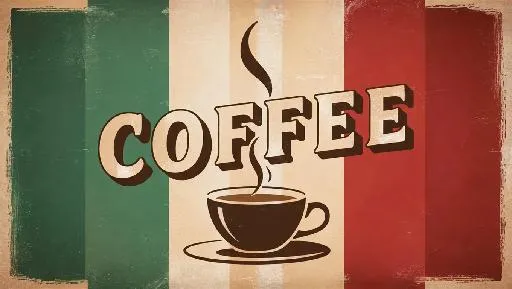
Create vibrant AI-generated coffee art with retro stripes, steaming cups, and bold typography using VivaGo.ai. Design warm, nostalgic coffee visuals effortlessly—perfect for cafes, menus, or social media. Customize vintage-inspired color palettes and dynamic steam effects. Transform text prompts into professional-grade retro coffee designs in seconds. Elevate branding with AI-powered vintage aesthetics.

Recreate
arrow
Text to Image

FAQs

How to generate images/videos from text prompts?

Describe the visual content in natural language (e.g., 'A cyberpunk cat wearing neon goggles') and our AI models will create outputs. Complex prompts trigger multi-stage NLP parsing for enhanced accuracy.

How to refine unsatisfactory results?

Use our Prompt Bot - an AI-powered optimizer that suggests technical modifiers. Simply describe your ideas, desired changes ('more metallic texture'), then you will get optimized prompt variants.

When should I use reference images?

Upload references to: 1) Guide character consistency (e.g., faces/outfits), 2) Control motion patterns in videos using our feature matching algorithm. Supports JPG/PNG

What's the credit system?

Daily login grants 100 credits. Upgrade options: 1) Premium Membership, 2) Credit Packs. Details: https://vivago.ai/subscribe

More From VIVAGO AI

Text to Image AI effects generated image

Text to Image

// Japanese Scroll Shader - Black, Red, Grey void mainImage(out vec4 fragColor, in vec2 fragCoord) { vec2 uv = fragCoord.xy / iResolution.xy; uv.y = 1.0 - uv.y; // flip Y for scroll feel vec2 p = (uv - 0.5) * 2.0; // Scroll-like vertical flow float t = iTime * 0.2; float flow = sin(p.y * 3.0 + t) * 0.2; p.x += flow; // Radial sumi ink distortion float r = length(p); float inkStroke = smoothstep(0.3, 0.05, abs(sin(p.y * 6.0 + t) * cos(p.x * 4.0 + t))); // Ink wash gradient float wash = smoothstep(0.8, 0.2, r + 0.1 * sin(p.y * 10.0 + t)); // Red circle "sun" motif float sun = smoothstep(0.15, 0.12, length(p - vec2(0.0, 0.4))); // Combine layers vec3 greyInk = mix(vec3(1.0), vec3(0.1), wash * 0.8 + inkStroke * 0.9); greyInk = mix(greyInk, vec3(1.0, 0.1, 0.1), sun); // Red sun fragColor = vec4(greyInk, 1.0); }

Load more