Text to Image

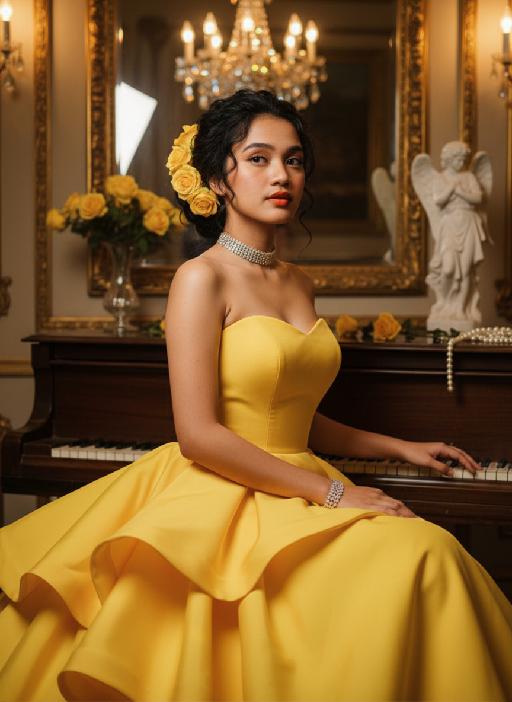
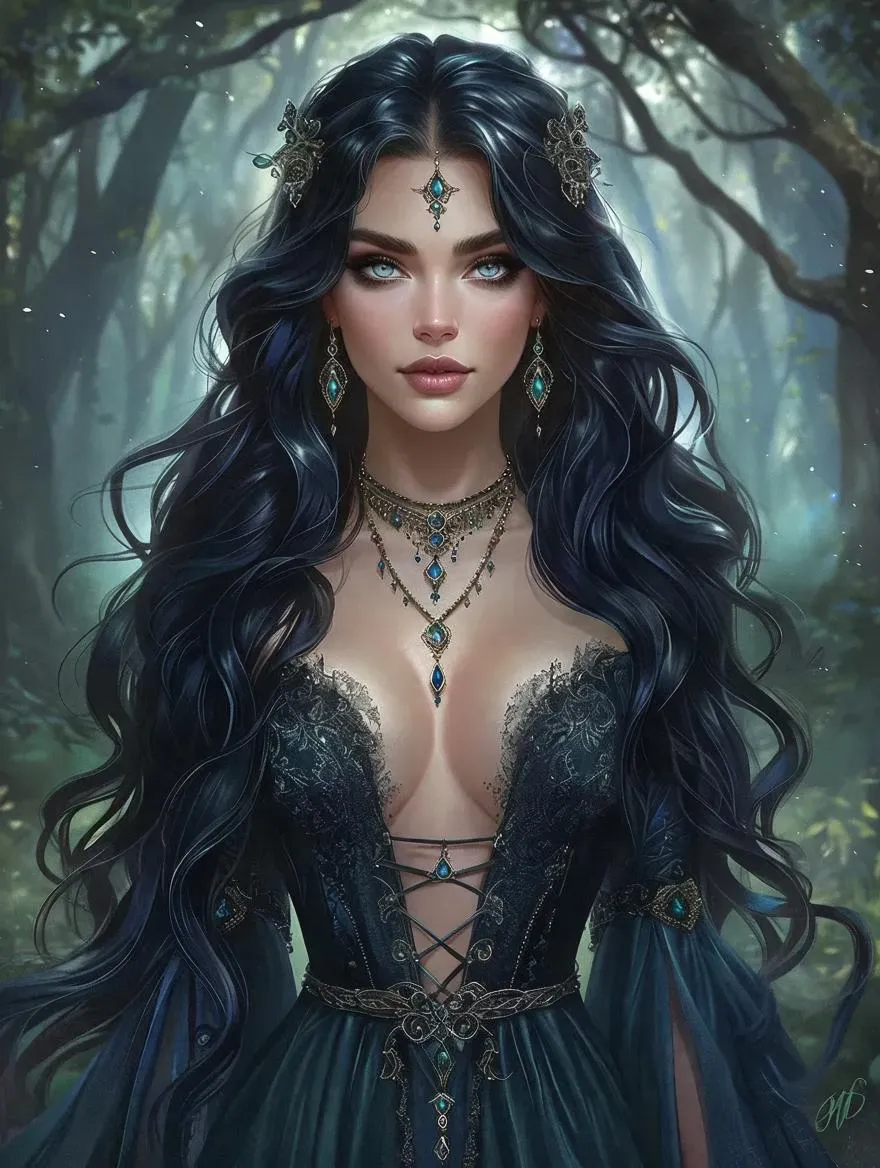
Create an enchanting fantasy witch with dark red hair, deep blue eyes, and a sultry low-cut dress using Vivago.ai. Enhance with mystical rings, necklaces, and AI effects for spellbinding full-body artistry. Ideal for mesmerizing storytelling, mystical visuals, and professional-grade fantasy character design.

Recreate
arrow
Text to Image

FAQs

How to generate images/videos from text prompts?

Describe the visual content in natural language (e.g., 'A cyberpunk cat wearing neon goggles') and our AI models will create outputs. Complex prompts trigger multi-stage NLP parsing for enhanced accuracy.

How to refine unsatisfactory results?

Use our Prompt Bot - an AI-powered optimizer that suggests technical modifiers. Simply describe your ideas, desired changes ('more metallic texture'), then you will get optimized prompt variants.

When should I use reference images?

Upload references to: 1) Guide character consistency (e.g., faces/outfits), 2) Control motion patterns in videos using our feature matching algorithm. Supports JPG/PNG

What's the credit system?

Daily login grants 100 credits. Upgrade options: 1) Premium Membership, 2) Credit Packs. Details: https://vivago.ai/subscribe

More From VIVAGO AI

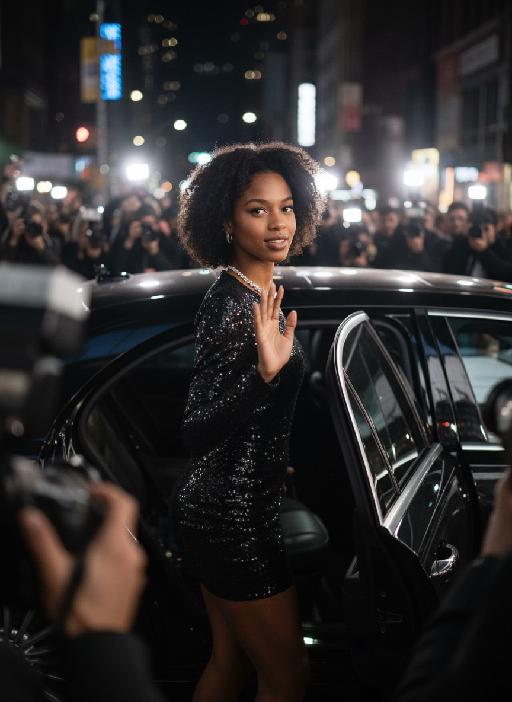
Hollywood Star AI effects generated image

Hollywood Star

A medium close-up shot from a frontal perspective with a slight upward tilt, the camera angle is slightly tilted forward. This shot was taken using a professional full-frame digital SLR camera and a 50mm f/1.2 wide-angle fixed-focus lens. The uploaded image shows a person (with unchanged facial features, gender, age, and hairstyle), wearing a tight black sequined sexy dress and wearing high-end custom accessories. This figure is preparing to get into a black luxury car with open doors. The figure turns halfway and looks at the camera, raising one hand and making a gentle waving or shielding gesture. The person has a relaxed and confident smile on their face, with bright and expressive eyes. The scene is on a night-time city street, illuminated by a group of paparazzi and a large number of flashes, creating a high-contrast light and shadow effect, with shadows and bright highlights, and the foreground also includes cameras and flashes, creating the feeling that the celebrity figure is surrounded by paparazzi and cameras. This aesthetic style is the street style of Hollywood celebrity paparazzi, featuring grainy film texture, clear focus on the subject, blurred background and dark tones. The person's face is illuminated by the flash, and the makeup characteristic of the figure is exaggerated false eyelashes, clear cheekbones, nude matte lip color and bright highlights used to enhance the three-dimensionality; the picture adds dark corners at the four corners and bright parts in the middle, creating a strong contrast between light and shadow.

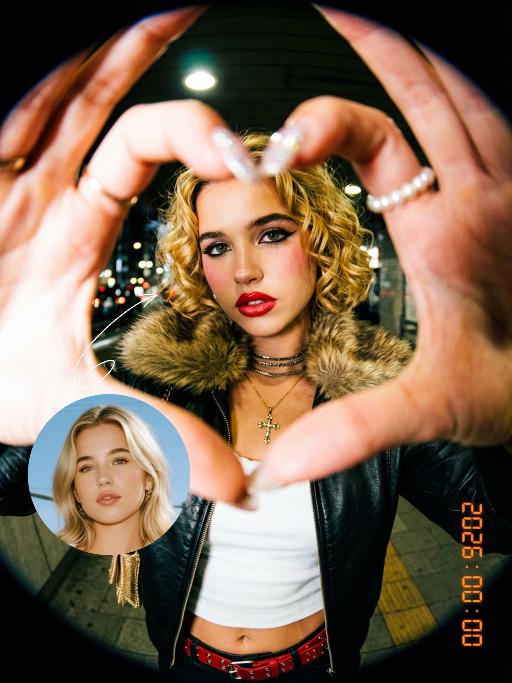
Lens Heartbeat AI effects generated image

Lens Heartbeat

The uploaded figure (with unchanged facial features) forms a heart shape with both hands in front of the lens for a framed composition, featuring a shallow depth of field (the large, tilted hands in the foreground are slightly blurred). This is a portrait photoshoot in the ppgalclub style, with Japanese Shibuya Y2K fashion styling. Captured in a fisheye lens close-up (strong fisheye distortion with slight stretching at the frame edges) from a slightly low-angle perspective, the figure is centered to fill the entire frame. The figure has short, curly golden bob hair and bold makeup (thick black eyeliner + plump red lips + translucent pink-toned blush), leaning forward with the face facing the camera directly. The outfit includes a black leather vest with a fur collar, a white camisole, a red stud-embellished belt (with a cropped waist design), a golden cross necklace paired with multi-layered metal chokers, sequin-embellished nail art, pearl-encircled rings, and a small golden chain bag. The scene is set in a Shibuya underground passage at night, with dim artificial lighting and a high-intensity flash fired directly at the figure (creating stark light and shadow contrast, prominent highlights on the figure’s face, and a dark-toned background), plus blurred bokeh light spots in the background. The image features film grain texture, a highly saturated black/gold/red color scheme, and ultra-high-definition details; a black fisheye lens vignetting frames the entire image, and an orange vertical digital date watermark (2026:00:00) is added to the bottom right corner.

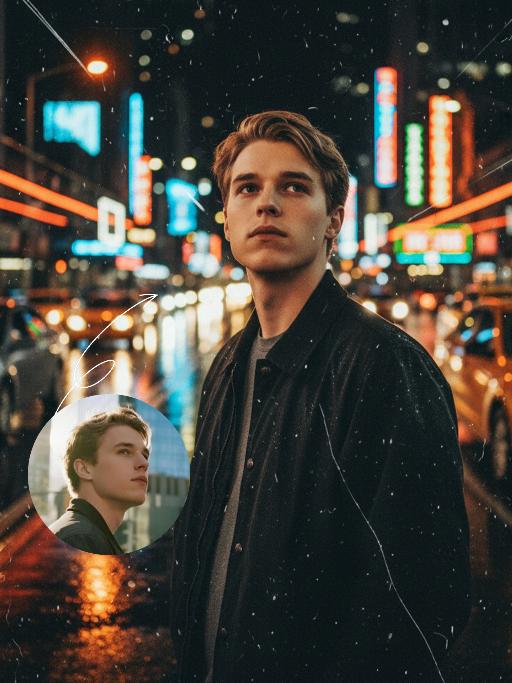
Midnight Neon AI effects generated image

Midnight Neon

Professional retro film-style portrait photography, with the first uploaded portrait used in the frame for strict identity consistency (unchanged facial features, hairstyle, skin tone and age). The figure’s face is naturally retouched for a flawless skin texture, paired with dramatic light and shadow contrast on the facial features. In this street photography portrait, the figure stands at the center of a bustling city street on a rainy night (the vibrant night view of Tokyo’s busy thoroughfares), captured in a close-up shot and positioned right at the frame’s center. The traffic flow in the background (vehicles and pedestrians speeding by to create blurred dynamic streaks) and neon lights feature dynamic motion blur effects, with smudged texture overlays to enhance the narrative mood. The dim lighting boasts high contrast; the wet road surfaces reflect warm orange glows and cool-toned neon light, with soft bokeh spots cast by street lamps and car headlights. Color palette: based on black and white tones, the neon hues are processed with high saturation, dominated by dark shades to create a striking contrast between warm and cool tones. The image is enhanced with film grain texture, depth of field breakup details, cinematic black aesthetic, and ultra-realistic, ultra-fine textures, plus a lifelike effect of raindrops splattering on the lens. Shot with a slow shutter speed, a large aperture and a low shutter setting; an orange vertical digital date watermark (2026:00:00) is added to the bottom right corner.

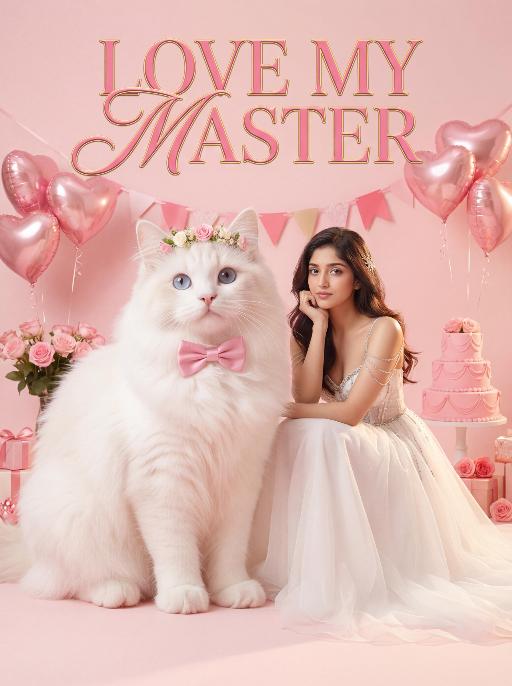
Princess AI effects generated image

Princess

Surreal photography art: In the uploaded picture, the pet (with its features remaining the same, but its size transformed into a huge one with fluffy fur, occupying the left side of the picture and wearing cute accessories), and a person in the uploaded picture (with unchanged facial features, gender, and age) wearing an exquisite white high-end custom dress (wearing delicate accessories), places their chin on their hand and sits slightly on the ground beside the aforementioned pet, with the proportion of the pet and the person in the picture being 1 to 1; the color scheme is pink, with a natural realistic style, a photography studio photography style, the background is a simple pale pink clean photography studio background surface, surrounded by pink cakes and roses, with princess-style, Valentine's Day elements such as heart-shaped decorative balloons, a realistic pet photography style. High-key, soft, bright light, soft diffused shadows, warm low saturation tones (mutton white, pink, warm orange), creating a warm, intimate romantic Valentine's Day atmosphere between the pet and the person, fashionable avant-garde photography art, realistic film-level realistic effect, with a large title artistic design font: LOVE MY MASTER

Sticker Pack AI effects generated image

Sticker Pack

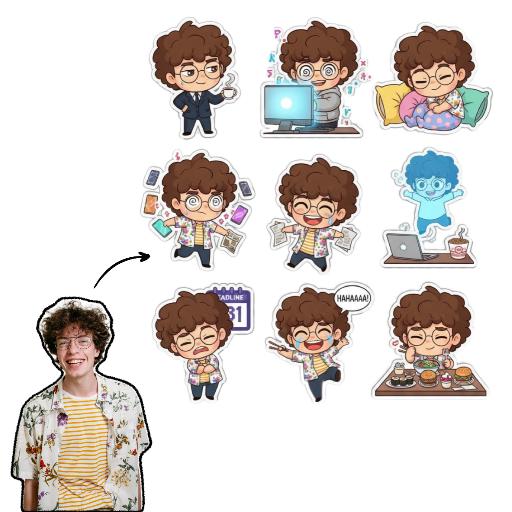
Please create a set of 9 Chibi stickers featuring [the character in the reference image], arranged in a 3x3 grid.Design requirements:- Transparent background.- 1:1 square aspect ratio.- Consistent Chibi Ghibli cartoon style with vibrant colors.- Each sticker must have a unique action, expression, and theme, reflecting diverse emotions like “sassy, mischievous, cute, frantic”(e.g., rolling eyes, laughing hysterically on the floor, soul leaving body, petrified, throwing money, foodie mode, social anxiety attack). Incorporate elements related to office workers and internet memes.- Each character depiction must be complete, with no missing parts.- Each sticker must have a uniform white outline, giving it a sticker-like appearance.- No extraneous or detached elements in the image.- Strictly no text, or ensure any text is 100% accurate (no text preferred).

Run Away AI effects generated image

Run Away

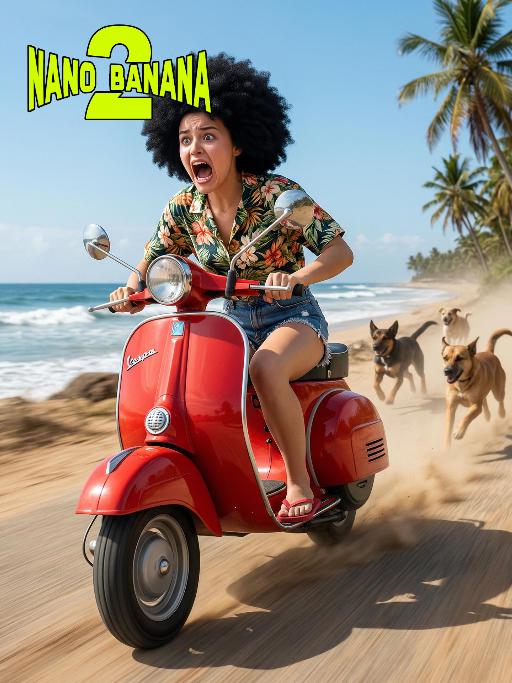
Use the exact same facial features, gender, and age as the uploaded image.Photorealistic action photograph: a young rider with thick, voluminous black afro hair, wearing a brightly colored tropical floral print short-sleeve shirt, frayed light blue denim cutoff shorts, and red flip-flops, riding a bright red classic Vespa-style scooter at breakneck speed along a coastal highway. The vehicle tilts slightly, kicking up large clouds of tan sand and dust from the wheels, while the rider leans forward aggressively with a panicked, wide-eyed expression—mouth agape, screaming in frantic determination to escape. Behind the scooter, three tan-colored dogs chase frantically, tongues lolling, legs blurred in motion, almost catching up. The backdrop features crashing ocean waves, a sandy beach, swaying palm trees, bright blue sky, and clear tropical daylight. Shot from a low angle with dynamic motion blur to emphasize speed and tension, captured using a Sony A7R IV camera paired with a 35mm f/1.4 lens. 8K resolution, ultra-fine details, cinematic action shot, with an overall atmosphere of chaos, high energy, and urgent escape.

With Deceased

Place the two characters from the uploaded pictures (with strict control over gender, age, clothing, and expression of sadness) in the same scene. The background is a beautiful scene of a warm yellow flower sea with a beautiful sunset. The sunlight shines on the characters' faces, illuminating them with a warm light, creating a warm and romantic atmosphere. The characters stand facing the camera in the middle of the frame, in a half-body close-up shot (the two shots uploaded are of them standing facing the camera). There is a bright light edge effect on the outline, with a smooth and natural transition. The picture quality is of a film level, with a realistic texture. It presents the texture of a reunion and memory. The shooting was done using a Canon 5D Mark IV full-frame camera and a 55mm f/1.4 wide-angle lens. The shallow depth of field effect was used. The warm-toned sunset natural light (golden dusk side backlight) was used to create a warm atmosphere. The high-resolution quality

Dark Pharaoh AI effects generated image

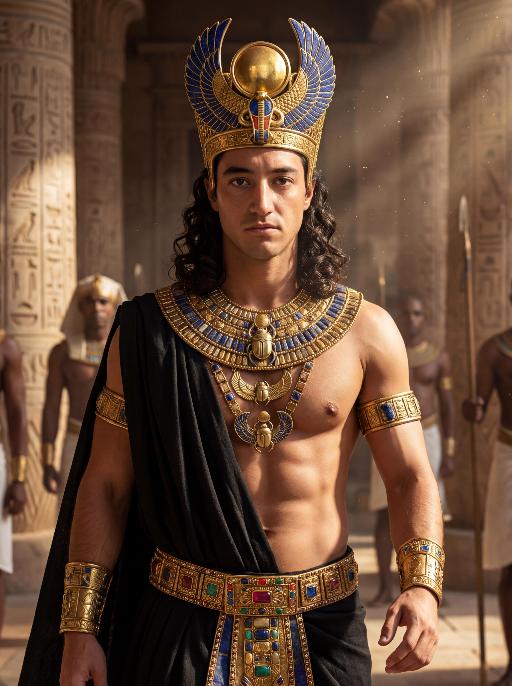
Dark Pharaoh

The character in the uploaded picture (unchanged facial features, gender and age). A striking young man embodying the persona of an ancient Egyptian pharaoh, captured in a hyper-realistic, cinematic portrait. He has long, dark curly hair, a chiseled jawline, and a direct, commanding gaze that exudes divine authority. He is bare-chested, showcasing a muscular physique. He wears an opulent, ornate headdress with large, fan-like golden and lapis lazuli blue wings, crowned with a central symbol. His neck is adorned with multiple layers of intricate golden pectoral necklaces, inlaid with vibrant lapis lazuli and carnelian, featuring sacred Egyptian motifs like scarabs. He wears detailed golden armbands and bracelets etched with hieroglyphics on both arms. A black, flowing fabric is draped over his left shoulder. His waist is cinched with a wide, elaborately decorated belt featuring gold, blue, and red inlays and hieroglyphic carvings. He walks forward with a regal, confident stride, radiating power and pharaonic grandeur. The setting is the grand interior of an ancient Egyptian palace, with towering stone columns, intricate hieroglyphic carvings on the walls, and shafts of golden light streaming through high windows. Blurred figures of attendants in similar golden attire follow in the background, enhancing the sense of scale and majesty. The image is rendered in a hyper-realistic, epic historical drama style, with dramatic, cinematic lighting that highlights the intricate details of the golden regalia, the texture of the fabric, and the weathered stone of the palace. The color palette is rich and opulent, featuring deep golds, vibrant blues, and earthy stone tones, creating a timeless, majestic, and awe-inspiring atmosphere. The overall aesthetic is detailed, lifelike, and reminiscent of a scene from a grand historical epic film

Load more

Next-Gen Multi-Model AI Video Architecture

Vivago AI isn't just one engine—it’s a unified hub for the world’s most advanced video AI. Whether you need cinematic realism or high-speed social content, we provide the right model for your creative vision.

Free Generate

Beauty and Dolphins

Vacation Time

Stellar Tear

Fish Tank Supervisor

Cinematic Quality & Precision Control

Enables 4K resolution with multi-lens motion control, generating delicate scene via text prompts for customized cinematography.​

TRY NOW

Dynamic AV Sync

Auto-generates original audio to avoid copyright issues. Build 3D immersive environments through layered sound design automatically.

TRY NOW

OpenAI Sora 2

​Advanced visual storytelling with unparalleled physics and consistency.

TRY NOW

Kling v2.6 Pro

Industry-leading cinematic image animation and motion control.

TRY NOW

Google Veo 3 & 3.1

Ultra-fast generation with enhanced realism for creative workflows.

TRY NOW

Vivago AI 2.0

Our proprietary model optimized for efficiency, speed, and cost-effective generation.

TRY NOW

Users' Voice

We listen carefully to the opinions of every user.
Free Generate
Contact Us
I tried the Lip Sync feature inside Vivago.ai’s AI Video Generator for my educational podcast, and the results were stunning! The avatar's lip movements perfectly matched my audio recording, creating a professional AI-generated video without complex editing. Compared with tools like OpenAI Sora 2 and Google Veo 3.1, Vivago Image-to-Video delivers fast, studio-quality results online. It saved me hours of post-production work.
ElenaM (Spain)
Vivago’s Image-to-Video AI transformed my marketing workflow. I uploaded a product image and described the launch scene in text, and it generated a 10-second cinematic AI video with background music and dynamic visuals. The output quality rivals Kling v2.6 Pro and Google Veo 3 Fast. It’s now my go-to AI video generator for social media ads and product campaigns.
KenjiT (Japan)
As a digital artist, I use Vivago.ai 2.0 daily for Image-to-Image and AI Image-to-Video creation. The e-book covers and animated visuals I generate for clients look cinematic and professional. Unlike many standalone AI tools, Vivago integrates multiple leading models into one platform, making it easier to create copyright-safe AI images and videos for publishing.
ChenL (China)
I tried the Lip Sync feature inside Vivago.ai’s AI Video Generator for my educational podcast, and the results were stunning! The avatar's lip movements perfectly matched my audio recording, creating a professional AI-generated video without complex editing. Compared with tools like OpenAI Sora 2 and Google Veo 3.1, Vivago Image-to-Video delivers fast, studio-quality results online. It saved me hours of post-production work.
ElenaM (Spain)
Vivago’s Image-to-Video AI transformed my marketing workflow. I uploaded a product image and described the launch scene in text, and it generated a 10-second cinematic AI video with background music and dynamic visuals. The output quality rivals Kling v2.6 Pro and Google Veo 3 Fast. It’s now my go-to AI video generator for social media ads and product campaigns.
KenjiT (Japan)
As a digital artist, I use Vivago.ai 2.0 daily for Image-to-Image and AI Image-to-Video creation. The e-book covers and animated visuals I generate for clients look cinematic and professional. Unlike many standalone AI tools, Vivago integrates multiple leading models into one platform, making it easier to create copyright-safe AI images and videos for publishing.
ChenL (China)
I absolutely love Vivago’s AI Image-to-Video Generator. As a travel blogger, static images often fail to capture real atmosphere, but Vivago helps me turn photos into vivid cinematic AI videos with motion effects. It feels comparable to OpenAI Sora 2 and Google Veo 3.1, but more accessible and faster for creators who need high-quality AI videos online.
LiamK (Australia)
I tried the Lip Sync feature inside Vivago.ai’s AI Video Generator for my educational podcast, and the results were stunning! The avatar's lip movements perfectly matched my audio recording, creating a professional AI-generated video without complex editing. Compared with tools like OpenAI Sora 2 and Google Veo 3.1, Vivago Image-to-Video delivers fast, studio-quality results online. It saved me hours of post-production work.
ElenaM (Spain)
Vivago’s Image-to-Video AI transformed my marketing workflow. I uploaded a product image and described the launch scene in text, and it generated a 10-second cinematic AI video with background music and dynamic visuals. The output quality rivals Kling v2.6 Pro and Google Veo 3 Fast. It’s now my go-to AI video generator for social media ads and product campaigns.
KenjiT (Japan)
As a digital artist, I use Vivago.ai 2.0 daily for Image-to-Image and AI Image-to-Video creation. The e-book covers and animated visuals I generate for clients look cinematic and professional. Unlike many standalone AI tools, Vivago integrates multiple leading models into one platform, making it easier to create copyright-safe AI images and videos for publishing.
ChenL (China)
I absolutely love Vivago’s AI Image-to-Video Generator. As a travel blogger, static images often fail to capture real atmosphere, but Vivago helps me turn photos into vivid cinematic AI videos with motion effects. It feels comparable to OpenAI Sora 2 and Google Veo 3.1, but more accessible and faster for creators who need high-quality AI videos online.
LiamK (Australia)
Using Vivago.ai’s Image-to-Video AI has greatly enhanced my classroom teaching. I transform textbook notes into historical AI videos with cinematic filters and dynamic animations. Compared with tools like Kling v2.6 Pro and Google Veo 3 Fast, Vivago offers faster generation and easier parameter control for educators who need reliable AI video creation.
RajivG (India)
I frequently create AI videos on Vivago and publish them on TikTok and YouTube Shorts. The AI video templates and trending content ideas help me produce viral-ready clips quickly. With Vivago’s integrated models—including advanced video engines similar to OpenAI Sora 2—I can generate anime-style and cinematic social media videos that drive high engagement.
MarieJ (Spain)
What attracts me most about Vivago.ai is not only the powerful AI Video Generator but also the active AIGC creator community. It combines AI Image-to-Video, Text-to-Video, and leading model integrations like Google Veo 3.1 into one creative platform.
TomW (India)
At first, I was hesitant about using AI video tools. But after trying Vivago Image-to-Video, I realized how easy it is to create professional AI-generated videos online. I just upload an image, add a short prompt, and adjust a few settings. The results are cinematic and copyright-safe, which is essential for commercial projects.
HectorC (Mexico)
Using Vivago.ai’s Image-to-Video AI has greatly enhanced my classroom teaching. I transform textbook notes into historical AI videos with cinematic filters and dynamic animations. Compared with tools like Kling v2.6 Pro and Google Veo 3 Fast, Vivago offers faster generation and easier parameter control for educators who need reliable AI video creation.
RajivG (India)
I frequently create AI videos on Vivago and publish them on TikTok and YouTube Shorts. The AI video templates and trending content ideas help me produce viral-ready clips quickly. With Vivago’s integrated models—including advanced video engines similar to OpenAI Sora 2—I can generate anime-style and cinematic social media videos that drive high engagement.
MarieJ (Spain)
What attracts me most about Vivago.ai is not only the powerful AI Video Generator but also the active AIGC creator community. It combines AI Image-to-Video, Text-to-Video, and leading model integrations like Google Veo 3.1 into one creative platform.
TomW (India)
At first, I was hesitant about using AI video tools. But after trying Vivago Image-to-Video, I realized how easy it is to create professional AI-generated videos online. I just upload an image, add a short prompt, and adjust a few settings. The results are cinematic and copyright-safe, which is essential for commercial projects.
HectorC (Mexico)