Text to Image

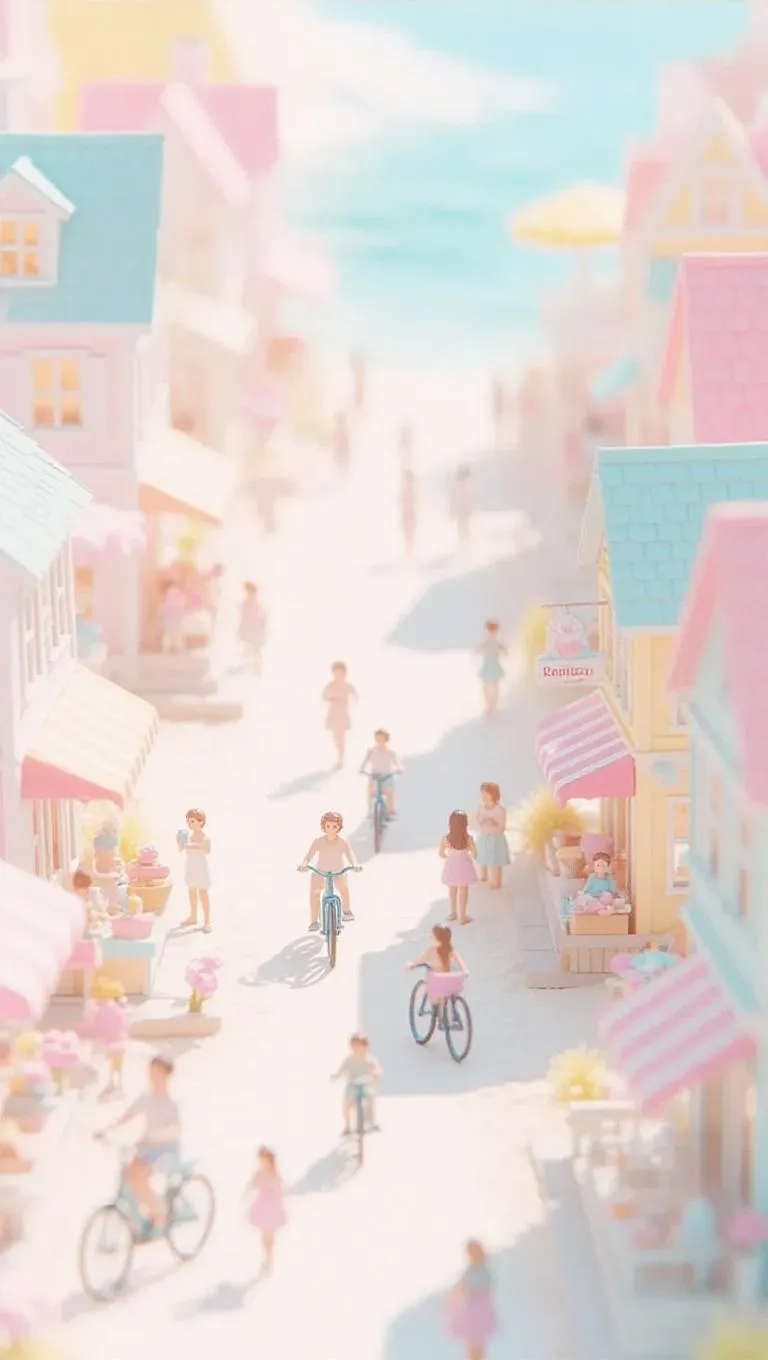
A miniature seaside town with tiny cottages, sandy paths, and a bustling boardwalk. Tiny people enjoying their day, some riding bicycles, others eating ice cream at a small kiosk. Soft, pastel sunlight casts a dreamy glow, enhancing the cute and vibrant atmosphere.

Recreate
arrow
Text to Image

More From VIVAGO AI

Amusement Park

Two photo-realistic Polaroid photos held in hand (the figure has different facial expressions and poses in the two photos), randomly placed in a staggered upper and lower arrangement as a collage: the subject of each Polaroid is the figure in the uploaded image, with unchanged facial features and the same number of figures; the figure wears a white fluffy Christmas hat, a brown-and-white striped scarf, a white sweater adorned with golden star embellishments and brown gloves—one photo shows the figure touching the cheek gently with one hand, and the other shows the figure making a peace sign with one hand. The background of each Polaroid is black, overlaid with white snowflakes and gold/black star decorations; the scene outside the photos features a green Christmas tree with the words Merry Christmas in a golden diamond-glitter texture and shiny red Christmas baubles hanging on it. The lighting is warm Christmas ambient light, creating a cozy winter vibe; the style features Polaroid film texture with the classic white Polaroid borders retained and rich details throughout. The focus is sharp with a softly blurred background, and the edges of the Polaroid photos are decorated with festive Christmas elements, including golden star stickers and snowflake patterns.

Fairy AI effects generated image

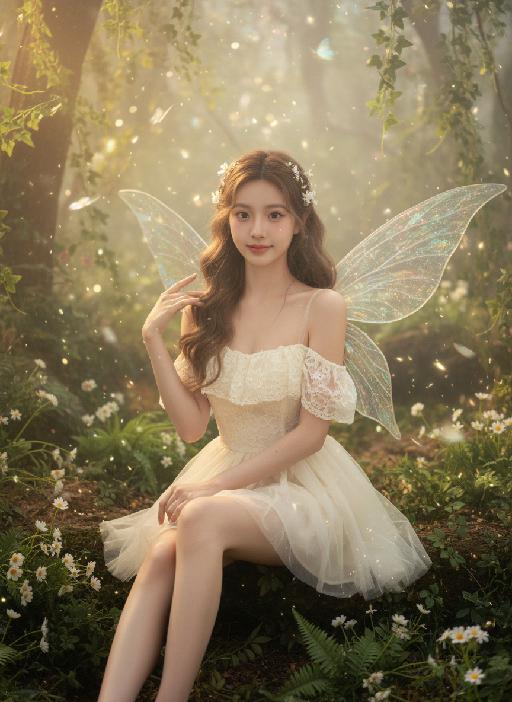
Fairy

Strictly lock the facial features of the uploaded portrait (completely preserve facial contours, native skin tone, hairstyle and age); forest elf girl with light brown curly hair and white flower hair accessories, clear nude makeup with light pink blush, facing the camera directly with a clear facial expression, lively and gentle eyes, sitting upright with fair and slender legs exposed (naturally straight or slightly bent), one hand resting gently on the leg and the other touching the elf wing; wearing an off-white lace strapless tulle dress with transparent glitter elf wings on the back, full of fairy aura; background is a forest secret realm surrounded by lush green plants, interwoven with ferns, white small flowers and vines, mist filling the forest, warm light filtering through branches to form fine light spots, butterflies and light particles flying in the air; overall forest elf + dreamy fairy atmosphere photo, soft and transparent light, low saturation forest tones, cinematic lighting, motion blur (light spots/butterflies/hair), full of details, 8K ultra-clear, realistic human photography, flawless

Night Chat

The uploaded figure (with unchanged facial features) is lit by a high-intensity flash fired directly at them, creating stark contrast between light and shadow, prominent highlights on the figure’s face, and a dark-toned background with blurred bokeh light spots. This is a medium close-up portrait: the figure leans out of a car window with their upper body, in an off-the-shoulder pose, their long dark brown curly hair tousled and flowing in the wind. They wear a loose white off-the-shoulder knit sweater, gaze straight at the camera with a lazy and cool expression. Shot from an eye-level perspective, the background features a nighttime urban street with slightly blurred traffic flow, warm yellow street lamp glows and red taillight bokeh, and a shallow depth of field with bokeh effects. The overall mood blends a warm color tone with a cool atmosphere, complemented by film texture and film grain, plus ultra-high-definition details. An orange vertical digital date watermark (2026:00:00) is added to the bottom right corner.

Toy Lost AI effects generated image

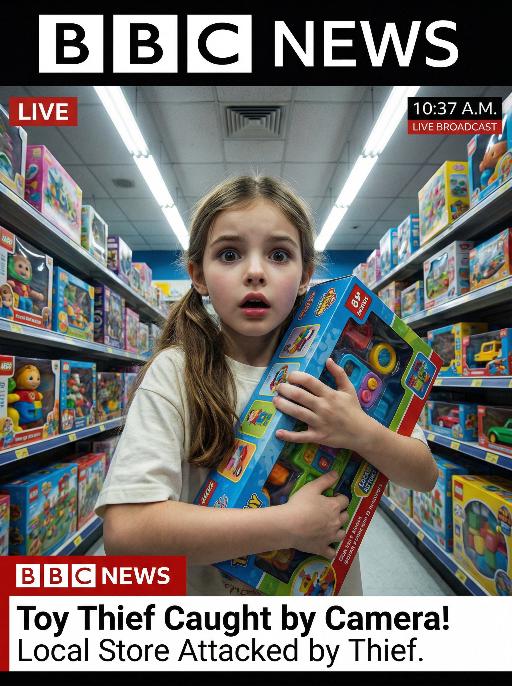
Toy Lost

This is a genuine screenshot of a live news report. The picture shows the uploaded image (with no changes in facial features, age, and gender), featuring a shocked expression on the face of the person, standing in the middle of the bright toy store aisle, holding a large toy box tightly. The main character occupies 80% of the overall picture. This shot is a close-up. The panoramic shot is slightly tilted upwards, looking down on the protagonist. The shelves on both sides are filled with colorful toy packages, and there are fluorescent lights on the ceiling. At the bottom of the picture, there is a news headline (in the style consistent with America news): Toy Thief Caught by Camera! Local Store Attacked by Thief. At the top of the picture, there is a large headline (in the style consistent with BBC news): LIVE NEWS. In the corner, there is a timestamp: 10:37 A.M. LIVE BROADCAST. It adopts a real news photography style, with rich details, a resolution of 8K, and has the aesthetic appeal similar to a movie-style surveillance camera, simulating a real-time news scene.

Document AI effects generated image

Document

An official reference document marked with "Violation of Agreement" contains a black-and-white photo with a retro movie-like texture (accounting for 60% of the overall picture): In the photo, there is a successful person dressed in stylish black high-end clothing (with the original figure as the main subject, without any changes to facial features) standing alone, with palm trees and the setting sun in the background. The document is made from an old newspaper and placed on a wooden tabletop background (accounting for 95% of the overall picture). This scene is both realistic and ironic. This is an official notice issued by the fictional "International Culinary Standards Department", with the event report number "Awaiting Diplomatic Apology" and the status "Pending Processing". This event is described in bold as a ridiculous culinary "crime" (ordering chicken nuggets at an upscale dinner party). The text has been modified with a red marker. The circular official seal features an eagle's emblem and the words "Culinary Crime". The title part is covered with a leather sticker with a retro printed pattern. It has a retro printed texture and clear focus. The resolution is 8K. It adopts a retro design style, with a humorous, satirical style and a retro artistic beauty.

Queen AI effects generated image

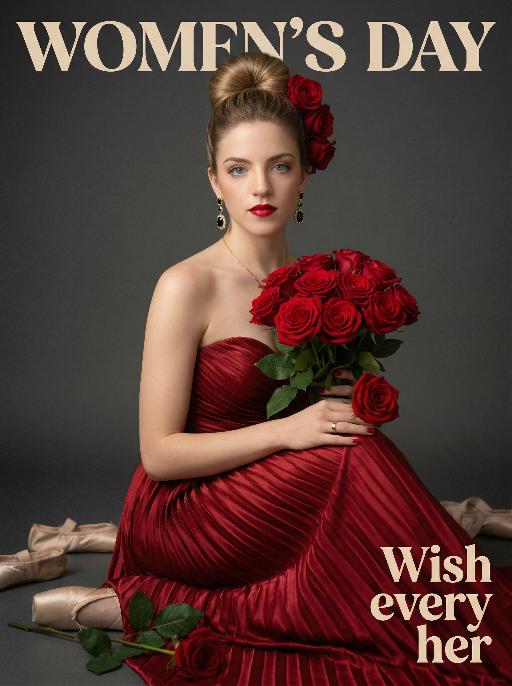
Queen

Use the exact same facial features, gender, and age as the uploaded image.Hyper-realistic half-body portrait photography, cinematic lighting, 8K resolution, shallow depth of field, rich and warm color palette. her hair styled in an elegant high bun with a few red roses tucked into the side of her hair. She wears dangling gold earrings with black gemstones, a thin gold necklace, and a gold ring on her right hand. Her makeup is sophisticated, featuring bold red lipstick and defined eyes. She is dressed in a strapless, floor-length gown made of deep red pleated satin fabric, the texture of the folds is extremely detailed. She holds a lush bouquet of fully bloomed red roses with green leaves in her arms, one rose resting gently on her right hand. She sits gracefully, looking directly at the camera with a calm and alluring expression. The background is a smooth, matte dark gray studio backdrop. On the dark floor around her, there are scattered ballet pointe shoes and a single fallen rose with green leaves. The overall style is vintage and luxurious, with soft directional lighting highlighting the sheen of the satin and the velvety texture of the rose petals, creating a strong sense of drama and elegance..The text "WOMEN'S DAY" is displayed at the top in large, bold, stylized artistic font.The text "Wish every her" is positioned in the lower right corner in a complementary artistic font.

3D OOTD AI effects generated image

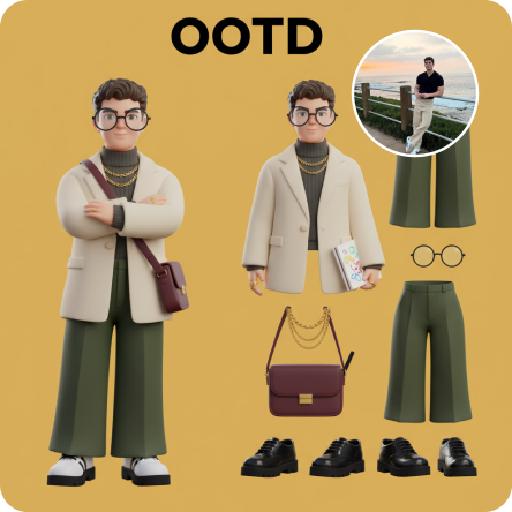
3D OOTD

Generate a Q-style 3D C4D-rendered character based on the person in the photo, dressed in a fashion-forward “outfit of the day” (OOTD) inspired by a specific profession.Profession: Fashion Designer – Keep the original facial features and character pose – Stylize the character with a cute, long-legged chibi proportion – Outfit and accessories should reflect the profession, including trendy designer wear, glasses, sketchbook or tablet, and stylish shoes – Match the outfit with fashion accessories to complete the look – Use a solid background color that complements the character’s overall color palette (no gradients or textures) Top text: “OOTD” Left side: the full-body chibi character wearing the complete outfit Right side: individual clothing items and accessories laid out separately, as if in a style breakdown

Edge of Form AI effects generated image

Edge of Form

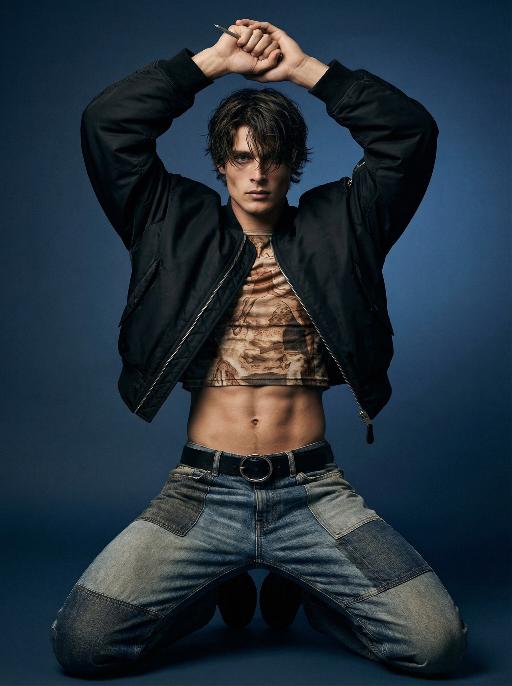
Use the exact same facial features, gender, and age as the character in the uploaded image. Photorealistic full-body fashion portrait, exact same facial features, gender and age as the character in the uploaded image. Dark, tousled medium-length hair falling over the forehead. Dynamic, powerful kneeling pose with both knees on the ground, legs spread wide, torso upright, both arms raised above the head, hands clasped tightly together, a thin metallic object held between the fingers. Oversized cropped black bomber jacket left unzipped, paired with a form-fitting cropped top featuring intricate earth-toned vintage-inspired print, exposing a toned, defined midriff. Patchwork design jeans with mixed denim washes and textures, secured by a black belt with a prominent circular metallic buckle. Smooth gradient dark blue studio backdrop, minimalist and moody atmosphere. Dramatic directional studio lighting, soft key light sculpting muscle contours and clothing textures, creating deep shadows and subtle highlights. Intense, edgy, avant-garde high-fashion editorial mood. High-detail skin texture, cinematic lighting, shallow depth of field, 8K resolution, ultra-realistic, sharp focus on all details.

Load more

Next-Gen Multi-Model AI Video Architecture

Vivago AI isn't just one engine—it’s a unified hub for the world’s most advanced video AI. Whether you need cinematic realism or high-speed social content, we provide the right model for your creative vision.

Free Generate

Beauty and Dolphins

Vacation Time

Stellar Tear

Fish Tank Supervisor

Cinematic Quality & Precision Control

Enables 4K resolution with multi-lens motion control, generating delicate scene via text prompts for customized cinematography.​

TRY NOW

Dynamic AV Sync

Auto-generates original audio to avoid copyright issues. Build 3D immersive environments through layered sound design automatically.

TRY NOW

OpenAI Sora 2

​Advanced visual storytelling with unparalleled physics and consistency.

TRY NOW

Kling v2.6 Pro

Industry-leading cinematic image animation and motion control.

TRY NOW

Google Veo 3 & 3.1

Ultra-fast generation with enhanced realism for creative workflows.

TRY NOW

Vivago AI 2.0

Our proprietary model optimized for efficiency, speed, and cost-effective generation.

TRY NOW

Users' Voice

We listen carefully to the opinions of every user.
Free Generate
Contact Us
I tried the Lip Sync feature inside Vivago.ai’s AI Video Generator for my educational podcast, and the results were stunning! The avatar's lip movements perfectly matched my audio recording, creating a professional AI-generated video without complex editing. Compared with tools like OpenAI Sora 2 and Google Veo 3.1, Vivago Image-to-Video delivers fast, studio-quality results online. It saved me hours of post-production work.
ElenaM (Spain)
Vivago’s Image-to-Video AI transformed my marketing workflow. I uploaded a product image and described the launch scene in text, and it generated a 10-second cinematic AI video with background music and dynamic visuals. The output quality rivals Kling v2.6 Pro and Google Veo 3 Fast. It’s now my go-to AI video generator for social media ads and product campaigns.
KenjiT (Japan)
As a digital artist, I use Vivago.ai 2.0 daily for Image-to-Image and AI Image-to-Video creation. The e-book covers and animated visuals I generate for clients look cinematic and professional. Unlike many standalone AI tools, Vivago integrates multiple leading models into one platform, making it easier to create copyright-safe AI images and videos for publishing.
ChenL (China)
I tried the Lip Sync feature inside Vivago.ai’s AI Video Generator for my educational podcast, and the results were stunning! The avatar's lip movements perfectly matched my audio recording, creating a professional AI-generated video without complex editing. Compared with tools like OpenAI Sora 2 and Google Veo 3.1, Vivago Image-to-Video delivers fast, studio-quality results online. It saved me hours of post-production work.
ElenaM (Spain)
Vivago’s Image-to-Video AI transformed my marketing workflow. I uploaded a product image and described the launch scene in text, and it generated a 10-second cinematic AI video with background music and dynamic visuals. The output quality rivals Kling v2.6 Pro and Google Veo 3 Fast. It’s now my go-to AI video generator for social media ads and product campaigns.
KenjiT (Japan)
As a digital artist, I use Vivago.ai 2.0 daily for Image-to-Image and AI Image-to-Video creation. The e-book covers and animated visuals I generate for clients look cinematic and professional. Unlike many standalone AI tools, Vivago integrates multiple leading models into one platform, making it easier to create copyright-safe AI images and videos for publishing.
ChenL (China)
I absolutely love Vivago’s AI Image-to-Video Generator. As a travel blogger, static images often fail to capture real atmosphere, but Vivago helps me turn photos into vivid cinematic AI videos with motion effects. It feels comparable to OpenAI Sora 2 and Google Veo 3.1, but more accessible and faster for creators who need high-quality AI videos online.
LiamK (Australia)
I tried the Lip Sync feature inside Vivago.ai’s AI Video Generator for my educational podcast, and the results were stunning! The avatar's lip movements perfectly matched my audio recording, creating a professional AI-generated video without complex editing. Compared with tools like OpenAI Sora 2 and Google Veo 3.1, Vivago Image-to-Video delivers fast, studio-quality results online. It saved me hours of post-production work.
ElenaM (Spain)
Vivago’s Image-to-Video AI transformed my marketing workflow. I uploaded a product image and described the launch scene in text, and it generated a 10-second cinematic AI video with background music and dynamic visuals. The output quality rivals Kling v2.6 Pro and Google Veo 3 Fast. It’s now my go-to AI video generator for social media ads and product campaigns.
KenjiT (Japan)
As a digital artist, I use Vivago.ai 2.0 daily for Image-to-Image and AI Image-to-Video creation. The e-book covers and animated visuals I generate for clients look cinematic and professional. Unlike many standalone AI tools, Vivago integrates multiple leading models into one platform, making it easier to create copyright-safe AI images and videos for publishing.
ChenL (China)
I absolutely love Vivago’s AI Image-to-Video Generator. As a travel blogger, static images often fail to capture real atmosphere, but Vivago helps me turn photos into vivid cinematic AI videos with motion effects. It feels comparable to OpenAI Sora 2 and Google Veo 3.1, but more accessible and faster for creators who need high-quality AI videos online.
LiamK (Australia)
Using Vivago.ai’s Image-to-Video AI has greatly enhanced my classroom teaching. I transform textbook notes into historical AI videos with cinematic filters and dynamic animations. Compared with tools like Kling v2.6 Pro and Google Veo 3 Fast, Vivago offers faster generation and easier parameter control for educators who need reliable AI video creation.
RajivG (India)
I frequently create AI videos on Vivago and publish them on TikTok and YouTube Shorts. The AI video templates and trending content ideas help me produce viral-ready clips quickly. With Vivago’s integrated models—including advanced video engines similar to OpenAI Sora 2—I can generate anime-style and cinematic social media videos that drive high engagement.
MarieJ (Spain)
What attracts me most about Vivago.ai is not only the powerful AI Video Generator but also the active AIGC creator community. It combines AI Image-to-Video, Text-to-Video, and leading model integrations like Google Veo 3.1 into one creative platform.
TomW (India)
At first, I was hesitant about using AI video tools. But after trying Vivago Image-to-Video, I realized how easy it is to create professional AI-generated videos online. I just upload an image, add a short prompt, and adjust a few settings. The results are cinematic and copyright-safe, which is essential for commercial projects.
HectorC (Mexico)
Using Vivago.ai’s Image-to-Video AI has greatly enhanced my classroom teaching. I transform textbook notes into historical AI videos with cinematic filters and dynamic animations. Compared with tools like Kling v2.6 Pro and Google Veo 3 Fast, Vivago offers faster generation and easier parameter control for educators who need reliable AI video creation.
RajivG (India)
I frequently create AI videos on Vivago and publish them on TikTok and YouTube Shorts. The AI video templates and trending content ideas help me produce viral-ready clips quickly. With Vivago’s integrated models—including advanced video engines similar to OpenAI Sora 2—I can generate anime-style and cinematic social media videos that drive high engagement.
MarieJ (Spain)
What attracts me most about Vivago.ai is not only the powerful AI Video Generator but also the active AIGC creator community. It combines AI Image-to-Video, Text-to-Video, and leading model integrations like Google Veo 3.1 into one creative platform.
TomW (India)
At first, I was hesitant about using AI video tools. But after trying Vivago Image-to-Video, I realized how easy it is to create professional AI-generated videos online. I just upload an image, add a short prompt, and adjust a few settings. The results are cinematic and copyright-safe, which is essential for commercial projects.
HectorC (Mexico)