Text to Image

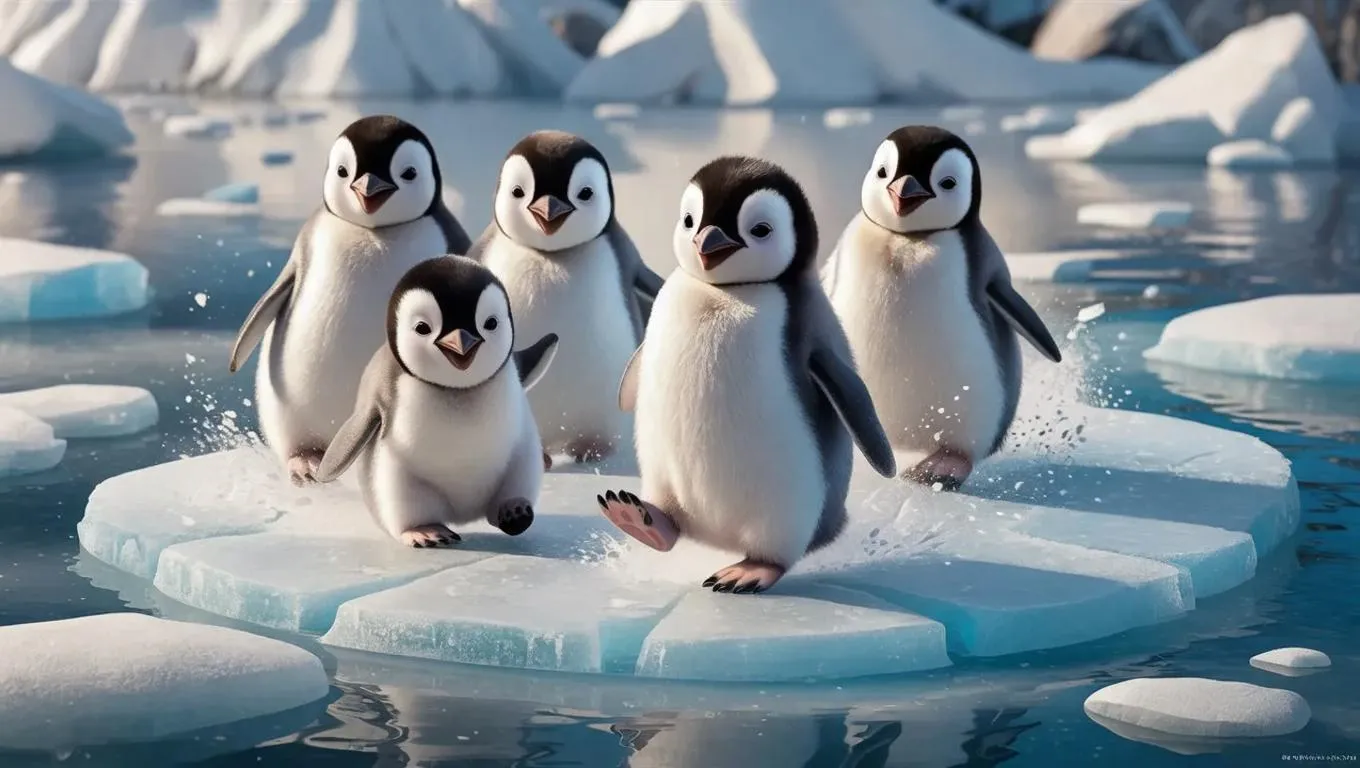
Generate playful 3D baby penguins sliding on icy terrain with AI-powered precision. Capture their adorable clumsiness in vibrant, smooth animations—ideal for children's content or wildlife projects. Transform text prompts into joyful Arctic scenes using professional AI image tools for lively, shareable visual storytelling.

Recreate
arrow
Text to Image

FAQs

How to generate images/videos from text prompts?

Describe the visual content in natural language (e.g., 'A cyberpunk cat wearing neon goggles') and our AI models will create outputs. Complex prompts trigger multi-stage NLP parsing for enhanced accuracy.

How to refine unsatisfactory results?

Use our Prompt Bot - an AI-powered optimizer that suggests technical modifiers. Simply describe your ideas, desired changes ('more metallic texture'), then you will get optimized prompt variants.

When should I use reference images?

Upload references to: 1) Guide character consistency (e.g., faces/outfits), 2) Control motion patterns in videos using our feature matching algorithm. Supports JPG/PNG

What's the credit system?

Daily login grants 100 credits. Upgrade options: 1) Premium Membership, 2) Credit Packs. Details: https://vivago.ai/subscribe

More From VIVAGO AI

With Snowman

The person in the uploaded image retains their original facial features (with tiny snowflakes dusted on the hair strands), wearing a natural and fresh makeup look with a naturally blurred skin finish, and lying gently on the snow with a soft smile. They are dressed in an off-white plush coat paired with a plaid scarf in brown, gray and white tones; a mini snowman (adorned with a floral scarf and twig arms) stands beside them. The scene is a winter outdoor snowfield with bright yet soft sunlight, fine snowflakes floating in the air, and a blurred snowscape in pale blue tones in the background. The style is a high-definition portrait photo with soft light and shadow effects and lens bokeh (out-of-focus highlights) special effects, exuding an overall fresh and healing winter atmosphere. The colors are soft and natural (dominated by blue and white with warm tone accents), with rich details (the plush texture and snowflake texture are clearly rendered), featuring high resolution and exquisite image quality.

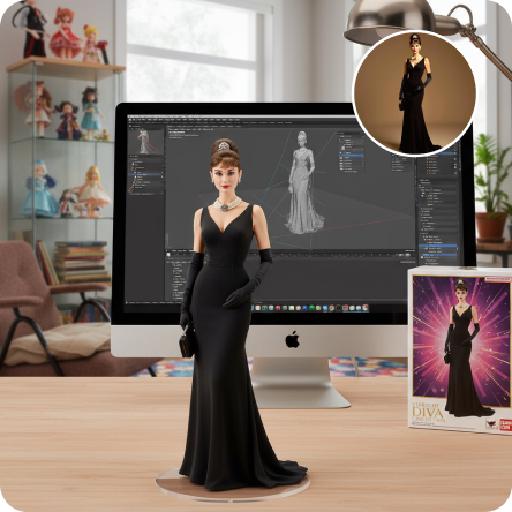
Figure AI effects generated image

Figure

Create a 1/7 scale commercialized figure of the character in the illustration, in a realistic style and environment. Render the exact hairstyle and the same outfit with the uploaded figure. Render garments as molded plastic with engraved seams and sculpted folds; keep accessories as plastic parts. Fictionalize any brand text/logos while keeping layout and colors. Place the figure on a computer desk, using a circular transparent acrylic base without any text. On the Apple computer screen, display the Z Brush modeling process of the figure. Next to the Apple computer screen, place a BANDAl-style toy packaging box printed with the original artwork. The background shows a modern realistic room furnished with contemporary furniture, including a display cabinet filled with books, dolls, and scale figures, adding a casual and everyday atmosphere. Behind the Apple computer, place a desk lamp to add detail and depth to the scene.

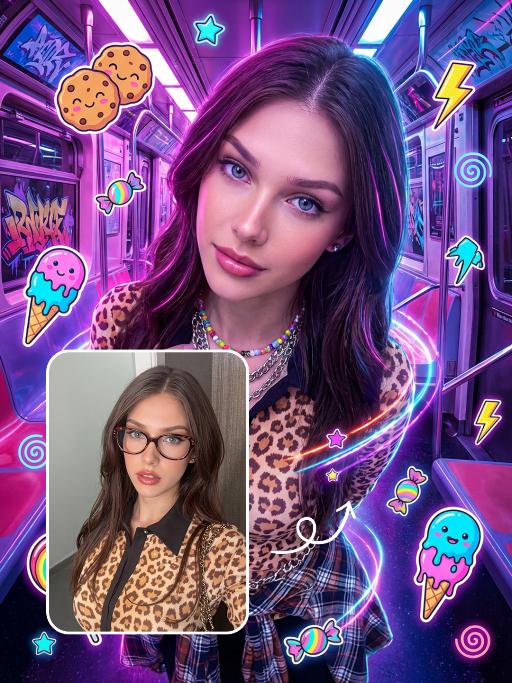
Punk Graffiti AI effects generated image

Punk Graffiti

先将上传的图片扩图成3:4比例的2k超清尺寸照片,然后将原图转换为垂直俯拍视角(俯视),半身人像,特写近景镜头从斜上方向下拍摄,主体为图中的人物形象特征保持不变,直视镜头,超写实摄影质感。背景是一个霓虹灯照亮的室内空间(类似于未来主义的地铁车厢),里面有着粉色/紫色的发光灯和涂鸦。写实美国人像、上半身写真、街头潮流服饰(豹纹、格纹元素潮流穿搭元素、佩戴彩色的配饰)、Y2K 在图像上覆盖上充满活力、可爱的卡通贴纸:微笑的饼干、滴着奶油的冰淇淋(蓝色/粉色)、棒棒糖、糖果、星星、闪电和漩涡。这些贴纸有着醒目的轮廓、鲜艳的霓虹色(粉色、蓝色、绿色、黄色)以及活泼的表情,与霓虹色的场景完美融合。整体风格融合了写实摄影与充满趣味的 Y2K 网络朋克美学元素,色彩饱和度高,霓虹灯效果耀眼,画面呈竖向构图。人物的皮肤轻微磨皮,皮肤自然美颜效果,面部妆容改成欧美流行风格的自然写实的潮流的妆容;人物的周围加上赛博的霓虹发光光效

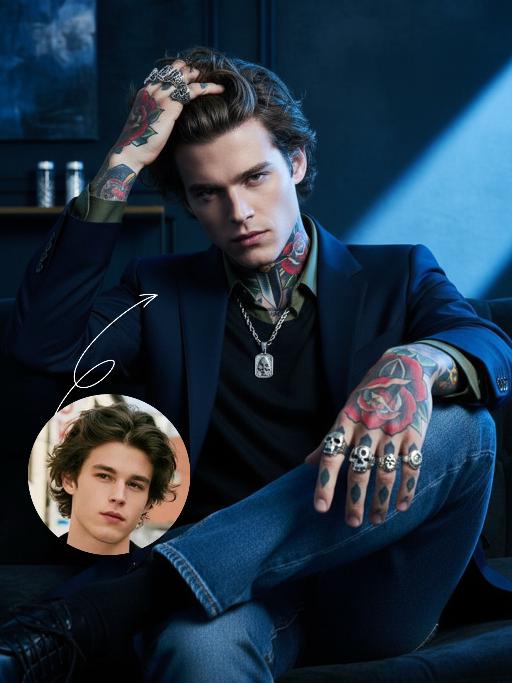
Cool Boss AI effects generated image

Cool Boss

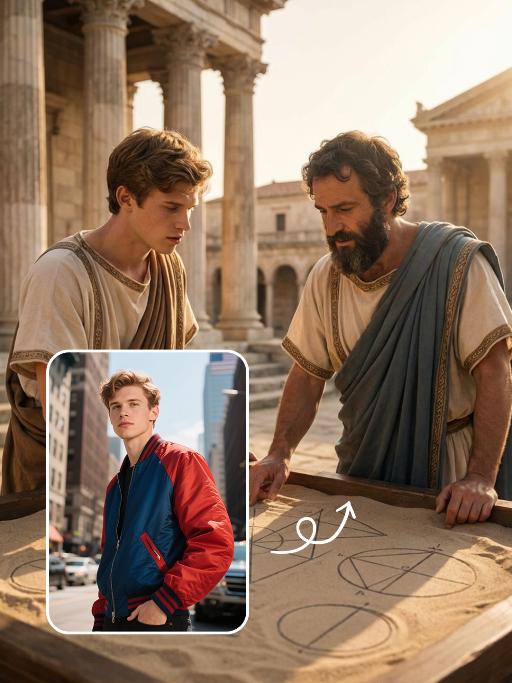
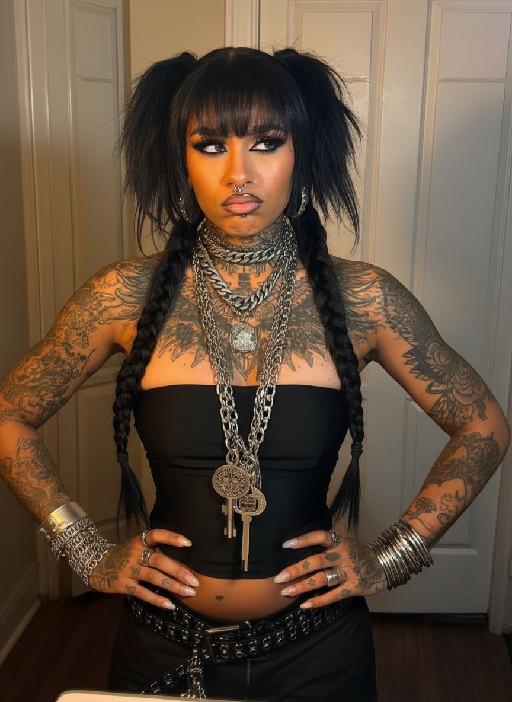
The first uploaded portrait is used for strict identity consistency (with unchanged facial features, hairstyle, skin tone and age). His body is covered in traditional American realistic tattoos – an intricate rose and dagger pattern adorns his neck, and delicate skull and poker card motifs feature on both hands, with sharp lines and rich, saturated colors. He wears multiple heavy metal-style rings on his fingers and a silver necklace. The frame employs dramatic lighting in bold blue and dark tones, with a large wash of soft side light slanting in from the right side of the frame to create an extensive tintype effect, which outlines his facial contours and the fine details of his tattoos. His facial expression is fraught with tension, and his eyes are as sharp as an eagle’s. Boasting 8K resolution, the overall style embodies high-end, fashion-forward artistic photography. The man, dressed in a tailored suit blazer set with a dark green shirt and matching suit trousers, sits on a sofa in an utterly relaxed posture. He stares directly at the camera, exuding poise and confidence. He then slowly shifts his weight, crossing one leg over the other, before running his fingers through his hair. The camera pans slightly to the left, capturing his subtle movements and the way light casts over his tattoos, further amplifying the dynamic feel of the frame.

Indian sari

"Use the uploaded reference image as the primary identity reference. Create a high-end Indian fashion editorial portrait of the same person, preserving facial features, skin tone, expression, and body proportions exactly. The subject wears a luxurious traditional Indian sari in deep green with rich gold embroidery, paired with a red blouse featuring intricate gold detailing. Elegant Indian jewelry including necklace, earrings, bangles, and rings. Graceful standing pose, one hand resting near the waist, front-facing or slightly angled body posture. Soft cinematic lighting, realistic fabric textures. Background inspired by classic Indian palace interiors or painted heritage murals, warm and refined atmosphere. Ultra-realistic photography, fashion magazine style, natural skin texture, high detail, premium cultural elegance."

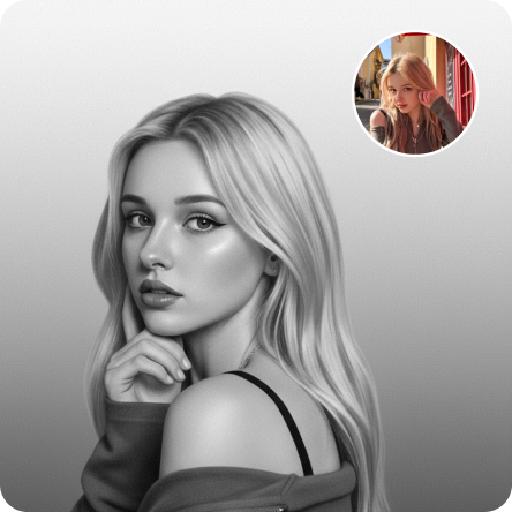
Noir Portrait AI effects generated image

Noir Portrait

Generate black-and-white portrait artworks from the uploaded photos, using editing and artistic photography styles.The background presents a soft gradient effect, transitioning from medium gray to nearly pure white, creating a sense of layering and a quiet atmosphere. The fine film grain texture simulates the soft texture of photography, evoking the classic black-and-white photography. His face, with the outline of the light, evokes a sense of mystery, intimacy and elegance.A gentle directed beam of light diffused softly, caressing the curve of his cheek or flashing light spots in his eyes - this was the emotional core of the picture. The remaining part is occupied by a large amount of negative space, deliberately maintaining simplicity to allow the picture to breathe freely. There are no words or signs in the picture - only the interweaving of light and shadow with emotions. Change the pose for each photo.

Toy Lost AI effects generated image

Toy Lost

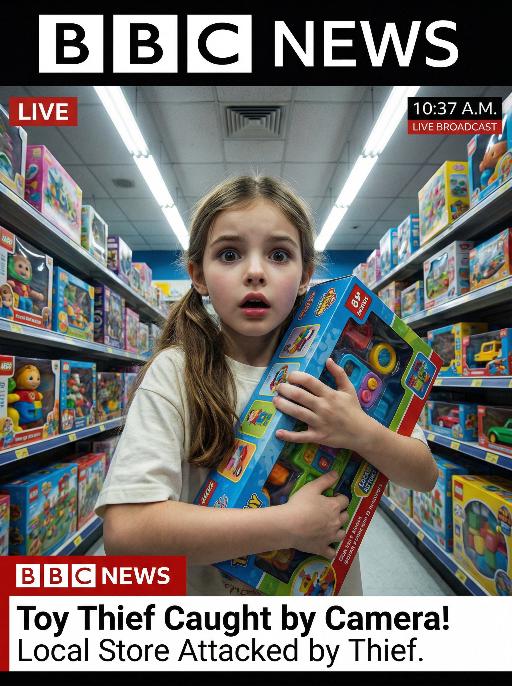
This is a genuine screenshot of a live news report. The picture shows the uploaded image (with no changes in facial features, age, and gender), featuring a shocked expression on the face of the person, standing in the middle of the bright toy store aisle, holding a large toy box tightly. The main character occupies 80% of the overall picture. This shot is a close-up. The panoramic shot is slightly tilted upwards, looking down on the protagonist. The shelves on both sides are filled with colorful toy packages, and there are fluorescent lights on the ceiling. At the bottom of the picture, there is a news headline (in the style consistent with America news): Toy Thief Caught by Camera! Local Store Attacked by Thief. At the top of the picture, there is a large headline (in the style consistent with BBC news): LIVE NEWS. In the corner, there is a timestamp: 10:37 A.M. LIVE BROADCAST. It adopts a real news photography style, with rich details, a resolution of 8K, and has the aesthetic appeal similar to a movie-style surveillance camera, simulating a real-time news scene.

Queen AI effects generated image

Queen

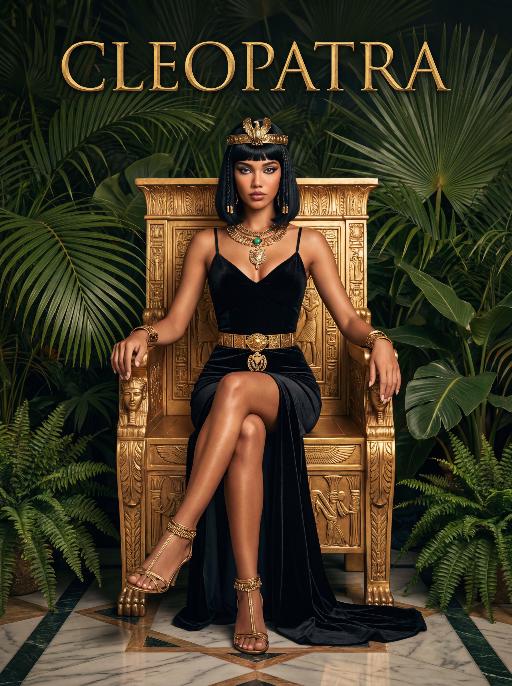
The character in the uploaded picture (unchanged facial features, gender and age).A striking woman embodying the persona of Cleopatra, seated regally on an ornate golden throne. She has a sleek black bob haircut with blunt bangs, a sharp, confident gaze, and a poised, authoritative expression. She wears a form-fitting black velvet spaghetti-strap gown with a high slit, revealing one leg. Her accessories are opulent: a golden pharaoh-style headdress with a central eagle motif, a layered gold necklace culminating in a large, ornate pendant, a wide gold belt with a matching large pendant, gold bracelets on both wrists, and gold ankle bracelets paired with strappy gold sandals. She sits with one leg crossed over the other, one hand resting on the throne's armrest, the other on her lap. The throne is intricately carved with gold accents and topped with golden finials. The setting is a lush, verdant tropical jungle, filled with large, vibrant green palm fronds and broad-leafed ferns that frame the scene. The floor is a polished marble surface with a geometric pattern. Above her, the word "CLEOPATRA" is displayed in an elegant, golden, serif font. The image is rendered in a vintage Hollywood movie poster style, with dramatic, high-contrast lighting that emphasizes the richness of the black velvet and the sheen of the gold. The color palette is rich and saturated, with deep greens, luxurious golds, and stark blacks, creating an opulent, mysterious, and timeless atmosphere. The overall aesthetic is cinematic, detailed, and evocative of ancient Egyptian grandeur.

Elegance AI effects generated image

Elegance

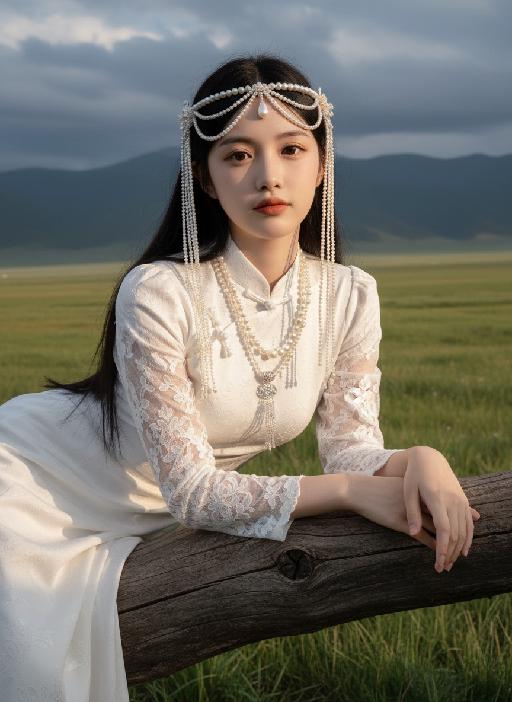
Strictly lock facial features: fully preserving the original facial contours, skin texture, eye shape, lip shape, and youthful appearance with zero deviations allowed. Eye-level perspective, half-body close-up (subject occupies 80% of the frame to optimize proportion and visual focus, with a well-proportioned slender figure that highlights the graceful lines of the body), a young East Asian woman with a cold temperament, lying prone on a thick log beam, hands resting naturally on both sides of the beam, body slightly forward, expression gentle and calm; makeup is a fresh nude look: transparent base, warm bean paste red lips, natural and soft eye makeup; long straight black hair, fluffy and shiny. Wearing: - Headdress: Pearl tassel forehead ornament, main body is a pearl-woven headband with a teardrop-shaped pearl in the center, hanging multiple layers of extra-long white pearl tassels on both sides - Accessories: Multi-layered pearl necklace, strung with pearls of varying sizes, paired with a silver carved pendant Clothing: - White Chinese-style stand-up collar top with jacquard texture and puff short sleeves - Inner wear white lace see-through long sleeves, full of delicate white floral embroidery on the sleeves - Matching white long skirt Background: Plateau meadow scene, foreground is green grass, distant continuous dark gray-blue mountains, sky filled with layered dark clouds; soft golden sunlight breaks through the gaps in the dark clouds, casting warm highlights on the pearl ornaments, hair strands, jacquard fabric and lace embroidery, while leaving soft, faint shadows on the log beam and the grass beneath, adding a three-dimensional contrast to the cool-toned scene. Cool-toned diffused natural light blended with warm sunlight spots, the picture is transparent and clean, presenting a cold and fairy-like atmosphere, strictly 1:1 replicate the original image's movements, clothing details, and light and shadow tones

Goofy AI effects generated image

Goofy

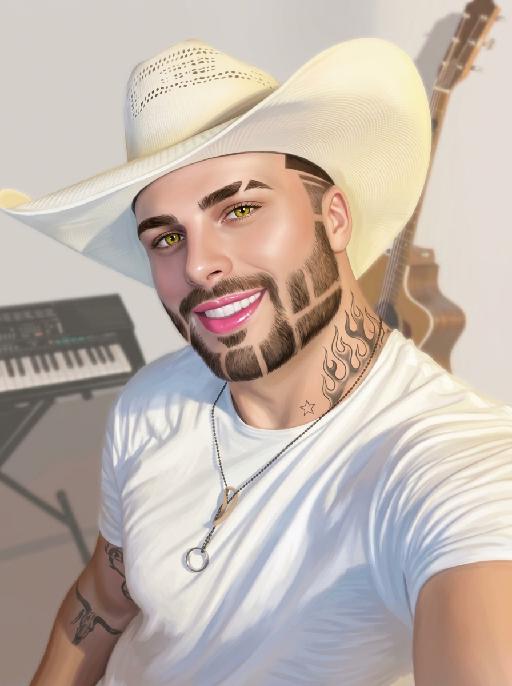
The person's skin has a porcelain-like smoothness with a photo-retouching effect. The posture and facial features of the person in the uploaded picture remain unchanged (the posture is consistent, the hairstyle and clothing have not been modified, the hairstyle and clothing remain the same, and the picture background has not been altered). However, the triangular incision at the hairline + side straight shaving lines, sharp eyebrows + obvious broken eyebrows (with a mid-section cut-off gap) design, and also neat gaps with cut segments on the beard; the overall style of the entire picture has transformed into a portrait style that combines 60% digital painting style and 40% real photography style. The person's skin is as smooth and flawless as porcelain, having undergone deep beauty treatment. The eyes are gold-green contact lenses, the lips are painted with shiny pink lipstick, there is a tribal flame tattoo on the neck, and a small star tattoo on the collarbone. The background is the same as the original picture, with a bright filter added, presenting a low saturation and blurry effect, 8K resolution, and beautiful Instagram filter effect. The lines are simple and smooth, with a low overall contrast, a plain style but with bright and rich colors.

Pious AI effects generated image

Pious

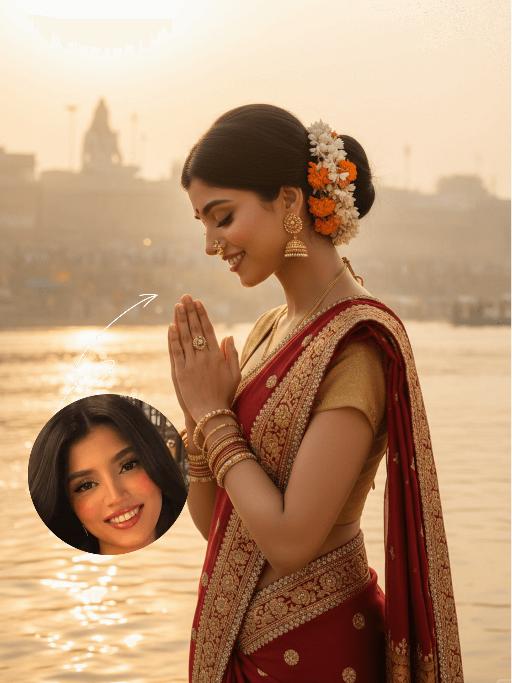
The identity of the uploaded portrait is strictly preserved (retaining facial contours, authentic Indian skin tone, hairstyle and age). This is a bust portrait that captures the original look of the Indian woman in the reference image: her sleek black long hair is styled into a traditional bun adorned with fresh jasmine and marigold blooms, she wears a gold nose ring, layered bangles and delicate earrings, with simple yet solemn makeup and a red bindi dotting her forehead. She is dressed in a vibrant red traditional sari edged with gilded embroidery and sparkling rhinestones, paired with a form-fitting gold blouse underneath, the entire ensemble exuding opulence and a strong sense of ritual. The scene is set on the banks of the Ganges in Varanasi at dawn: a light mist shrouds the glistening river surface, the golden morning sun tints the water in a warm golden hue, ancient stone ghats and crowds of devotees praying at dawn are visible in the distance, and the faint silhouette of a Shiva statue looms in the background. With her hands pressed together in prayer at her chest, eyes gently closed and a serene, devout smile on her face, she leans forward slightly, immersed in the worship ritual. The soft morning sunlight casts a sacred golden halo around her, as if she emanates a faint glow of her own; the shimmering ripples on the water blend with her halo, creating a translucent and holy atmosphere. The frame is imbued with a profound sacred ritualism and a calm, tranquil aura, boasting rich and saturated colors, 8K ultra-high definition resolution, and the exquisite texture of a commercial-grade portrait photograph.

Load more

Next-Gen Multi-Model AI Video Architecture

Vivago AI isn't just one engine—it’s a unified hub for the world’s most advanced video AI. Whether you need cinematic realism or high-speed social content, we provide the right model for your creative vision.

Free Generate

Beauty and Dolphins

Vacation Time

Stellar Tear

Fish Tank Supervisor

Cinematic Quality & Precision Control

Enables 4K resolution with multi-lens motion control, generating delicate scene via text prompts for customized cinematography.​

TRY NOW

Dynamic AV Sync

Auto-generates original audio to avoid copyright issues. Build 3D immersive environments through layered sound design automatically.

TRY NOW

OpenAI Sora 2

​Advanced visual storytelling with unparalleled physics and consistency.

TRY NOW

Kling v2.6 Pro

Industry-leading cinematic image animation and motion control.

TRY NOW

Google Veo 3 & 3.1

Ultra-fast generation with enhanced realism for creative workflows.

TRY NOW

Vivago AI 2.0

Our proprietary model optimized for efficiency, speed, and cost-effective generation.

TRY NOW

Users' Voice

We listen carefully to the opinions of every user.
Free Generate
Contact Us
I tried the Lip Sync feature inside Vivago.ai’s AI Video Generator for my educational podcast, and the results were stunning! The avatar's lip movements perfectly matched my audio recording, creating a professional AI-generated video without complex editing. Compared with tools like OpenAI Sora 2 and Google Veo 3.1, Vivago Image-to-Video delivers fast, studio-quality results online. It saved me hours of post-production work.
ElenaM (Spain)
Vivago’s Image-to-Video AI transformed my marketing workflow. I uploaded a product image and described the launch scene in text, and it generated a 10-second cinematic AI video with background music and dynamic visuals. The output quality rivals Kling v2.6 Pro and Google Veo 3 Fast. It’s now my go-to AI video generator for social media ads and product campaigns.
KenjiT (Japan)
As a digital artist, I use Vivago.ai 2.0 daily for Image-to-Image and AI Image-to-Video creation. The e-book covers and animated visuals I generate for clients look cinematic and professional. Unlike many standalone AI tools, Vivago integrates multiple leading models into one platform, making it easier to create copyright-safe AI images and videos for publishing.
ChenL (China)
I tried the Lip Sync feature inside Vivago.ai’s AI Video Generator for my educational podcast, and the results were stunning! The avatar's lip movements perfectly matched my audio recording, creating a professional AI-generated video without complex editing. Compared with tools like OpenAI Sora 2 and Google Veo 3.1, Vivago Image-to-Video delivers fast, studio-quality results online. It saved me hours of post-production work.
ElenaM (Spain)
Vivago’s Image-to-Video AI transformed my marketing workflow. I uploaded a product image and described the launch scene in text, and it generated a 10-second cinematic AI video with background music and dynamic visuals. The output quality rivals Kling v2.6 Pro and Google Veo 3 Fast. It’s now my go-to AI video generator for social media ads and product campaigns.
KenjiT (Japan)
As a digital artist, I use Vivago.ai 2.0 daily for Image-to-Image and AI Image-to-Video creation. The e-book covers and animated visuals I generate for clients look cinematic and professional. Unlike many standalone AI tools, Vivago integrates multiple leading models into one platform, making it easier to create copyright-safe AI images and videos for publishing.
ChenL (China)
I absolutely love Vivago’s AI Image-to-Video Generator. As a travel blogger, static images often fail to capture real atmosphere, but Vivago helps me turn photos into vivid cinematic AI videos with motion effects. It feels comparable to OpenAI Sora 2 and Google Veo 3.1, but more accessible and faster for creators who need high-quality AI videos online.
LiamK (Australia)
I tried the Lip Sync feature inside Vivago.ai’s AI Video Generator for my educational podcast, and the results were stunning! The avatar's lip movements perfectly matched my audio recording, creating a professional AI-generated video without complex editing. Compared with tools like OpenAI Sora 2 and Google Veo 3.1, Vivago Image-to-Video delivers fast, studio-quality results online. It saved me hours of post-production work.
ElenaM (Spain)
Vivago’s Image-to-Video AI transformed my marketing workflow. I uploaded a product image and described the launch scene in text, and it generated a 10-second cinematic AI video with background music and dynamic visuals. The output quality rivals Kling v2.6 Pro and Google Veo 3 Fast. It’s now my go-to AI video generator for social media ads and product campaigns.
KenjiT (Japan)
As a digital artist, I use Vivago.ai 2.0 daily for Image-to-Image and AI Image-to-Video creation. The e-book covers and animated visuals I generate for clients look cinematic and professional. Unlike many standalone AI tools, Vivago integrates multiple leading models into one platform, making it easier to create copyright-safe AI images and videos for publishing.
ChenL (China)
I absolutely love Vivago’s AI Image-to-Video Generator. As a travel blogger, static images often fail to capture real atmosphere, but Vivago helps me turn photos into vivid cinematic AI videos with motion effects. It feels comparable to OpenAI Sora 2 and Google Veo 3.1, but more accessible and faster for creators who need high-quality AI videos online.
LiamK (Australia)
Using Vivago.ai’s Image-to-Video AI has greatly enhanced my classroom teaching. I transform textbook notes into historical AI videos with cinematic filters and dynamic animations. Compared with tools like Kling v2.6 Pro and Google Veo 3 Fast, Vivago offers faster generation and easier parameter control for educators who need reliable AI video creation.
RajivG (India)
I frequently create AI videos on Vivago and publish them on TikTok and YouTube Shorts. The AI video templates and trending content ideas help me produce viral-ready clips quickly. With Vivago’s integrated models—including advanced video engines similar to OpenAI Sora 2—I can generate anime-style and cinematic social media videos that drive high engagement.
MarieJ (Spain)
What attracts me most about Vivago.ai is not only the powerful AI Video Generator but also the active AIGC creator community. It combines AI Image-to-Video, Text-to-Video, and leading model integrations like Google Veo 3.1 into one creative platform.
TomW (India)
At first, I was hesitant about using AI video tools. But after trying Vivago Image-to-Video, I realized how easy it is to create professional AI-generated videos online. I just upload an image, add a short prompt, and adjust a few settings. The results are cinematic and copyright-safe, which is essential for commercial projects.
HectorC (Mexico)
Using Vivago.ai’s Image-to-Video AI has greatly enhanced my classroom teaching. I transform textbook notes into historical AI videos with cinematic filters and dynamic animations. Compared with tools like Kling v2.6 Pro and Google Veo 3 Fast, Vivago offers faster generation and easier parameter control for educators who need reliable AI video creation.
RajivG (India)
I frequently create AI videos on Vivago and publish them on TikTok and YouTube Shorts. The AI video templates and trending content ideas help me produce viral-ready clips quickly. With Vivago’s integrated models—including advanced video engines similar to OpenAI Sora 2—I can generate anime-style and cinematic social media videos that drive high engagement.
MarieJ (Spain)
What attracts me most about Vivago.ai is not only the powerful AI Video Generator but also the active AIGC creator community. It combines AI Image-to-Video, Text-to-Video, and leading model integrations like Google Veo 3.1 into one creative platform.
TomW (India)
At first, I was hesitant about using AI video tools. But after trying Vivago Image-to-Video, I realized how easy it is to create professional AI-generated videos online. I just upload an image, add a short prompt, and adjust a few settings. The results are cinematic and copyright-safe, which is essential for commercial projects.
HectorC (Mexico)