Text to Image

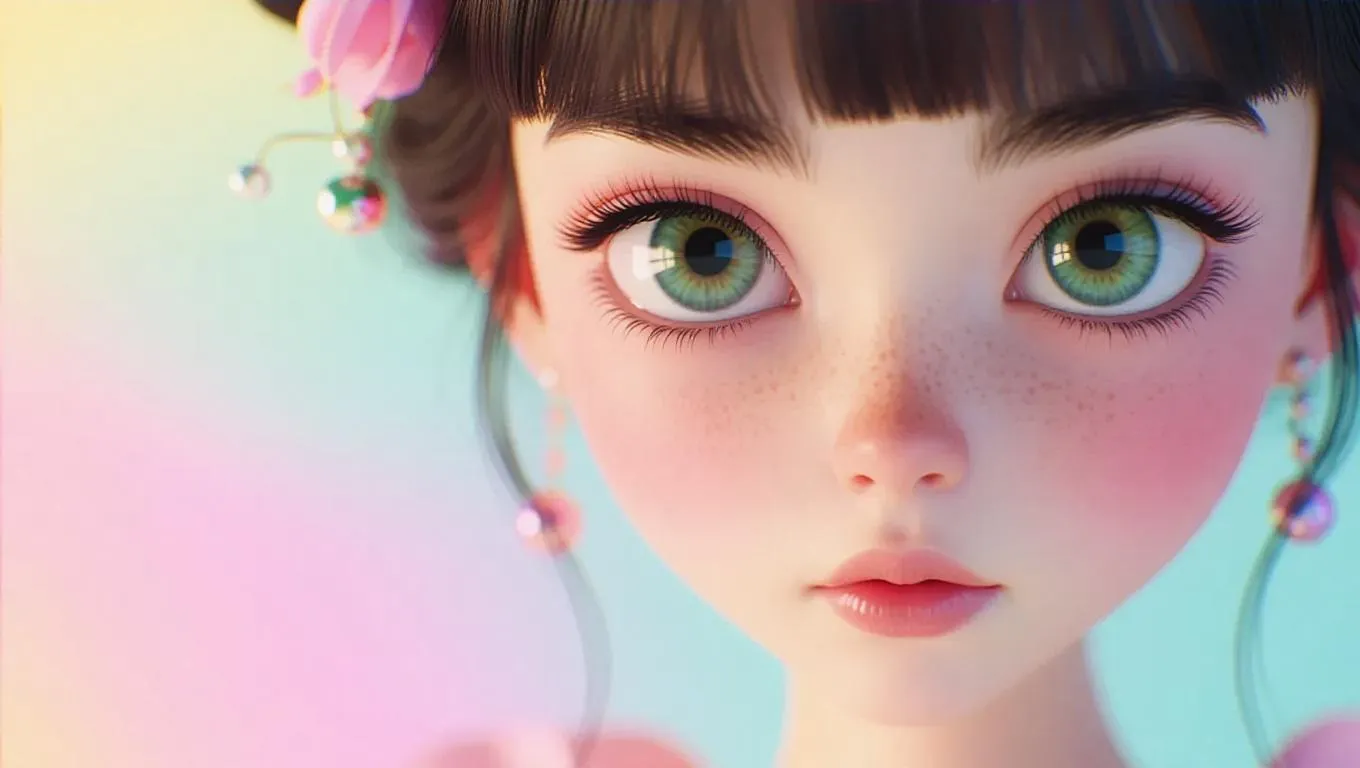
Create hyper-realistic AI images of enigmatic characters with striking square-shaped eyes, set against soft pastel backdrops. Vivago.ai’s advanced tools use 50mm lens precision and cinematic dolly movement for vivid, high-end magazine cover aesthetics. Highlight textures, lighting, and surreal elegance, ensuring every detail captivates with professional-grade clarity and whimsical, immersive storytelling.

Recreate
arrow
Text to Image

FAQs

How to generate images/videos from text prompts?

Describe the visual content in natural language (e.g., 'A cyberpunk cat wearing neon goggles') and our AI models will create outputs. Complex prompts trigger multi-stage NLP parsing for enhanced accuracy.

How to refine unsatisfactory results?

Use our Prompt Bot - an AI-powered optimizer that suggests technical modifiers. Simply describe your ideas, desired changes ('more metallic texture'), then you will get optimized prompt variants.

When should I use reference images?

Upload references to: 1) Guide character consistency (e.g., faces/outfits), 2) Control motion patterns in videos using our feature matching algorithm. Supports JPG/PNG

What's the credit system?

Daily login grants 100 credits. Upgrade options: 1) Premium Membership, 2) Credit Packs. Details: https://vivago.ai/subscribe

More From VIVAGO AI

Super Shoes

A stylish 25-year-old Korean man in a room, standing in front of a shoe cabinet filled with numerous shoe boxes. He is wearing a fashionable jacket and denim jeans, exuding a modern yet vintage aesthetic. Use the uploaded image as the hero.He holds the product( (as shown in the uploaded image), facing the camera and confidently showcasing the product, as if introducing them in a casual, fashion blogger-style video. The scene is a close-up, focusing only on his upper body, hands, and the sneakers, without showing his feet. The background has a realistic, lived-in vibe with no blur, mimicking the feel of an iPhone shot. Soft, natural lighting illuminates both the man and the sneakers, creating warmth and balance, typical of smartphone photography with its crisp details and smooth gradients. The atmosphere feels authentic and relatable, with an Instagram-style aesthetic that highlights the mobile phone's natural, clean feel.

Christmas Eve

The subject is the figure in the uploaded image (with unchanged facial features), wearing a red Christmas hat, a red sweater with white snowflake patterns, a retro plaid Christmas midi skirt, and Christmas boots, standing naturally front-on in the center of the frame. The scene is set in front of a snow-covered rural wooden cabin, with a Christmas tree decorated with colorful fairy lights and baubles in the background, piles of exquisitely wrapped Christmas gifts on the ground, and snowflakes falling in the air. The scene is illuminated by warm yellow lighting (fairy lights on the cabin + Christmas tree lights), creating a warm and dreamy Christmas night atmosphere. Shot with an 85mm lens to highlight the soft texture of the figure’s fur, the knitted texture of the sweater, and the delicate details of the snowflakes in the image. 8K resolution with warm and saturated colors. Realistic photography style, full panoramic shot that shows the full body of the figure from the uploaded image.

Moving Figure

Create a 1/7 scale commercialized figure of the character in the illustration, in a realistic style and environment. Render the exact hairstyle and the same outfit with the uploaded figure. Render garments as molded plastic with engraved seams and sculpted folds; keep accessories as plastic parts. Fictionalize any brand text/logos while keeping layout and colors. Place the figure on a computer desk, using a circular transparent acrylic base without any text. On the Apple computer screen, display the Z Brush modeling process of the figure. Next to the Apple computer screen, place a BANDAl-style toy packaging box printed with the original artwork. The background shows a modern realistic room furnished with contemporary furniture, including a display cabinet filled with books, dolls, and scale figures, adding a casual and everyday atmosphere. Behind the Apple computer, place a desk lamp to add detail and depth to the scene.

Lion Dance AI effects generated image

Lion Dance

Strictly lock the identity of the uploaded portrait (preserve facial contours, native Indian skin tone, hairstyle, and age). Aspect ratio 3:4, hyper-realistic photography, high definition and exquisite details, advanced light and shadow: A 40-year-old Indonesian man with a solemn, dignified demeanor, in the sacred ritual moment of dotting the eyes for traditional Indonesian lion dance. The figure is positioned exactly in the center of the frame, as the absolute main subject occupying more than 80% of the canvas; only a tiny corner of the traditional Indonesian lion dance head peeks into the edge of the frame, with an extremely small proportion. He is dressed in exquisite traditional Indonesian lion dance costume with classic ethnic patterns and delicate decorations, holding a delicate painting brush, his fingertips gently touching the eye-dotting position of the lion head, his arm slightly raised with a calm and steady posture. The background is a super bustling and lively festive scene with soft slight bokeh—filled with crowds of people in festive attires, colorful traditional lanterns, festive streamers, and lively parade elements, with bright festive ambient light and vibrant street decorations, presenting an extremely dynamic and jubilant festive atmosphere. Soft natural light outlines the man's firm facial lines and delicate hand details, the man's solemn ritualistic state forms a striking contrast with the lively background, the overall color palette is rich and bright with a sense of hierarchy, and all details of the character and costume are clear and textured

Hollywood Star AI effects generated image

Hollywood Star

A medium close-up shot from a frontal perspective with a slight upward tilt, the camera angle is slightly tilted forward. This shot was taken using a professional full-frame digital SLR camera and a 50mm f/1.2 wide-angle fixed-focus lens. The uploaded image shows a person (with unchanged facial features, gender, age, and hairstyle), wearing a tight black sequined sexy dress and wearing high-end custom accessories. This figure is preparing to get into a black luxury car with open doors. The figure turns halfway and looks at the camera, raising one hand and making a gentle waving or shielding gesture. The person has a relaxed and confident smile on their face, with bright and expressive eyes. The scene is on a night-time city street, illuminated by a group of paparazzi and a large number of flashes, creating a high-contrast light and shadow effect, with shadows and bright highlights, and the foreground also includes cameras and flashes, creating the feeling that the celebrity figure is surrounded by paparazzi and cameras. This aesthetic style is the street style of Hollywood celebrity paparazzi, featuring grainy film texture, clear focus on the subject, blurred background and dark tones. The person's face is illuminated by the flash, and the makeup characteristic of the figure is exaggerated false eyelashes, clear cheekbones, nude matte lip color and bright highlights used to enhance the three-dimensionality; the picture adds dark corners at the four corners and bright parts in the middle, creating a strong contrast between light and shadow.

 Violet AI effects generated image

Violet

Strictly enforce facial feature lock: 100% identical to the first reference image, preserving every facial contour, skin texture, eye shape, lip shape, and youthful age with zero deviation. No artistic alteration allowed. Exact 1:1 copy of the original image, no creative interpretation or stylization permitted. A young East Asian woman with a cold, ethereal demeanor sits on damp bluestone paving, body angled 30° to the left, left arm folded across her torso, right hand gently gripping a large pale blue-white gradient flower, right elbow resting on her left forearm, left hand resting lightly on her right knee. She gazes at the camera with a detached, slightly lazy expression, lips pale pink and slightly parted. Her medium-length hair, a soft mix of dark brown and black, is adorned with large, ruffled light blue-purple gradient flower accessories on the right side, with a few strands of hair gently blowing in the breeze. She wears:A multi-layered Miao silver collar with delicate dangling silver beads. A wide, intricately carved silver bracelet on her right wrist. A slim silver bracelet on her left wrist. A strapless top with a crisp white base and bold dark blue swirling cloud motifs. A floor-length pleated skirt in a sharp black, white, and royal blue geometric pattern, with horizontal stripes and wave details on the hem Background is an exact replica of the original Dong-style wooden covered bridge: dark grey tiled roof, polished wooden pillars, distant lush green trees, and hazy mountain peaks under a soft, overcast sky. Precise lighting & tone lock (1:1 match to original):Soft, diffused morning backlight with a gentle, airy halo that wraps around the subject’s hair and shoulders, creating a subtle glow on the damp bluestone ground. The exact color palette of the original image is strictly preserved: cool, low-saturation tones dominated by crisp white, deep navy blue, and matte black, with a soft focus filter that gives the image a delicate, dreamlike cinematic quality. No over-saturation, color shifts, or harsh shadows are allowed. All elements must match the original image pixel-for-pixel; no creative additions or changes permitted.

Indian Dancer

The figure in the uploaded image (with unchanged facial features) has smooth, luminous skin and a well-defined facial contour, with sleek, glossy hair styled in loose waves. She wears understated burgundy lipstick, has deep brown almond-shaped eyes with subtle smoky eye makeup, and a small red bindi on her forehead. Standing front-on and gazing at the camera, her long black curly hair cascades over her shoulders. She is dressed in an exquisite choli (blouse) with golden thread embroidery, adorned with numerous turquoise/red gemstones, pearl inlays, black spaghetti straps and beaded tassels; exuding intense sexiness, the outfit bares her waist and bust line, paired with a flowy turquoise silk lehenga (traditional Indian long skirt) and a wide, opulent kamarband (golden waist belt) inlaid with red gemstones and strung with golden bells. A full set of golden accessories adorns her: a maang tikka (forehead ornament with gemstones and pearls) in her hair, large chandelier earrings, a fitted pearl and gemstone necklace, bangles (bajuband), and delicate bracelets. Background: Luxurious blurred golden bokeh (flash lighting), warm and dramatic side lighting, studio portrait, 8K resolution, rich details on the face and accessories, and a sharp, clear frame.

Black Retro AI effects generated image

Black Retro

Strictly lock the facial features of the uploaded portrait (preserve facial contours, native Indonesian skin tone, hairstyle and age). photorealistic 3:4 half-body portrait of a delicate young Indonesian woman in her early 20s, with long black wavy hair and soft glamorous makeup, wearing a black mesh fascinator adorned with tiny pearls and a large sparkling diamond flower brooch, a sleek black halter dress with a small diamond accent at the neckline. Model occupies 3/4 of the frame, the model as the absolute dominant subject, close-up half-body portrait with minimal background space, no excessive empty space around the model. She sits on a vintage brown leather chair with intricate Balinese wooden carved details with one hand gently resting on her chin, set against a textured weathered Balinese stone wall adorned with traditional batik wax-print fabric tapestries and tropical palm leaf motifs with a dim warm glowing Indonesian brass table lamp in the background, soft moody ambient lighting creating a mysterious and glamorous Indonesian vintage ambiance, ultra-high detail, cinematic texture, shallow depth of field

Flower AI effects generated image

Flower

Strictly lock facial features: fully preserving the original facial contours, skin texture, eye shape, lip shape, and youthful appearance with zero deviations allowed. Eye-level perspective, close-up half-body portrait (subject occupies 80% of the frame), a young and sweet East Asian woman with a bright, healing smile showing teeth, eyes bright and gentle; double braid hairstyle with small silver ornaments in the hair; wearing an extremely ornate and intricate Miao silver large-horned headdress with dangling silver tassels swaying subtly; accessorized with multi-layered Miao silver collars and long silver earrings. Natural dynamic pose: Body gently tilted forward, arms positioned naturally: one hand gently holds a small bouquet of fresh flowers (a mix of light pink baby's breath and white daisies), fingers loosely wrapping around the flower stems, the bouquet naturally tilting downward toward the camera, petals slightly fluttering; the other hand rests lightly at her waist for an organic, relaxed feel, shoulders slightly relaxed, no stiff movements. The upper portion of the light blue satin Miao traditional costume’s skirt flows subtly, with the decorative silver trim and embroidery fluttering gently in the breeze—focusing on upper-body movement only. The top has wide sleeves, with large areas of silver embroidery, colorful small bead decorations, and gold trim on the cuffs, neckline, chest, and waistband, catching soft highlights with the gentle movement. Soft natural sunlight shines from the upper left side of the frame, casting warm, translucent highlights on the Miao silver ornaments, flower petals, hair strands, and satin fabric; natural soft shadows form on the neck, collarbone, and the edge of the costume, enhancing the three-dimensional sense of the figure while maintaining the fresh and transparent tone. Background (subtly blurred to emphasize the subject): The stone slab square of Xijiang Qianhu Miao Village in Guizhou (partial concentric circle patterns visible), with a blurred wooden wind-rain bridge and lush green mountains in the distance, under a fresh blue sky with clouds; overall high-definition portrait photography, soft diffused natural light blended with warm sunlight, colors are fresh and transparent, mainly in light blue, silver white, and natural green tones, strictly 1:1 replicate the original image's facial features and clothing details while emphasizing the subject's dominance in the frame

Golden 2026 AI effects generated image

Golden 2026

The figure from the uploaded image (with unchanged facial features, age and gender, natural skin retouching on the face, and a fresh, sheer makeup look). This is a fashion portrait photography piece with a centered composition and an eye-level shooting perspective, captured with a Canon EOS R5 camera paired with an 85mm f/1.4 lens. The figure holds golden number balloons (20 and 26) in each hand, with arms raised naturally, body slightly turned and head tilted gently. Their gaze is directed diagonally upward, with a playful pout and a relaxed expression, striking an elegant posture. They are dressed in a high-customized gold sequined one-shoulder slim-fit dress with a distinctive design, and wear a gold glitter party hat, paired with high-end, luxurious and exquisitely designed accessories (necklace, rings, earrings, bracelet). Set against a solid pale off-white background with soft warm studio lighting, the image features high-texture skin details and sharply defined sequin details, presenting a delicate and sophisticated visual effect. It adopts an avant-garde fashion photography style with high-end photographic quality and a low-saturation color palette.

MUSIC BOX

Create a close-up of a 1/7 scale figure of the characters, placed on a circular rotating music box base. The music box should have intricate details, with a smooth, elegant design, emphasizing its fine craftsmanship. The figure should capture the character's pose, facial expression, and features in high detail, with realistic textures for the clothing, accessories, hair, and face. The close-up shot should focus on the figure and music box, highlighting the fine details, such as the sculpting of the character’s outfit and accessories. The background should be a dreamy, soft-focus display window, with a magical ambiance that suggests a whimsical atmosphere. Soft, natural lighting should enhance the refined and timeless feel of the scene, bringing attention to the figure and music box in the foreground.

Load more

Next-Gen Multi-Model AI Video Architecture

Vivago AI isn't just one engine—it’s a unified hub for the world’s most advanced video AI. Whether you need cinematic realism or high-speed social content, we provide the right model for your creative vision.

Free Generate

Beauty and Dolphins

Vacation Time

Stellar Tear

Fish Tank Supervisor

Cinematic Quality & Precision Control

Enables 4K resolution with multi-lens motion control, generating delicate scene via text prompts for customized cinematography.​

TRY NOW

Dynamic AV Sync

Auto-generates original audio to avoid copyright issues. Build 3D immersive environments through layered sound design automatically.

TRY NOW

OpenAI Sora 2

​Advanced visual storytelling with unparalleled physics and consistency.

TRY NOW

Kling v2.6 Pro

Industry-leading cinematic image animation and motion control.

TRY NOW

Google Veo 3 & 3.1

Ultra-fast generation with enhanced realism for creative workflows.

TRY NOW

Vivago AI 2.0

Our proprietary model optimized for efficiency, speed, and cost-effective generation.

TRY NOW

Users' Voice

We listen carefully to the opinions of every user.
Free Generate
Contact Us
I tried the Lip Sync feature inside Vivago.ai’s AI Video Generator for my educational podcast, and the results were stunning! The avatar's lip movements perfectly matched my audio recording, creating a professional AI-generated video without complex editing. Compared with tools like OpenAI Sora 2 and Google Veo 3.1, Vivago Image-to-Video delivers fast, studio-quality results online. It saved me hours of post-production work.
ElenaM (Spain)
Vivago’s Image-to-Video AI transformed my marketing workflow. I uploaded a product image and described the launch scene in text, and it generated a 10-second cinematic AI video with background music and dynamic visuals. The output quality rivals Kling v2.6 Pro and Google Veo 3 Fast. It’s now my go-to AI video generator for social media ads and product campaigns.
KenjiT (Japan)
As a digital artist, I use Vivago.ai 2.0 daily for Image-to-Image and AI Image-to-Video creation. The e-book covers and animated visuals I generate for clients look cinematic and professional. Unlike many standalone AI tools, Vivago integrates multiple leading models into one platform, making it easier to create copyright-safe AI images and videos for publishing.
ChenL (China)
I tried the Lip Sync feature inside Vivago.ai’s AI Video Generator for my educational podcast, and the results were stunning! The avatar's lip movements perfectly matched my audio recording, creating a professional AI-generated video without complex editing. Compared with tools like OpenAI Sora 2 and Google Veo 3.1, Vivago Image-to-Video delivers fast, studio-quality results online. It saved me hours of post-production work.
ElenaM (Spain)
Vivago’s Image-to-Video AI transformed my marketing workflow. I uploaded a product image and described the launch scene in text, and it generated a 10-second cinematic AI video with background music and dynamic visuals. The output quality rivals Kling v2.6 Pro and Google Veo 3 Fast. It’s now my go-to AI video generator for social media ads and product campaigns.
KenjiT (Japan)
As a digital artist, I use Vivago.ai 2.0 daily for Image-to-Image and AI Image-to-Video creation. The e-book covers and animated visuals I generate for clients look cinematic and professional. Unlike many standalone AI tools, Vivago integrates multiple leading models into one platform, making it easier to create copyright-safe AI images and videos for publishing.
ChenL (China)
I absolutely love Vivago’s AI Image-to-Video Generator. As a travel blogger, static images often fail to capture real atmosphere, but Vivago helps me turn photos into vivid cinematic AI videos with motion effects. It feels comparable to OpenAI Sora 2 and Google Veo 3.1, but more accessible and faster for creators who need high-quality AI videos online.
LiamK (Australia)
I tried the Lip Sync feature inside Vivago.ai’s AI Video Generator for my educational podcast, and the results were stunning! The avatar's lip movements perfectly matched my audio recording, creating a professional AI-generated video without complex editing. Compared with tools like OpenAI Sora 2 and Google Veo 3.1, Vivago Image-to-Video delivers fast, studio-quality results online. It saved me hours of post-production work.
ElenaM (Spain)
Vivago’s Image-to-Video AI transformed my marketing workflow. I uploaded a product image and described the launch scene in text, and it generated a 10-second cinematic AI video with background music and dynamic visuals. The output quality rivals Kling v2.6 Pro and Google Veo 3 Fast. It’s now my go-to AI video generator for social media ads and product campaigns.
KenjiT (Japan)
As a digital artist, I use Vivago.ai 2.0 daily for Image-to-Image and AI Image-to-Video creation. The e-book covers and animated visuals I generate for clients look cinematic and professional. Unlike many standalone AI tools, Vivago integrates multiple leading models into one platform, making it easier to create copyright-safe AI images and videos for publishing.
ChenL (China)
I absolutely love Vivago’s AI Image-to-Video Generator. As a travel blogger, static images often fail to capture real atmosphere, but Vivago helps me turn photos into vivid cinematic AI videos with motion effects. It feels comparable to OpenAI Sora 2 and Google Veo 3.1, but more accessible and faster for creators who need high-quality AI videos online.
LiamK (Australia)
Using Vivago.ai’s Image-to-Video AI has greatly enhanced my classroom teaching. I transform textbook notes into historical AI videos with cinematic filters and dynamic animations. Compared with tools like Kling v2.6 Pro and Google Veo 3 Fast, Vivago offers faster generation and easier parameter control for educators who need reliable AI video creation.
RajivG (India)
I frequently create AI videos on Vivago and publish them on TikTok and YouTube Shorts. The AI video templates and trending content ideas help me produce viral-ready clips quickly. With Vivago’s integrated models—including advanced video engines similar to OpenAI Sora 2—I can generate anime-style and cinematic social media videos that drive high engagement.
MarieJ (Spain)
What attracts me most about Vivago.ai is not only the powerful AI Video Generator but also the active AIGC creator community. It combines AI Image-to-Video, Text-to-Video, and leading model integrations like Google Veo 3.1 into one creative platform.
TomW (India)
At first, I was hesitant about using AI video tools. But after trying Vivago Image-to-Video, I realized how easy it is to create professional AI-generated videos online. I just upload an image, add a short prompt, and adjust a few settings. The results are cinematic and copyright-safe, which is essential for commercial projects.
HectorC (Mexico)
Using Vivago.ai’s Image-to-Video AI has greatly enhanced my classroom teaching. I transform textbook notes into historical AI videos with cinematic filters and dynamic animations. Compared with tools like Kling v2.6 Pro and Google Veo 3 Fast, Vivago offers faster generation and easier parameter control for educators who need reliable AI video creation.
RajivG (India)
I frequently create AI videos on Vivago and publish them on TikTok and YouTube Shorts. The AI video templates and trending content ideas help me produce viral-ready clips quickly. With Vivago’s integrated models—including advanced video engines similar to OpenAI Sora 2—I can generate anime-style and cinematic social media videos that drive high engagement.
MarieJ (Spain)
What attracts me most about Vivago.ai is not only the powerful AI Video Generator but also the active AIGC creator community. It combines AI Image-to-Video, Text-to-Video, and leading model integrations like Google Veo 3.1 into one creative platform.
TomW (India)
At first, I was hesitant about using AI video tools. But after trying Vivago Image-to-Video, I realized how easy it is to create professional AI-generated videos online. I just upload an image, add a short prompt, and adjust a few settings. The results are cinematic and copyright-safe, which is essential for commercial projects.
HectorC (Mexico)