SubwayMuse

Create this AI visual effect from any photo or image. Upload your image and generate your AI effect free on Vivago AI.

Use Template
arrow

More From VIVAGO AI

Kebaya Grace AI effects generated image

Kebaya Grace

Strictly lock the facial features of the uploaded portrait (preserve facial contours, native Indonesian skin tone, hairstyle and age). Half-body portrait photography, hyper-realistic style, 4K ultra-high definition, soft studio lighting, elegant Indonesian Muslim cultural fashion | A young Indonesian woman with a graceful, poised expression, wearing a luxurious traditional Muslim kebaya-inspired gown in pale champagne silk, adorned with intricate hand-embroidered pink and green floral motifs along the hem and sleeves, paired with delicate gold lace trim and beading. She wears a matching embroidered hijab that drapes softly over her head and shoulders, complemented by large, ornate gold hoop earrings. Her pose is elegant: one hand resting near her neck, the other crossed gently over her torso. The background is a clean, subtle light beige geometric pattern (traditional Indonesian batik-inspired motifs), creating a sophisticated, timeless aesthetic. Focus on the rich texture of the silk fabric, the fine details of the floral embroidery, and the graceful cultural elegance of the attire

Dance Softly

Strictly lock the subject identity from the reference image: preserve the original species, original identity, original face/facial structure, fur color or skin tone, markings/patterns, body proportions, age impression, gender vibe, eye color, ear/nose/mouth details, hairstyle or fur length and texture, and all unique recognizable traits. The generated result must remain instantly recognizable as the exact same subject from the reference image. Do not change the species, do not replace the subject with another person or another animal, do not lose likeness, do not replace the face. Only transform pose, clothing, accessories, environment, and cinematic presentation.Transform the subject into a full-body standing pose on top of a modern desktop, facing the camera, centered in frame, standing upright on both feet or hind legs, with both arms/front limbs slightly raised in a cute dancing, playful bouncing, or charming interactive pose. The expression should be soft, adorable, natural, and camera-facing. The overall mood should be cute, polished, healing, stylish, lightly anthropomorphic in pose only, while fully preserving the original species and recognizable appearance.Clothing rule must be strict: If the reference subject is a pet, animal, bird, or non-human creature, it must wear a cute full top and small pants/shorts/overalls/full little outfit. The outfit should be adorable, clean, stylish, modest, and properly fitted to the subject’s body. No nudity, no exposed private areas, no bare body presentation, no “only accessories without clothing.” Prefer soft colors such as cream, blush pink, light gray, beige. Keep the outfit simple and refined, and do not hide the subject’s key facial features or recognizable traits. If the reference subject is a human, keep them in a tasteful, cute, clean, stylish full outfit that matches the same adorable desk-setup aesthetic, with no revealing clothing and no identity distortion.Add a pair of soft pink glowing cat-ear over-ear headphones. The headphones should feel premium, dreamy, cute, slightly futuristic, and fashionable, with subtle clean glow accents. Do not let the headphones cover the eyes, face, or key recognizable features.Environment: place the subject in a premium modern computer desk setup scene. The subject stands on the center of the desk, with a large monitor behind them showing a dark or black screen. Add a clean keyboard, elegant small tech accessories, optional crystal or glass decorative objects, and a tidy minimalist desktop environment. The overall atmosphere should be clean, stylish, luxurious, soft, cozy, social-media-friendly, streamer/gaming desk aesthetic. Use a palette of cream white, soft gray, blush pink, and silver, with a gentle feminine tech vibe and minimalist premium styling.Composition: vertical 9:16, full-body visible, no cropping of feet, head, ears, or limbs, subject centered, slightly low-angle or subtly upward eye-level perspective to enhance the cute standing pose. Use shallow depth of field, with the subject sharp and crisp, and the background softly blurred while still readable as a premium desk setup.Lighting and rendering: use soft studio lighting, clear facial illumination, refined body contour light, highly realistic fur/skin/clothing/material textures. The overall style should be ultra detailed, photorealistic, cinematic, high-end commercial quality, cute but realistic. Quality tags: ultra detailed, photorealistic, realistic fur or skin texture, detailed clothing fabric, premium accessories, soft studio lighting, soft shadows, cinematic realism, adorable aesthetic, high-end commercial render, clean luxury desk setup.Style emphasis keywords: same subject, same species, identity preserved, original appearance locked, cute standing pose, playful dance pose, pink glowing cat-ear headphones, pets wearing a cute top and small pants, full outfit, premium computer desk setup, monitor background, minimalist luxury desktop, soft studio lighting, realistic kawaii aesthetic, healing and polished visual style.English Negative Prompt: do not change species, do not replace the subject with another person or another animal, no face replacement, no identity loss, no lost markings, no wrong fur color, no wrong skin tone, no extra limbs, no extra heads, no deformed anatomy, no fused limbs, no asymmetrical eyes, no distorted ears, no face collapse, no blur, no low resolution, no body crop, no messy background, no dirty desk, no horror, no uncanny expression, no excessive cartoon style, no nudity, no exposed private areas, no bare pet body, no accessories-only styling, no overly short clothes, no visible sensitive parts, do not let the headphones block the eyes or key facial features, no watermark, no text, no logo, no overexposure, no underexposure.

Men Pix AI effects generated image

Men Pix

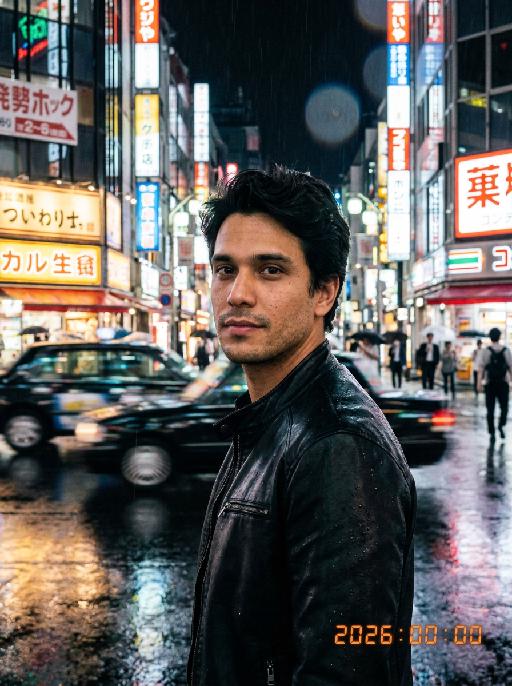
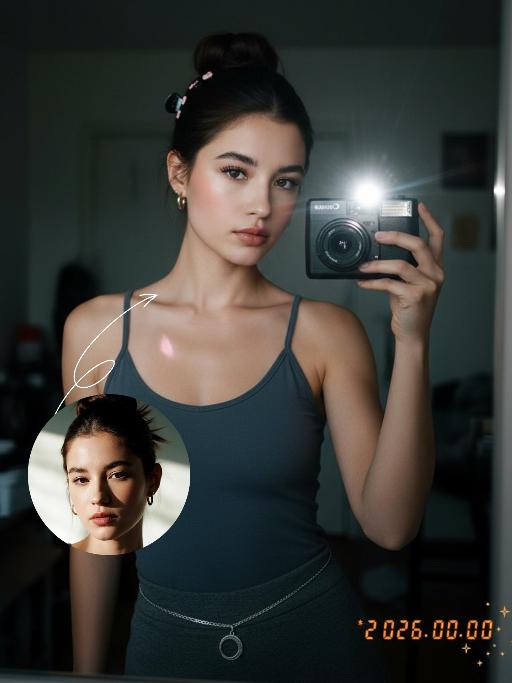
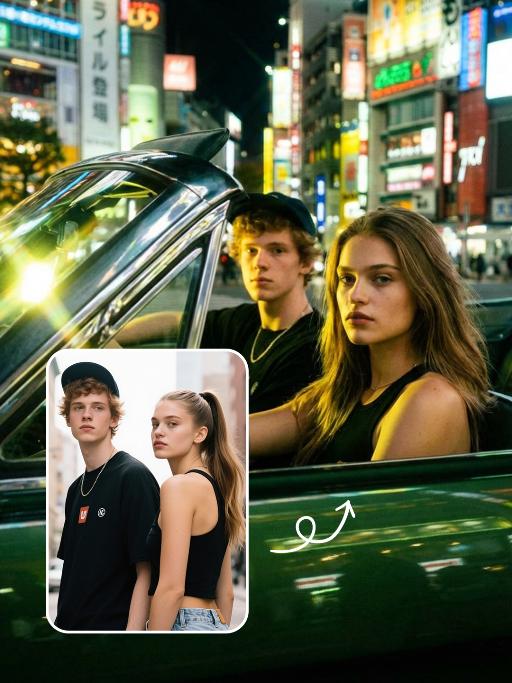
Professional retro film-style portrait photography, with the first uploaded portrait used in the frame for strict identity consistency (unchanged facial features, hairstyle, skin tone and age). The figure has naturally delicate and handsome facial features with a flawless skin texture from natural retouching, paired with dramatic light and shadow contrast on the facial features, with clear and visible facial details without over-sharpening. In this street photography portrait, the figure is captured in a half-body shot standing at the center of a bustling city street on a rainy night (the vibrant night view of Tokyo’s busy thoroughfares), positioned right at the frame’s center, looking straight ahead with a confident gaze, striking a handsome and stylish male pose. The figure is dressed in a leather jacket. The traffic flow in the background (vehicles and pedestrians speeding by to create blurred dynamic streaks) and neon lights feature dynamic motion blur effects, with smudged texture overlays to enhance the narrative mood. The dim lighting boasts high contrast; the wet road surfaces reflect warm orange glows and cool-toned neon light, with soft bokeh spots cast by street lamps and car headlights. Color palette: based on black and white tones, the neon hues are processed with high saturation, dominated by dark shades to create a striking contrast between warm and cool tones. The image is enhanced with film grain texture, depth of field breakup details, cinematic black aesthetic, and ultra-realistic, ultra-fine textures, plus a lifelike effect of raindrops splattering on the lens. Shot with a slow shutter speed, a large aperture and a low shutter setting; an orange vertical digital date watermark (2026:00:00) is added to the bottom right corner.

Dawn AI effects generated image

Dawn

Strictly preserve the identity of the uploaded portrait (retain facial contours, native Indian skin tone, hairstyle, and age). A half-body hyper-realistic cinematic portrait of a handsome South Asian groom with a well-groomed thick black beard and a deep, confident gaze. He is dressed in a luxurious dark emerald green traditional Sherwani, with the front placket and shoulders adorned with intricate and elaborate hand-embroidered golden floral and scroll patterns, paired with a matching opulent gold turban embellished with full diamonds. The scene is set in a palm tree alley during golden hour sunset, with warm backlighting creating dreamy lens flares and a soft bokeh effect, and the background is blurred to highlight the subject. The overall atmosphere is luxurious, noble, and romantic, dominated by rich gold and emerald green tones. The image features ultra-high-definition details, 8K resolution, professional photography quality, and rich, delicate layers of light and shadow

 Violet AI effects generated image

Violet

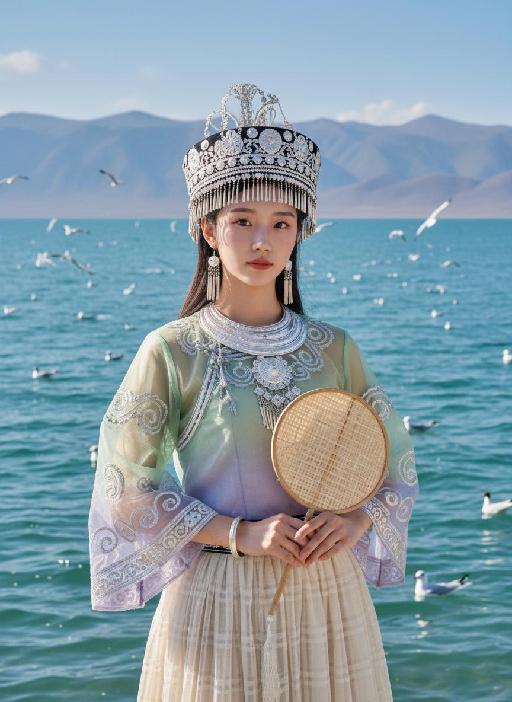
Strictly enforce facial feature lock: 100% identical to the first reference image, preserving every facial contour, skin texture, eye shape, lip shape, and youthful age with zero deviation. No artistic alteration allowed. Exact 1:1 copy of the original image, no creative interpretation or stylization permitted. A young East Asian woman with a cold, ethereal demeanor sits on damp bluestone paving, body angled 30° to the left, left arm folded across her torso, right hand gently gripping a large pale blue-white gradient flower, right elbow resting on her left forearm, left hand resting lightly on her right knee. She gazes at the camera with a detached, slightly lazy expression, lips pale pink and slightly parted. Her medium-length hair, a soft mix of dark brown and black, is adorned with large, ruffled light blue-purple gradient flower accessories on the right side, with a few strands of hair gently blowing in the breeze. She wears:A multi-layered Miao silver collar with delicate dangling silver beads. A wide, intricately carved silver bracelet on her right wrist. A slim silver bracelet on her left wrist. A strapless top with a crisp white base and bold dark blue swirling cloud motifs. A floor-length pleated skirt in a sharp black, white, and royal blue geometric pattern, with horizontal stripes and wave details on the hem Background is an exact replica of the original Dong-style wooden covered bridge: dark grey tiled roof, polished wooden pillars, distant lush green trees, and hazy mountain peaks under a soft, overcast sky. Precise lighting & tone lock (1:1 match to original):Soft, diffused morning backlight with a gentle, airy halo that wraps around the subject’s hair and shoulders, creating a subtle glow on the damp bluestone ground. The exact color palette of the original image is strictly preserved: cool, low-saturation tones dominated by crisp white, deep navy blue, and matte black, with a soft focus filter that gives the image a delicate, dreamlike cinematic quality. No over-saturation, color shifts, or harsh shadows are allowed. All elements must match the original image pixel-for-pixel; no creative additions or changes permitted.

Fighting Giant

This is a scene of a combat competition ring with bright spotlights in the arena; photorealistic, high-definition details, natural colors, and the camera captures the close-quarters confrontation. The uploaded character, with an exaggerated expression, shouts loudly with an open mouth, stands barefoot on the left side of the combat ring in a fighting stance. On the right side of the ring is a tall, muscular tattooed combatant. Both of them glare and roar aggressively, facing off before the fight. The uploaded character suddenly jumps into the air, spins around to the right, and viciously kicks the combatant's head with their feet and legs. After being viciously kicked three times, the combatant is finally defeated and falls to the ground. The uploaded character smiles triumphantly and joyfully, stands in the middle of the ring to cheer and celebrate, with the surrounding audience clapping. The camera zooms in to a medium close-up to show the character's upper body.

Happy 2026 AI effects generated image

Happy 2026

"Subject & Posture: The figure from the uploaded image (unchanged facial features, age and gender) gazes at a mirror with a gentle smile, holding a lipstick to write on the mirror surface. The left hand grips a red lipstick with a gold case, writing on the mirror with it; the figure strikes a relaxed off-the-shoulder pose. Attire & Accessories: A burgundy off-the-shoulder fuzzy sweater with fine glitter texture; a red lipstick with a gold case held in hand. Composition & Perspective: Mirror reflection composition, medium close-up shot with the subject centered; shot with a 35mm lens and shallow depth of field (blurred background), the mirror shows partial reflections of the hand and lipstick. Lighting & Color Scheme: Dark, low-key background, with soft key light illuminating the face and clothing, plus tiny bokeh light spots; main color tones: burgundy, black and warm orange-red, creating a warm atmosphere with soft color contrast. Background & Details: In the bottom right corner of the background, the artistic handwritten phrase Be happy every day in 2026 in bold orange-red lipstick lettering; ultra-realistic texture with natural skin grain, and clear fuzzy & fine glitter fabric details of the garment. Natural skin retouching with well-preserved realistic light and shadow transitions, a Fuji film filter effect, and a warm, cozy ambiance enhanced by soft room lighting in the background. The figure’s reflection in the mirror is physically accurate and consistent with the figure outside the mirror."

Pet Polaroid

The figure from the uploaded image (with unchanged features) is lying on a winter snowfield, wearing an innocent and cute expression; it has a thick brown knitted scarf around its neck, with a small pile of snow gently resting on the top of its head. The background features a snowfield and pine trees, with a cool color palette and romantic snowflake bokeh lingering all around. The entire frame is a close-up shot composed as a hand (wearing a white knitted glove) holding a white Polaroid photo paper, on which the aforementioned figure and scene are displayed. At the bottom of the photo paper, the artistic handwritten font Cute Baby is printed, and the area outside the photo paper shows the winter pine tree and snowfield scene described above. The overall style is a warm and healing cool tone with high-definition details of film texture, creating a cozy winter fairy-tale atmosphere.

Load more

Next-Gen Multi-Model AI Video Architecture

Vivago AI isn't just one engine—it’s a unified hub for the world’s most advanced video AI. Whether you need cinematic realism or high-speed social content, we provide the right model for your creative vision.
Free Generate


Beauty and Dolphins

Vacation Time

Stellar Tear

Fish Tank Supervisor

Cinematic Quality & Precision Control

Enables 4K resolution with multi-lens motion control, generating delicate scene via text prompts for customized cinematography.​

TRY NOW

Dynamic AV Sync

Auto-generates original audio to avoid copyright issues. Build 3D immersive environments through layered sound design automatically.

TRY NOW

OpenAI Sora 2

​Advanced visual storytelling with unparalleled physics and consistency.

TRY NOW

Kling v2.6 Pro

Industry-leading cinematic image animation and motion control.

TRY NOW

Google Veo 3 & 3.1

Ultra-fast generation with enhanced realism for creative workflows.

TRY NOW

Vivago AI 2.0

Our proprietary model optimized for efficiency, speed, and cost-effective generation.
TRY NOW

Users' Voice

We listen carefully to the opinions of every user.
Free Generate
Contact Us
I tried the Lip Sync feature inside Vivago.ai’s AI Video Generator for my educational podcast, and the results were stunning! The avatar's lip movements perfectly matched my audio recording, creating a professional AI-generated video without complex editing. Compared with tools like OpenAI Sora 2 and Google Veo 3.1, Vivago Image-to-Video delivers fast, studio-quality results online. It saved me hours of post-production work.
ElenaM (Spain)
Vivago’s Image-to-Video AI transformed my marketing workflow. I uploaded a product image and described the launch scene in text, and it generated a 10-second cinematic AI video with background music and dynamic visuals. The output quality rivals Kling v2.6 Pro and Google Veo 3 Fast. It’s now my go-to AI video generator for social media ads and product campaigns.
KenjiT (Japan)
As a digital artist, I use Vivago.ai 2.0 daily for Image-to-Image and AI Image-to-Video creation. The e-book covers and animated visuals I generate for clients look cinematic and professional. Unlike many standalone AI tools, Vivago integrates multiple leading models into one platform, making it easier to create copyright-safe AI images and videos for publishing.
ChenL (China)
I tried the Lip Sync feature inside Vivago.ai’s AI Video Generator for my educational podcast, and the results were stunning! The avatar's lip movements perfectly matched my audio recording, creating a professional AI-generated video without complex editing. Compared with tools like OpenAI Sora 2 and Google Veo 3.1, Vivago Image-to-Video delivers fast, studio-quality results online. It saved me hours of post-production work.
ElenaM (Spain)
Vivago’s Image-to-Video AI transformed my marketing workflow. I uploaded a product image and described the launch scene in text, and it generated a 10-second cinematic AI video with background music and dynamic visuals. The output quality rivals Kling v2.6 Pro and Google Veo 3 Fast. It’s now my go-to AI video generator for social media ads and product campaigns.
KenjiT (Japan)
As a digital artist, I use Vivago.ai 2.0 daily for Image-to-Image and AI Image-to-Video creation. The e-book covers and animated visuals I generate for clients look cinematic and professional. Unlike many standalone AI tools, Vivago integrates multiple leading models into one platform, making it easier to create copyright-safe AI images and videos for publishing.
ChenL (China)
I absolutely love Vivago’s AI Image-to-Video Generator. As a travel blogger, static images often fail to capture real atmosphere, but Vivago helps me turn photos into vivid cinematic AI videos with motion effects. It feels comparable to OpenAI Sora 2 and Google Veo 3.1, but more accessible and faster for creators who need high-quality AI videos online.
LiamK (Australia)
I tried the Lip Sync feature inside Vivago.ai’s AI Video Generator for my educational podcast, and the results were stunning! The avatar's lip movements perfectly matched my audio recording, creating a professional AI-generated video without complex editing. Compared with tools like OpenAI Sora 2 and Google Veo 3.1, Vivago Image-to-Video delivers fast, studio-quality results online. It saved me hours of post-production work.
ElenaM (Spain)
Vivago’s Image-to-Video AI transformed my marketing workflow. I uploaded a product image and described the launch scene in text, and it generated a 10-second cinematic AI video with background music and dynamic visuals. The output quality rivals Kling v2.6 Pro and Google Veo 3 Fast. It’s now my go-to AI video generator for social media ads and product campaigns.
KenjiT (Japan)
As a digital artist, I use Vivago.ai 2.0 daily for Image-to-Image and AI Image-to-Video creation. The e-book covers and animated visuals I generate for clients look cinematic and professional. Unlike many standalone AI tools, Vivago integrates multiple leading models into one platform, making it easier to create copyright-safe AI images and videos for publishing.
ChenL (China)
I absolutely love Vivago’s AI Image-to-Video Generator. As a travel blogger, static images often fail to capture real atmosphere, but Vivago helps me turn photos into vivid cinematic AI videos with motion effects. It feels comparable to OpenAI Sora 2 and Google Veo 3.1, but more accessible and faster for creators who need high-quality AI videos online.
LiamK (Australia)
Using Vivago.ai’s Image-to-Video AI has greatly enhanced my classroom teaching. I transform textbook notes into historical AI videos with cinematic filters and dynamic animations. Compared with tools like Kling v2.6 Pro and Google Veo 3 Fast, Vivago offers faster generation and easier parameter control for educators who need reliable AI video creation.
RajivG (India)
I frequently create AI videos on Vivago and publish them on TikTok and YouTube Shorts. The AI video templates and trending content ideas help me produce viral-ready clips quickly. With Vivago’s integrated models—including advanced video engines similar to OpenAI Sora 2—I can generate anime-style and cinematic social media videos that drive high engagement.
MarieJ (Spain)
What attracts me most about Vivago.ai is not only the powerful AI Video Generator but also the active AIGC creator community. It combines AI Image-to-Video, Text-to-Video, and leading model integrations like Google Veo 3.1 into one creative platform.
TomW (India)
At first, I was hesitant about using AI video tools. But after trying Vivago Image-to-Video, I realized how easy it is to create professional AI-generated videos online. I just upload an image, add a short prompt, and adjust a few settings. The results are cinematic and copyright-safe, which is essential for commercial projects.
HectorC (Mexico)
Using Vivago.ai’s Image-to-Video AI has greatly enhanced my classroom teaching. I transform textbook notes into historical AI videos with cinematic filters and dynamic animations. Compared with tools like Kling v2.6 Pro and Google Veo 3 Fast, Vivago offers faster generation and easier parameter control for educators who need reliable AI video creation.
RajivG (India)
I frequently create AI videos on Vivago and publish them on TikTok and YouTube Shorts. The AI video templates and trending content ideas help me produce viral-ready clips quickly. With Vivago’s integrated models—including advanced video engines similar to OpenAI Sora 2—I can generate anime-style and cinematic social media videos that drive high engagement.
MarieJ (Spain)
What attracts me most about Vivago.ai is not only the powerful AI Video Generator but also the active AIGC creator community. It combines AI Image-to-Video, Text-to-Video, and leading model integrations like Google Veo 3.1 into one creative platform.
TomW (India)
At first, I was hesitant about using AI video tools. But after trying Vivago Image-to-Video, I realized how easy it is to create professional AI-generated videos online. I just upload an image, add a short prompt, and adjust a few settings. The results are cinematic and copyright-safe, which is essential for commercial projects.
HectorC (Mexico)