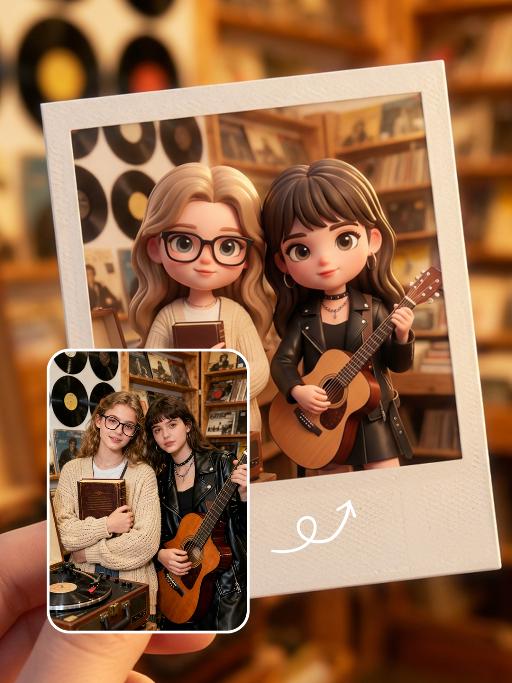
ShoesGelRun

Create this AI visual effect from any photo or image. Upload your image and generate your AI effect free on Vivago AI.

Use Template
arrow

More From VIVAGO AI

Urban Wild AI effects generated image

Urban Wild

Keep the character's facial features from the uploaded image unchanged. High-end luxury fashion editorial photography, photorealistic, ultra-detailed, 8K resolution. A striking figure with sleek pulled-back dark hair, wearing an oversized tiger-stripe faux fur coat, holding a black leather handbag with gold V-logo hardware, stepping up the stairs of a private jet. One limb grips the handrail, one leg bent in a confident pose, gaze directed to the side with a sharp, glamorous expression. Background: the exterior of a golden private jet under a clear bright blue sky, warm golden hour sunlight with strong lens flare effects, casting a luxurious warm glow on the fur and metal surfaces. Lighting: dramatic golden backlight, high contrast, warm golden tones, lens flare from the jet engine, highlighting the texture of the fur and the sheen of the leather bag. Style: bold luxury fashion aesthetic, cinematic film grain, shallow depth of field, sharp focus on the central figure and handbag, rich textures of fur, leather and metal, glamorous and powerful vibe, shot with a professional medium format camera.

Kid Dance

"Create an AI-generated image based on the provided reference image. The subject's appearance (facial features, hairstyle, clothing, and overall temperament) should remain unchanged, as provided by the user, and the background must stay identical to the one in the reference image without modification. The posture of the subject should closely resemble the gesture in reference image 2, with the following detailed description: both hands are fully open, raised to shoulder height, with the palms facing forward and fingers spread out towards the screen. The left hand is slightly raised, with fingers slightly curled, while the palm remains open. A small amount of yellow paint is applied, evenly spread across the palm and part of the fingertips. The right hand is positioned similarly to the left, slightly more parallel to the body, with less finger curvature, and the palm faces the screen. A small amount of red paint is applied, evenly spread across the palm and fingertips. The paint on both hands should be evenly applied and natural, without excess, maintaining a relaxed and natural gesture. The background should match the environment from the reference image. The resulting image should have a higher resolution and finer textures, ensuring the paint on the hands looks natural and not overdone, while maintaining an artistic and relaxed style."

ite Feather AI effects generated image

ite Feather

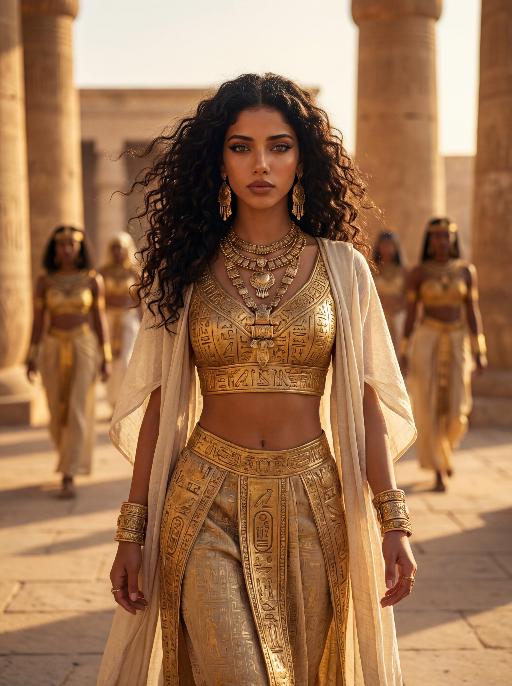
Use the facial features, gender and age of the character in the uploaded picture exactly as they are, reimagined as a stunning Brazilian Carnival queen. A joyful Brazilian Carnival performer stands at the center of a grand, feathered float during the Rio Carnival parade.wears an elaborate, opulent costume: a towering, bejeweled white headdress with gold trim, a golden bodice intricately decorated with pearls, gemstones, and colorful accents, and a massive, voluminous skirt made of layers of pure white feathers, with a circular front panel featuring large, vibrant gem-like decorations in blue, purple, and red. holds a red-and-white flag in one hand, arms raised in celebration, with a wide, ecstatic expression. The scene is filled with swirling purple confetti, set against a bright, festive parade ground. The style is a high-resolution, vibrant photograph with sharp details, rich saturated colors, and a dynamic, celebratory atmosphere.

Groom Style

"[Strictly preserve the exact same subject, same species, same face, original makeup, hairstyle, clothes, and all appearance features from the reference image unchanged. The clothes and makeup in the reference image must remain 100% identical], the face of the reference subject is the absolute core of the image and nearly occupies the entire screen, extreme facial close-up, face size is very large and dominant (face occupies nearly the entire frame). Hair is secondary but still visible with some hairstyle details preserved. Upper body and shoulders are secondary and appear minimally at the bottom of the frame. The subject is wearing a professional black barber cape. A small number of miniature ""barber engineer figures"" (around 5-8 figures), each with clear分工: some standing on ladders trimming bangs, some trimming sideburns, some combing the top with combs, some using hair dryers to style, some using razors for details, some measuring proportions. They work professionally and each has their own task, creating a humorous yet orderly scene. Extreme facial close-up composition, the face almost fills the entire frame, subject looking directly at the viewer with a natural expression. Modern high-end barbershop background, extremely shallow depth of field, heavily blurred background with strong warm creamy bokeh. Color palette dominated by deep blue, black, and gold tones, luxurious and dreamy atmosphere. Cinematic lighting with beautiful key light, rim light, and soft fill light on the face, natural highlights, extremely sharp and detailed skin texture, eyes, and makeup, three-dimensional and premium light and shadow. Surrealism style, perfect blend of realistic details and fantastical elements, humorous and imaginative, 8k resolution, ultra-detailed, cinematic quality, professional photography --stylize 180 --v 6 "

Three Frames

"Film effect, three-screen split-frame photography (close-up, medium close-up, medium shot or long shot) in upper, middle and lower sections; cinematic Japanese-style film effect with three-screen split-frame photography in upper, middle and lower sections, set in a cold, lonely snowy scene on a clear day. A single figure with soft facial features, wearing an exquisitely tailored high-end red gown, a white mink fur hat and a white scarf, paired with sophisticated and textured accessories, stands in a vast white snowfield with snowflakes falling and snow accumulating on the scarf. The image boasts a strong cinematic texture. Upper screen: Extreme close-up of the head, with distinct individual eyelashes, fair and even skin, and snowflakes dotted on the eyelashes. Middle screen: Solo medium shot of the figure against the snowscape. Lower screen: Close-up of the figure leaning gently against a moose’s head with a soft smile, the details of the face and scarf in sharp focus, with a pale grey-blue sky and a single pine tree in the distance. Cinematic and realistic three-frame split-frame portrait: retain the facial features of the uploaded figure (with a fresh and translucent winter makeup look featuring silver shimmery eyeshadow, pink translucent blusher with fine glitter and light pink lip makeup—all on-trend winter styles in Western fashion, paired with a gentle and innocent expression, and fair, delicate skin). Soft diffused winter natural light highlights the soft texture of the skin and clothing. The figure leans affectionately beside a tame reindeer, with snow resting on the reindeer’s antlers and fur. The background features a snow-covered Christmas tree and an expanse of white snow, with fine snowflakes floating in the air. Soft natural cold light creates a fresh and translucent winter mood; a 50mm standard lens is used to preserve the delicate interactive details between the figure and the reindeer. The overall atmosphere is warm and healing, with ultra-high details and naturally saturated colors, in a horizontal composition. Avoid blurriness, disproportionate figure proportions and cluttered backgrounds."

Snow Man AI effects generated image

Snow Man

Use the exact same facial features, gender, and age as the character in the uploaded image. Photorealistic fashion portrait, exact same facial features, gender and age as the character in the uploaded image. Platinum blonde, voluminous, slightly tousled hair with a wolf-cut style. Head turned to the left, gaze directed outward with a cool, ethereal expression. Dressed in an oversized, floor-length black wool coat with a dramatic, fluffy pink-and-black gradient fur trim along the edges, open to reveal a sleek black turtleneck and tailored black trousers. A delicate silver necklace adorns the neck, and black leather gloves cover the hands. The setting is a snowy, winter wonderland, with deep, fresh snow covering the ground and snow-laden evergreen trees in the background. A rustic wooden cabin with warm, glowing string lights is visible in the distance. Soft, cool natural daylight illuminates the scene, casting gentle shadows on the snow and clothing. The background is softly blurred, creating a shallow depth of field. The overall mood is avant-garde, ethereal, and effortlessly cool. High detail skin texture, cinematic lighting, 8K resolution, ultra-realistic, high-fashion editorial aesthetic, no text or watermarks.

Forest AI effects generated image

Forest

Strictly lock the facial features of the uploaded portrait (completely preserve facial contours, native skin tone, hairstyle, and age); young adult woman (early 20s) with light golden long curly hair, Korean sweet pictorial style, delicate facial features, clear nude makeup with light pink blush, sweet and healing smile. She is gracefully dancing like a forest elf, body slightly twisting in motion, one shoulder subtly turned toward the camera while the upper body leans lightly back, arms lifted in a soft, flowing dance gesture, fingers relaxed and elegant; holding a black vintage camera loosely near her waist as if captured mid-movement. Pose remains consistent with the original sideways orientation, but enriched with dynamic motion and rhythm; close-up facial shot with visible upper-body movement. Behind her, a pair of delicate translucent fairy wings softly glowing — semi-transparent, leaf-vein textures, subtle green-golden luminescence, naturally extending from her back, blending harmoniously with the forest light (not dominant, not cartoonish, realistic fantasy photography style). Wearing an elf-green lace halter tulle dress with a flowing skirt and green ribbon decorations; skirt and ribbons caught mid-sway by movement, enhancing the dancing elf aura. Background: a mysterious dense jungle with towering ancient trees, tangled vines, dappled sunlight filtering through a thick canopy, mist curling around trunks, soft glowing fireflies flickering, deep green foliage with subtle golden autumn tones; no cherry blossoms or peach blossoms. Atmosphere: enchanted secret forest vibe, forest elf + dark fantasy + French retro + Korean pictorial aesthetic; soft and moody natural light, cinematic lighting with dramatic shadows, warm film texture with mysterious undertones, strong hair-light atmosphere, natural motion blur on vines, ribbons, and skirt edges, ultra-detailed, 8K ultra-clear, realistic human photography, flawless skin texture, full of fairy and enchanted forest mystery

solemn AI effects generated image

solemn

Strictly lock the identity of the uploaded portrait (preserve facial contours, native Indian skin tone, hairstyle, and age). Half-body close-up (upper body-focused) of a devout elderly Muslim man (aged 60-70) during Eid al-Fitr morning prayers, with the subject occupying a larger proportion of the frame and framed tightly with minimal negative space at the top. His face proportion is moderate but prominent, he maintains a serene, pious expression with hands in standard prayer position, his upper body centered in the frame. The background clearly shows the grand architecture of Istiqlal Mosque in Jakarta, bathed in soft, warm morning backlight, with the background composition adjusted to avoid excessive top blank space. Photorealistic style, sharp focus on both the subject (clear facial details) and the mosque background, deep emotional depth, 4K ultra-clear resolution, well-balanced composition between subject and background

Temple Rise AI effects generated image

Temple Rise

High-end urban fashion editorial photography, photorealistic, ultra-detailed, 8K resolution, low-angle perspective. Voluminous straight brown hair, wearing a black newsboy cap, bright green sleeveless textured mini dress, and black over-the-knee suede boots. Sitting perched on the stone cornice of a grand neoclassical church (St. Mary le Strand, London), one hand resting on the ledge, legs extended forward with one crossed over the other, gaze directed upward and to the side, bold red lipstick. Background: iconic white stone church with tall columns and a clock tower, vivid teal blue sky with wispy clouds, distant London street elements (black taxi, pedestrians, historic buildings) in soft focus. Lighting: bright natural daylight with crisp shadows, high contrast teal-and-orange color grading, warm highlights on skin and green fabric, cool blue tones in the sky, dramatic low-angle light emphasizing the figure's height. Style: bold retro fashion aesthetic, cinematic film grain, shallow depth of field (focus on the figure, slightly blurred architectural background), sharp textures of suede, lace, and stone, confident and edgy vibe, shot with a professional wide-angle lens.

Load more

Next-Gen Multi-Model AI Video Architecture

Vivago AI isn't just one engine—it’s a unified hub for the world’s most advanced video AI. Whether you need cinematic realism or high-speed social content, we provide the right model for your creative vision.
Free Generate


Beauty and Dolphins

Vacation Time

Stellar Tear

Fish Tank Supervisor

Cinematic Quality & Precision Control

Enables 4K resolution with multi-lens motion control, generating delicate scene via text prompts for customized cinematography.​

TRY NOW

Dynamic AV Sync

Auto-generates original audio to avoid copyright issues. Build 3D immersive environments through layered sound design automatically.

TRY NOW

OpenAI Sora 2

​Advanced visual storytelling with unparalleled physics and consistency.

TRY NOW

Kling v2.6 Pro

Industry-leading cinematic image animation and motion control.

TRY NOW

Google Veo 3 & 3.1

Ultra-fast generation with enhanced realism for creative workflows.

TRY NOW

Vivago AI 2.0

Our proprietary model optimized for efficiency, speed, and cost-effective generation.
TRY NOW

Users' Voice

We listen carefully to the opinions of every user.
Free Generate
Contact Us
I tried the Lip Sync feature inside Vivago.ai’s AI Video Generator for my educational podcast, and the results were stunning! The avatar's lip movements perfectly matched my audio recording, creating a professional AI-generated video without complex editing. Compared with tools like OpenAI Sora 2 and Google Veo 3.1, Vivago Image-to-Video delivers fast, studio-quality results online. It saved me hours of post-production work.
ElenaM (Spain)
Vivago’s Image-to-Video AI transformed my marketing workflow. I uploaded a product image and described the launch scene in text, and it generated a 10-second cinematic AI video with background music and dynamic visuals. The output quality rivals Kling v2.6 Pro and Google Veo 3 Fast. It’s now my go-to AI video generator for social media ads and product campaigns.
KenjiT (Japan)
As a digital artist, I use Vivago.ai 2.0 daily for Image-to-Image and AI Image-to-Video creation. The e-book covers and animated visuals I generate for clients look cinematic and professional. Unlike many standalone AI tools, Vivago integrates multiple leading models into one platform, making it easier to create copyright-safe AI images and videos for publishing.
ChenL (China)
I tried the Lip Sync feature inside Vivago.ai’s AI Video Generator for my educational podcast, and the results were stunning! The avatar's lip movements perfectly matched my audio recording, creating a professional AI-generated video without complex editing. Compared with tools like OpenAI Sora 2 and Google Veo 3.1, Vivago Image-to-Video delivers fast, studio-quality results online. It saved me hours of post-production work.
ElenaM (Spain)
Vivago’s Image-to-Video AI transformed my marketing workflow. I uploaded a product image and described the launch scene in text, and it generated a 10-second cinematic AI video with background music and dynamic visuals. The output quality rivals Kling v2.6 Pro and Google Veo 3 Fast. It’s now my go-to AI video generator for social media ads and product campaigns.
KenjiT (Japan)
As a digital artist, I use Vivago.ai 2.0 daily for Image-to-Image and AI Image-to-Video creation. The e-book covers and animated visuals I generate for clients look cinematic and professional. Unlike many standalone AI tools, Vivago integrates multiple leading models into one platform, making it easier to create copyright-safe AI images and videos for publishing.
ChenL (China)
I absolutely love Vivago’s AI Image-to-Video Generator. As a travel blogger, static images often fail to capture real atmosphere, but Vivago helps me turn photos into vivid cinematic AI videos with motion effects. It feels comparable to OpenAI Sora 2 and Google Veo 3.1, but more accessible and faster for creators who need high-quality AI videos online.
LiamK (Australia)
I tried the Lip Sync feature inside Vivago.ai’s AI Video Generator for my educational podcast, and the results were stunning! The avatar's lip movements perfectly matched my audio recording, creating a professional AI-generated video without complex editing. Compared with tools like OpenAI Sora 2 and Google Veo 3.1, Vivago Image-to-Video delivers fast, studio-quality results online. It saved me hours of post-production work.
ElenaM (Spain)
Vivago’s Image-to-Video AI transformed my marketing workflow. I uploaded a product image and described the launch scene in text, and it generated a 10-second cinematic AI video with background music and dynamic visuals. The output quality rivals Kling v2.6 Pro and Google Veo 3 Fast. It’s now my go-to AI video generator for social media ads and product campaigns.
KenjiT (Japan)
As a digital artist, I use Vivago.ai 2.0 daily for Image-to-Image and AI Image-to-Video creation. The e-book covers and animated visuals I generate for clients look cinematic and professional. Unlike many standalone AI tools, Vivago integrates multiple leading models into one platform, making it easier to create copyright-safe AI images and videos for publishing.
ChenL (China)
I absolutely love Vivago’s AI Image-to-Video Generator. As a travel blogger, static images often fail to capture real atmosphere, but Vivago helps me turn photos into vivid cinematic AI videos with motion effects. It feels comparable to OpenAI Sora 2 and Google Veo 3.1, but more accessible and faster for creators who need high-quality AI videos online.
LiamK (Australia)
Using Vivago.ai’s Image-to-Video AI has greatly enhanced my classroom teaching. I transform textbook notes into historical AI videos with cinematic filters and dynamic animations. Compared with tools like Kling v2.6 Pro and Google Veo 3 Fast, Vivago offers faster generation and easier parameter control for educators who need reliable AI video creation.
RajivG (India)
I frequently create AI videos on Vivago and publish them on TikTok and YouTube Shorts. The AI video templates and trending content ideas help me produce viral-ready clips quickly. With Vivago’s integrated models—including advanced video engines similar to OpenAI Sora 2—I can generate anime-style and cinematic social media videos that drive high engagement.
MarieJ (Spain)
What attracts me most about Vivago.ai is not only the powerful AI Video Generator but also the active AIGC creator community. It combines AI Image-to-Video, Text-to-Video, and leading model integrations like Google Veo 3.1 into one creative platform.
TomW (India)
At first, I was hesitant about using AI video tools. But after trying Vivago Image-to-Video, I realized how easy it is to create professional AI-generated videos online. I just upload an image, add a short prompt, and adjust a few settings. The results are cinematic and copyright-safe, which is essential for commercial projects.
HectorC (Mexico)
Using Vivago.ai’s Image-to-Video AI has greatly enhanced my classroom teaching. I transform textbook notes into historical AI videos with cinematic filters and dynamic animations. Compared with tools like Kling v2.6 Pro and Google Veo 3 Fast, Vivago offers faster generation and easier parameter control for educators who need reliable AI video creation.
RajivG (India)
I frequently create AI videos on Vivago and publish them on TikTok and YouTube Shorts. The AI video templates and trending content ideas help me produce viral-ready clips quickly. With Vivago’s integrated models—including advanced video engines similar to OpenAI Sora 2—I can generate anime-style and cinematic social media videos that drive high engagement.
MarieJ (Spain)
What attracts me most about Vivago.ai is not only the powerful AI Video Generator but also the active AIGC creator community. It combines AI Image-to-Video, Text-to-Video, and leading model integrations like Google Veo 3.1 into one creative platform.
TomW (India)
At first, I was hesitant about using AI video tools. But after trying Vivago Image-to-Video, I realized how easy it is to create professional AI-generated videos online. I just upload an image, add a short prompt, and adjust a few settings. The results are cinematic and copyright-safe, which is essential for commercial projects.
HectorC (Mexico)