Fighting Giant

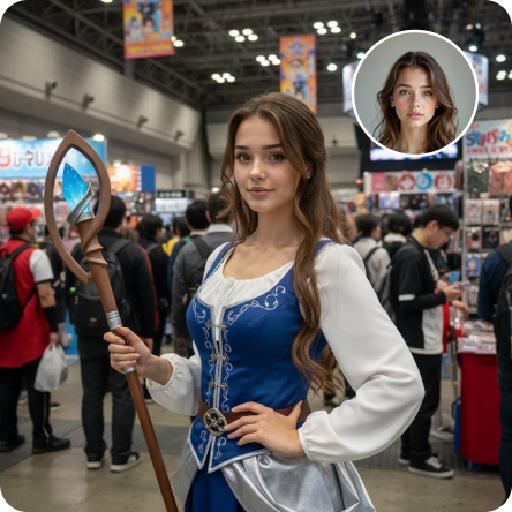
这是一个格斗比赛擂台场景,竞技场馆的明亮射灯;照片级真实感,高清细节,色彩自然,摄像机保持近景搏斗,上传的人物,表情夸张,张大嘴怒吼,赤脚跑步站在格斗擂台左边,擂台的右边是一位很高的肌肉发达、有纹身的格斗选手,两个人表情嚣张怒吼,进行战斗前对峙;上传的人物突然跳起来身体腾空向右旋转一圈,用脚和腿部飞踢暴打格斗选手的头部 ,格斗选手被暴打了3次之后最终失败倒地;上传的人物胜利开心得意得微笑,站在舞台中间欢呼庆祝,周围的观众鼓掌,摄像机焦距推到中近景,展示人物的上半身

Use Template
arrow

More From VIVAGO AI

Red Clothes AI effects generated image

Red Clothes

Strictly lock facial features: fully preserving the original facial contours, skin texture, eye shape, lip shape, and youthful appearance with zero deviations allowed. Slightly upward angle, half-body close-up (subject occupies 80% of the frame), a slender and ethereal young East Asian woman stands facing forward, with slim shoulder and neck lines, exuding a cold and detached aura, eyes half-open with a lazy and melancholic look; makeup is cool-toned and fresh: translucent porcelain base, matte rosewood lips, cool red eye shadow at the outer corners, light pink blush for a subtle flush; extra-fluffy double braid hairstyle with a 'head-wraps-face' effect, high crown, voluminous hair that frames the face to create a slimmer facial contour, with natural messy baby hairs for a casual vibe. Wearing: - Headdress: Eye-catching red-silver color-blocked ethnic headdress (more attractive design), with an intricate silver filigree base, inlaid with glossy red gemstones, turquoise and small pearls, decorated with layered silver tassels of varying lengths (the longest tassels hang down to the collarbone) and a small silver hollowed-out flower ornament in the center, the silver surface reflects light to enhance the sense of hierarchy, perfectly integrating ethnic charm and cool temperament - Earrings: Silver hollow carved earrings, paired with red gemstones and dangling chains - Necklace: Multi-layered colorful beaded necklace (red, blue, brown color block), main pendant is a silver carved plaque (inlaid with red, blue gemstones and turquoise) Clothing: - Wine red stand-up collar ethnic top, front panel spliced with shiny red-gold fabric, neckline and edges trimmed with white piping - Shawl: White long plush shawl, fluffy and thick texture, covering the waist and abdomen area Image texture: CCD flash photography effect combined with natural sunlight, high contrast, slight overexposure, fine film grain, cool-toned flash atmosphere mixed with warm sunlight highlights, saturated colors with retro digital noise, retaining natural grain. Background: Plateau snow mountain scene, azure blue sky (dotted with a few white clouds), distant continuous dark gray-blue snow-capped mountains; bright outdoor sunlight from the upper side illuminates the scene, casting soft and distinct light and shadow: warm highlights on the silver ornaments, hair strands and plush shawl, and natural soft shadows on the neck, collarbone and the edge of the dress, forming a clear light-dark contrast that enhances the three-dimensional sense of the figure; strong outdoor flash effect blended with sunlight, the picture has rich and contrasting colors, strictly 1:1 replicate the original image's movements, clothing details and cold atmosphere

Kebaya AI effects generated image

Kebaya

Strictly lock the facial features of the uploaded portrait (preserve facial contours, native Indonesian skin tone, hairstyle and age). model occupies 3/4 of the frame, the model as the absolute dominant subject, close-up half-body portrait with minimal background space, no excessive empty space around the model, a charming half-body portrait of a young Indonesian lady in her early 20s, with a gentle smile and black hair elegantly updo decorated with white tiny flowers, dressed in a soft pale yellow sheer kebaya featuring delicate lace edging. She holds a rustic rattan basket brimming with colorful fresh blooms, set against a backdrop of a classic Indonesian red-brick dwelling with sprawling tropical banana foliage, bathed in soft golden natural sunlight, exuding a fresh, idyllic and authentic Indonesian rural charm, 3:4 aspect ratio, ultra-high detail, photorealistic

White Clothes AI effects generated image

White Clothes

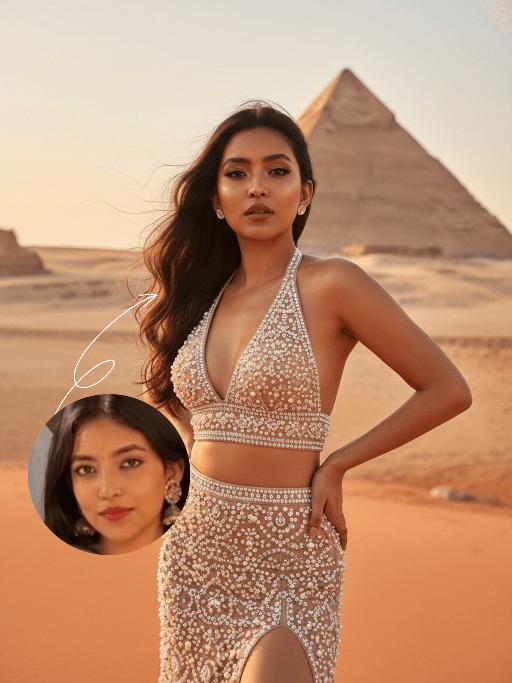
Strictly lock the facial features of the uploaded portrait (completely preserve facial contours, native skin tone, hairstyle and age). From a high-angle top-down perspective, a young and sweet East Asian woman tilts her body gently to the right, with a gentle and healing smile and bright, captivating eyes. She wears an ornate and intricate large-horned headdress of Miao silver ornaments, a multi-layered Miao silver necklace, a white lace strapless puffy dress, and long white lace gloves. Her hands hold a large bouquet of mixed pink-white gradient poppies and small white flowers, which falls naturally and extends toward the camera. The background features the cascading wooden stilted buildings of Xijiang Qianhu Miao Village in Guizhou, lush green mountains in the distance, and a fresh cloudy blue sky. Bright natural sunlight illuminates the entire scene, casting distinct soft shadows on the ground and the hem of the dress; warm sunlight creates gentle highlights on the Miao silver ornaments, lace fabric and flower petals, forming a clear light and shadow contrast. High-definition realistic portrait photography, soft and bright natural light, fresh and transparent colors, blending ethnic style with a fairy-tale vibe.

Garden Lover

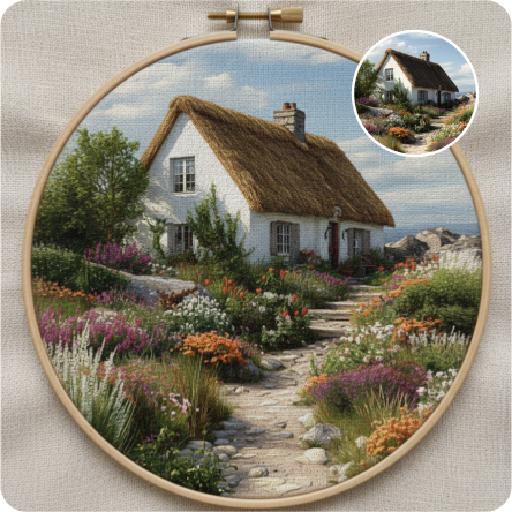
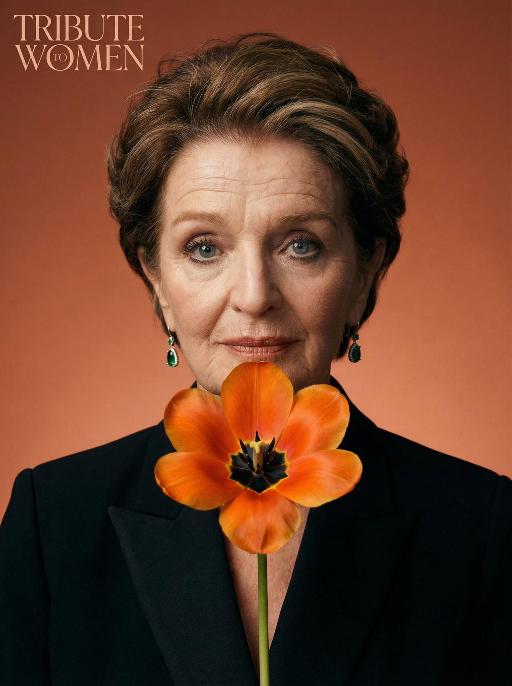
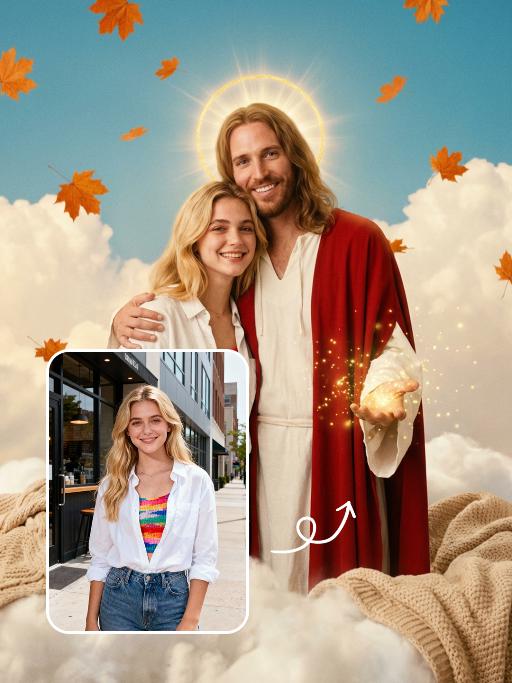
Two medium-distance close-up shots of people (their appearances, ages and genders remain unchanged. The older of the two has a semi-transparent effect on their clothing and has warm-toned light effects) stand side by side in white clothing, with a natural posture, facing forward, and their body proportions are very realistic. They stand in front of an American suburban house, which is a vintage old house with a beautiful garden. The warm golden light, soft background light and side light create a hazy film-like atmosphere, conveying a warm, soothing and nostalgic tone. Shot from a medium close-up angle, the shallow depth of field effect highlights the characters. The soft warm light, delicate skin and fabric textures, natural and realistic composition, ultra-realistic high-definition quality and real film texture.

Snow Scene AI effects generated image

Snow Scene

Preserve the facial features of the figure in the image and transform the scene into a photo-realistic romantic winter snow photograph: the figure is wearing a matte black wool knee-length overcoat paired with a thick knit scarf in an interwoven coffee-brown and off-white check pattern (or a matte off-white wool waist-cinched double-breasted coat with gold buttons paired with a matching cashmere mid-length tassel scarf), set against a romantic outdoor scene with heavy snow falling. The lighting is bright natural light (noon sunlight), creating an exquisite and high-end atmosphere. Shoot with a 24mm wide-angle lens to highlight the immersive ambiance of the romantic realistic scene. Scene: Vintage red brick rooftops with light snow traces, frosted silver-toned metal railings with slightly melted snow on the edges; the New York skyline in the background, featuring a scattered mix of light gray glass curtain wall skyscrapers and vintage brownstone buildings with the clear spire of the Empire State Building, and fine snow falling gently. Photography: 85mm f/2.8 lens, winter side light, film texture, cool color tones. Image Quality: 8K ultra-detailed, realistic light and shadow. Atmosphere: A romantic and warm urban architectural snow scene bathed in the afterglow of the setting sun. Shooting Angle: Eye-level with a slight bird's-eye perspective.

Emoji Plog AI effects generated image

Emoji Plog

The figure from the uploaded image (unchanged facial features, age and gender), create an image in a portrait photography style: a realistic Korean-style sweet and cool young girl (wearing brown-framed glasses, trendy Y2K clothing, and Y2K accessories including necklaces and rings) stands in the center of the frame, shot from a bird’s-eye view, with natural facial retouching and a fresh sheer makeup look. Her head takes up a large proportion of the frame with a strong sense of perspective, featuring the style of casual Instagram selfies plus a subtle decorative texture of cute Instagram emojis. The figure occupies 70% of the frame as the main subject; the negative space is dotted with cute light decorations such as colorful stars and doodles (iPhone emojis). In the bottom right corner is a large, cute 3D cartoon doppelgänger of the girl with the same outfit and pose, accounting for a quarter of the entire frame. Add white/yellow star stickers, cloud emoji speech bubbles with cute Korean text, and a number of lovely emojis to the frame. The scene is set inside an elevator with soft indoor natural light; the decorative elements include white/yellow stars. The work features an avant-garde fashion photography style and a magazine art cover aesthetic, with even soft indoor natural light and no harsh shadows, creating a warm and daily atmosphere. The main color palette is a soft low-saturation scheme (white/light gray/black), accented with bright shades of pink/yellow/leopard brown. The overall image is clean and bright, with a fresh film-like filter effect.

Love Yourself AI effects generated image

Love Yourself

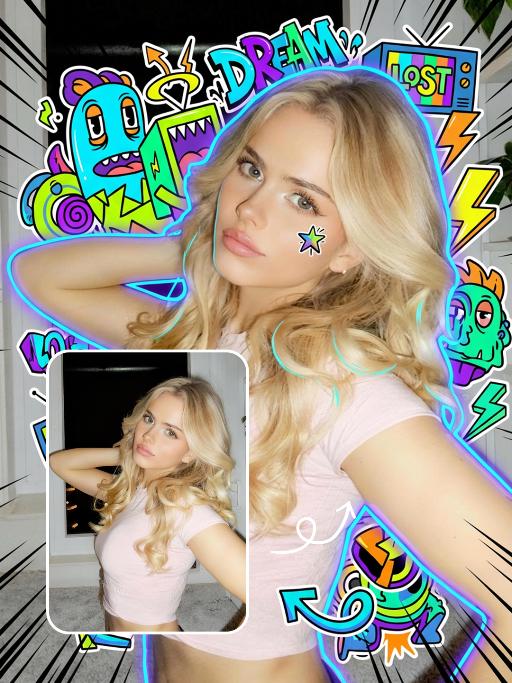
A charming and alluring figure in the uploaded picture (with unchanged facial features, gender and age), stands sideways and turns around, looking at the camera. She has long, fluffy, jet-black curly hair, exquisite eye makeup and a bright matte red lipstick. Red lipstick marks are all over her face, neck, chest and arms. She is wearing a luxurious deep V-neck red satin dress. One hand holds a heart-shaped box filled with various colored roses, and the other hand holds a rose placed near her mouth. Background: A dark red velvet texture studio background. Several red rose petals float slowly in the air in the background. Lighting hint: Low-key high-contrast dramatic light, soft directional highlights shining on her facial features and the satin dress, deep velvet-like shadows to enhance the sexy effect, with a cinematic sense of melancholy and depth. Tone hint: Rich, saturated deep red contrasts with dark black and soft charcoal gray, warm and passionate color combination, with subtle velvet texture in the shadow areas. Style: High-end fashion editing photography, highly realistic detail depiction, precise capture of skin texture and fabric luster, full of charm and allure Valentine's Day theme, with professional photography studio level, fashion pioneer photography

Load more

Next-Gen Multi-Model AI Video Architecture

Vivago AI isn't just one engine—it’s a unified hub for the world’s most advanced video AI. Whether you need cinematic realism or high-speed social content, we provide the right model for your creative vision.

Free Generate

Beauty and Dolphins

Vacation Time

Stellar Tear

Fish Tank Supervisor

Cinematic Quality & Precision Control

Enables 4K resolution with multi-lens motion control, generating delicate scene via text prompts for customized cinematography.​

TRY NOW

Dynamic AV Sync

Auto-generates original audio to avoid copyright issues. Build 3D immersive environments through layered sound design automatically.

TRY NOW

OpenAI Sora 2

​Advanced visual storytelling with unparalleled physics and consistency.

TRY NOW

Kling v2.6 Pro

Industry-leading cinematic image animation and motion control.

TRY NOW

Google Veo 3 & 3.1

Ultra-fast generation with enhanced realism for creative workflows.

TRY NOW

Vivago AI 2.0

Our proprietary model optimized for efficiency, speed, and cost-effective generation.

TRY NOW

Users' Voice

We listen carefully to the opinions of every user.
Free Generate
Contact Us
I tried the Lip Sync feature inside Vivago.ai’s AI Video Generator for my educational podcast, and the results were stunning! The avatar's lip movements perfectly matched my audio recording, creating a professional AI-generated video without complex editing. Compared with tools like OpenAI Sora 2 and Google Veo 3.1, Vivago Image-to-Video delivers fast, studio-quality results online. It saved me hours of post-production work.
ElenaM (Spain)
Vivago’s Image-to-Video AI transformed my marketing workflow. I uploaded a product image and described the launch scene in text, and it generated a 10-second cinematic AI video with background music and dynamic visuals. The output quality rivals Kling v2.6 Pro and Google Veo 3 Fast. It’s now my go-to AI video generator for social media ads and product campaigns.
KenjiT (Japan)
As a digital artist, I use Vivago.ai 2.0 daily for Image-to-Image and AI Image-to-Video creation. The e-book covers and animated visuals I generate for clients look cinematic and professional. Unlike many standalone AI tools, Vivago integrates multiple leading models into one platform, making it easier to create copyright-safe AI images and videos for publishing.
ChenL (China)
I tried the Lip Sync feature inside Vivago.ai’s AI Video Generator for my educational podcast, and the results were stunning! The avatar's lip movements perfectly matched my audio recording, creating a professional AI-generated video without complex editing. Compared with tools like OpenAI Sora 2 and Google Veo 3.1, Vivago Image-to-Video delivers fast, studio-quality results online. It saved me hours of post-production work.
ElenaM (Spain)
Vivago’s Image-to-Video AI transformed my marketing workflow. I uploaded a product image and described the launch scene in text, and it generated a 10-second cinematic AI video with background music and dynamic visuals. The output quality rivals Kling v2.6 Pro and Google Veo 3 Fast. It’s now my go-to AI video generator for social media ads and product campaigns.
KenjiT (Japan)
As a digital artist, I use Vivago.ai 2.0 daily for Image-to-Image and AI Image-to-Video creation. The e-book covers and animated visuals I generate for clients look cinematic and professional. Unlike many standalone AI tools, Vivago integrates multiple leading models into one platform, making it easier to create copyright-safe AI images and videos for publishing.
ChenL (China)
I absolutely love Vivago’s AI Image-to-Video Generator. As a travel blogger, static images often fail to capture real atmosphere, but Vivago helps me turn photos into vivid cinematic AI videos with motion effects. It feels comparable to OpenAI Sora 2 and Google Veo 3.1, but more accessible and faster for creators who need high-quality AI videos online.
LiamK (Australia)
I tried the Lip Sync feature inside Vivago.ai’s AI Video Generator for my educational podcast, and the results were stunning! The avatar's lip movements perfectly matched my audio recording, creating a professional AI-generated video without complex editing. Compared with tools like OpenAI Sora 2 and Google Veo 3.1, Vivago Image-to-Video delivers fast, studio-quality results online. It saved me hours of post-production work.
ElenaM (Spain)
Vivago’s Image-to-Video AI transformed my marketing workflow. I uploaded a product image and described the launch scene in text, and it generated a 10-second cinematic AI video with background music and dynamic visuals. The output quality rivals Kling v2.6 Pro and Google Veo 3 Fast. It’s now my go-to AI video generator for social media ads and product campaigns.
KenjiT (Japan)
As a digital artist, I use Vivago.ai 2.0 daily for Image-to-Image and AI Image-to-Video creation. The e-book covers and animated visuals I generate for clients look cinematic and professional. Unlike many standalone AI tools, Vivago integrates multiple leading models into one platform, making it easier to create copyright-safe AI images and videos for publishing.
ChenL (China)
I absolutely love Vivago’s AI Image-to-Video Generator. As a travel blogger, static images often fail to capture real atmosphere, but Vivago helps me turn photos into vivid cinematic AI videos with motion effects. It feels comparable to OpenAI Sora 2 and Google Veo 3.1, but more accessible and faster for creators who need high-quality AI videos online.
LiamK (Australia)
Using Vivago.ai’s Image-to-Video AI has greatly enhanced my classroom teaching. I transform textbook notes into historical AI videos with cinematic filters and dynamic animations. Compared with tools like Kling v2.6 Pro and Google Veo 3 Fast, Vivago offers faster generation and easier parameter control for educators who need reliable AI video creation.
RajivG (India)
I frequently create AI videos on Vivago and publish them on TikTok and YouTube Shorts. The AI video templates and trending content ideas help me produce viral-ready clips quickly. With Vivago’s integrated models—including advanced video engines similar to OpenAI Sora 2—I can generate anime-style and cinematic social media videos that drive high engagement.
MarieJ (Spain)
What attracts me most about Vivago.ai is not only the powerful AI Video Generator but also the active AIGC creator community. It combines AI Image-to-Video, Text-to-Video, and leading model integrations like Google Veo 3.1 into one creative platform.
TomW (India)
At first, I was hesitant about using AI video tools. But after trying Vivago Image-to-Video, I realized how easy it is to create professional AI-generated videos online. I just upload an image, add a short prompt, and adjust a few settings. The results are cinematic and copyright-safe, which is essential for commercial projects.
HectorC (Mexico)
Using Vivago.ai’s Image-to-Video AI has greatly enhanced my classroom teaching. I transform textbook notes into historical AI videos with cinematic filters and dynamic animations. Compared with tools like Kling v2.6 Pro and Google Veo 3 Fast, Vivago offers faster generation and easier parameter control for educators who need reliable AI video creation.
RajivG (India)
I frequently create AI videos on Vivago and publish them on TikTok and YouTube Shorts. The AI video templates and trending content ideas help me produce viral-ready clips quickly. With Vivago’s integrated models—including advanced video engines similar to OpenAI Sora 2—I can generate anime-style and cinematic social media videos that drive high engagement.
MarieJ (Spain)
What attracts me most about Vivago.ai is not only the powerful AI Video Generator but also the active AIGC creator community. It combines AI Image-to-Video, Text-to-Video, and leading model integrations like Google Veo 3.1 into one creative platform.
TomW (India)
At first, I was hesitant about using AI video tools. But after trying Vivago Image-to-Video, I realized how easy it is to create professional AI-generated videos online. I just upload an image, add a short prompt, and adjust a few settings. The results are cinematic and copyright-safe, which is essential for commercial projects.
HectorC (Mexico)