Clothes

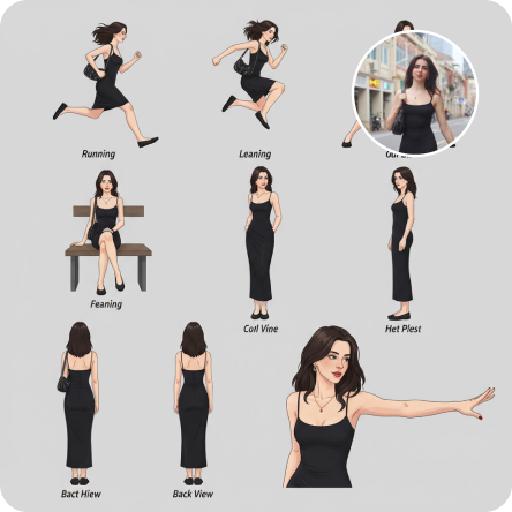
Generate stunning AI-designed clothes and fashion visuals with Vivago.ai. Transform text prompts into custom apparel concepts or enhance reference images. Explore AI effects for style transformations, pattern designs, and virtual try-ons. Create professional clothing visuals effortlessly.

Use Template
arrow

FAQs

What are Effect Templates?

Effect Templates are predefined AI workflows that automatically transform static images into specific visual styles or animated formats, delivering consistent, high-quality results without manual adjustments.

How do I apply Effect Templates?

Select your preferred template > Upload an image > Generate. No text prompts required - templates handle all style parameters.

Where can I find more templates?

Explore 1000+ curated templates in our Explore Hub: https://vivago.ai/studio. New templates added weekly across categories.

What's the pricing?

Daily login grants 100 free credits. Exhausted credits? Choose: 1) Subscribe a membership plan, 2) Get a credit pack. Details: https://vivago.ai/subscribe

More From VIVAGO AI

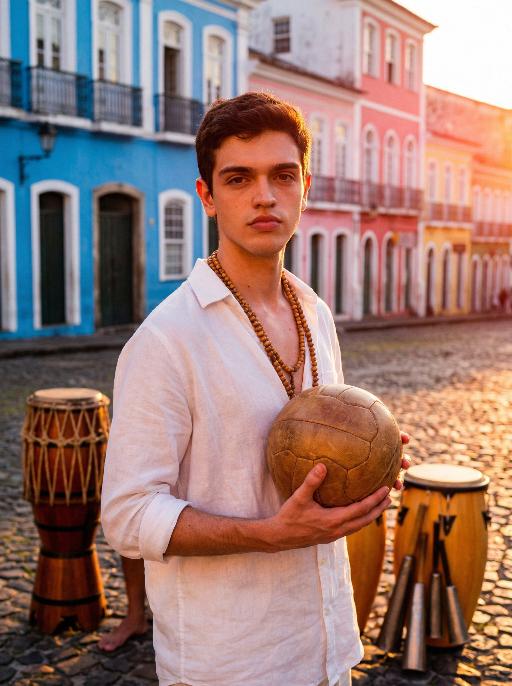
Salvador AI effects generated image

Salvador

Use the exact same facial features, gender, and age as the character in the uploaded image. Photorealistic cultural soccer portrait in Salvador, Bahia, Afro-Brazilian heritage, strong cultural pride, musical rhythm and spiritual power. Setting: colorful colonial-style historic district with vibrant Bahian architecture, traditional percussion elements in background, warm sunset atmosphere. Outfit: loose white linen shirt, simple wooden necklaces or ethnic accessories, barefoot or sandals, football held gently as a cultural symbol. Pose: standing straight and facing the camera directly, calm and determined expression, or warm backlit silhouette at sunset, conveying inner strength and cultural belonging. Lighting: warm orange and red tones, vibrant high-saturation building colors (blue, pink, yellow), divine backlight from sunset, strong color contrast. Composition: central framing for a sense of ritual, shallow depth of field to emphasize the subject, strong visual impact from color contrast, front-facing lens. Style: high detail, realistic skin texture, cinematic tone, 8K ultra-realistic, no text or watermarks.

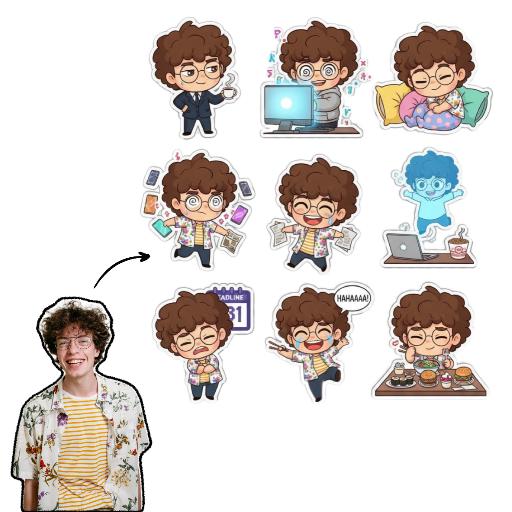
Sticker Pack AI effects generated image

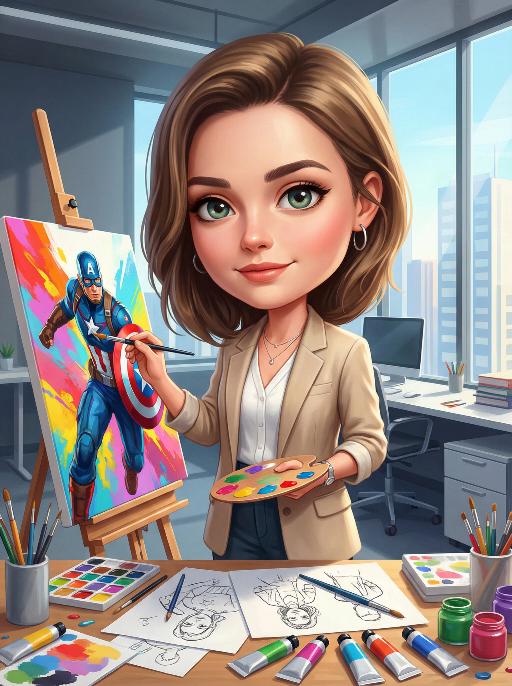
Sticker Pack

Please create a set of 9 Chibi stickers featuring [the character in the reference image], arranged in a 3x3 grid.Design requirements:- Transparent background.- 1:1 square aspect ratio.- Consistent Chibi Ghibli cartoon style with vibrant colors.- Each sticker must have a unique action, expression, and theme, reflecting diverse emotions like “sassy, mischievous, cute, frantic”(e.g., rolling eyes, laughing hysterically on the floor, soul leaving body, petrified, throwing money, foodie mode, social anxiety attack). Incorporate elements related to office workers and internet memes.- Each character depiction must be complete, with no missing parts.- Each sticker must have a uniform white outline, giving it a sticker-like appearance.- No extraneous or detached elements in the image.- Strictly no text, or ensure any text is 100% accurate (no text preferred).

Hug Loved AI effects generated image

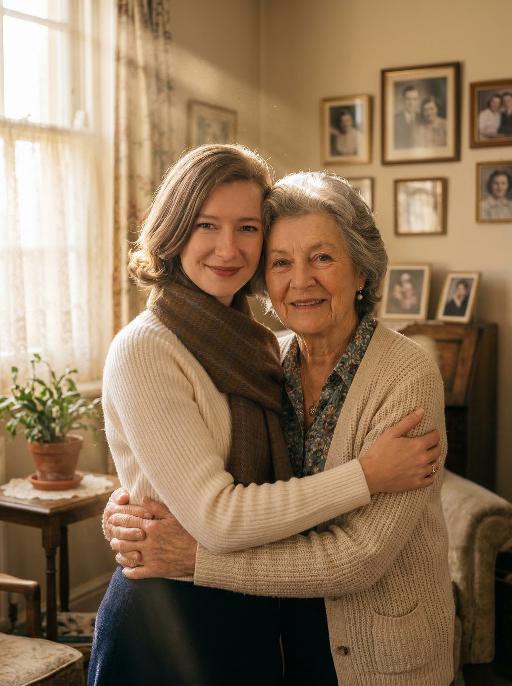
Hug Loved

Maintain the exact same facial features, gender, and age of the two individuals from the uploaded images. Photorealistic emotional portrait: the two people embracing tightly, sharing gentle, affectionate smiles toward the camera, with their original appearance and styling fully preserved.Background: a warm and cozy home interior scene—soft wooden furniture, a few family photos on the wall, and a small potted plant on the side table, creating a familiar and intimate family atmosphere. Lighting: natural warm sunlight streaming through sheer white curtains, forming distinct, visible Tyndall effect (god rays) filling the air. The light beams gently illuminate the faces of the two people, casting soft, warm highlights on their features and creating delicate, subtle shadows, with fill light to ensure facial details are clearly visible. Cinematic film grain, documentary photography style, 8K resolution, shot with a Sony A7R V camera paired with an 85mm f/1.4 lens, shallow depth of field, hyper-detailed textures of skin, hair and clothing. No logos, watermarks, text overlays, or play buttons are present in the image.

Red Umbrella AI effects generated image

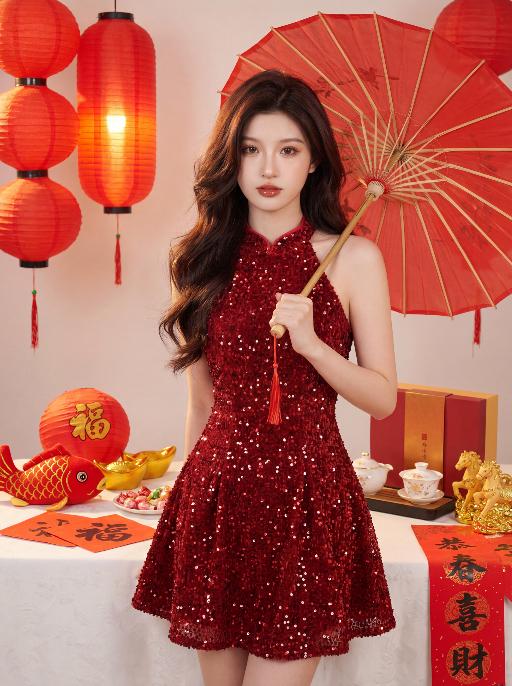
Red Umbrella

100% facial feature lock, zero deviation uploaded portrait (contours, eyes, lips, skin tone, youthful look), no facial distortion/over-smoothing, young East Asian sweet girl, standing half-body shot, standing in a side profile, right hand holding a red oiled paper umbrella slung over the shoulder, relaxed and graceful grip, facing the camera directly, head tilted gently to one side, lively posture, born-perfect base makeup, brownish-black wild eyebrows, earth-tone eye makeup, teardrop pearlescent under-eye highlights, sunflower curled long lashes, peach blush, mirror-finish reddish-brown lip glaze, cupid's bow highlighter, clean light texture, voluminous dark brown soft layered loose waves, no hair accessories, red sequined mini cheongsam, halter neck, A-line flared skirt, glossy textured fabric, festive and glamorous, white fluffy tablecloth, red honeycomb-pattern Fu character balls, glossy golden ingots, red fish plush toy (gold scales, red unicorn horn), red paper with handwritten Fu characters, red-white candies, red-gold gift box corner, white porcelain gilded gaiwan tea set, unfolded handwritten Spring Festival couplet paper, scattered golden pony ornaments, traditional Chinese New Year scene, off-white matte wall, a row of glowing red Chinese lanterns hanging in the background, warm yellow light emitting from lanterns, soft hair light illuminating the character's hair strands, warm tone overall atmosphere, red plum blossom branch, clean uncluttered background, warm soft side-front natural light, subtle shadow contrast, enhance clothing & prop 3D texture, no harsh shadows, red-gold-off-white color palette, festive warm healing vibe, Year of the Horse charm, 8K ultra HD, photorealistic, ultra-detailed, cinematic film grain, HDR, color accuracy 100%, noise-free, clear transparent 负向提示词: no swapped couplet positions, no modified couplet characters, no character blocking couplet text, no blurred couplet text, no sitting pose, no burgundy sweater, no hair bow/clips, no facial distortion/over-smoothing, no messy background, no stiff posture, no unnatural hand movements, no light brown rattan chair, no white new Chinese-style top, no red paper-cut pony ornament

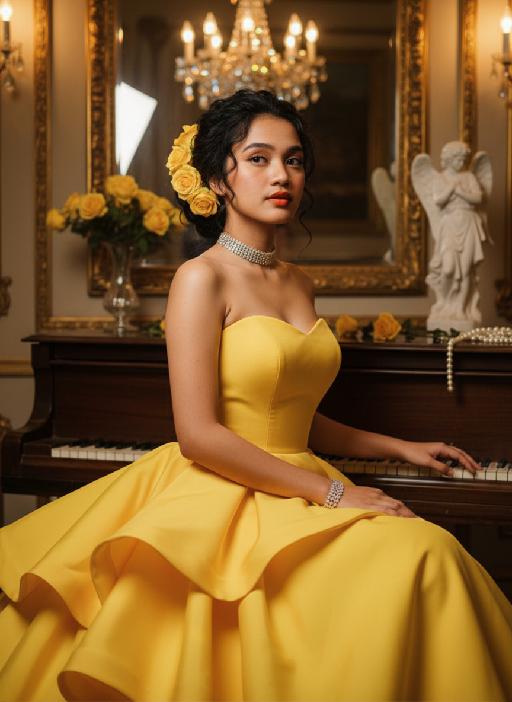
Vintage Charm AI effects generated image

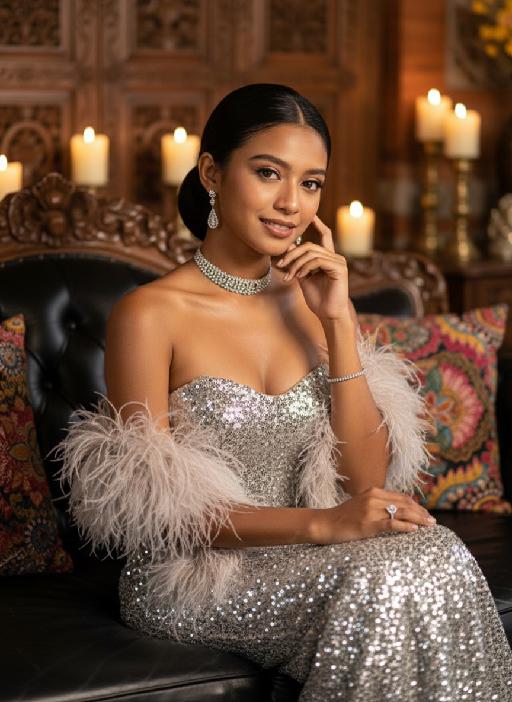
Vintage Charm

Strictly lock the facial features of the uploaded portrait (preserve facial contours, native Indonesian skin tone, hairstyle and age). photorealistic 3:4 half-body portrait of an elegant 25-year-old Indonesian woman with delicate facial features, soft glamorous makeup, and sleek dark hair styled in a half-updo, wearing a silver sequined strapless gown with feathered shawl, adorned with a diamond choker, long diamond drop earrings, diamond rings and bracelet. She sits gracefully on a black leather sofa with one hand gently touching her cheek, set in a luxurious vintage interior with Balinese wooden carvings, batik wax-print fabric accents, warm golden ambient lighting, candlelight with soft bokeh, subtle Indonesian cultural details, ultra-detailed sequins and feather textures, cinematic texture, sophisticated Balinese luxury ambiance

Pet Polaroid

The figure from the uploaded image (with unchanged features) is lying on a winter snowfield, wearing an innocent and cute expression; it has a thick brown knitted scarf around its neck, with a small pile of snow gently resting on the top of its head. The background features a snowfield and pine trees, with a cool color palette and romantic snowflake bokeh lingering all around. The entire frame is a close-up shot composed as a hand (wearing a white knitted glove) holding a white Polaroid photo paper, on which the aforementioned figure and scene are displayed. At the bottom of the photo paper, the artistic handwritten font Cute Baby is printed, and the area outside the photo paper shows the winter pine tree and snowfield scene described above. The overall style is a warm and healing cool tone with high-definition details of film texture, creating a cozy winter fairy-tale atmosphere.

Load more

Next-Gen Multi-Model AI Video Architecture

Vivago AI isn't just one engine—it’s a unified hub for the world’s most advanced video AI. Whether you need cinematic realism or high-speed social content, we provide the right model for your creative vision.

Free Generate

Beauty and Dolphins

Vacation Time

Stellar Tear

Fish Tank Supervisor

Cinematic Quality & Precision Control

Enables 4K resolution with multi-lens motion control, generating delicate scene via text prompts for customized cinematography.​

TRY NOW

Dynamic AV Sync

Auto-generates original audio to avoid copyright issues. Build 3D immersive environments through layered sound design automatically.

TRY NOW

OpenAI Sora 2

​Advanced visual storytelling with unparalleled physics and consistency.

TRY NOW

Kling v2.6 Pro

Industry-leading cinematic image animation and motion control.

TRY NOW

Google Veo 3 & 3.1

Ultra-fast generation with enhanced realism for creative workflows.

TRY NOW

Vivago AI 2.0

Our proprietary model optimized for efficiency, speed, and cost-effective generation.

TRY NOW

Users' Voice

We listen carefully to the opinions of every user.
Free Generate
Contact Us
I tried the Lip Sync feature inside Vivago.ai’s AI Video Generator for my educational podcast, and the results were stunning! The avatar's lip movements perfectly matched my audio recording, creating a professional AI-generated video without complex editing. Compared with tools like OpenAI Sora 2 and Google Veo 3.1, Vivago Image-to-Video delivers fast, studio-quality results online. It saved me hours of post-production work.
ElenaM (Spain)
Vivago’s Image-to-Video AI transformed my marketing workflow. I uploaded a product image and described the launch scene in text, and it generated a 10-second cinematic AI video with background music and dynamic visuals. The output quality rivals Kling v2.6 Pro and Google Veo 3 Fast. It’s now my go-to AI video generator for social media ads and product campaigns.
KenjiT (Japan)
As a digital artist, I use Vivago.ai 2.0 daily for Image-to-Image and AI Image-to-Video creation. The e-book covers and animated visuals I generate for clients look cinematic and professional. Unlike many standalone AI tools, Vivago integrates multiple leading models into one platform, making it easier to create copyright-safe AI images and videos for publishing.
ChenL (China)
I tried the Lip Sync feature inside Vivago.ai’s AI Video Generator for my educational podcast, and the results were stunning! The avatar's lip movements perfectly matched my audio recording, creating a professional AI-generated video without complex editing. Compared with tools like OpenAI Sora 2 and Google Veo 3.1, Vivago Image-to-Video delivers fast, studio-quality results online. It saved me hours of post-production work.
ElenaM (Spain)
Vivago’s Image-to-Video AI transformed my marketing workflow. I uploaded a product image and described the launch scene in text, and it generated a 10-second cinematic AI video with background music and dynamic visuals. The output quality rivals Kling v2.6 Pro and Google Veo 3 Fast. It’s now my go-to AI video generator for social media ads and product campaigns.
KenjiT (Japan)
As a digital artist, I use Vivago.ai 2.0 daily for Image-to-Image and AI Image-to-Video creation. The e-book covers and animated visuals I generate for clients look cinematic and professional. Unlike many standalone AI tools, Vivago integrates multiple leading models into one platform, making it easier to create copyright-safe AI images and videos for publishing.
ChenL (China)
I absolutely love Vivago’s AI Image-to-Video Generator. As a travel blogger, static images often fail to capture real atmosphere, but Vivago helps me turn photos into vivid cinematic AI videos with motion effects. It feels comparable to OpenAI Sora 2 and Google Veo 3.1, but more accessible and faster for creators who need high-quality AI videos online.
LiamK (Australia)
I tried the Lip Sync feature inside Vivago.ai’s AI Video Generator for my educational podcast, and the results were stunning! The avatar's lip movements perfectly matched my audio recording, creating a professional AI-generated video without complex editing. Compared with tools like OpenAI Sora 2 and Google Veo 3.1, Vivago Image-to-Video delivers fast, studio-quality results online. It saved me hours of post-production work.
ElenaM (Spain)
Vivago’s Image-to-Video AI transformed my marketing workflow. I uploaded a product image and described the launch scene in text, and it generated a 10-second cinematic AI video with background music and dynamic visuals. The output quality rivals Kling v2.6 Pro and Google Veo 3 Fast. It’s now my go-to AI video generator for social media ads and product campaigns.
KenjiT (Japan)
As a digital artist, I use Vivago.ai 2.0 daily for Image-to-Image and AI Image-to-Video creation. The e-book covers and animated visuals I generate for clients look cinematic and professional. Unlike many standalone AI tools, Vivago integrates multiple leading models into one platform, making it easier to create copyright-safe AI images and videos for publishing.
ChenL (China)
I absolutely love Vivago’s AI Image-to-Video Generator. As a travel blogger, static images often fail to capture real atmosphere, but Vivago helps me turn photos into vivid cinematic AI videos with motion effects. It feels comparable to OpenAI Sora 2 and Google Veo 3.1, but more accessible and faster for creators who need high-quality AI videos online.
LiamK (Australia)
Using Vivago.ai’s Image-to-Video AI has greatly enhanced my classroom teaching. I transform textbook notes into historical AI videos with cinematic filters and dynamic animations. Compared with tools like Kling v2.6 Pro and Google Veo 3 Fast, Vivago offers faster generation and easier parameter control for educators who need reliable AI video creation.
RajivG (India)
I frequently create AI videos on Vivago and publish them on TikTok and YouTube Shorts. The AI video templates and trending content ideas help me produce viral-ready clips quickly. With Vivago’s integrated models—including advanced video engines similar to OpenAI Sora 2—I can generate anime-style and cinematic social media videos that drive high engagement.
MarieJ (Spain)
What attracts me most about Vivago.ai is not only the powerful AI Video Generator but also the active AIGC creator community. It combines AI Image-to-Video, Text-to-Video, and leading model integrations like Google Veo 3.1 into one creative platform.
TomW (India)
At first, I was hesitant about using AI video tools. But after trying Vivago Image-to-Video, I realized how easy it is to create professional AI-generated videos online. I just upload an image, add a short prompt, and adjust a few settings. The results are cinematic and copyright-safe, which is essential for commercial projects.
HectorC (Mexico)
Using Vivago.ai’s Image-to-Video AI has greatly enhanced my classroom teaching. I transform textbook notes into historical AI videos with cinematic filters and dynamic animations. Compared with tools like Kling v2.6 Pro and Google Veo 3 Fast, Vivago offers faster generation and easier parameter control for educators who need reliable AI video creation.
RajivG (India)
I frequently create AI videos on Vivago and publish them on TikTok and YouTube Shorts. The AI video templates and trending content ideas help me produce viral-ready clips quickly. With Vivago’s integrated models—including advanced video engines similar to OpenAI Sora 2—I can generate anime-style and cinematic social media videos that drive high engagement.
MarieJ (Spain)
What attracts me most about Vivago.ai is not only the powerful AI Video Generator but also the active AIGC creator community. It combines AI Image-to-Video, Text-to-Video, and leading model integrations like Google Veo 3.1 into one creative platform.
TomW (India)
At first, I was hesitant about using AI video tools. But after trying Vivago Image-to-Video, I realized how easy it is to create professional AI-generated videos online. I just upload an image, add a short prompt, and adjust a few settings. The results are cinematic and copyright-safe, which is essential for commercial projects.
HectorC (Mexico)