Tiger Snuggle

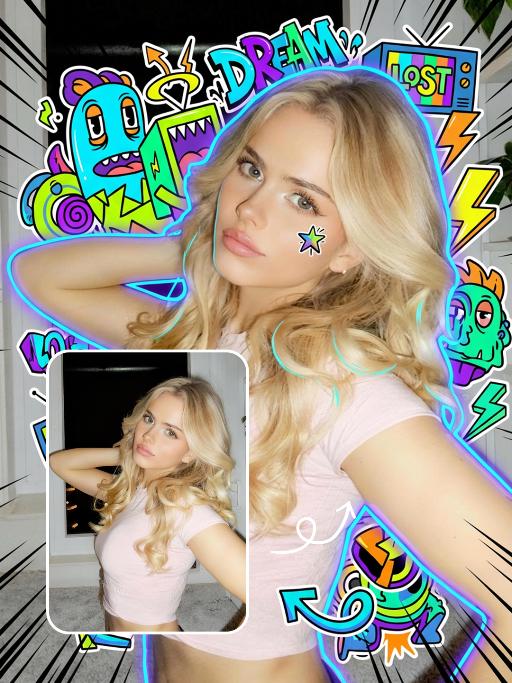
A surreal, playful scene where a large, friendly tiger suddenly appears behind the main person in the image, wrapping its big tiger paws around the person from behind in a gentle, affectionate hug. The main person looks delighted and laughs happily, creating a fun and slightly magical moment. The tiger's paws remain completely natural and distinctly tiger-like, with no human-like features—striped fur, large pads, emphasizing the animal's authentic form.

Use Template
arrow

More From VIVAGO AI

Edge of Form AI effects generated image

Edge of Form

Use the exact same facial features, gender, and age as the character in the uploaded image. Photorealistic full-body fashion portrait, exact same facial features, gender and age as the character in the uploaded image. Dark, tousled medium-length hair falling over the forehead. Dynamic, powerful kneeling pose with both knees on the ground, legs spread wide, torso upright, both arms raised above the head, hands clasped tightly together, a thin metallic object held between the fingers. Oversized cropped black bomber jacket left unzipped, paired with a form-fitting cropped top featuring intricate earth-toned vintage-inspired print, exposing a toned, defined midriff. Patchwork design jeans with mixed denim washes and textures, secured by a black belt with a prominent circular metallic buckle. Smooth gradient dark blue studio backdrop, minimalist and moody atmosphere. Dramatic directional studio lighting, soft key light sculpting muscle contours and clothing textures, creating deep shadows and subtle highlights. Intense, edgy, avant-garde high-fashion editorial mood. High-detail skin texture, cinematic lighting, shallow depth of field, 8K resolution, ultra-realistic, sharp focus on all details.

Telephone Ring AI effects generated image

Telephone Ring

Shooting perspective and focal length: Frontal level view, using a medium telephoto lens (approximately 50mm), with an appropriate focal length, medium close-up shot, able to clearly present the upper body and hand details of the characters, and the picture has no obvious distortion. Equipment: Professional studio camera (such as Canon 5D series or Sony A7 series), combined with a studio lighting system. Character pose: The character is in a sitting position, with legs apart and knees bent, the upper body leaning forward and the head close to the camera; multiple arms extend from all around the frame, each hand holding an old-fashioned black wired telephone, multiple receivers randomly surround the character's head, creating a visual effect of being surrounded. Character expression: Eyes gaze at the camera, the gaze is slightly distant and cold, the facial expression is calm and undisturbed, conveying a restrained emotional tension. Lighting: Use studio hard light, the main light source comes from the front, supplemented by side lighting, forming a clear contrast of light and shade, highlighting the fabric texture and facial contours, the background is pure white, clean and without any color impurities. Style: Pioneer fashion photography, integrating surrealism and minimalism, creating an absurd yet highly tense atmosphere through strong visual impact. Clothing: A set of gray-blue distressed texture workwear, the fabric has fine textures, the fit is loose and firm, the lapel design combines toughness and retro charm. Hair style: Black short hair, using hair gel to comb backward, revealing a full forehead, the style is clean and neat with a sense of lines. Makeup: Matte texture pure black lipstick as the visual focus, the facial base makeup is even and transparent, only highlighting the lip color, the overall makeup is avant-garde and has a distinctive characteristic.

Hollywood Star AI effects generated image

Hollywood Star

A medium close-up shot from a frontal perspective with a slight upward tilt, the camera angle is slightly tilted forward. This shot was taken using a professional full-frame digital SLR camera and a 50mm f/1.2 wide-angle fixed-focus lens. The uploaded image shows a person (with unchanged facial features, gender, age, and hairstyle), wearing a tight black sequined sexy dress and wearing high-end custom accessories. This figure is preparing to get into a black luxury car with open doors. The figure turns halfway and looks at the camera, raising one hand and making a gentle waving or shielding gesture. The person has a relaxed and confident smile on their face, with bright and expressive eyes. The scene is on a night-time city street, illuminated by a group of paparazzi and a large number of flashes, creating a high-contrast light and shadow effect, with shadows and bright highlights, and the foreground also includes cameras and flashes, creating the feeling that the celebrity figure is surrounded by paparazzi and cameras. This aesthetic style is the street style of Hollywood celebrity paparazzi, featuring grainy film texture, clear focus on the subject, blurred background and dark tones. The person's face is illuminated by the flash, and the makeup characteristic of the figure is exaggerated false eyelashes, clear cheekbones, nude matte lip color and bright highlights used to enhance the three-dimensionality; the picture adds dark corners at the four corners and bright parts in the middle, creating a strong contrast between light and shadow.

McDonald

Ultra-realistic photography, ultra-fine details, sharp focus, 8K resolution, surreal composition. Composition: A giant child (with an oversized head proportion, far larger than the buildings) is lying on the roof of a realistic McDonald’s restaurant. Foreground: The child is smiling while holding an oversized crispy fried chicken drumstick (facing the camera, an extremely close perspective with a strong sense of perspective). Background: A realistic urban street with pedestrians coming and going, under a blue sky with white clouds. Subject: The figure from the uploaded image (unchanged facial features, age and gender). Posture: Lying on the roof (holding an oversized fried chicken drumstick toward the camera with one hand). Outfit: A yellow short-sleeved shirt paired with red work pants (with the yellow McDonald’s "M" logo). Accessories: A red beret (with the yellow McDonald’s "M" logo). Shooting perspective: Eye-level or a slightly low angle, a realistic lifestyle photography perspective. Light and shadow: Bright daytime with natural sunlight, soft and ample light, and natural, distinct shadows (e.g., the child’s shadow cast on the buildings). Color scheme: Dominated by McDonald’s iconic red and yellow (for the child’s outfit), paired with the black, yellow and white of the buildings, the golden brown of the fried chicken drumstick, featuring bright, high-saturation realistic colors. Cinematic texture with a Fuji filter effect.

Lion Dance AI effects generated image

Lion Dance

Strictly lock the identity of the uploaded portrait (preserve facial contours, native Indian skin tone, hairstyle, and age). Aspect ratio 3:4, hyper-realistic photography, high definition and exquisite details, advanced light and shadow: A 40-year-old Indonesian man with a solemn, dignified demeanor, in the sacred ritual moment of dotting the eyes for traditional Indonesian lion dance. The figure is positioned exactly in the center of the frame, as the absolute main subject occupying more than 80% of the canvas; only a tiny corner of the traditional Indonesian lion dance head peeks into the edge of the frame, with an extremely small proportion. He is dressed in exquisite traditional Indonesian lion dance costume with classic ethnic patterns and delicate decorations, holding a delicate painting brush, his fingertips gently touching the eye-dotting position of the lion head, his arm slightly raised with a calm and steady posture. The background is a super bustling and lively festive scene with soft slight bokeh—filled with crowds of people in festive attires, colorful traditional lanterns, festive streamers, and lively parade elements, with bright festive ambient light and vibrant street decorations, presenting an extremely dynamic and jubilant festive atmosphere. Soft natural light outlines the man's firm facial lines and delicate hand details, the man's solemn ritualistic state forms a striking contrast with the lively background, the overall color palette is rich and bright with a sense of hierarchy, and all details of the character and costume are clear and textured

White Horse AI effects generated image

White Horse

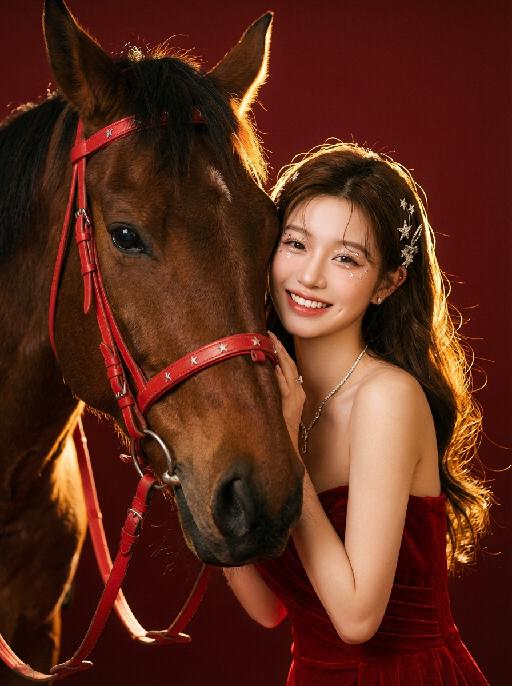
Medium close-up shot: The image in the uploaded picture (with facial features, gender and age unchanged) is located on the right side of the frame, while a close-up of the side head of a white horse is on the left side. This work presents a sweet and dreamy theme characteristic of the Chinese Year of the Horse, with a fairy-tale-like atmosphere and the festive atmosphere of the New Year. The picture has a delicate film texture; Color: Using professional indoor lighting, high-contrast warm light illuminates the person's face and the white horse, the prominent hair light (contour light) forms a golden halo at the edge of the hair, the color is clean and bright, the white horse contrasts strongly with the richly saturated red background, the light contrast is intense, creating a dreamy and warm atmosphere, with a fashionable and avant-garde photography art atmosphere; Color: The main color is a low-saturation dark red background, pure white horse, silver (horses' reins, stars on the skirt), low-saturation, high-quality and warm harmonious colors; Composition: Balanced medium close-up composition. The white steed (one side of the head) occupies the left half of the frame (about 45% - 50%), the person (upper body + head) occupies the right half of the frame (about 40% - 45%), the person and the steed are closely embraced, forming the visual center; Shooting angle: Horizontal perspective, the camera is at the same level as the person's face in the uploaded picture and the side head of the white horse, creating a natural and friendly interaction feeling; Person's posture: The body slightly tilts towards the camera, the upper body gently leans against the white horse, the head is close to the horse's face, with a sweet and brilliant smile, looking straight at the camera, the arms are naturally placed in front of the body, the posture is relaxed and intimate; Clothing: A high-end custom-designed white formal dress (covered with silver star sequins and glitter powder), wearing small and exquisite hair ornaments on the head, silver star glitter makeup around the eyes; Wearing exquisite high-end custom accessories; Fashionable and avant-garde, exquisite and elegant; Image content proportions: Horses (45% - 50%), People (40% - 45%), Red background (about 10%). Image content proportions: Horses (45% - 50%), People (40% - 45%), Red background (about 10%). The authenticity of the film, its artistic quality, the ultra-high-definition 8K image quality of the film, the style of fashion magazines, the avant-garde fashion art style of photography, and the top-notch lighting effects.

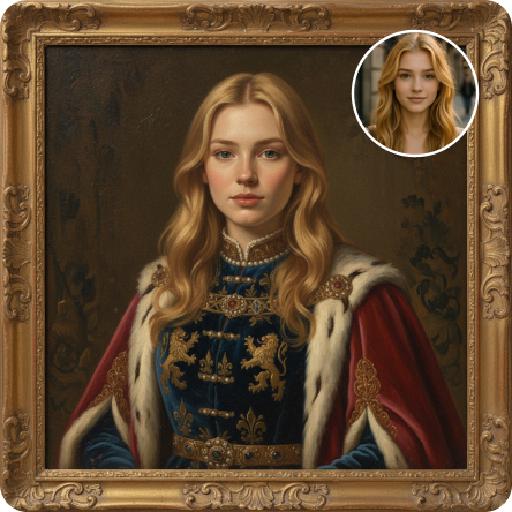
Nobleman

Cinematic shot transition with frontal angle throughout, capturing the full process smoothly: starting with the uploaded character standing frontally on the deck of a luxury cruise ship, one beautiful Indonesian woman stands directly beside him (frontal view) and attentively helps him put on a black and gold haute couture suit—gently slipping the jacket over his shoulders from the front, adjusting the lapel face-on, fastening cufflinks with delicate frontal movements, and arranging the black bow tie in full frontal perspective. Four other beautiful Indonesian women stand quietly in a neat frontal formation beside them, wearing luxurious gold sequined and embroidered traditional kebaya with matching songket skirts, holding small accessories to assist in the frontal frame. The scene transitions naturally in the same frontal angle: the character, now fully dressed, sits down slowly on a gold-embellished throne-like armchair (frontal view of the chair and character), picking up a champagne glass in one hand. The five Indonesian women then gather around him in a frontal arrangement—one stays directly beside him to tidy the suit hem from the front, while the others take elegant frontal postures around the armchair, forming a graceful frontal cluster. All people are adorned with exquisite gold jewelry and ornaments, fully displayed in frontal perspective. Bright natural daylight bathes the frontal scene, high-quality commercial photography, opulent and noble atmosphere, high-end luxury magazine cover style, cinematic lighting and shadows that highlight the frontal dynamic process and details. Dynamic and vivid frontal character movements, 4K ultra-high definition intricate details—capturing fabric texture, jewelry luster, and subtle facial expressions from the front. Photorealistic texture, steady focus that follows the frontal action flow, ensuring smooth shot transition without any circling or walking movements, emphasizing the frontal suit-fitting process, seating action, and final frontal clustered composition.

Document AI effects generated image

Document

An official reference document marked with "Violation of Agreement" contains a black-and-white photo with a retro movie-like texture (accounting for 60% of the overall picture): In the photo, there is a successful person dressed in stylish black high-end clothing (with the original figure as the main subject, without any changes to facial features) standing alone, with palm trees and the setting sun in the background. The document is made from an old newspaper and placed on a wooden tabletop background (accounting for 95% of the overall picture). This scene is both realistic and ironic. This is an official notice issued by the fictional "International Culinary Standards Department", with the event report number "Awaiting Diplomatic Apology" and the status "Pending Processing". This event is described in bold as a ridiculous culinary "crime" (ordering chicken nuggets at an upscale dinner party). The text has been modified with a red marker. The circular official seal features an eagle's emblem and the words "Culinary Crime". The title part is covered with a leather sticker with a retro printed pattern. It has a retro printed texture and clear focus. The resolution is 8K. It adopts a retro design style, with a humorous, satirical style and a retro artistic beauty.

Load more

Next-Gen Multi-Model AI Video Architecture

Vivago AI isn't just one engine—it’s a unified hub for the world’s most advanced video AI. Whether you need cinematic realism or high-speed social content, we provide the right model for your creative vision.

Free Generate

Beauty and Dolphins

Vacation Time

Stellar Tear

Fish Tank Supervisor

Cinematic Quality & Precision Control

Enables 4K resolution with multi-lens motion control, generating delicate scene via text prompts for customized cinematography.​

TRY NOW

Dynamic AV Sync

Auto-generates original audio to avoid copyright issues. Build 3D immersive environments through layered sound design automatically.

TRY NOW

OpenAI Sora 2

​Advanced visual storytelling with unparalleled physics and consistency.

TRY NOW

Kling v2.6 Pro

Industry-leading cinematic image animation and motion control.

TRY NOW

Google Veo 3 & 3.1

Ultra-fast generation with enhanced realism for creative workflows.

TRY NOW

Vivago AI 2.0

Our proprietary model optimized for efficiency, speed, and cost-effective generation.

TRY NOW

Users' Voice

We listen carefully to the opinions of every user.
Free Generate
Contact Us
I tried the Lip Sync feature inside Vivago.ai’s AI Video Generator for my educational podcast, and the results were stunning! The avatar's lip movements perfectly matched my audio recording, creating a professional AI-generated video without complex editing. Compared with tools like OpenAI Sora 2 and Google Veo 3.1, Vivago Image-to-Video delivers fast, studio-quality results online. It saved me hours of post-production work.
ElenaM (Spain)
Vivago’s Image-to-Video AI transformed my marketing workflow. I uploaded a product image and described the launch scene in text, and it generated a 10-second cinematic AI video with background music and dynamic visuals. The output quality rivals Kling v2.6 Pro and Google Veo 3 Fast. It’s now my go-to AI video generator for social media ads and product campaigns.
KenjiT (Japan)
As a digital artist, I use Vivago.ai 2.0 daily for Image-to-Image and AI Image-to-Video creation. The e-book covers and animated visuals I generate for clients look cinematic and professional. Unlike many standalone AI tools, Vivago integrates multiple leading models into one platform, making it easier to create copyright-safe AI images and videos for publishing.
ChenL (China)
I tried the Lip Sync feature inside Vivago.ai’s AI Video Generator for my educational podcast, and the results were stunning! The avatar's lip movements perfectly matched my audio recording, creating a professional AI-generated video without complex editing. Compared with tools like OpenAI Sora 2 and Google Veo 3.1, Vivago Image-to-Video delivers fast, studio-quality results online. It saved me hours of post-production work.
ElenaM (Spain)
Vivago’s Image-to-Video AI transformed my marketing workflow. I uploaded a product image and described the launch scene in text, and it generated a 10-second cinematic AI video with background music and dynamic visuals. The output quality rivals Kling v2.6 Pro and Google Veo 3 Fast. It’s now my go-to AI video generator for social media ads and product campaigns.
KenjiT (Japan)
As a digital artist, I use Vivago.ai 2.0 daily for Image-to-Image and AI Image-to-Video creation. The e-book covers and animated visuals I generate for clients look cinematic and professional. Unlike many standalone AI tools, Vivago integrates multiple leading models into one platform, making it easier to create copyright-safe AI images and videos for publishing.
ChenL (China)
I absolutely love Vivago’s AI Image-to-Video Generator. As a travel blogger, static images often fail to capture real atmosphere, but Vivago helps me turn photos into vivid cinematic AI videos with motion effects. It feels comparable to OpenAI Sora 2 and Google Veo 3.1, but more accessible and faster for creators who need high-quality AI videos online.
LiamK (Australia)
I tried the Lip Sync feature inside Vivago.ai’s AI Video Generator for my educational podcast, and the results were stunning! The avatar's lip movements perfectly matched my audio recording, creating a professional AI-generated video without complex editing. Compared with tools like OpenAI Sora 2 and Google Veo 3.1, Vivago Image-to-Video delivers fast, studio-quality results online. It saved me hours of post-production work.
ElenaM (Spain)
Vivago’s Image-to-Video AI transformed my marketing workflow. I uploaded a product image and described the launch scene in text, and it generated a 10-second cinematic AI video with background music and dynamic visuals. The output quality rivals Kling v2.6 Pro and Google Veo 3 Fast. It’s now my go-to AI video generator for social media ads and product campaigns.
KenjiT (Japan)
As a digital artist, I use Vivago.ai 2.0 daily for Image-to-Image and AI Image-to-Video creation. The e-book covers and animated visuals I generate for clients look cinematic and professional. Unlike many standalone AI tools, Vivago integrates multiple leading models into one platform, making it easier to create copyright-safe AI images and videos for publishing.
ChenL (China)
I absolutely love Vivago’s AI Image-to-Video Generator. As a travel blogger, static images often fail to capture real atmosphere, but Vivago helps me turn photos into vivid cinematic AI videos with motion effects. It feels comparable to OpenAI Sora 2 and Google Veo 3.1, but more accessible and faster for creators who need high-quality AI videos online.
LiamK (Australia)
Using Vivago.ai’s Image-to-Video AI has greatly enhanced my classroom teaching. I transform textbook notes into historical AI videos with cinematic filters and dynamic animations. Compared with tools like Kling v2.6 Pro and Google Veo 3 Fast, Vivago offers faster generation and easier parameter control for educators who need reliable AI video creation.
RajivG (India)
I frequently create AI videos on Vivago and publish them on TikTok and YouTube Shorts. The AI video templates and trending content ideas help me produce viral-ready clips quickly. With Vivago’s integrated models—including advanced video engines similar to OpenAI Sora 2—I can generate anime-style and cinematic social media videos that drive high engagement.
MarieJ (Spain)
What attracts me most about Vivago.ai is not only the powerful AI Video Generator but also the active AIGC creator community. It combines AI Image-to-Video, Text-to-Video, and leading model integrations like Google Veo 3.1 into one creative platform.
TomW (India)
At first, I was hesitant about using AI video tools. But after trying Vivago Image-to-Video, I realized how easy it is to create professional AI-generated videos online. I just upload an image, add a short prompt, and adjust a few settings. The results are cinematic and copyright-safe, which is essential for commercial projects.
HectorC (Mexico)
Using Vivago.ai’s Image-to-Video AI has greatly enhanced my classroom teaching. I transform textbook notes into historical AI videos with cinematic filters and dynamic animations. Compared with tools like Kling v2.6 Pro and Google Veo 3 Fast, Vivago offers faster generation and easier parameter control for educators who need reliable AI video creation.
RajivG (India)
I frequently create AI videos on Vivago and publish them on TikTok and YouTube Shorts. The AI video templates and trending content ideas help me produce viral-ready clips quickly. With Vivago’s integrated models—including advanced video engines similar to OpenAI Sora 2—I can generate anime-style and cinematic social media videos that drive high engagement.
MarieJ (Spain)
What attracts me most about Vivago.ai is not only the powerful AI Video Generator but also the active AIGC creator community. It combines AI Image-to-Video, Text-to-Video, and leading model integrations like Google Veo 3.1 into one creative platform.
TomW (India)
At first, I was hesitant about using AI video tools. But after trying Vivago Image-to-Video, I realized how easy it is to create professional AI-generated videos online. I just upload an image, add a short prompt, and adjust a few settings. The results are cinematic and copyright-safe, which is essential for commercial projects.
HectorC (Mexico)