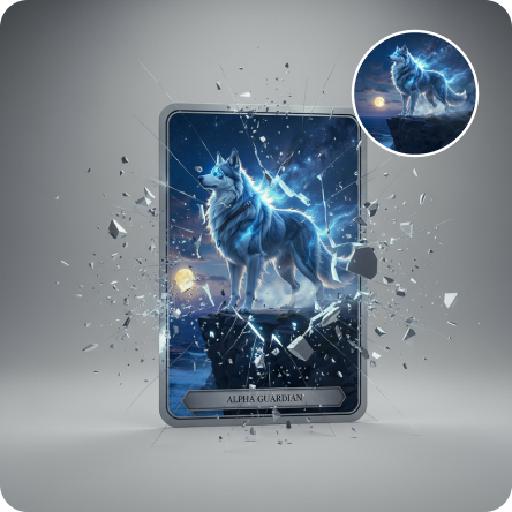
1980s Cyber animation

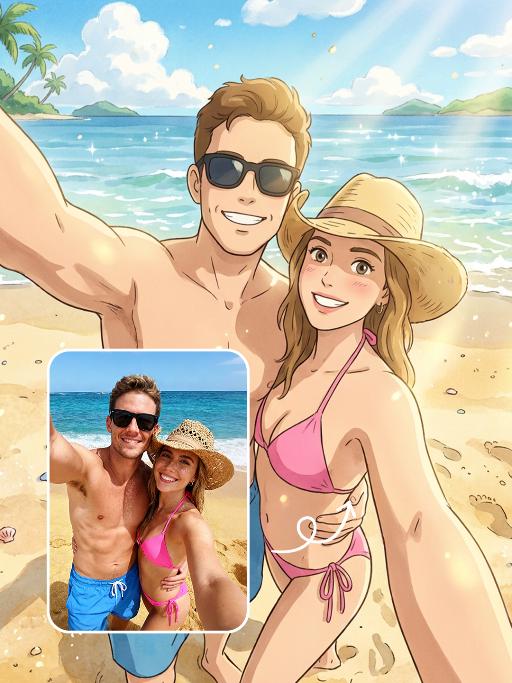
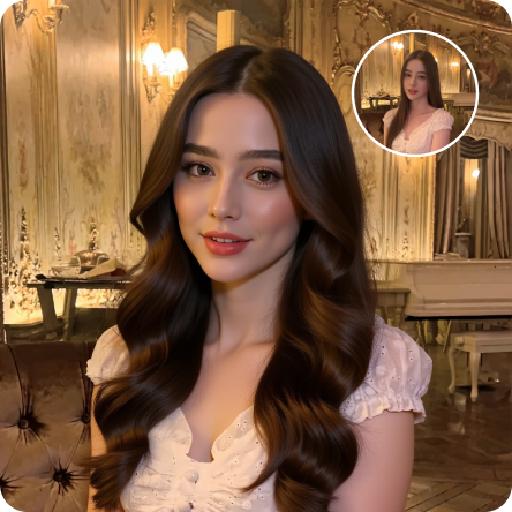
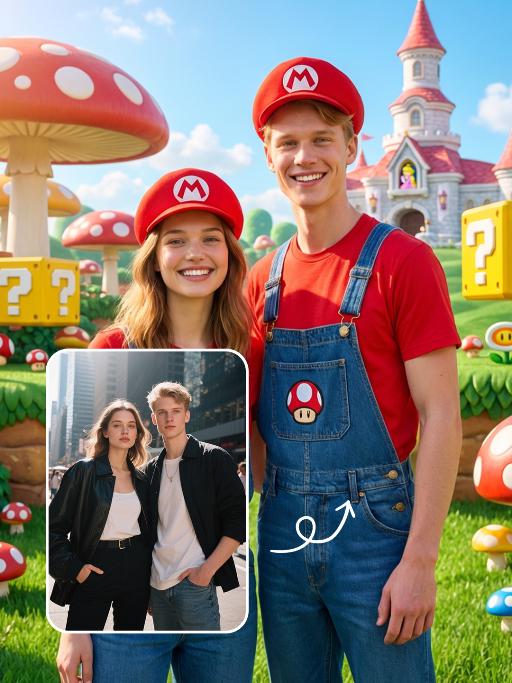
Experience iconic 1980s Cyber anime style AI art! Vivago.ai generates vibrant retro-futuristic visuals inspired by classic cyberpunk anime. Create characters & scenes with signature neon colors, gritty tech, and bold aesthetics. Discover or craft 80s anime-inspired images & videos using AI tools. Perfect for nostalgic anime cyberpunk content.

Use Template
arrow

FAQs

What are Effect Templates?

Effect Templates are predefined AI workflows that automatically transform static images into specific visual styles or animated formats, delivering consistent, high-quality results without manual adjustments.

How do I apply Effect Templates?

Select your preferred template > Upload an image > Generate. No text prompts required - templates handle all style parameters.

Where can I find more templates?

Explore 1000+ curated templates in our Explore Hub: https://vivago.ai/studio. New templates added weekly across categories.

What's the pricing?

Daily login grants 100 free credits. Exhausted credits? Choose: 1) Subscribe a membership plan, 2) Get a credit pack. Details: https://vivago.ai/subscribe

More From VIVAGO AI

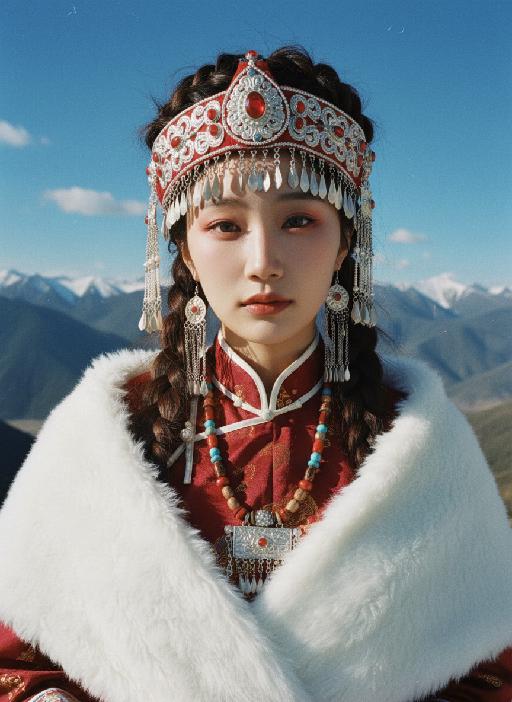
Red Clothes AI effects generated image

Red Clothes

Strictly lock facial features: fully preserving the original facial contours, skin texture, eye shape, lip shape, and youthful appearance with zero deviations allowed. Slightly upward angle, half-body close-up (subject occupies 80% of the frame), a slender and ethereal young East Asian woman stands facing forward, with slim shoulder and neck lines, exuding a cold and detached aura, eyes half-open with a lazy and melancholic look; makeup is cool-toned and fresh: translucent porcelain base, matte rosewood lips, cool red eye shadow at the outer corners, light pink blush for a subtle flush; extra-fluffy double braid hairstyle with a 'head-wraps-face' effect, high crown, voluminous hair that frames the face to create a slimmer facial contour, with natural messy baby hairs for a casual vibe. Wearing: - Headdress: Eye-catching red-silver color-blocked ethnic headdress (more attractive design), with an intricate silver filigree base, inlaid with glossy red gemstones, turquoise and small pearls, decorated with layered silver tassels of varying lengths (the longest tassels hang down to the collarbone) and a small silver hollowed-out flower ornament in the center, the silver surface reflects light to enhance the sense of hierarchy, perfectly integrating ethnic charm and cool temperament - Earrings: Silver hollow carved earrings, paired with red gemstones and dangling chains - Necklace: Multi-layered colorful beaded necklace (red, blue, brown color block), main pendant is a silver carved plaque (inlaid with red, blue gemstones and turquoise) Clothing: - Wine red stand-up collar ethnic top, front panel spliced with shiny red-gold fabric, neckline and edges trimmed with white piping - Shawl: White long plush shawl, fluffy and thick texture, covering the waist and abdomen area Image texture: CCD flash photography effect combined with natural sunlight, high contrast, slight overexposure, fine film grain, cool-toned flash atmosphere mixed with warm sunlight highlights, saturated colors with retro digital noise, retaining natural grain. Background: Plateau snow mountain scene, azure blue sky (dotted with a few white clouds), distant continuous dark gray-blue snow-capped mountains; bright outdoor sunlight from the upper side illuminates the scene, casting soft and distinct light and shadow: warm highlights on the silver ornaments, hair strands and plush shawl, and natural soft shadows on the neck, collarbone and the edge of the dress, forming a clear light-dark contrast that enhances the three-dimensional sense of the figure; strong outdoor flash effect blended with sunlight, the picture has rich and contrasting colors, strictly 1:1 replicate the original image's movements, clothing details and cold atmosphere

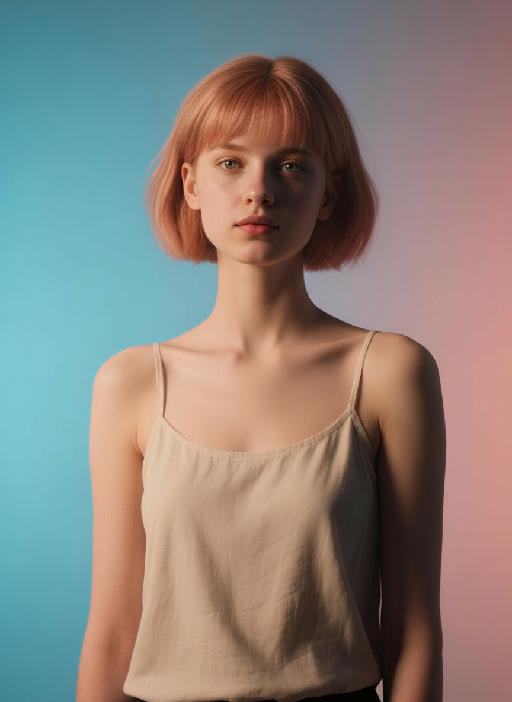
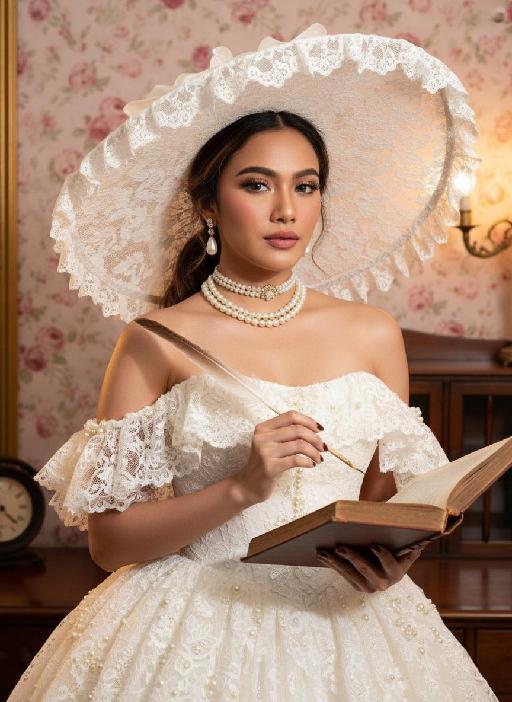
Retro Fashion AI effects generated image

Retro Fashion

Strictly lock the facial features of the uploaded portrait (preserve facial contours, native Indonesian skin tone, hairstyle and age). photorealistic 3:4 half-body portrait of a delicate young woman in her early 20s, with soft vintage makeup, rosy blush, and black hair styled in an elegant updo peeking out from a hat. She wears an oversized white lace wide-brimmed hat with scalloped lace trim, a white strapless lace vintage ballgown adorned with pearl and ruffle embellishments, paired with a layered pearl choker necklace and pearl drop earrings with gold accents. She holds a vintage quill pen in one hand and an old open hardcover book in the other, set against a vintage opulent interior with a soft pink rose floral backdrop, dark wooden furniture, and warm golden ambient lighting, exuding classic Victorian vintage elegance, ultra-high detail, cinematic texture

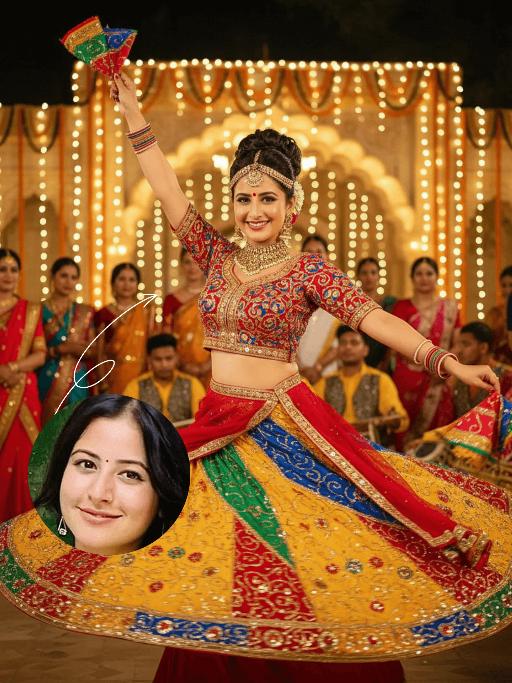
Vijayadashami AI effects generated image

Vijayadashami

The identity of the uploaded portrait is strictly preserved (retaining facial contours, authentic Indian skin tone, hairstyle and age). This is a bust portrait that captures the original natural features of the Indian woman in the reference image: she has a delicate and radiant face with a vermilion red bindi on her forehead, her jet-black long hair styled into a traditional high bun, and adorns herself with a golden crown-shaped hair ornament, as well as exquisite gold earrings and a necklace. She is dressed in a magnificent traditional Garba dance costume: the blouse is a cropped fitted top with contrasting peacock blue and bright red embroidery, fully embellished with golden patterns; the skirt is an ultra-flared multi-layered long dress featuring highly saturated hues of bright yellow, orange-red, emerald green and sapphire blue, covered in elaborate embroidery and sequins, with the hem billowing dramatically as she dances. A red sari belt cinches her waist, and she holds a rainbow-colored embroidered square scarf in each hand. Frozen in the climax of the dance, her body stretches and spins widely—one hand lifts a scarf high, the other extends outward, and the skirt fans out in a perfect circle. She wears a brilliant smile, her eyes bright and brimming with vitality, and her posture exudes both power and rhythmic grace. The scene is a nighttime celebration for Navratri/Dussehra, set against traditional Indian architecture adorned with dazzling fairy lights and flower arches. Around her are dancers and audiences in traditional attire, with musicians playing Tabla, Tambura and other classical Indian instruments, creating an exuberant and joyful atmosphere. Warm yellow festive lights stream down from above and the sides, casting a soft halo around her figure. The sequins and embroidery on her costume shimmer brilliantly in the light, and the motion blur of the colorful skirt hem amplifies the vitality and ambiance of the frame. Boasting 8K ultra-high definition resolution and commercial-grade portrait quality, the image features rich, saturated colors and crisp, distinct details, highlighting the fervor of the festival and the infectious power of the dance.

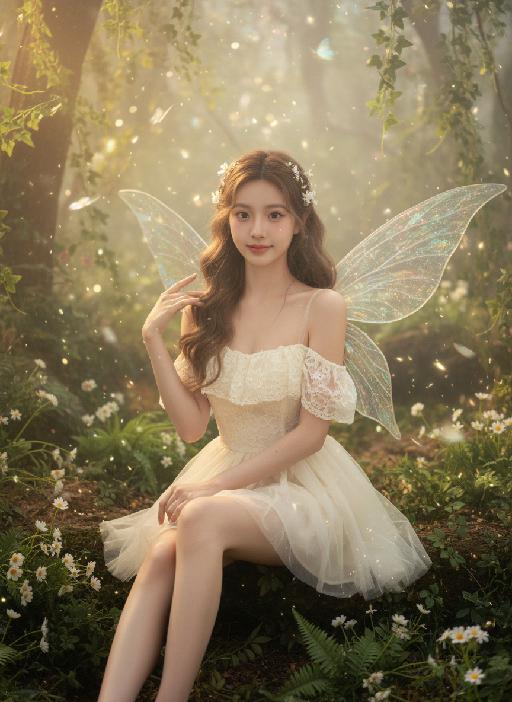
Fairy AI effects generated image

Fairy

Strictly lock the facial features of the uploaded portrait (completely preserve facial contours, native skin tone, hairstyle and age); forest elf girl with light brown curly hair and white flower hair accessories, clear nude makeup with light pink blush, facing the camera directly with a clear facial expression, lively and gentle eyes, sitting upright with fair and slender legs exposed (naturally straight or slightly bent), one hand resting gently on the leg and the other touching the elf wing; wearing an off-white lace strapless tulle dress with transparent glitter elf wings on the back, full of fairy aura; background is a forest secret realm surrounded by lush green plants, interwoven with ferns, white small flowers and vines, mist filling the forest, warm light filtering through branches to form fine light spots, butterflies and light particles flying in the air; overall forest elf + dreamy fairy atmosphere photo, soft and transparent light, low saturation forest tones, cinematic lighting, motion blur (light spots/butterflies/hair), full of details, 8K ultra-clear, realistic human photography, flawless

Old Town Walk AI effects generated image

Old Town Walk

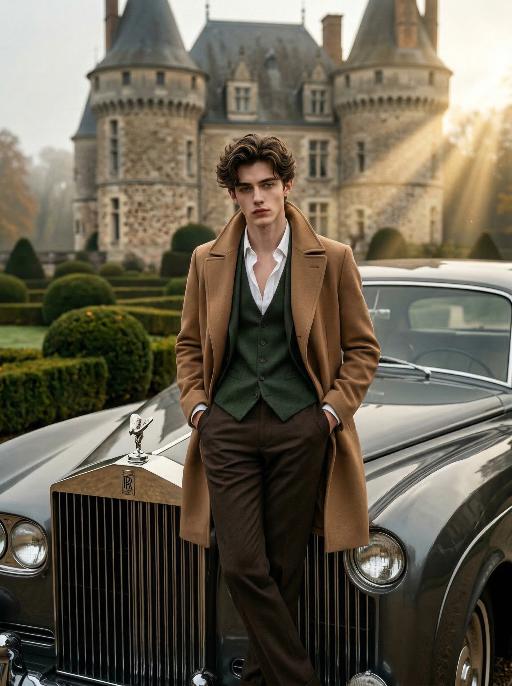
Professional Sony 8K cinematic photography, photorealistic, ultra-detailed. Keep the character's facial features from the uploaded image unchanged. He has carefully styled dark brown hair, with hands in pockets and legs crossed, leaning against a vintage dark gray luxury classic car. The front of the luxury car faces directly toward the camera, with the car logo clearly visible. The subject (the man) takes up a larger proportion of the frame. He wears a camel trench coat, layered with a dark green waistcoat and an unbuttoned white dress shirt, paired with tailored dark brown trousers. Background: a grand French chateau with neatly trimmed topiary gardens, overcast autumn atmosphere. Lighting: dramatic golden hour light with strong Tyndall effect (visible light beams), high-contrast chiaroscuro lighting on the face, deep shadows and bright highlights, full of atmosphere and cinematic sense. Style: classic men's fashion editorial, film grain, shallow depth of field, sharp focus on the subject, rich textures, vintage aesthetic.

Dance With her

Model’s original facial features, facial contour and hairstyle are 100% preserved in their entirety, extremely smooth cinematic visual transition, natural narrative pacing, 4K ultra-high resolution, photorealistic skin & fabric textures, cinematic color grading, warm soft natural light, highly saturated vivid colors, exquisite lifelike details, strong cinematic texture, seamless scene fusion, smooth lens-like visual connection, no abrupt frame or element changes, **fixed medium close-up perspective throughout, the camera follows the characters' dancing movements smoothly without pulling back or zooming out. The picture presents a natural lens narrative with a fixed medium close-up: the uploaded character is in the core visual area, initially wearing original daily wear with a relaxed posture and slight face-to-camera, facial features in sharp focus, warm soft light bathing the whole body; the background fades and blends naturally from a simple base into a traditional Indonesian interior, with Persian-patterned carpets and painted carved pillars emerging gradually to lay a seamless spatial foundation, the scene expansion is gentle and fits the lens follow rhythm without any perspective pullback. The traditional Indonesian interior scene is fully presented with rich layers—Persian-patterned carpets covering the ground, painted carved stone pillars standing tall, warm wall sconces emitting soft light, the entire space is bright with distinct light and shadow levels. A gorgeous and attractive young Indonesian woman enters the frame in a smooth, natural way matching the scene fusion rhythm; she has long thick black double braids, a bright and seductive smile, and is barefoot, wearing a luxurious traditional Indonesian kebaya (color-blocked embroidered sequined corset with turquoise tulle lantern skirt, decorated with pearl tassels and gold-thread embroidery) and ornate Indonesian ethnic gold jewelry (necklace, earrings, bangles). The uploaded character stands up naturally and gracefully in the visual transition, the two hold hands tightly in the center of the Indonesian interior space, spinning and dancing joyfully with light, vivid and smooth movements; the camera follows the two characters' spinning and dancing trajectory in a steady medium close-up, with the lens moving naturally and slightly to fit their body movements, always keeping both characters in the core of the frame without pulling back or changing the perspective**. Warm wall sconce light blends with soft natural light, perfectly highlighting the intricate embroidery details of the two's costumes, the bright luster of gold jewelry and the joyful, vivid facial expressions of both characters, highly saturated colors amplify the gorgeous and lively atmosphere of the scene, all character and costume details are clear and realistic due to the fixed medium close-up follow shot; the whole picture realizes seamless connection of scene fading, character entry and dance movement, the lens follow is smooth and natural, and the narrative layering is rich without disorder.

Load more

Next-Gen Multi-Model AI Video Architecture

Vivago AI isn't just one engine—it’s a unified hub for the world’s most advanced video AI. Whether you need cinematic realism or high-speed social content, we provide the right model for your creative vision.

Free Generate

Beauty and Dolphins

Vacation Time

Stellar Tear

Fish Tank Supervisor

Cinematic Quality & Precision Control

Enables 4K resolution with multi-lens motion control, generating delicate scene via text prompts for customized cinematography.​

TRY NOW

Dynamic AV Sync

Auto-generates original audio to avoid copyright issues. Build 3D immersive environments through layered sound design automatically.

TRY NOW

OpenAI Sora 2

​Advanced visual storytelling with unparalleled physics and consistency.

TRY NOW

Kling v2.6 Pro

Industry-leading cinematic image animation and motion control.

TRY NOW

Google Veo 3 & 3.1

Ultra-fast generation with enhanced realism for creative workflows.

TRY NOW

Vivago AI 2.0

Our proprietary model optimized for efficiency, speed, and cost-effective generation.

TRY NOW

Users' Voice

We listen carefully to the opinions of every user.
Free Generate
Contact Us
I tried the Lip Sync feature inside Vivago.ai’s AI Video Generator for my educational podcast, and the results were stunning! The avatar's lip movements perfectly matched my audio recording, creating a professional AI-generated video without complex editing. Compared with tools like OpenAI Sora 2 and Google Veo 3.1, Vivago Image-to-Video delivers fast, studio-quality results online. It saved me hours of post-production work.
ElenaM (Spain)
Vivago’s Image-to-Video AI transformed my marketing workflow. I uploaded a product image and described the launch scene in text, and it generated a 10-second cinematic AI video with background music and dynamic visuals. The output quality rivals Kling v2.6 Pro and Google Veo 3 Fast. It’s now my go-to AI video generator for social media ads and product campaigns.
KenjiT (Japan)
As a digital artist, I use Vivago.ai 2.0 daily for Image-to-Image and AI Image-to-Video creation. The e-book covers and animated visuals I generate for clients look cinematic and professional. Unlike many standalone AI tools, Vivago integrates multiple leading models into one platform, making it easier to create copyright-safe AI images and videos for publishing.
ChenL (China)
I tried the Lip Sync feature inside Vivago.ai’s AI Video Generator for my educational podcast, and the results were stunning! The avatar's lip movements perfectly matched my audio recording, creating a professional AI-generated video without complex editing. Compared with tools like OpenAI Sora 2 and Google Veo 3.1, Vivago Image-to-Video delivers fast, studio-quality results online. It saved me hours of post-production work.
ElenaM (Spain)
Vivago’s Image-to-Video AI transformed my marketing workflow. I uploaded a product image and described the launch scene in text, and it generated a 10-second cinematic AI video with background music and dynamic visuals. The output quality rivals Kling v2.6 Pro and Google Veo 3 Fast. It’s now my go-to AI video generator for social media ads and product campaigns.
KenjiT (Japan)
As a digital artist, I use Vivago.ai 2.0 daily for Image-to-Image and AI Image-to-Video creation. The e-book covers and animated visuals I generate for clients look cinematic and professional. Unlike many standalone AI tools, Vivago integrates multiple leading models into one platform, making it easier to create copyright-safe AI images and videos for publishing.
ChenL (China)
I absolutely love Vivago’s AI Image-to-Video Generator. As a travel blogger, static images often fail to capture real atmosphere, but Vivago helps me turn photos into vivid cinematic AI videos with motion effects. It feels comparable to OpenAI Sora 2 and Google Veo 3.1, but more accessible and faster for creators who need high-quality AI videos online.
LiamK (Australia)
I tried the Lip Sync feature inside Vivago.ai’s AI Video Generator for my educational podcast, and the results were stunning! The avatar's lip movements perfectly matched my audio recording, creating a professional AI-generated video without complex editing. Compared with tools like OpenAI Sora 2 and Google Veo 3.1, Vivago Image-to-Video delivers fast, studio-quality results online. It saved me hours of post-production work.
ElenaM (Spain)
Vivago’s Image-to-Video AI transformed my marketing workflow. I uploaded a product image and described the launch scene in text, and it generated a 10-second cinematic AI video with background music and dynamic visuals. The output quality rivals Kling v2.6 Pro and Google Veo 3 Fast. It’s now my go-to AI video generator for social media ads and product campaigns.
KenjiT (Japan)
As a digital artist, I use Vivago.ai 2.0 daily for Image-to-Image and AI Image-to-Video creation. The e-book covers and animated visuals I generate for clients look cinematic and professional. Unlike many standalone AI tools, Vivago integrates multiple leading models into one platform, making it easier to create copyright-safe AI images and videos for publishing.
ChenL (China)
I absolutely love Vivago’s AI Image-to-Video Generator. As a travel blogger, static images often fail to capture real atmosphere, but Vivago helps me turn photos into vivid cinematic AI videos with motion effects. It feels comparable to OpenAI Sora 2 and Google Veo 3.1, but more accessible and faster for creators who need high-quality AI videos online.
LiamK (Australia)
Using Vivago.ai’s Image-to-Video AI has greatly enhanced my classroom teaching. I transform textbook notes into historical AI videos with cinematic filters and dynamic animations. Compared with tools like Kling v2.6 Pro and Google Veo 3 Fast, Vivago offers faster generation and easier parameter control for educators who need reliable AI video creation.
RajivG (India)
I frequently create AI videos on Vivago and publish them on TikTok and YouTube Shorts. The AI video templates and trending content ideas help me produce viral-ready clips quickly. With Vivago’s integrated models—including advanced video engines similar to OpenAI Sora 2—I can generate anime-style and cinematic social media videos that drive high engagement.
MarieJ (Spain)
What attracts me most about Vivago.ai is not only the powerful AI Video Generator but also the active AIGC creator community. It combines AI Image-to-Video, Text-to-Video, and leading model integrations like Google Veo 3.1 into one creative platform.
TomW (India)
At first, I was hesitant about using AI video tools. But after trying Vivago Image-to-Video, I realized how easy it is to create professional AI-generated videos online. I just upload an image, add a short prompt, and adjust a few settings. The results are cinematic and copyright-safe, which is essential for commercial projects.
HectorC (Mexico)
Using Vivago.ai’s Image-to-Video AI has greatly enhanced my classroom teaching. I transform textbook notes into historical AI videos with cinematic filters and dynamic animations. Compared with tools like Kling v2.6 Pro and Google Veo 3 Fast, Vivago offers faster generation and easier parameter control for educators who need reliable AI video creation.
RajivG (India)
I frequently create AI videos on Vivago and publish them on TikTok and YouTube Shorts. The AI video templates and trending content ideas help me produce viral-ready clips quickly. With Vivago’s integrated models—including advanced video engines similar to OpenAI Sora 2—I can generate anime-style and cinematic social media videos that drive high engagement.
MarieJ (Spain)
What attracts me most about Vivago.ai is not only the powerful AI Video Generator but also the active AIGC creator community. It combines AI Image-to-Video, Text-to-Video, and leading model integrations like Google Veo 3.1 into one creative platform.
TomW (India)
At first, I was hesitant about using AI video tools. But after trying Vivago Image-to-Video, I realized how easy it is to create professional AI-generated videos online. I just upload an image, add a short prompt, and adjust a few settings. The results are cinematic and copyright-safe, which is essential for commercial projects.
HectorC (Mexico)