Image to Video

The prominent white minaret stands tall under a clear sky, its sharp top piercing through the hazy blue. The sun casts a warm glow, highlighting the minaret's intricate details. In the background, a smaller dome adds to the architectural charm. A gentle breeze stirs the air, causing the shadows to shift subtly. The camera pans slowly upward from the base of the minaret to its pinnacle, capturing the serene and peaceful atmosphere of the scene.

Recreate
arrow

More From VIVAGO AI

Image To Image AI effects generated image

Image To Image

Create a 1/7 scale commercialized figure of the character in the illustration, in a realistic style and environment. Render the exact hairstyle and the same outfit with the uploaded figure. Render garments as molded plastic with engraved seams and sculpted folds; keep accessories as plastic parts. Fictionalize any brand text/logos while keeping layout and colors. Place the figure on a computer desk, using a circular transparent acrylic base without any text. On the Apple computer screen, display the Z Brush modeling process of the figure. Next to the Apple computer screen, place a BANDAl-style toy packaging box printed with the original artwork. The background shows a modern realistic room furnished with contemporary furniture, including a display cabinet filled with books, dolls, and scale figures, adding a casual and everyday atmosphere. Behind the Apple computer, place a desk lamp to add detail and depth to the scene.

Elegance AI effects generated image

Elegance

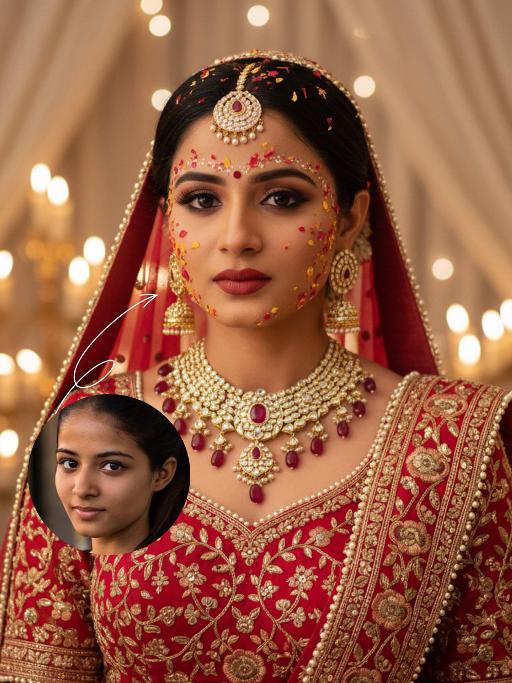
Strictly lock facial features: fully preserving the original facial contours, skin texture, eye shape, lip shape, and youthful appearance with zero deviations allowed. Eye-level perspective, half-body close-up (subject occupies 80% of the frame to optimize proportion and visual focus, with a well-proportioned slender figure that highlights the graceful lines of the body), a young East Asian woman with a cold temperament, lying prone on a thick log beam, hands resting naturally on both sides of the beam, body slightly forward, expression gentle and calm; makeup is a fresh nude look: transparent base, warm bean paste red lips, natural and soft eye makeup; long straight black hair, fluffy and shiny. Wearing: - Headdress: Pearl tassel forehead ornament, main body is a pearl-woven headband with a teardrop-shaped pearl in the center, hanging multiple layers of extra-long white pearl tassels on both sides - Accessories: Multi-layered pearl necklace, strung with pearls of varying sizes, paired with a silver carved pendant Clothing: - White Chinese-style stand-up collar top with jacquard texture and puff short sleeves - Inner wear white lace see-through long sleeves, full of delicate white floral embroidery on the sleeves - Matching white long skirt Background: Plateau meadow scene, foreground is green grass, distant continuous dark gray-blue mountains, sky filled with layered dark clouds; soft golden sunlight breaks through the gaps in the dark clouds, casting warm highlights on the pearl ornaments, hair strands, jacquard fabric and lace embroidery, while leaving soft, faint shadows on the log beam and the grass beneath, adding a three-dimensional contrast to the cool-toned scene. Cool-toned diffused natural light blended with warm sunlight spots, the picture is transparent and clean, presenting a cold and fairy-like atmosphere, strictly 1:1 replicate the original image's movements, clothing details, and light and shadow tones

Image To Image AI effects generated image

Image To Image

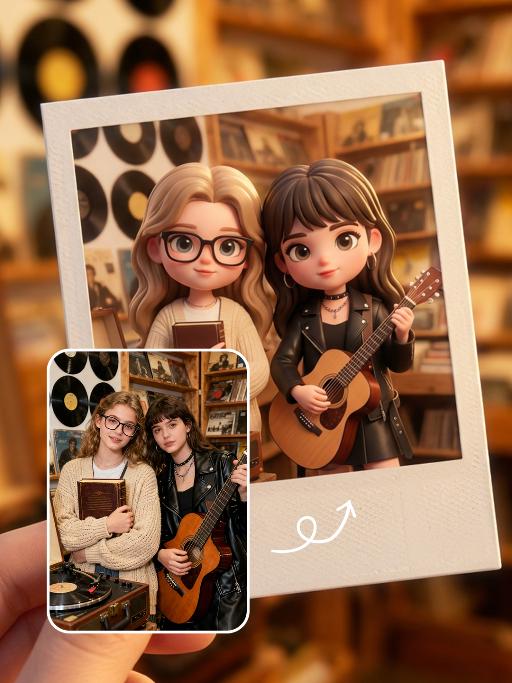
A 3D chibi-style version of the person in the photo is stepping through a glowing portal, reaching out and holding the viewer’s hand. As the character pulls the viewer forward, they turn back with a dynamic glance, inviting the viewer into their world.Behind the portal is the viewer’s real-life environment: a typical programmer’s study with a desk, monitor, and laptop, rendered in realistic detail. Inside the portal lies the character’s 3D chibi world, inspired by the photo, with a cool blue color scheme that sharply contrasts with the real-world surroundings.The portal itself is a perfectly elliptical frame glowing with mysterious blue and purple light, positioned at the center of the image as a gateway between the two worlds.The scene is captured from a third-person perspective, clearly showing the viewer’s hand being pulled into the character’s world.

Load more

Next-Gen Multi-Model AI Video Architecture

Vivago AI isn't just one engine—it’s a unified hub for the world’s most advanced video AI. Whether you need cinematic realism or high-speed social content, we provide the right model for your creative vision.

Free Generate

Beauty and Dolphins

Vacation Time

Stellar Tear

Fish Tank Supervisor

Cinematic Quality & Precision Control

Enables 4K resolution with multi-lens motion control, generating delicate scene via text prompts for customized cinematography.​

TRY NOW

Dynamic AV Sync

Auto-generates original audio to avoid copyright issues. Build 3D immersive environments through layered sound design automatically.

TRY NOW

OpenAI Sora 2

​Advanced visual storytelling with unparalleled physics and consistency.

TRY NOW

Kling v2.6 Pro

Industry-leading cinematic image animation and motion control.

TRY NOW

Google Veo 3 & 3.1

Ultra-fast generation with enhanced realism for creative workflows.

TRY NOW

Vivago AI 2.0

Our proprietary model optimized for efficiency, speed, and cost-effective generation.

TRY NOW

Users' Voice

We listen carefully to the opinions of every user.
Free Generate
Contact Us
I tried the Lip Sync feature inside Vivago.ai’s AI Video Generator for my educational podcast, and the results were stunning! The avatar's lip movements perfectly matched my audio recording, creating a professional AI-generated video without complex editing. Compared with tools like OpenAI Sora 2 and Google Veo 3.1, Vivago Image-to-Video delivers fast, studio-quality results online. It saved me hours of post-production work.
ElenaM (Spain)
Vivago’s Image-to-Video AI transformed my marketing workflow. I uploaded a product image and described the launch scene in text, and it generated a 10-second cinematic AI video with background music and dynamic visuals. The output quality rivals Kling v2.6 Pro and Google Veo 3 Fast. It’s now my go-to AI video generator for social media ads and product campaigns.
KenjiT (Japan)
As a digital artist, I use Vivago.ai 2.0 daily for Image-to-Image and AI Image-to-Video creation. The e-book covers and animated visuals I generate for clients look cinematic and professional. Unlike many standalone AI tools, Vivago integrates multiple leading models into one platform, making it easier to create copyright-safe AI images and videos for publishing.
ChenL (China)
I tried the Lip Sync feature inside Vivago.ai’s AI Video Generator for my educational podcast, and the results were stunning! The avatar's lip movements perfectly matched my audio recording, creating a professional AI-generated video without complex editing. Compared with tools like OpenAI Sora 2 and Google Veo 3.1, Vivago Image-to-Video delivers fast, studio-quality results online. It saved me hours of post-production work.
ElenaM (Spain)
Vivago’s Image-to-Video AI transformed my marketing workflow. I uploaded a product image and described the launch scene in text, and it generated a 10-second cinematic AI video with background music and dynamic visuals. The output quality rivals Kling v2.6 Pro and Google Veo 3 Fast. It’s now my go-to AI video generator for social media ads and product campaigns.
KenjiT (Japan)
As a digital artist, I use Vivago.ai 2.0 daily for Image-to-Image and AI Image-to-Video creation. The e-book covers and animated visuals I generate for clients look cinematic and professional. Unlike many standalone AI tools, Vivago integrates multiple leading models into one platform, making it easier to create copyright-safe AI images and videos for publishing.
ChenL (China)
I absolutely love Vivago’s AI Image-to-Video Generator. As a travel blogger, static images often fail to capture real atmosphere, but Vivago helps me turn photos into vivid cinematic AI videos with motion effects. It feels comparable to OpenAI Sora 2 and Google Veo 3.1, but more accessible and faster for creators who need high-quality AI videos online.
LiamK (Australia)
I tried the Lip Sync feature inside Vivago.ai’s AI Video Generator for my educational podcast, and the results were stunning! The avatar's lip movements perfectly matched my audio recording, creating a professional AI-generated video without complex editing. Compared with tools like OpenAI Sora 2 and Google Veo 3.1, Vivago Image-to-Video delivers fast, studio-quality results online. It saved me hours of post-production work.
ElenaM (Spain)
Vivago’s Image-to-Video AI transformed my marketing workflow. I uploaded a product image and described the launch scene in text, and it generated a 10-second cinematic AI video with background music and dynamic visuals. The output quality rivals Kling v2.6 Pro and Google Veo 3 Fast. It’s now my go-to AI video generator for social media ads and product campaigns.
KenjiT (Japan)
As a digital artist, I use Vivago.ai 2.0 daily for Image-to-Image and AI Image-to-Video creation. The e-book covers and animated visuals I generate for clients look cinematic and professional. Unlike many standalone AI tools, Vivago integrates multiple leading models into one platform, making it easier to create copyright-safe AI images and videos for publishing.
ChenL (China)
I absolutely love Vivago’s AI Image-to-Video Generator. As a travel blogger, static images often fail to capture real atmosphere, but Vivago helps me turn photos into vivid cinematic AI videos with motion effects. It feels comparable to OpenAI Sora 2 and Google Veo 3.1, but more accessible and faster for creators who need high-quality AI videos online.
LiamK (Australia)
Using Vivago.ai’s Image-to-Video AI has greatly enhanced my classroom teaching. I transform textbook notes into historical AI videos with cinematic filters and dynamic animations. Compared with tools like Kling v2.6 Pro and Google Veo 3 Fast, Vivago offers faster generation and easier parameter control for educators who need reliable AI video creation.
RajivG (India)
I frequently create AI videos on Vivago and publish them on TikTok and YouTube Shorts. The AI video templates and trending content ideas help me produce viral-ready clips quickly. With Vivago’s integrated models—including advanced video engines similar to OpenAI Sora 2—I can generate anime-style and cinematic social media videos that drive high engagement.
MarieJ (Spain)
What attracts me most about Vivago.ai is not only the powerful AI Video Generator but also the active AIGC creator community. It combines AI Image-to-Video, Text-to-Video, and leading model integrations like Google Veo 3.1 into one creative platform.
TomW (India)
At first, I was hesitant about using AI video tools. But after trying Vivago Image-to-Video, I realized how easy it is to create professional AI-generated videos online. I just upload an image, add a short prompt, and adjust a few settings. The results are cinematic and copyright-safe, which is essential for commercial projects.
HectorC (Mexico)
Using Vivago.ai’s Image-to-Video AI has greatly enhanced my classroom teaching. I transform textbook notes into historical AI videos with cinematic filters and dynamic animations. Compared with tools like Kling v2.6 Pro and Google Veo 3 Fast, Vivago offers faster generation and easier parameter control for educators who need reliable AI video creation.
RajivG (India)
I frequently create AI videos on Vivago and publish them on TikTok and YouTube Shorts. The AI video templates and trending content ideas help me produce viral-ready clips quickly. With Vivago’s integrated models—including advanced video engines similar to OpenAI Sora 2—I can generate anime-style and cinematic social media videos that drive high engagement.
MarieJ (Spain)
What attracts me most about Vivago.ai is not only the powerful AI Video Generator but also the active AIGC creator community. It combines AI Image-to-Video, Text-to-Video, and leading model integrations like Google Veo 3.1 into one creative platform.
TomW (India)
At first, I was hesitant about using AI video tools. But after trying Vivago Image-to-Video, I realized how easy it is to create professional AI-generated videos online. I just upload an image, add a short prompt, and adjust a few settings. The results are cinematic and copyright-safe, which is essential for commercial projects.
HectorC (Mexico)