Boss & Wheels

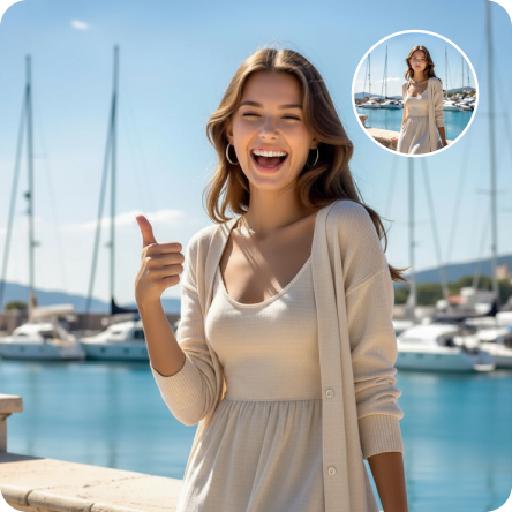
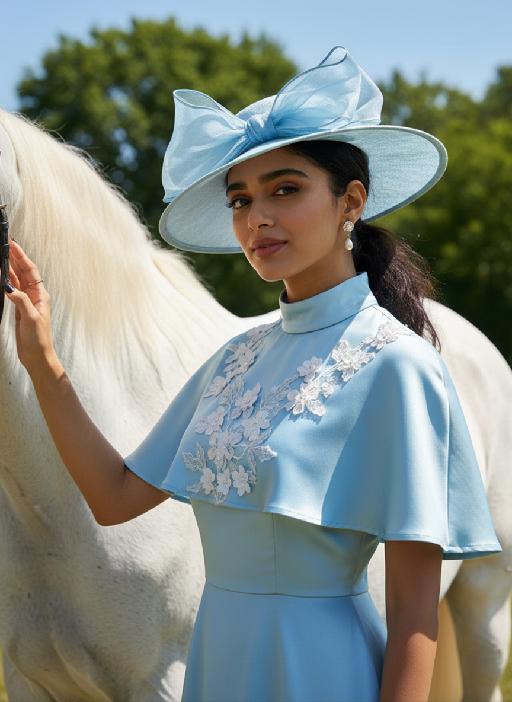
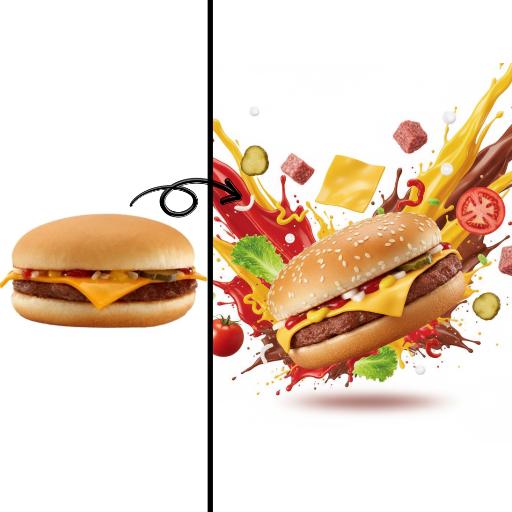
Create professional visuals with the 'Boss & Wheels' AI effect. Generate premium automotive imagery, luxury cars, or sophisticated executive settings using text prompts or references. Perfect for commercial branding and high-impact promotional content. Produce polished, professional-grade visuals effortlessly.

Use Template
arrow

FAQs

What are Effect Templates?

Effect Templates are predefined AI workflows that automatically transform static images into specific visual styles or animated formats, delivering consistent, high-quality results without manual adjustments.

How do I apply Effect Templates?

Select your preferred template > Upload an image > Generate. No text prompts required - templates handle all style parameters.

Where can I find more templates?

Explore 1000+ curated templates in our Explore Hub: https://vivago.ai/studio. New templates added weekly across categories.

What's the pricing?

Daily login grants 100 free credits. Exhausted credits? Choose: 1) Subscribe a membership plan, 2) Get a credit pack. Details: https://vivago.ai/subscribe

More From VIVAGO AI

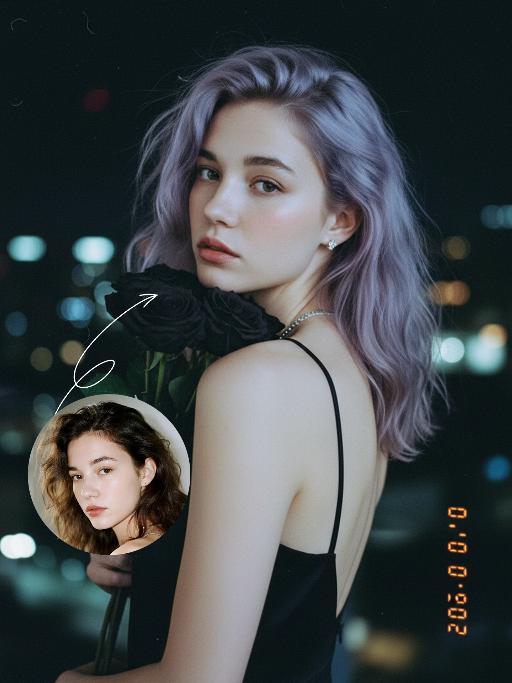
Black Rose AI effects generated image

Black Rose

Preserve the original facial features of the uploaded figure. An ultra-realistic portrait photograph, close-up shot with a shallow depth of field (blurred background). The figure from the uploaded image (unchanged facial features) has messy shoulder-length hair in ash purple taupe, green eyes, light pink blush, nude pink lips, and faint freckles scattered across the cheeks and shoulders. They are wearing a black strapless slip dress with thin shoulder straps, small stud earrings and a delicate chain necklace, holding a bouquet of black roses close to the cheek, and turning half their body to look at the camera. Shooting angle: eye-level perspective, dramatic contrasting light from a flash against the night scene, a cool-toned color palette (black, ash purple taupe, pale skin tone, urban night view background), a melancholic and dreamy atmosphere, high level of detail, film texture, retro color tones, vintage film portrait style, grain texture, film light leak effects, ultra-high-definition details. An orange vertical digital date watermark (2026:00:00) is added to the bottom right corner.

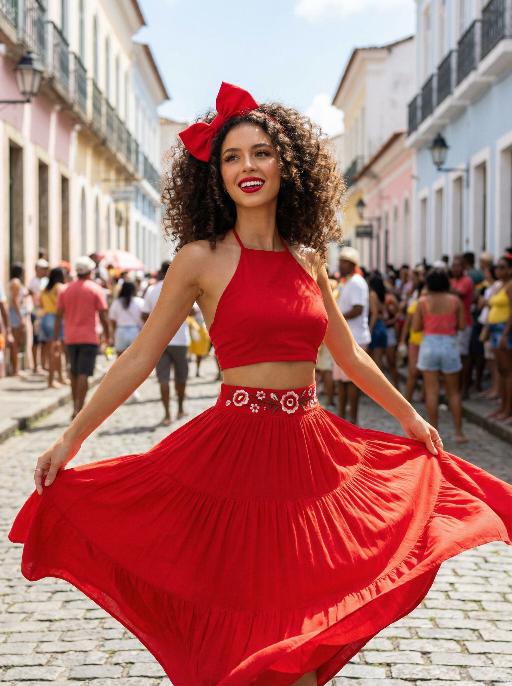
Samba AI effects generated image

Samba

Use the exact same facial features, gender, and age as the uploaded image. Vibrant street celebration scene in a colorful colonial town, pastel-colored buildings lining a sunlit cobblestone street. Voluminous curly dark brown hair adorned with a large, bright red bow at the crown. Smooth, warm light tan skin with a luminous, dewy finish. Bold, glamorous makeup: defined brows, winged eyeliner, long voluminous lashes, glossy cherry-red lipstick, and a subtle golden highlight on the cheekbones. Form-fitting red halter crop top, paired with a flowing, tiered red maxi skirt. The waistband of the skirt features a white base with vibrant red floral embroidery. Dynamic, joyful movement: arms outstretched, skirt billowing dramatically, capturing the energy of a festive street dance. Background filled with a lively crowd of celebrants, soft focus to keep the subject prominent. Bright, clear daylight, cinematic color grading, high detail, 8K ultra-realistic, vibrant and festive atmosphere, no obvious personal pronouns.

Rainforest AI effects generated image

Rainforest

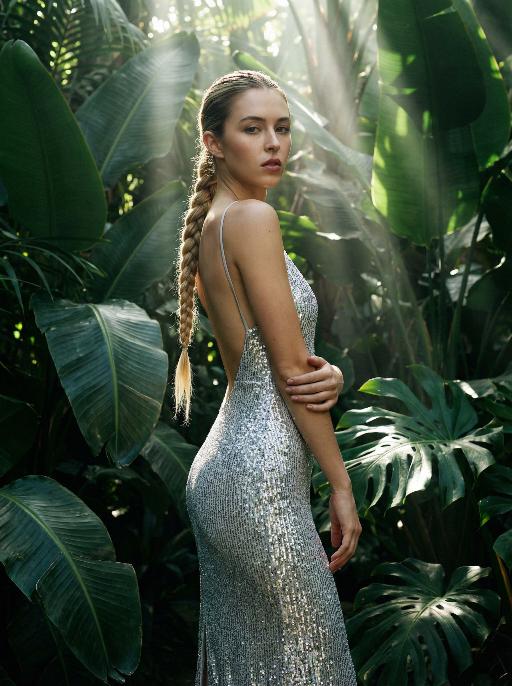
Use the exact same facial features, gender, and age as the uploaded image. Elegant figure with a single long, thick braid, standing amidst a lush, dense tropical jungle backdrop. Large, glossy, deep green foliage with prominent veins fills the frame, creating a rich, verdant environment. Form-fitting, sleeveless, sequined bright silver midi dress with thin straps, crafted from a stretchy fabric that hugs the silhouette. The dress features a low, open back, emphasizing the sleek lines of the figure. The sequins catch the light, creating a shimmering, iridescent effect. One arm bent at the elbow, hand resting gently on the opposite forearm, while the other arm hangs relaxed at the side. Confident, direct gaze toward the lens. Soft, diffused natural light filters through the canopy, creating dramatic Tyndall effect beams of light that pierce the jungle air, casting strong, defined shadows and highlights on the figure and foliage. The high-contrast lighting amplifies the moody, atmospheric contrast between the luminous sequined silver and deep green. High-fashion editorial photography, hyper-realistic, 8K, high detail, cinematic composition, no obvious personal pronouns.

Santa Claus

The facial features of the uploaded character remain unchanged. The scene transitions with both camera rotation and stunning explosive magic element effects—incorporating dazzling special effects during the transition, including shimmering golden particles, brilliant golden explosive magic effects, falling snowflakes, and swirling red ribbons. After spinning rapidly on the spot, the character’s outfit transforms into a cool version of Santa Claus attire. The character beams with a happy smile, dressed in a classic red-and-white Christmas suit trimmed with white fluff, wearing black sunglasses, a Santa hat, and carrying a large-capacity Christmas backpack stuffed with gifts on the back. The character rides a retro cruising motorcycle (Harley-style) speeding from the distance to the front of the screen. The motorcycle boasts a deep burgundy color paired with a metallic chrome finish, with its wheels in a burnout state and white smoke billowing from the ground. Scene: A nighttime European-style urban street lined with vintage buildings and warm yellow street lamps. The background features blurred vehicles and pedestrians, with the lights creating a beautiful bokeh effect. Style & Texture: Ultra-realistic style with high details and strong light-shadow contrast. Dynamic blur enhances the sense of motion, and the fluffy texture of the clothing as well as the metallic luster of the motorcycle are depicted in exquisite detail. The overall style showcases cutting-edge fashion photography and avant-garde art, reaching a film-level realistic standard.

Three Frames

Film effect, three-screen split-frame photography (close-up, medium close-up, medium shot or long shot) in upper, middle and lower sections; cinematic Japanese-style film effect with three-screen split-frame photography in upper, middle and lower sections, set in a cold, lonely snowy scene on a clear day. A single figure with soft facial features, wearing an exquisitely tailored high-end red gown, a white mink fur hat and a white scarf, paired with sophisticated and textured accessories, stands in a vast white snowfield with snowflakes falling and snow accumulating on the scarf. The image boasts a strong cinematic texture. Upper screen: Extreme close-up of the head, with distinct individual eyelashes, fair and even skin, and snowflakes dotted on the eyelashes. Middle screen: Solo medium shot of the figure against the snowscape. Lower screen: Close-up of the figure leaning gently against a moose’s head with a soft smile, the details of the face and scarf in sharp focus, with a pale grey-blue sky and a single pine tree in the distance. Cinematic and realistic three-frame split-frame portrait: retain the facial features of the uploaded figure (with a fresh and translucent winter makeup look featuring silver shimmery eyeshadow, pink translucent blusher with fine glitter and light pink lip makeup—all on-trend winter styles in Western fashion, paired with a gentle and innocent expression, and fair, delicate skin). Soft diffused winter natural light highlights the soft texture of the skin and clothing. The figure leans affectionately beside a tame reindeer, with snow resting on the reindeer’s antlers and fur. The background features a snow-covered Christmas tree and an expanse of white snow, with fine snowflakes floating in the air. Soft natural cold light creates a fresh and translucent winter mood; a 50mm standard lens is used to preserve the delicate interactive details between the figure and the reindeer. The overall atmosphere is warm and healing, with ultra-high details and naturally saturated colors, in a horizontal composition. Avoid blurriness, disproportionate figure proportions and cluttered backgrounds.

Load more

Next-Gen Multi-Model AI Video Architecture

Vivago AI isn't just one engine—it’s a unified hub for the world’s most advanced video AI. Whether you need cinematic realism or high-speed social content, we provide the right model for your creative vision.

Free Generate

Beauty and Dolphins

Vacation Time

Stellar Tear

Fish Tank Supervisor

Cinematic Quality & Precision Control

Enables 4K resolution with multi-lens motion control, generating delicate scene via text prompts for customized cinematography.​

TRY NOW

Dynamic AV Sync

Auto-generates original audio to avoid copyright issues. Build 3D immersive environments through layered sound design automatically.

TRY NOW

OpenAI Sora 2

​Advanced visual storytelling with unparalleled physics and consistency.

TRY NOW

Kling v2.6 Pro

Industry-leading cinematic image animation and motion control.

TRY NOW

Google Veo 3 & 3.1

Ultra-fast generation with enhanced realism for creative workflows.

TRY NOW

Vivago AI 2.0

Our proprietary model optimized for efficiency, speed, and cost-effective generation.

TRY NOW

Users' Voice

We listen carefully to the opinions of every user.
Free Generate
Contact Us
I tried the Lip Sync feature inside Vivago.ai’s AI Video Generator for my educational podcast, and the results were stunning! The avatar's lip movements perfectly matched my audio recording, creating a professional AI-generated video without complex editing. Compared with tools like OpenAI Sora 2 and Google Veo 3.1, Vivago Image-to-Video delivers fast, studio-quality results online. It saved me hours of post-production work.
ElenaM (Spain)
Vivago’s Image-to-Video AI transformed my marketing workflow. I uploaded a product image and described the launch scene in text, and it generated a 10-second cinematic AI video with background music and dynamic visuals. The output quality rivals Kling v2.6 Pro and Google Veo 3 Fast. It’s now my go-to AI video generator for social media ads and product campaigns.
KenjiT (Japan)
As a digital artist, I use Vivago.ai 2.0 daily for Image-to-Image and AI Image-to-Video creation. The e-book covers and animated visuals I generate for clients look cinematic and professional. Unlike many standalone AI tools, Vivago integrates multiple leading models into one platform, making it easier to create copyright-safe AI images and videos for publishing.
ChenL (China)
I tried the Lip Sync feature inside Vivago.ai’s AI Video Generator for my educational podcast, and the results were stunning! The avatar's lip movements perfectly matched my audio recording, creating a professional AI-generated video without complex editing. Compared with tools like OpenAI Sora 2 and Google Veo 3.1, Vivago Image-to-Video delivers fast, studio-quality results online. It saved me hours of post-production work.
ElenaM (Spain)
Vivago’s Image-to-Video AI transformed my marketing workflow. I uploaded a product image and described the launch scene in text, and it generated a 10-second cinematic AI video with background music and dynamic visuals. The output quality rivals Kling v2.6 Pro and Google Veo 3 Fast. It’s now my go-to AI video generator for social media ads and product campaigns.
KenjiT (Japan)
As a digital artist, I use Vivago.ai 2.0 daily for Image-to-Image and AI Image-to-Video creation. The e-book covers and animated visuals I generate for clients look cinematic and professional. Unlike many standalone AI tools, Vivago integrates multiple leading models into one platform, making it easier to create copyright-safe AI images and videos for publishing.
ChenL (China)
I absolutely love Vivago’s AI Image-to-Video Generator. As a travel blogger, static images often fail to capture real atmosphere, but Vivago helps me turn photos into vivid cinematic AI videos with motion effects. It feels comparable to OpenAI Sora 2 and Google Veo 3.1, but more accessible and faster for creators who need high-quality AI videos online.
LiamK (Australia)
I tried the Lip Sync feature inside Vivago.ai’s AI Video Generator for my educational podcast, and the results were stunning! The avatar's lip movements perfectly matched my audio recording, creating a professional AI-generated video without complex editing. Compared with tools like OpenAI Sora 2 and Google Veo 3.1, Vivago Image-to-Video delivers fast, studio-quality results online. It saved me hours of post-production work.
ElenaM (Spain)
Vivago’s Image-to-Video AI transformed my marketing workflow. I uploaded a product image and described the launch scene in text, and it generated a 10-second cinematic AI video with background music and dynamic visuals. The output quality rivals Kling v2.6 Pro and Google Veo 3 Fast. It’s now my go-to AI video generator for social media ads and product campaigns.
KenjiT (Japan)
As a digital artist, I use Vivago.ai 2.0 daily for Image-to-Image and AI Image-to-Video creation. The e-book covers and animated visuals I generate for clients look cinematic and professional. Unlike many standalone AI tools, Vivago integrates multiple leading models into one platform, making it easier to create copyright-safe AI images and videos for publishing.
ChenL (China)
I absolutely love Vivago’s AI Image-to-Video Generator. As a travel blogger, static images often fail to capture real atmosphere, but Vivago helps me turn photos into vivid cinematic AI videos with motion effects. It feels comparable to OpenAI Sora 2 and Google Veo 3.1, but more accessible and faster for creators who need high-quality AI videos online.
LiamK (Australia)
Using Vivago.ai’s Image-to-Video AI has greatly enhanced my classroom teaching. I transform textbook notes into historical AI videos with cinematic filters and dynamic animations. Compared with tools like Kling v2.6 Pro and Google Veo 3 Fast, Vivago offers faster generation and easier parameter control for educators who need reliable AI video creation.
RajivG (India)
I frequently create AI videos on Vivago and publish them on TikTok and YouTube Shorts. The AI video templates and trending content ideas help me produce viral-ready clips quickly. With Vivago’s integrated models—including advanced video engines similar to OpenAI Sora 2—I can generate anime-style and cinematic social media videos that drive high engagement.
MarieJ (Spain)
What attracts me most about Vivago.ai is not only the powerful AI Video Generator but also the active AIGC creator community. It combines AI Image-to-Video, Text-to-Video, and leading model integrations like Google Veo 3.1 into one creative platform.
TomW (India)
At first, I was hesitant about using AI video tools. But after trying Vivago Image-to-Video, I realized how easy it is to create professional AI-generated videos online. I just upload an image, add a short prompt, and adjust a few settings. The results are cinematic and copyright-safe, which is essential for commercial projects.
HectorC (Mexico)
Using Vivago.ai’s Image-to-Video AI has greatly enhanced my classroom teaching. I transform textbook notes into historical AI videos with cinematic filters and dynamic animations. Compared with tools like Kling v2.6 Pro and Google Veo 3 Fast, Vivago offers faster generation and easier parameter control for educators who need reliable AI video creation.
RajivG (India)
I frequently create AI videos on Vivago and publish them on TikTok and YouTube Shorts. The AI video templates and trending content ideas help me produce viral-ready clips quickly. With Vivago’s integrated models—including advanced video engines similar to OpenAI Sora 2—I can generate anime-style and cinematic social media videos that drive high engagement.
MarieJ (Spain)
What attracts me most about Vivago.ai is not only the powerful AI Video Generator but also the active AIGC creator community. It combines AI Image-to-Video, Text-to-Video, and leading model integrations like Google Veo 3.1 into one creative platform.
TomW (India)
At first, I was hesitant about using AI video tools. But after trying Vivago Image-to-Video, I realized how easy it is to create professional AI-generated videos online. I just upload an image, add a short prompt, and adjust a few settings. The results are cinematic and copyright-safe, which is essential for commercial projects.
HectorC (Mexico)