Golden Halo

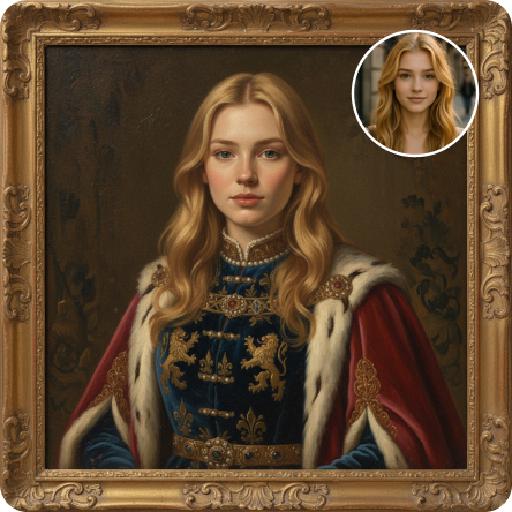
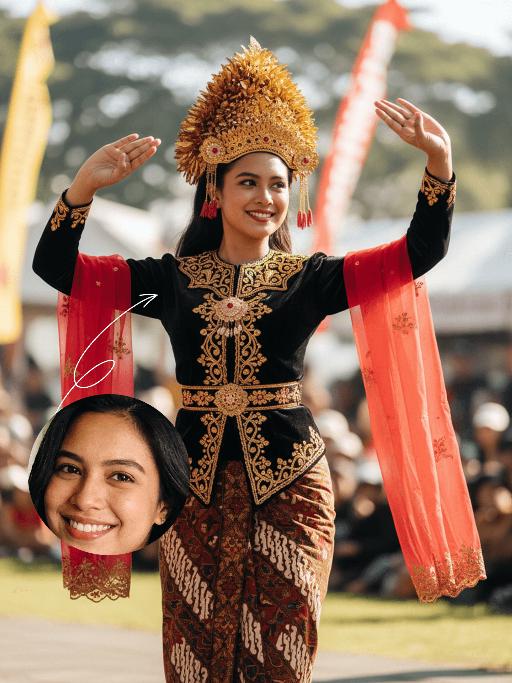
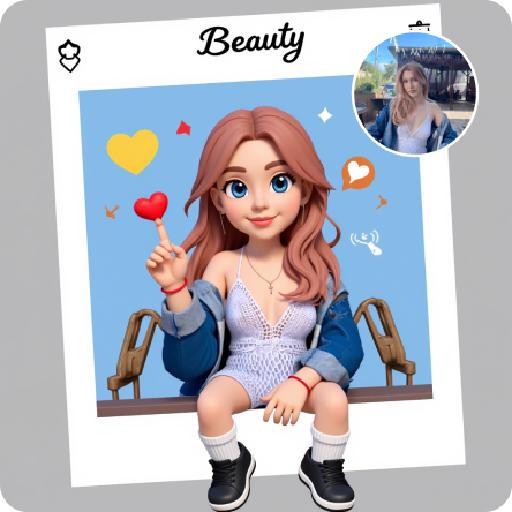
Create stunning images with a divine Golden Halo effect using AI on Vivago.ai. Add ethereal, glowing light auras to portraits or fantasy visuals. Our AI tools transform your prompts and photos into professional art with this celestial radiance. Generate magical, luminous content effortlessly.

Use Template
arrow

FAQs

What are Effect Templates?

Effect Templates are predefined AI workflows that automatically transform static images into specific visual styles or animated formats, delivering consistent, high-quality results without manual adjustments.

How do I apply Effect Templates?

Select your preferred template > Upload an image > Generate. No text prompts required - templates handle all style parameters.

Where can I find more templates?

Explore 1000+ curated templates in our Explore Hub: https://vivago.ai/studio. New templates added weekly across categories.

What's the pricing?

Daily login grants 100 free credits. Exhausted credits? Choose: 1) Subscribe a membership plan, 2) Get a credit pack. Details: https://vivago.ai/subscribe

More From VIVAGO AI

Travelling pets

The features of the figure in the uploaded image remain unchanged (the animal stands fully upright on its hind legs with a vertical torso and forelimbs hanging naturally at its sides; the original animal’s species, facial features and texture details are strictly preserved). The animal is dressed in a well-fitted black jacket, a matching pair of khaki cropped pants, retro hiking boots, and also wears a bucket hat with black-rimmed windproof sunglasses. The background is replaced with the scene of the Golden Mountains bathed in sunlight in Western Sichuan, with a glistening lake in front of the mountains reflecting the golden peaks. The figure stands on the shore in front of the lake, in an ultra-realistic photography style that blends avant-garde and fashion-forward pet photography aesthetics.

Dance Softly

Strictly lock the subject identity from the reference image: preserve the original species, original identity, original face/facial structure, fur color or skin tone, markings/patterns, body proportions, age impression, gender vibe, eye color, ear/nose/mouth details, hairstyle or fur length and texture, and all unique recognizable traits. The generated result must remain instantly recognizable as the exact same subject from the reference image. Do not change the species, do not replace the subject with another person or another animal, do not lose likeness, do not replace the face. Only transform pose, clothing, accessories, environment, and cinematic presentation. Transform the subject into a full-body standing pose on top of a modern desktop, facing the camera, centered in frame, standing upright on both feet or hind legs, with both arms/front limbs slightly raised in a cute dancing, playful bouncing, or charming interactive pose. The expression should be soft, adorable, natural, and camera-facing. The overall mood should be cute, polished, healing, stylish, lightly anthropomorphic in pose only, while fully preserving the original species and recognizable appearance. Clothing rule must be strict: If the reference subject is a pet, animal, bird, or non-human creature, it must wear a cute full top and small pants/shorts/overalls/full little outfit. The outfit should be adorable, clean, stylish, modest, and properly fitted to the subject’s body. No nudity, no exposed private areas, no bare body presentation, no “only accessories without clothing.” Prefer soft colors such as cream, blush pink, light gray, beige. Keep the outfit simple and refined, and do not hide the subject’s key facial features or recognizable traits. If the reference subject is a human, keep them in a tasteful, cute, clean, stylish full outfit that matches the same adorable desk-setup aesthetic, with no revealing clothing and no identity distortion. Add a pair of soft pink glowing cat-ear over-ear headphones. The headphones should feel premium, dreamy, cute, slightly futuristic, and fashionable, with subtle clean glow accents. Do not let the headphones cover the eyes, face, or key recognizable features. Environment: place the subject in a premium modern computer desk setup scene. The subject stands on the center of the desk, with a large monitor behind them showing a dark or black screen. Add a clean keyboard, elegant small tech accessories, optional crystal or glass decorative objects, and a tidy minimalist desktop environment. The overall atmosphere should be clean, stylish, luxurious, soft, cozy, social-media-friendly, streamer/gaming desk aesthetic. Use a palette of cream white, soft gray, blush pink, and silver, with a gentle feminine tech vibe and minimalist premium styling. Composition: vertical 9:16, full-body visible, no cropping of feet, head, ears, or limbs, subject centered, slightly low-angle or subtly upward eye-level perspective to enhance the cute standing pose. Use shallow depth of field, with the subject sharp and crisp, and the background softly blurred while still readable as a premium desk setup. Lighting and rendering: use soft studio lighting, clear facial illumination, refined body contour light, highly realistic fur/skin/clothing/material textures. The overall style should be ultra detailed, photorealistic, cinematic, high-end commercial quality, cute but realistic. Quality tags: ultra detailed, photorealistic, realistic fur or skin texture, detailed clothing fabric, premium accessories, soft studio lighting, soft shadows, cinematic realism, adorable aesthetic, high-end commercial render, clean luxury desk setup. Style emphasis keywords: same subject, same species, identity preserved, original appearance locked, cute standing pose, playful dance pose, pink glowing cat-ear headphones, pets wearing a cute top and small pants, full outfit, premium computer desk setup, monitor background, minimalist luxury desktop, soft studio lighting, realistic kawaii aesthetic, healing and polished visual style. English Negative Prompt: do not change species, do not replace the subject with another person or another animal, no face replacement, no identity loss, no lost markings, no wrong fur color, no wrong skin tone, no extra limbs, no extra heads, no deformed anatomy, no fused limbs, no asymmetrical eyes, no distorted ears, no face collapse, no blur, no low resolution, no body crop, no messy background, no dirty desk, no horror, no uncanny expression, no excessive cartoon style, no nudity, no exposed private areas, no bare pet body, no accessories-only styling, no overly short clothes, no visible sensitive parts, do not let the headphones block the eyes or key facial features, no watermark, no text, no logo, no overexposure, no underexposure.


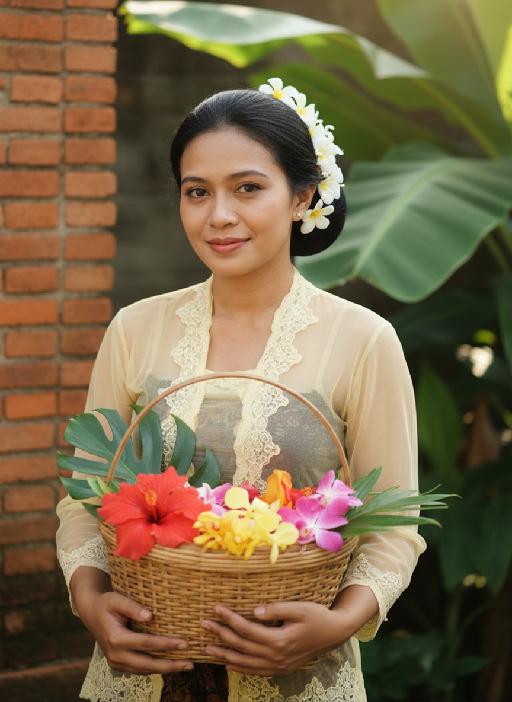
Kebaya AI effects generated image

Kebaya

Strictly lock the facial features of the uploaded portrait (preserve facial contours, native Indonesian skin tone, hairstyle and age). model occupies 3/4 of the frame, the model as the absolute dominant subject, close-up half-body portrait with minimal background space, no excessive empty space around the model, a charming half-body portrait of a young Indonesian lady in her early 20s, with a gentle smile and black hair elegantly updo decorated with white tiny flowers, dressed in a soft pale yellow sheer kebaya featuring delicate lace edging. She holds a rustic rattan basket brimming with colorful fresh blooms, set against a backdrop of a classic Indonesian red-brick dwelling with sprawling tropical banana foliage, bathed in soft golden natural sunlight, exuding a fresh, idyllic and authentic Indonesian rural charm, 3:4 aspect ratio, ultra-high detail, photorealistic

Fashion Art AI effects generated image

Fashion Art

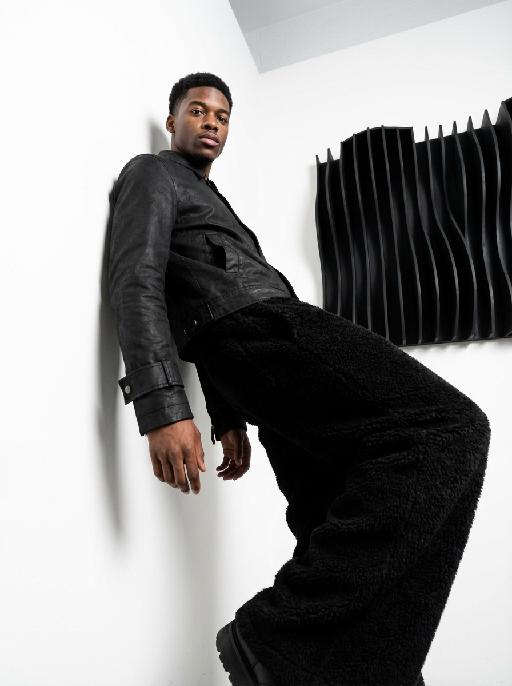
This is a set of professional minimalist style portrait works shot from a low angle. Using a 35mm wide-angle lens, a unique strong perspective distortion effect is presented. This work was taken with a Sony A7R V camera. The uploaded images show the image of the person (with facial features, age and gender unchanged), with neat short hair, matte makeup, highlighting a hard and angular outline, a cold and confident expression, and calm and avant-garde gaze directly at the camera. The body leans against a white matte wall, the right leg is bent and raised, the left arm is placed on the wall, and the right hand is naturally hanging down. Wearing a black worn-out high-end custom leather jacket (with detachable cuffs), a black inner layer, and loose and fluffy black wide-leg pants. The studio uses high-contrast hard light for illumination, with the main light forming a strong contrast line of light and dark in the front, deep shadows, and clear contours. The background is a white matte wall and some black three-dimensional abstract wave-shaped art installations, presenting a strong contrast in visual effect, high contrast, clear texture, and a fashionable and avant-garde photography art style, which can be regarded as a heavyweight work in the fashion world.

Christmas Baby

Transform the figure in the uploaded image into a Christmas-themed style, standing upright and dressed in a retro Christmas knit sweater with red and green color-blocking (printed with white snowflake and reindeer patterns), a long red tasseled scarf, a cute Christmas hat, a full set of Christmas-themed clothing with Christmas pants, and cute fluffy slouch socks on its feet.Scene: A warm American home with a Christmas setup, featuring exquisite gift boxes placed on snow-dusted ground; the background is Christmas decor in a dominant red tone, with a Christmas wreath hung above adorned with red and gold baubles and white flowers, and Christmas trees on both sides dusted with a light layer of snow and decorated with red and gold baubles.Texture & Style: The frame is ultra-high-definition and delicate (cinematic texture at 8K level), with soft and bright lighting, vivid and festive colors, and clear details such as the sweater’s knit texture and the luster of apples. Shot in the style of high-end editorial fashion photography.

Cyber Couple AI effects generated image

Cyber Couple

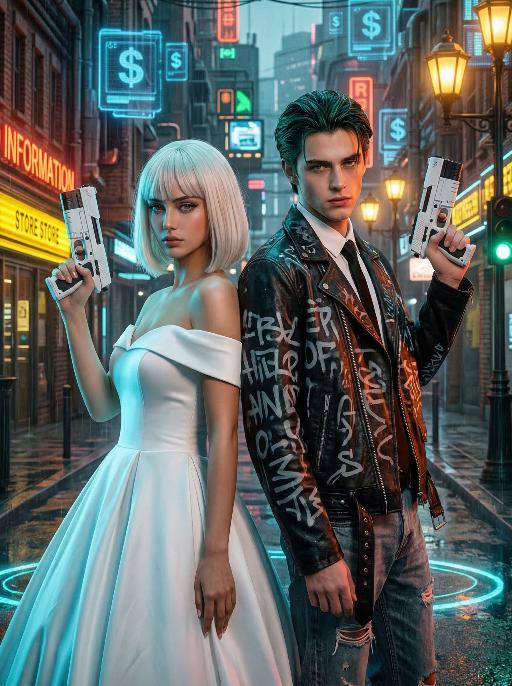
High-end photorealistic cyberpunk-style portrait, strictly preserving the original facial features, gender, and age of the two individuals: The woman has short platinum-blonde hair with blunt bangs, delicate makeup, and a cold, sharp gaze; the man has dark greenish-black slicked-back hair, sharp facial features, and a stern expression. They stand back-to-back, each holding a futuristic white sci-fi firearm raised in their hands, looking directly at the camera with a cool, slightly detached demeanor. The woman wears a white off-the-shoulder ball gown wedding dress, elegant and minimalist, creating a stark contrast with the cyberpunk style. The man dons a black vintage riveted leather jacket printed with graffiti letters, layered over a white shirt and black tie, paired with vintage ripped jeans for a strong streetwear vibe. Background: A rainy neon-lit cyberpunk city street blending retro and futuristic elements: old brick buildings, glowing neon signs (red "RED INFORMATION", yellow reflective store signs, green traffic lights), floating blue holographic projections (dollar sign UI elements) in the air, warm yellow vintage street lamps interwoven with cool-toned electronic lights, and wet ground reflecting neon halos. Dense pipelines, electronic screens, and retro architectural details create a dystopian urban atmosphere. Lighting: High-contrast neon cyberpunk lighting, dominated by cyan-blue, orange-red, and warm yellow tones: cool side lighting outlines the figures, warm neon lights illuminate their faces, the ambient light is filled with grain and halos to simulate the diffuse reflection of humid rainy air, and strong light-dark contrast emphasizes the layering between the characters and the neon background. 8K ultra-realistic, cinematic quality, cyberpunk aesthetic, shot with a Sony A7R V camera paired with an 85mm f/1.4 lens, shallow depth of field, ultra-clear details of skin, hair, and clothing textures, with subtle film grain, no watermarks, no text, and no logos.

Load more

Next-Gen Multi-Model AI Video Architecture

Vivago AI isn't just one engine—it’s a unified hub for the world’s most advanced video AI. Whether you need cinematic realism or high-speed social content, we provide the right model for your creative vision.

Free Generate

Beauty and Dolphins

Vacation Time

Stellar Tear

Fish Tank Supervisor

Cinematic Quality & Precision Control

Enables 4K resolution with multi-lens motion control, generating delicate scene via text prompts for customized cinematography.​

TRY NOW

Dynamic AV Sync

Auto-generates original audio to avoid copyright issues. Build 3D immersive environments through layered sound design automatically.

TRY NOW

OpenAI Sora 2

​Advanced visual storytelling with unparalleled physics and consistency.

TRY NOW

Kling v2.6 Pro

Industry-leading cinematic image animation and motion control.

TRY NOW

Google Veo 3 & 3.1

Ultra-fast generation with enhanced realism for creative workflows.

TRY NOW

Vivago AI 2.0

Our proprietary model optimized for efficiency, speed, and cost-effective generation.

TRY NOW

Users' Voice

We listen carefully to the opinions of every user.
Free Generate
Contact Us
I tried the Lip Sync feature inside Vivago.ai’s AI Video Generator for my educational podcast, and the results were stunning! The avatar's lip movements perfectly matched my audio recording, creating a professional AI-generated video without complex editing. Compared with tools like OpenAI Sora 2 and Google Veo 3.1, Vivago Image-to-Video delivers fast, studio-quality results online. It saved me hours of post-production work.
ElenaM (Spain)
Vivago’s Image-to-Video AI transformed my marketing workflow. I uploaded a product image and described the launch scene in text, and it generated a 10-second cinematic AI video with background music and dynamic visuals. The output quality rivals Kling v2.6 Pro and Google Veo 3 Fast. It’s now my go-to AI video generator for social media ads and product campaigns.
KenjiT (Japan)
As a digital artist, I use Vivago.ai 2.0 daily for Image-to-Image and AI Image-to-Video creation. The e-book covers and animated visuals I generate for clients look cinematic and professional. Unlike many standalone AI tools, Vivago integrates multiple leading models into one platform, making it easier to create copyright-safe AI images and videos for publishing.
ChenL (China)
I tried the Lip Sync feature inside Vivago.ai’s AI Video Generator for my educational podcast, and the results were stunning! The avatar's lip movements perfectly matched my audio recording, creating a professional AI-generated video without complex editing. Compared with tools like OpenAI Sora 2 and Google Veo 3.1, Vivago Image-to-Video delivers fast, studio-quality results online. It saved me hours of post-production work.
ElenaM (Spain)
Vivago’s Image-to-Video AI transformed my marketing workflow. I uploaded a product image and described the launch scene in text, and it generated a 10-second cinematic AI video with background music and dynamic visuals. The output quality rivals Kling v2.6 Pro and Google Veo 3 Fast. It’s now my go-to AI video generator for social media ads and product campaigns.
KenjiT (Japan)
As a digital artist, I use Vivago.ai 2.0 daily for Image-to-Image and AI Image-to-Video creation. The e-book covers and animated visuals I generate for clients look cinematic and professional. Unlike many standalone AI tools, Vivago integrates multiple leading models into one platform, making it easier to create copyright-safe AI images and videos for publishing.
ChenL (China)
I absolutely love Vivago’s AI Image-to-Video Generator. As a travel blogger, static images often fail to capture real atmosphere, but Vivago helps me turn photos into vivid cinematic AI videos with motion effects. It feels comparable to OpenAI Sora 2 and Google Veo 3.1, but more accessible and faster for creators who need high-quality AI videos online.
LiamK (Australia)
I tried the Lip Sync feature inside Vivago.ai’s AI Video Generator for my educational podcast, and the results were stunning! The avatar's lip movements perfectly matched my audio recording, creating a professional AI-generated video without complex editing. Compared with tools like OpenAI Sora 2 and Google Veo 3.1, Vivago Image-to-Video delivers fast, studio-quality results online. It saved me hours of post-production work.
ElenaM (Spain)
Vivago’s Image-to-Video AI transformed my marketing workflow. I uploaded a product image and described the launch scene in text, and it generated a 10-second cinematic AI video with background music and dynamic visuals. The output quality rivals Kling v2.6 Pro and Google Veo 3 Fast. It’s now my go-to AI video generator for social media ads and product campaigns.
KenjiT (Japan)
As a digital artist, I use Vivago.ai 2.0 daily for Image-to-Image and AI Image-to-Video creation. The e-book covers and animated visuals I generate for clients look cinematic and professional. Unlike many standalone AI tools, Vivago integrates multiple leading models into one platform, making it easier to create copyright-safe AI images and videos for publishing.
ChenL (China)
I absolutely love Vivago’s AI Image-to-Video Generator. As a travel blogger, static images often fail to capture real atmosphere, but Vivago helps me turn photos into vivid cinematic AI videos with motion effects. It feels comparable to OpenAI Sora 2 and Google Veo 3.1, but more accessible and faster for creators who need high-quality AI videos online.
LiamK (Australia)
Using Vivago.ai’s Image-to-Video AI has greatly enhanced my classroom teaching. I transform textbook notes into historical AI videos with cinematic filters and dynamic animations. Compared with tools like Kling v2.6 Pro and Google Veo 3 Fast, Vivago offers faster generation and easier parameter control for educators who need reliable AI video creation.
RajivG (India)
I frequently create AI videos on Vivago and publish them on TikTok and YouTube Shorts. The AI video templates and trending content ideas help me produce viral-ready clips quickly. With Vivago’s integrated models—including advanced video engines similar to OpenAI Sora 2—I can generate anime-style and cinematic social media videos that drive high engagement.
MarieJ (Spain)
What attracts me most about Vivago.ai is not only the powerful AI Video Generator but also the active AIGC creator community. It combines AI Image-to-Video, Text-to-Video, and leading model integrations like Google Veo 3.1 into one creative platform.
TomW (India)
At first, I was hesitant about using AI video tools. But after trying Vivago Image-to-Video, I realized how easy it is to create professional AI-generated videos online. I just upload an image, add a short prompt, and adjust a few settings. The results are cinematic and copyright-safe, which is essential for commercial projects.
HectorC (Mexico)
Using Vivago.ai’s Image-to-Video AI has greatly enhanced my classroom teaching. I transform textbook notes into historical AI videos with cinematic filters and dynamic animations. Compared with tools like Kling v2.6 Pro and Google Veo 3 Fast, Vivago offers faster generation and easier parameter control for educators who need reliable AI video creation.
RajivG (India)
I frequently create AI videos on Vivago and publish them on TikTok and YouTube Shorts. The AI video templates and trending content ideas help me produce viral-ready clips quickly. With Vivago’s integrated models—including advanced video engines similar to OpenAI Sora 2—I can generate anime-style and cinematic social media videos that drive high engagement.
MarieJ (Spain)
What attracts me most about Vivago.ai is not only the powerful AI Video Generator but also the active AIGC creator community. It combines AI Image-to-Video, Text-to-Video, and leading model integrations like Google Veo 3.1 into one creative platform.
TomW (India)
At first, I was hesitant about using AI video tools. But after trying Vivago Image-to-Video, I realized how easy it is to create professional AI-generated videos online. I just upload an image, add a short prompt, and adjust a few settings. The results are cinematic and copyright-safe, which is essential for commercial projects.
HectorC (Mexico)