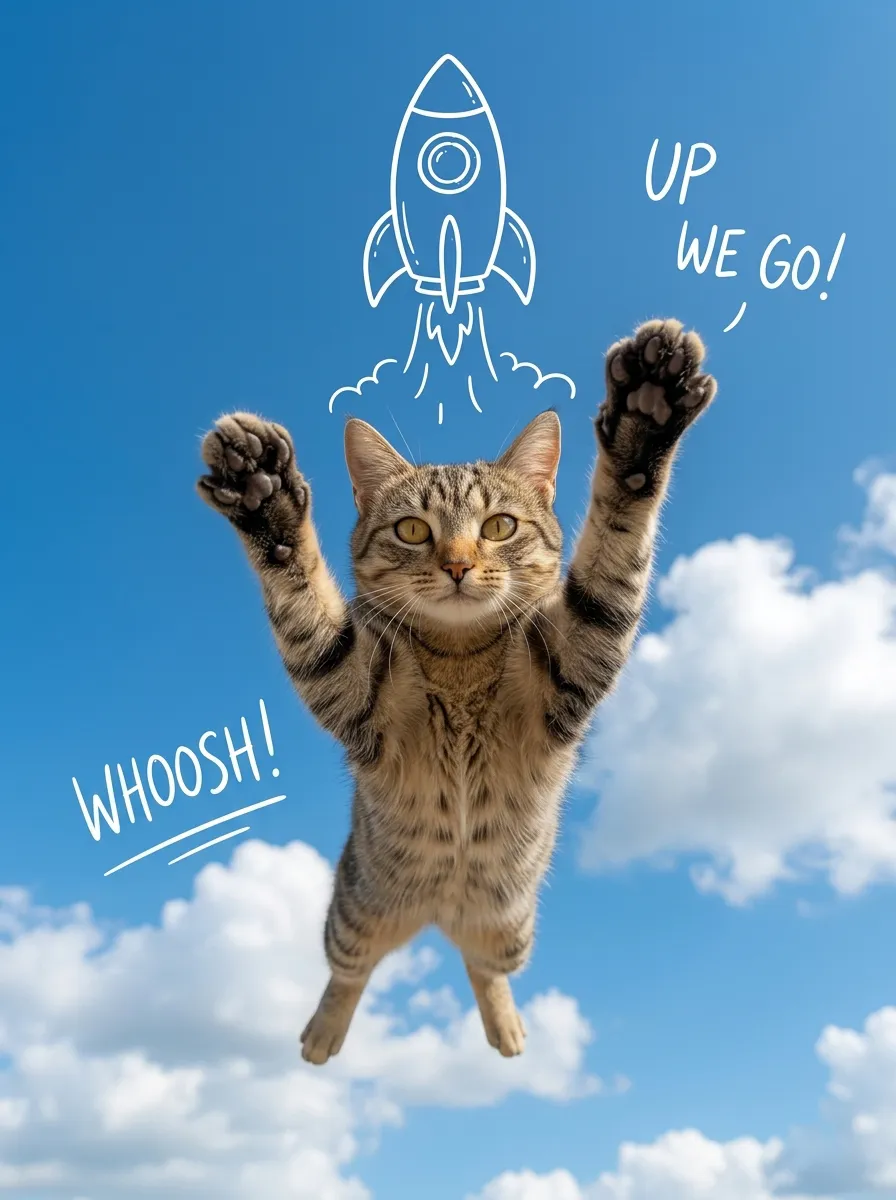
Sky Rocket

A realistic, high-quality mixed-media photograph. The central image is a photorealistic subject [Note: Placeholder for image reference subject and pose extraction] suspended in mid-air and looking directly at the camera. The pose is a joyfully lifted, fully extended pose with both arms or paws stretched upwards. The background is a vibrant, clear bright blue sky filled with soft white cumulus clouds. Directly above the central subject is a stable, clean, hand-drawn white line art doodle of a whimsical cartoon rocket ship, with simplified white smoke lines trailing downwards towards the subject. Minimalist, hand-drawn English script text doodles in white are present: text read 'UP WE GO!' (positioned to the top-right of the subject), and text reads 'WHOOSH!' (positioned to the left of the subject). Bright, even natural daylight. The overall composition is clean, optimistic, centered, and has a whimsical 'photo with doodles' mixed-media effect.

Use Template
arrow
Sky Rocket

More From VIVAGO AI

Ball Babe

Strictly maintain the same object, same species, same face and original appearance features in the reference picture completely unchanged, the clothes in the reference picture must also remain unchanged; if it is an animal, adopt an anthropomorphic upright standing posture, must wear cute clothes, no exposed private parts, but still must be recognized at a glance as the same object in the reference picture. Hyper-realistic photography, 8K HD, extreme details, natural light and shadow, cinematic feel, slightly low-angle upward shot (to appear taller), portrait composition, outdoor daytime open-air football stadium, Brazilian-style cheerleader, face facing screen center, fair skin, cute bun hairstyle, standing dancing, full-body shot, outfit: Brazilian-themed white halter-neck cropped sports top, white high-waisted pleated mini skirt, Brazilian flag wrapped around the waist, white knee-high socks and white sneakers, ground scattered with a little colorful streamer decoration, pure stadium, no national flags/national emblems/badges/logos/brand signs/text/watermarks/medal patterns/political symbols and sensitive logos, blurred background

Happy 2026 AI effects generated image

Happy 2026

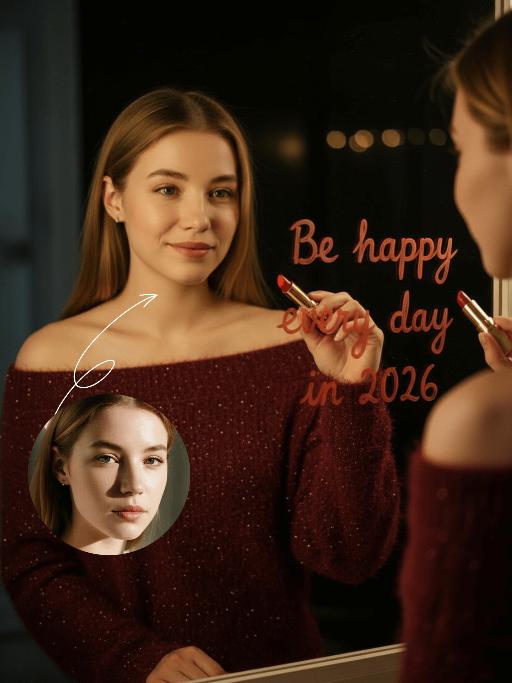
"Subject & Posture: The figure from the uploaded image (unchanged facial features, age and gender) gazes at a mirror with a gentle smile, holding a lipstick to write on the mirror surface. The left hand grips a red lipstick with a gold case, writing on the mirror with it; the figure strikes a relaxed off-the-shoulder pose. Attire & Accessories: A burgundy off-the-shoulder fuzzy sweater with fine glitter texture; a red lipstick with a gold case held in hand. Composition & Perspective: Mirror reflection composition, medium close-up shot with the subject centered; shot with a 35mm lens and shallow depth of field (blurred background), the mirror shows partial reflections of the hand and lipstick. Lighting & Color Scheme: Dark, low-key background, with soft key light illuminating the face and clothing, plus tiny bokeh light spots; main color tones: burgundy, black and warm orange-red, creating a warm atmosphere with soft color contrast. Background & Details: In the bottom right corner of the background, the artistic handwritten phrase Be happy every day in 2026 in bold orange-red lipstick lettering; ultra-realistic texture with natural skin grain, and clear fuzzy & fine glitter fabric details of the garment. Natural skin retouching with well-preserved realistic light and shadow transitions, a Fuji film filter effect, and a warm, cozy ambiance enhanced by soft room lighting in the background. The figure’s reflection in the mirror is physically accurate and consistent with the figure outside the mirror."

Baby Mode

Strictly preserve all facial features, facial contours, gender, and hair color from the user's uploaded photo. Transform the person into a cute 1-2 year old toddler baby with chubby cheeks and a gentle, toothless smile, with a soft, baby-appropriate hairstyle. The baby is wearing a soft cream-colored ribbed baby onesie, sitting cross-legged in a white crib. In their hands, they hold a baby milk bottle. Add a plush sun-shaped bed bell with a "CUTIE BABY" inscription hanging above the crib, along with cute plush animal toys (elephants, bears) and colorful fluffy cloud-shaped decorations around the bell. A pink plush rabbit toy and a beige plush lamb toy are placed on both sides of the crib, with colorful wooden building blocks scattered around. The scene features soft, warm natural lighting, a clean, minimalist background, high definition, sharp details, and a fixed pose and scene.

Belly dance

The facial features of the uploaded figure remain unchanged, with natural skin retouching on the figure’s complexion and an exquisite facial makeup. The figure is dressed in a stunning navy blue off-the-shoulder deep V belly dance costume, which is densely inlaid with sparkling blue gemstones (each gemstone reflects light, showcasing a bright, dazzling radiance and smooth texture) and diamonds. The multi-layered ruffled high-slit skirt features intricate details of crystal waterfalls and dangling gemstone embellishments.The scene is set in a magnificent and gorgeous golden palace ballroom (with blurred dining tables and crystal chandeliers hanging in the background). Cinematic warm golden lighting focuses on the crystal decorations of the costume, highlighting their shimmering luster and the bright sparkles on the fabric.Quality: 8K ultra-high resolution, clear textures of crystals and the costume, vivid and saturated colors, no blurriness.Shot Type: Medium Shot Portrait, framing the figure from the top of the head to the thighs, fully displaying the upper body and part of the lower body; Framing Distance: the figure is at a medium distance from the camera, with neither a close-up of facial details nor a full panoramic view of the entire body.

Telephone Ring AI effects generated image

Telephone Ring

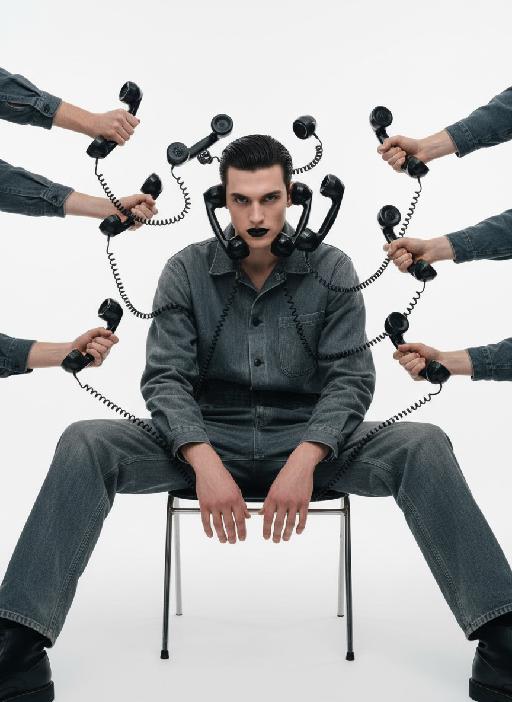
"Shooting perspective and focal length: Frontal level view, using a medium telephoto lens (approximately 50mm), with an appropriate focal length, medium close-up shot, able to clearly present the upper body and hand details of the characters, and the picture has no obvious distortion. Equipment: Professional studio camera (such as Canon 5D series or Sony A7 series), combined with a studio lighting system. Character pose: The character is in a sitting position, with legs apart and knees bent, the upper body leaning forward and the head close to the camera; multiple arms extend from all around the frame, each hand holding an old-fashioned black wired telephone, multiple receivers randomly surround the character's head, creating a visual effect of being surrounded. Character expression: Eyes gaze at the camera, the gaze is slightly distant and cold, the facial expression is calm and undisturbed, conveying a restrained emotional tension. Lighting: Use studio hard light, the main light source comes from the front, supplemented by side lighting, forming a clear contrast of light and shade, highlighting the fabric texture and facial contours, the background is pure white, clean and without any color impurities. Style: Pioneer fashion photography, integrating surrealism and minimalism, creating an absurd yet highly tense atmosphere through strong visual impact. Clothing: A set of gray-blue distressed texture workwear, the fabric has fine textures, the fit is loose and firm, the lapel design combines toughness and retro charm. Hair style: Black short hair, using hair gel to comb backward, revealing a full forehead, the style is clean and neat with a sense of lines. Makeup: Matte texture pure black lipstick as the visual focus, the facial base makeup is even and transparent, only highlighting the lip color, the overall makeup is avant-garde and has a distinctive characteristic."

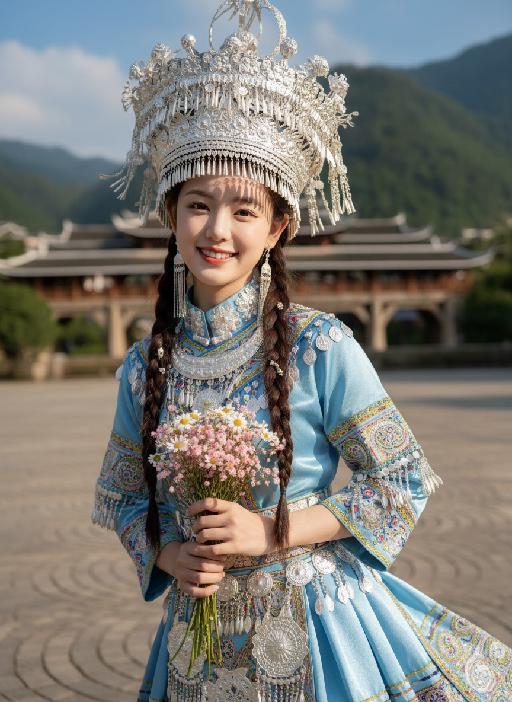
Flower AI effects generated image

Flower

Strictly lock facial features: fully preserving the original facial contours, skin texture, eye shape, lip shape, and youthful appearance with zero deviations allowed. Eye-level perspective, close-up half-body portrait (subject occupies 80% of the frame), a young and sweet East Asian woman with a bright, healing smile showing teeth, eyes bright and gentle; double braid hairstyle with small silver ornaments in the hair; wearing an extremely ornate and intricate Miao silver large-horned headdress with dangling silver tassels swaying subtly; accessorized with multi-layered Miao silver collars and long silver earrings. Natural dynamic pose: Body gently tilted forward, arms positioned naturally: one hand gently holds a small bouquet of fresh flowers (a mix of light pink baby's breath and white daisies), fingers loosely wrapping around the flower stems, the bouquet naturally tilting downward toward the camera, petals slightly fluttering; the other hand rests lightly at her waist for an organic, relaxed feel, shoulders slightly relaxed, no stiff movements. The upper portion of the light blue satin Miao traditional costume’s skirt flows subtly, with the decorative silver trim and embroidery fluttering gently in the breeze—focusing on upper-body movement only. The top has wide sleeves, with large areas of silver embroidery, colorful small bead decorations, and gold trim on the cuffs, neckline, chest, and waistband, catching soft highlights with the gentle movement. Soft natural sunlight shines from the upper left side of the frame, casting warm, translucent highlights on the Miao silver ornaments, flower petals, hair strands, and satin fabric; natural soft shadows form on the neck, collarbone, and the edge of the costume, enhancing the three-dimensional sense of the figure while maintaining the fresh and transparent tone. Background (subtly blurred to emphasize the subject): The stone slab square of Xijiang Qianhu Miao Village in Guizhou (partial concentric circle patterns visible), with a blurred wooden wind-rain bridge and lush green mountains in the distance, under a fresh blue sky with clouds; overall high-definition portrait photography, soft diffused natural light blended with warm sunlight, colors are fresh and transparent, mainly in light blue, silver white, and natural green tones, strictly 1:1 replicate the original image's facial features and clothing details while emphasizing the subject's dominance in the frame

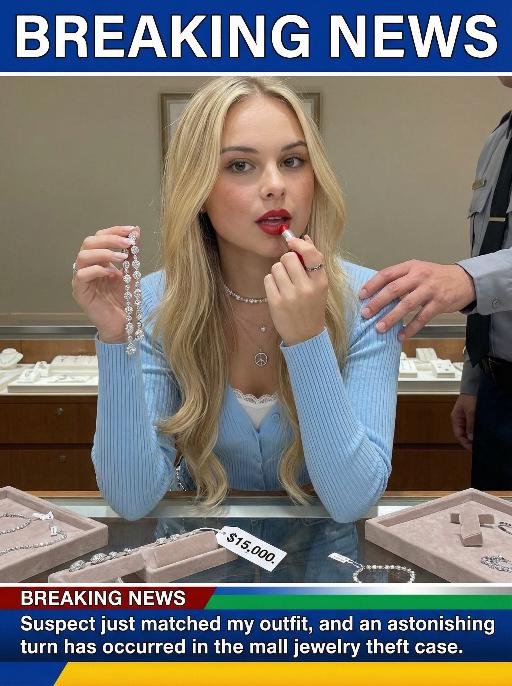
Jewelry Theft AI effects generated image

Jewelry Theft

An interesting breaking news photo has been released. In the picture, the person depicted (with their facial features, gender and age remaining unchanged) is caught in the act of stealing when she is captured on camera. One hand is holding a string of diamond earrings, and the other hand is holding a lipstick, as if nothing has happened as she is applying it to her lips. The main figure occupies 80% of the overall picture. The jewelry counter is in a mess, with velvet jewelry pads scattered around, and a fallen price tag that reads "$15,000". Outside the frame, a security guard's hand is reaching towards her shoulder. Above the picture, there is a prominent large headline text (blue background with white characters): BREAKING NEWS;Below the picture, there is a news text (in red, blue and black color combination): Suspect just matched my outfit and an astonishing turn has occurred in the mall jewelry theft case.

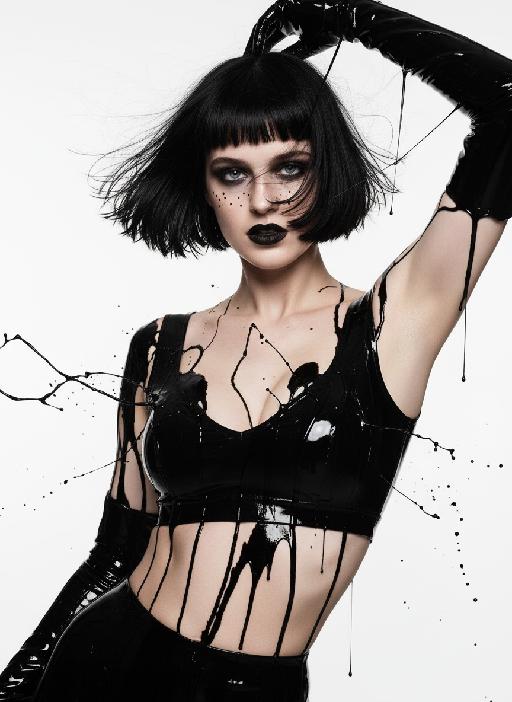
Black Paint AI effects generated image

Black Paint

Medium close-up shot: The image of a modern model (with unchanged facial features, gender, and age) presented in the picture, whose black straight bangs and short hair are fluttering in the wind; the dark smoky makeup is paired with matte black lips, with fine black spots点缀 around the eyes, sharp and aggressive eyes, and a slightly raised嘴角 revealing a rebellious expression; wearing a shiny black strapless latex tight-fitting dress (exposing the cleavage, sexy), paired with the same material long gloves, the entire body is covered with thick liquid black paint, the paint is in a dynamic state of splashing and bursting; the body is in a highly tense pose, with a large backward tilt, one arm stretched upwards, and the other hand grasping the hair; using a dramatic side backlighting + top lighting hard light combination, creating a strong contrast of light and dark between the body and the background, a pure white minimalist background, in the style of a fashion magazine photo, high definition, fine skin texture and liquid viscous texture, visual impact is at its peak, fashionable avant-garde photography art

Load more

Next-Gen Multi-Model AI Video Architecture

Vivago AI isn't just one engine—it’s a unified hub for the world’s most advanced video AI. Whether you need cinematic realism or high-speed social content, we provide the right model for your creative vision.

Free Generate

Beauty and Dolphins

Vacation Time

Stellar Tear

Fish Tank Supervisor

Cinematic Quality & Precision Control

Enables 4K resolution with multi-lens motion control, generating delicate scene via text prompts for customized cinematography.​

TRY NOW

Dynamic AV Sync

Auto-generates original audio to avoid copyright issues. Build 3D immersive environments through layered sound design automatically.

TRY NOW

OpenAI Sora 2

​Advanced visual storytelling with unparalleled physics and consistency.

TRY NOW

Kling v2.6 Pro

Industry-leading cinematic image animation and motion control.

TRY NOW

Google Veo 3 & 3.1

Ultra-fast generation with enhanced realism for creative workflows.

TRY NOW

Vivago AI 2.0

Our proprietary model optimized for efficiency, speed, and cost-effective generation.

TRY NOW

Users' Voice

We listen carefully to the opinions of every user.
Free Generate
Contact Us
I tried the Lip Sync feature inside Vivago.ai’s AI Video Generator for my educational podcast, and the results were stunning! The avatar's lip movements perfectly matched my audio recording, creating a professional AI-generated video without complex editing. Compared with tools like OpenAI Sora 2 and Google Veo 3.1, Vivago Image-to-Video delivers fast, studio-quality results online. It saved me hours of post-production work.
ElenaM (Spain)
Vivago’s Image-to-Video AI transformed my marketing workflow. I uploaded a product image and described the launch scene in text, and it generated a 10-second cinematic AI video with background music and dynamic visuals. The output quality rivals Kling v2.6 Pro and Google Veo 3 Fast. It’s now my go-to AI video generator for social media ads and product campaigns.
KenjiT (Japan)
As a digital artist, I use Vivago.ai 2.0 daily for Image-to-Image and AI Image-to-Video creation. The e-book covers and animated visuals I generate for clients look cinematic and professional. Unlike many standalone AI tools, Vivago integrates multiple leading models into one platform, making it easier to create copyright-safe AI images and videos for publishing.
ChenL (China)
I tried the Lip Sync feature inside Vivago.ai’s AI Video Generator for my educational podcast, and the results were stunning! The avatar's lip movements perfectly matched my audio recording, creating a professional AI-generated video without complex editing. Compared with tools like OpenAI Sora 2 and Google Veo 3.1, Vivago Image-to-Video delivers fast, studio-quality results online. It saved me hours of post-production work.
ElenaM (Spain)
Vivago’s Image-to-Video AI transformed my marketing workflow. I uploaded a product image and described the launch scene in text, and it generated a 10-second cinematic AI video with background music and dynamic visuals. The output quality rivals Kling v2.6 Pro and Google Veo 3 Fast. It’s now my go-to AI video generator for social media ads and product campaigns.
KenjiT (Japan)
As a digital artist, I use Vivago.ai 2.0 daily for Image-to-Image and AI Image-to-Video creation. The e-book covers and animated visuals I generate for clients look cinematic and professional. Unlike many standalone AI tools, Vivago integrates multiple leading models into one platform, making it easier to create copyright-safe AI images and videos for publishing.
ChenL (China)
I absolutely love Vivago’s AI Image-to-Video Generator. As a travel blogger, static images often fail to capture real atmosphere, but Vivago helps me turn photos into vivid cinematic AI videos with motion effects. It feels comparable to OpenAI Sora 2 and Google Veo 3.1, but more accessible and faster for creators who need high-quality AI videos online.
LiamK (Australia)
I tried the Lip Sync feature inside Vivago.ai’s AI Video Generator for my educational podcast, and the results were stunning! The avatar's lip movements perfectly matched my audio recording, creating a professional AI-generated video without complex editing. Compared with tools like OpenAI Sora 2 and Google Veo 3.1, Vivago Image-to-Video delivers fast, studio-quality results online. It saved me hours of post-production work.
ElenaM (Spain)
Vivago’s Image-to-Video AI transformed my marketing workflow. I uploaded a product image and described the launch scene in text, and it generated a 10-second cinematic AI video with background music and dynamic visuals. The output quality rivals Kling v2.6 Pro and Google Veo 3 Fast. It’s now my go-to AI video generator for social media ads and product campaigns.
KenjiT (Japan)
As a digital artist, I use Vivago.ai 2.0 daily for Image-to-Image and AI Image-to-Video creation. The e-book covers and animated visuals I generate for clients look cinematic and professional. Unlike many standalone AI tools, Vivago integrates multiple leading models into one platform, making it easier to create copyright-safe AI images and videos for publishing.
ChenL (China)
I absolutely love Vivago’s AI Image-to-Video Generator. As a travel blogger, static images often fail to capture real atmosphere, but Vivago helps me turn photos into vivid cinematic AI videos with motion effects. It feels comparable to OpenAI Sora 2 and Google Veo 3.1, but more accessible and faster for creators who need high-quality AI videos online.
LiamK (Australia)
Using Vivago.ai’s Image-to-Video AI has greatly enhanced my classroom teaching. I transform textbook notes into historical AI videos with cinematic filters and dynamic animations. Compared with tools like Kling v2.6 Pro and Google Veo 3 Fast, Vivago offers faster generation and easier parameter control for educators who need reliable AI video creation.
RajivG (India)
I frequently create AI videos on Vivago and publish them on TikTok and YouTube Shorts. The AI video templates and trending content ideas help me produce viral-ready clips quickly. With Vivago’s integrated models—including advanced video engines similar to OpenAI Sora 2—I can generate anime-style and cinematic social media videos that drive high engagement.
MarieJ (Spain)
What attracts me most about Vivago.ai is not only the powerful AI Video Generator but also the active AIGC creator community. It combines AI Image-to-Video, Text-to-Video, and leading model integrations like Google Veo 3.1 into one creative platform.
TomW (India)
At first, I was hesitant about using AI video tools. But after trying Vivago Image-to-Video, I realized how easy it is to create professional AI-generated videos online. I just upload an image, add a short prompt, and adjust a few settings. The results are cinematic and copyright-safe, which is essential for commercial projects.
HectorC (Mexico)
Using Vivago.ai’s Image-to-Video AI has greatly enhanced my classroom teaching. I transform textbook notes into historical AI videos with cinematic filters and dynamic animations. Compared with tools like Kling v2.6 Pro and Google Veo 3 Fast, Vivago offers faster generation and easier parameter control for educators who need reliable AI video creation.
RajivG (India)
I frequently create AI videos on Vivago and publish them on TikTok and YouTube Shorts. The AI video templates and trending content ideas help me produce viral-ready clips quickly. With Vivago’s integrated models—including advanced video engines similar to OpenAI Sora 2—I can generate anime-style and cinematic social media videos that drive high engagement.
MarieJ (Spain)
What attracts me most about Vivago.ai is not only the powerful AI Video Generator but also the active AIGC creator community. It combines AI Image-to-Video, Text-to-Video, and leading model integrations like Google Veo 3.1 into one creative platform.
TomW (India)
At first, I was hesitant about using AI video tools. But after trying Vivago Image-to-Video, I realized how easy it is to create professional AI-generated videos online. I just upload an image, add a short prompt, and adjust a few settings. The results are cinematic and copyright-safe, which is essential for commercial projects.
HectorC (Mexico)