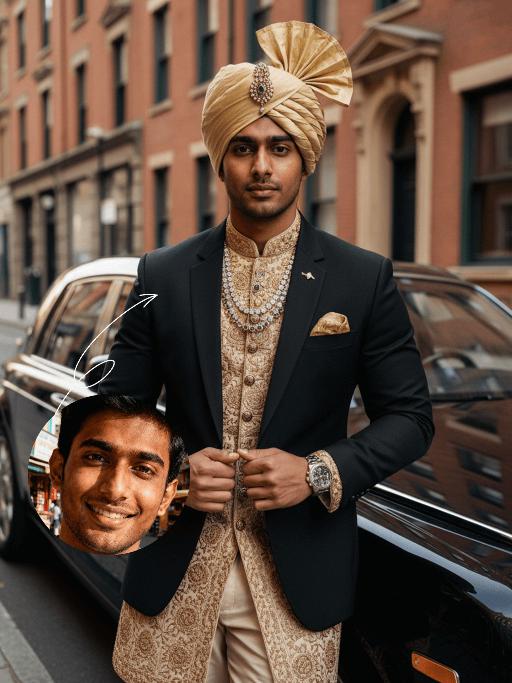
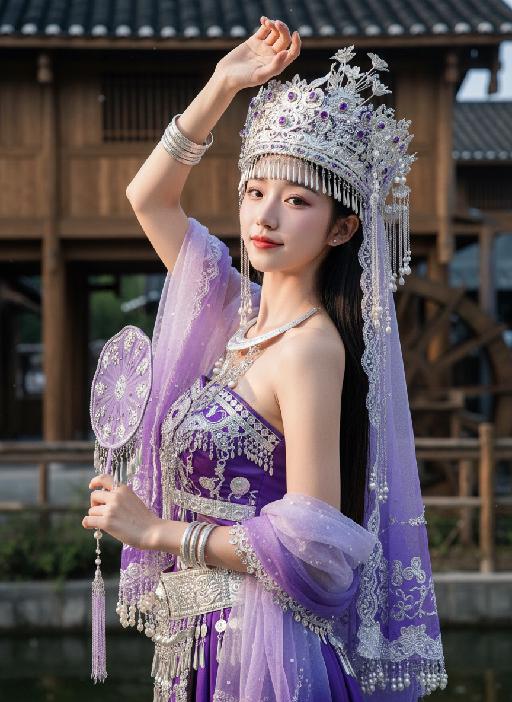
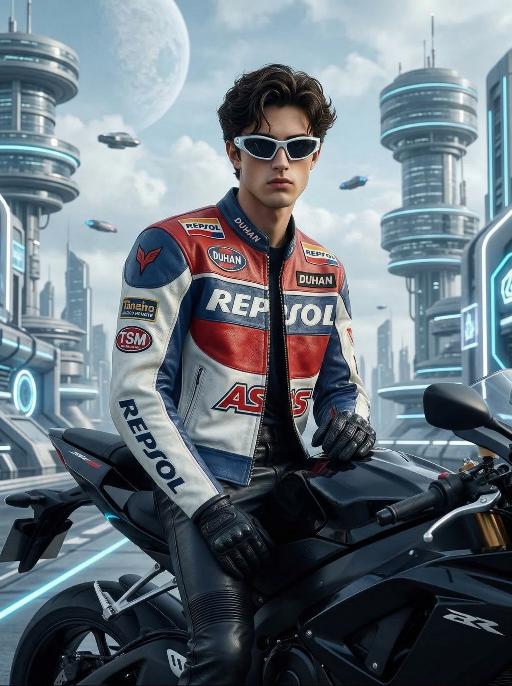
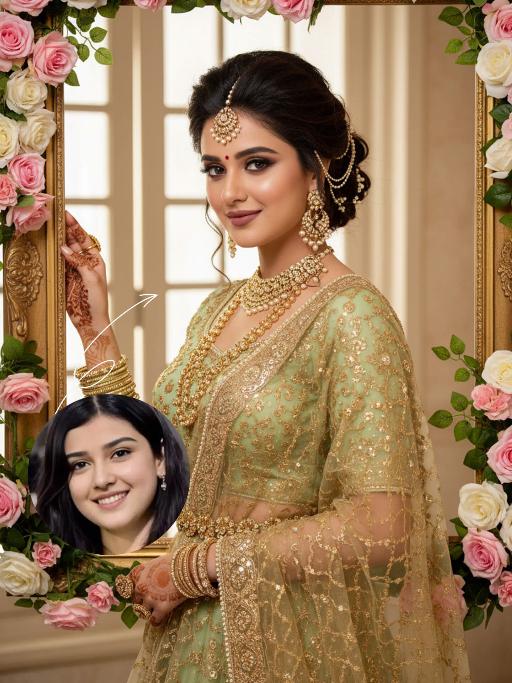
Noble

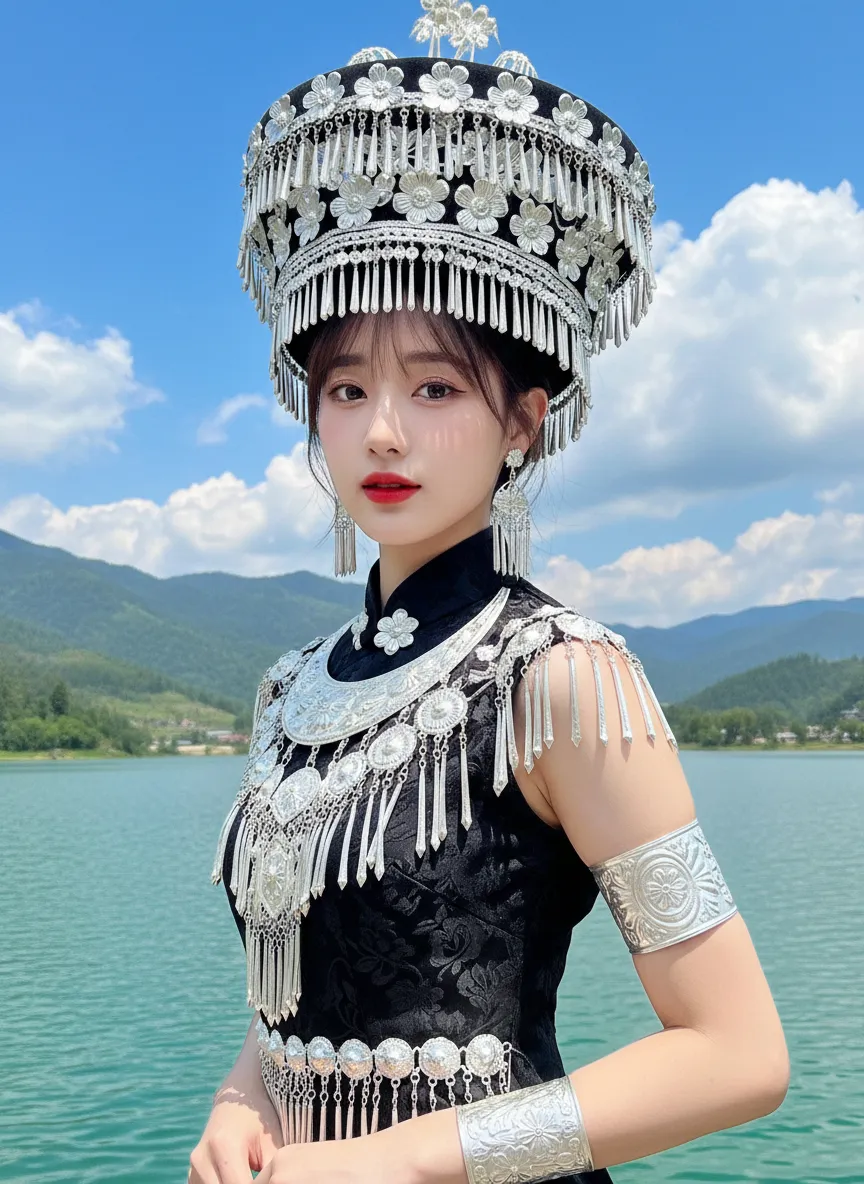
Strictly lock facial features: fully preserving the original facial contours, skin texture, eye shape, lip shape, and youthful appearance with zero deviations allowed. Exact replication of the original image's doll-like glossy makeup: smooth porcelain-like skin with a dewy finish, soft pink blush on the cheeks, defined eyeliner paired with shimmery eye shadow, and bright red glossy lips with a plump, juicy appearance. Eye-level perspective, half-body close-up (subject occupies 70% of the frame), a young and sweet East Asian woman in a **slim, graceful S-curve posture**: body remains in a sideways stance, but her face is fully front-facing the camera, shoulders slightly relaxed, waist subtly twisted to emphasize a slender, feminine silhouette, hands naturally resting behind her back to enhance the elegant posture. Her bangs and medium-length hair are partially covered by the headdress, with a few soft strands framing her face. Wearing: - Core headdress: Black hollowed-out conical hat-style Miao silver headdress, fully decorated with silver flowers and dangling silver tassels on the top and edge, with strong metallic highlights and transparent luster - Accessories: Multi-layered Miao silver collar, exaggerated silver drop earrings, wide carved silver armband on the right forearm - Clothing: Black jacquard sleeveless cheongsam-style top, stand-up collar design, with large areas of silver tassels, embroidery, and bead decorations on the left side (right side of the subject's body), with clear reflections on the silver ornaments Background: Highly saturated azure blue sky (dotted with fluffy white clouds), distant lush green rolling mountains, and turquoise lake water (with fine ripples on the surface); overall bright outdoor natural light, abundant sunlight, silver ornaments showing sharp highlights and metallic luster, the picture has a clean and transparent tone, dominated by highly saturated blue, green, black, and silver, with a slight dreamy soft focus effect, strictly 1:1 replicate the original image's clothing details, background, and light and shadow tones while implementing the adjusted posture and makeup.

Use Template
arrow
Noble

More From VIVAGO AI

Queen of Gold AI effects generated image

Queen of Gold

The character in the uploaded picture (unchanged facial features, gender and age). A striking young woman embodying the persona of an ancient Egyptian queen, captured in a hyper-realistic, cinematic portrait. She has voluminous dark curly hair flowing in the wind, a captivating gaze, and a regal, confident expression. She wears an opulent, intricately carved golden crop top with hieroglyphic engravings, paired with a matching golden skirt featuring detailed Egyptian motifs. Layered, flowing off-white fabric drapes over her shoulders, adding movement and elegance. Her accessories are lavish: multiple layered golden necklaces with ornate pendants, large golden earrings, and thick golden bracelets on her wrists. She walks forward with a confident stride, radiating power and grace, as if leading a procession. The setting is the grand courtyard of an ancient Egyptian palace or temple, with massive stone columns and sun-drenched stone floors. Blurred figures of attendants in similar golden attire follow in the background, creating a sense of scale and majesty. The warm, golden light of the setting sun bathes the scene, casting a majestic glow over the entire environment. The image is rendered in a hyper-realistic, epic historical drama style, with dramatic, cinematic lighting that highlights the intricate details of the golden regalia, the texture of the fabric, and the weathered stone of the palace. The color palette is rich and opulent, featuring deep golds, warm earth tones, and the soft off-white of the draped fabric, creating a timeless, majestic, and awe-inspiring atmosphere. The overall aesthetic is detailed, lifelike, and reminiscent of a scene from a grand historical epic film or a high-fashion editorial photoshoot set in ancient Egypt

Colorful Baby

"Create an AI-generated image based on the provided reference image. The subject's appearance (facial features, hairstyle, clothing, and overall temperament) should remain unchanged, as provided by the user, and the background must stay identical to the one in the reference image without modification. The posture of the subject should closely resemble the gesture in reference image 2, with the following detailed description: both hands are fully open, raised to shoulder height, with the palms facing forward and fingers spread out towards the screen. The left hand is slightly raised, with fingers slightly curled, while the palm remains open. A small amount of yellow paint is applied, evenly spread across the palm and part of the fingertips. The right hand is positioned similarly to the left, slightly more parallel to the body, with less finger curvature, and the palm faces the screen. A small amount of red paint is applied, evenly spread across the palm and fingertips. The paint on both hands should be evenly applied and natural, without excess, maintaining a relaxed and natural gesture. The background should match the environment from the reference image. The resulting image should have a higher resolution and finer textures, ensuring the paint on the hands looks natural and not overdone, while maintaining an artistic and relaxed style."

Vijayadashami AI effects generated image

Vijayadashami

The identity of the uploaded portrait is strictly preserved (retaining facial contours, authentic Indian skin tone, hairstyle and age). This is a bust portrait that captures the original natural features of the Indian woman in the reference image: she has a delicate and radiant face with a vermilion red bindi on her forehead, her jet-black long hair styled into a traditional high bun, and adorns herself with a golden crown-shaped hair ornament, as well as exquisite gold earrings and a necklace. She is dressed in a magnificent traditional Garba dance costume: the blouse is a cropped fitted top with contrasting peacock blue and bright red embroidery, fully embellished with golden patterns; the skirt is an ultra-flared multi-layered long dress featuring highly saturated hues of bright yellow, orange-red, emerald green and sapphire blue, covered in elaborate embroidery and sequins, with the hem billowing dramatically as she dances. A red sari belt cinches her waist, and she holds a rainbow-colored embroidered square scarf in each hand. Frozen in the climax of the dance, her body stretches and spins widely—one hand lifts a scarf high, the other extends outward, and the skirt fans out in a perfect circle. She wears a brilliant smile, her eyes bright and brimming with vitality, and her posture exudes both power and rhythmic grace. The scene is a nighttime celebration for Navratri/Dussehra, set against traditional Indian architecture adorned with dazzling fairy lights and flower arches. Around her are dancers and audiences in traditional attire, with musicians playing Tabla, Tambura and other classical Indian instruments, creating an exuberant and joyful atmosphere. Warm yellow festive lights stream down from above and the sides, casting a soft halo around her figure. The sequins and embroidery on her costume shimmer brilliantly in the light, and the motion blur of the colorful skirt hem amplifies the vitality and ambiance of the frame. Boasting 8K ultra-high definition resolution and commercial-grade portrait quality, the image features rich, saturated colors and crisp, distinct details, highlighting the fervor of the festival and the infectious power of the dance.

No Batidão

An ultra-realistic photo, after being uploaded, the image (with unchanged facial features, gender and age) shows a confident expression, wearing a short yellow football jersey with green borders, featuring the bold green "Brazil" Text and the Brazilian national team logo on the chest, paired with a yellow pleated mini skirt, a green belt around the waist, and the team logo, white knee-length stockings, standing on a concrete sidewalk in the style of a Rio de Janeiro slum area, in front of a vibrant street art wall covered with graffiti (including the Brazilian flag pattern, football player illustrations, and colorful urban street art), presenting a natural daylight effect like in a movie, with high contrast, rough urban aesthetic style, clear focus, 8K resolution, fine texture, and full of the authentic Brazilian street culture atmosphere.

3D OOTD AI effects generated image

3D OOTD

Generate a Q-style 3D C4D-rendered character based on the person in the photo, dressed in a fashion-forward “outfit of the day” (OOTD) inspired by a specific profession.Profession: Fashion Designer – Keep the original facial features and character pose – Stylize the character with a cute, long-legged chibi proportion – Outfit and accessories should reflect the profession, including trendy designer wear, glasses, sketchbook or tablet, and stylish shoes – Match the outfit with fashion accessories to complete the look – Use a solid background color that complements the character’s overall color palette (no gradients or textures) Top text: “OOTD” Left side: the full-body chibi character wearing the complete outfit Right side: individual clothing items and accessories laid out separately, as if in a style breakdown

Uncertainty

Hyper-realistic photography: The two uploaded images depict the characters in the same scene. The first character (with unchanged facial features, expressions and age) has long curly hair and light brown hair, touching the deep red wall beautifully and charmingly, wearing a tight and sexy red nightgown. The other character (with unchanged facial features, expressions and age) is wearing a smooth and loose black patterned shirt. There is an intimate and passionate eye contact between the two characters, creating a sexy and romantic atmosphere. The dim modern bedroom background features dark-colored bed sheets and red neon signs shining on the walls; lighting adjustment suggestion: high-end film-level lighting, strong contrast of light and dark, soft melancholic shadows, deep and rich shadows, subtle highlights on the skin, shallow depth of field, clearly focused on the couple; color tone suggestion: warm and melancholic color combination, mainly saturated red and dark black, natural skin with warm tones, rich immersive color grading, fashion-forward photography, extreme ambiguous atmosphere, high-definition film style. Dark interior and red light and shadow

Load more

Next-Gen Multi-Model AI Video Architecture

Vivago AI isn't just one engine—it’s a unified hub for the world’s most advanced video AI. Whether you need cinematic realism or high-speed social content, we provide the right model for your creative vision.

Free Generate

Beauty and Dolphins

Vacation Time

Stellar Tear

Fish Tank Supervisor

Cinematic Quality & Precision Control

Enables 4K resolution with multi-lens motion control, generating delicate scene via text prompts for customized cinematography.​

TRY NOW

Dynamic AV Sync

Auto-generates original audio to avoid copyright issues. Build 3D immersive environments through layered sound design automatically.

TRY NOW

OpenAI Sora 2

​Advanced visual storytelling with unparalleled physics and consistency.

TRY NOW

Kling v2.6 Pro

Industry-leading cinematic image animation and motion control.

TRY NOW

Google Veo 3 & 3.1

Ultra-fast generation with enhanced realism for creative workflows.

TRY NOW

Vivago AI 2.0

Our proprietary model optimized for efficiency, speed, and cost-effective generation.

TRY NOW

Users' Voice

We listen carefully to the opinions of every user.
Free Generate
Contact Us
I tried the Lip Sync feature inside Vivago.ai’s AI Video Generator for my educational podcast, and the results were stunning! The avatar's lip movements perfectly matched my audio recording, creating a professional AI-generated video without complex editing. Compared with tools like OpenAI Sora 2 and Google Veo 3.1, Vivago Image-to-Video delivers fast, studio-quality results online. It saved me hours of post-production work.
ElenaM (Spain)
Vivago’s Image-to-Video AI transformed my marketing workflow. I uploaded a product image and described the launch scene in text, and it generated a 10-second cinematic AI video with background music and dynamic visuals. The output quality rivals Kling v2.6 Pro and Google Veo 3 Fast. It’s now my go-to AI video generator for social media ads and product campaigns.
KenjiT (Japan)
As a digital artist, I use Vivago.ai 2.0 daily for Image-to-Image and AI Image-to-Video creation. The e-book covers and animated visuals I generate for clients look cinematic and professional. Unlike many standalone AI tools, Vivago integrates multiple leading models into one platform, making it easier to create copyright-safe AI images and videos for publishing.
ChenL (China)
I tried the Lip Sync feature inside Vivago.ai’s AI Video Generator for my educational podcast, and the results were stunning! The avatar's lip movements perfectly matched my audio recording, creating a professional AI-generated video without complex editing. Compared with tools like OpenAI Sora 2 and Google Veo 3.1, Vivago Image-to-Video delivers fast, studio-quality results online. It saved me hours of post-production work.
ElenaM (Spain)
Vivago’s Image-to-Video AI transformed my marketing workflow. I uploaded a product image and described the launch scene in text, and it generated a 10-second cinematic AI video with background music and dynamic visuals. The output quality rivals Kling v2.6 Pro and Google Veo 3 Fast. It’s now my go-to AI video generator for social media ads and product campaigns.
KenjiT (Japan)
As a digital artist, I use Vivago.ai 2.0 daily for Image-to-Image and AI Image-to-Video creation. The e-book covers and animated visuals I generate for clients look cinematic and professional. Unlike many standalone AI tools, Vivago integrates multiple leading models into one platform, making it easier to create copyright-safe AI images and videos for publishing.
ChenL (China)
I absolutely love Vivago’s AI Image-to-Video Generator. As a travel blogger, static images often fail to capture real atmosphere, but Vivago helps me turn photos into vivid cinematic AI videos with motion effects. It feels comparable to OpenAI Sora 2 and Google Veo 3.1, but more accessible and faster for creators who need high-quality AI videos online.
LiamK (Australia)
I tried the Lip Sync feature inside Vivago.ai’s AI Video Generator for my educational podcast, and the results were stunning! The avatar's lip movements perfectly matched my audio recording, creating a professional AI-generated video without complex editing. Compared with tools like OpenAI Sora 2 and Google Veo 3.1, Vivago Image-to-Video delivers fast, studio-quality results online. It saved me hours of post-production work.
ElenaM (Spain)
Vivago’s Image-to-Video AI transformed my marketing workflow. I uploaded a product image and described the launch scene in text, and it generated a 10-second cinematic AI video with background music and dynamic visuals. The output quality rivals Kling v2.6 Pro and Google Veo 3 Fast. It’s now my go-to AI video generator for social media ads and product campaigns.
KenjiT (Japan)
As a digital artist, I use Vivago.ai 2.0 daily for Image-to-Image and AI Image-to-Video creation. The e-book covers and animated visuals I generate for clients look cinematic and professional. Unlike many standalone AI tools, Vivago integrates multiple leading models into one platform, making it easier to create copyright-safe AI images and videos for publishing.
ChenL (China)
I absolutely love Vivago’s AI Image-to-Video Generator. As a travel blogger, static images often fail to capture real atmosphere, but Vivago helps me turn photos into vivid cinematic AI videos with motion effects. It feels comparable to OpenAI Sora 2 and Google Veo 3.1, but more accessible and faster for creators who need high-quality AI videos online.
LiamK (Australia)
Using Vivago.ai’s Image-to-Video AI has greatly enhanced my classroom teaching. I transform textbook notes into historical AI videos with cinematic filters and dynamic animations. Compared with tools like Kling v2.6 Pro and Google Veo 3 Fast, Vivago offers faster generation and easier parameter control for educators who need reliable AI video creation.
RajivG (India)
I frequently create AI videos on Vivago and publish them on TikTok and YouTube Shorts. The AI video templates and trending content ideas help me produce viral-ready clips quickly. With Vivago’s integrated models—including advanced video engines similar to OpenAI Sora 2—I can generate anime-style and cinematic social media videos that drive high engagement.
MarieJ (Spain)
What attracts me most about Vivago.ai is not only the powerful AI Video Generator but also the active AIGC creator community. It combines AI Image-to-Video, Text-to-Video, and leading model integrations like Google Veo 3.1 into one creative platform.
TomW (India)
At first, I was hesitant about using AI video tools. But after trying Vivago Image-to-Video, I realized how easy it is to create professional AI-generated videos online. I just upload an image, add a short prompt, and adjust a few settings. The results are cinematic and copyright-safe, which is essential for commercial projects.
HectorC (Mexico)
Using Vivago.ai’s Image-to-Video AI has greatly enhanced my classroom teaching. I transform textbook notes into historical AI videos with cinematic filters and dynamic animations. Compared with tools like Kling v2.6 Pro and Google Veo 3 Fast, Vivago offers faster generation and easier parameter control for educators who need reliable AI video creation.
RajivG (India)
I frequently create AI videos on Vivago and publish them on TikTok and YouTube Shorts. The AI video templates and trending content ideas help me produce viral-ready clips quickly. With Vivago’s integrated models—including advanced video engines similar to OpenAI Sora 2—I can generate anime-style and cinematic social media videos that drive high engagement.
MarieJ (Spain)
What attracts me most about Vivago.ai is not only the powerful AI Video Generator but also the active AIGC creator community. It combines AI Image-to-Video, Text-to-Video, and leading model integrations like Google Veo 3.1 into one creative platform.
TomW (India)
At first, I was hesitant about using AI video tools. But after trying Vivago Image-to-Video, I realized how easy it is to create professional AI-generated videos online. I just upload an image, add a short prompt, and adjust a few settings. The results are cinematic and copyright-safe, which is essential for commercial projects.
HectorC (Mexico)