Image to Image

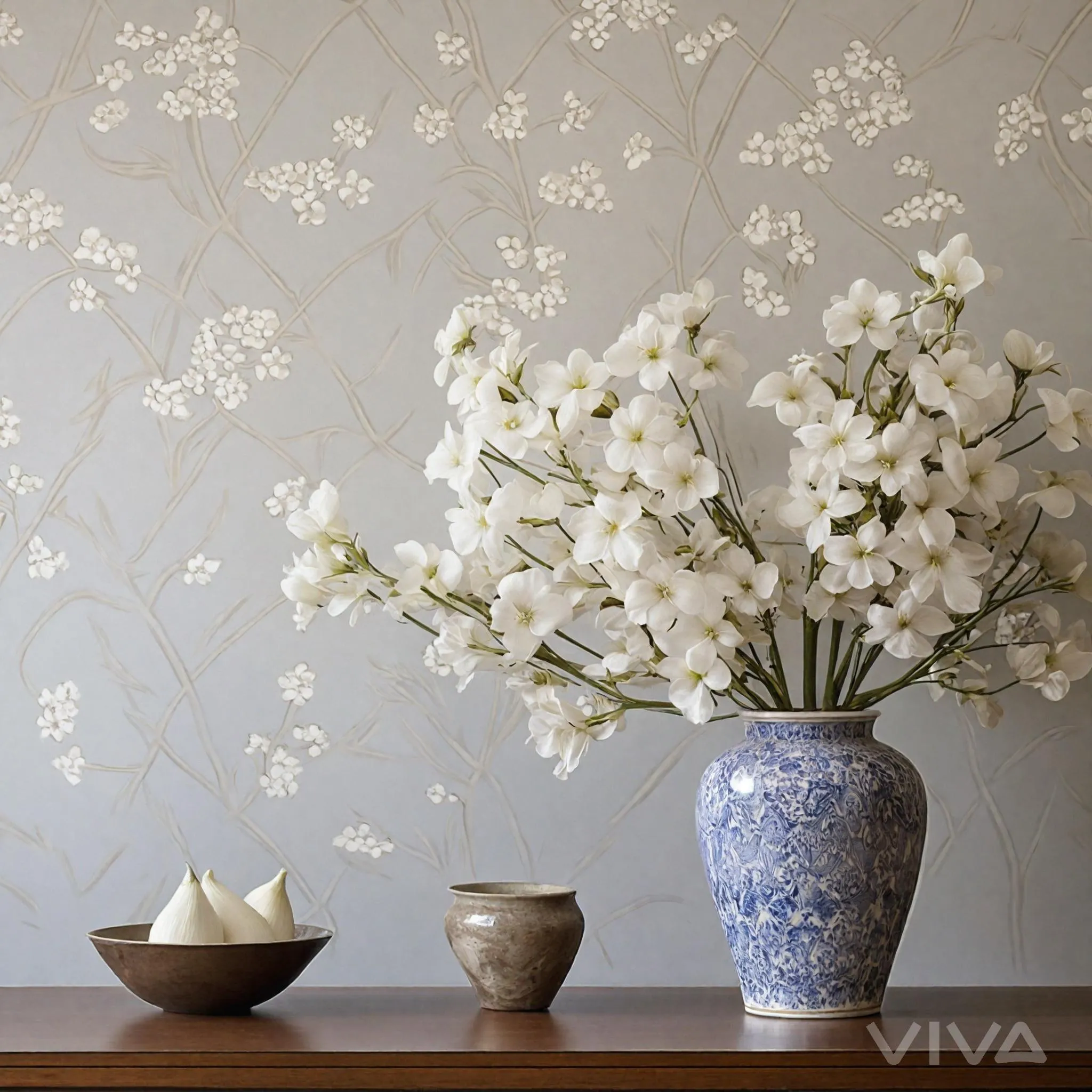
Create stunning AI-generated home decor with elegant floral arrangements, chic wallpapered accents, and stylish tabletop displays. Elevate your interior design using vivago.ai's advanced tools for harmonious, professional-grade visual transformations from text prompts or reference images.

Recreate
arrow
Image to Image

FAQs

How to generate images/videos from text prompts?

Describe the visual content in natural language (e.g., 'A cyberpunk cat wearing neon goggles') and our AI models will create outputs. Complex prompts trigger multi-stage NLP parsing for enhanced accuracy.

How to refine unsatisfactory results?

Use our Prompt Bot - an AI-powered optimizer that suggests technical modifiers. Simply describe your ideas, desired changes ('more metallic texture'), then you will get optimized prompt variants.

When should I use reference images?

Upload references to: 1) Guide character consistency (e.g., faces/outfits), 2) Control motion patterns in videos using our feature matching algorithm. Supports JPG/PNG

What's the credit system?

Daily login grants 100 credits. Upgrade options: 1) Premium Membership, 2) Credit Packs. Details: https://vivago.ai/subscribe

More From VIVAGO AI

Shark Dance

Main scene: The image in the uploaded picture (species, age, gender remain unchanged, presented in an anthropomorphic standing posture with the front two paws raised and the back two legs standing), beside it are four similar cute cats in an anthropomorphic standing posture standing neatly and evenly beside it (including Persian cats, orange cats, silver gradient cats and golden gradient cats), all characters (height proportions remain consistent) are wearing different cute cartoon jumpsuits (cartoon character pajamas, with bees, tigers, dinosaurs, seals, pandas) in plush fabric (revealing the characters' faces), ultra-realistic three-dimensional rendering, cute and soothing style, the protagonist occupies 80% of the main space of the picture, evenly distributed in the center of the picture, presented in a frontal standing posture, with natural front-back layers; using mid-shot horizontal composition, shot from a horizontal perspective at the same height as the protagonist's image; the light is a soft indoor diffusion effect, the transition of light and shadow is natural, without strong contrast, overall bright and warm; the clothing uses fresh and bright colors (yellow, green, blue, brown), the background is a warm and cute living room environment, background elements account for 20% of the picture; rich details, fluffy and fine fur texture, clear clothing texture, 8K high resolution, bright and harmonious picture colors.

Feather Crown AI effects generated image

Feather Crown

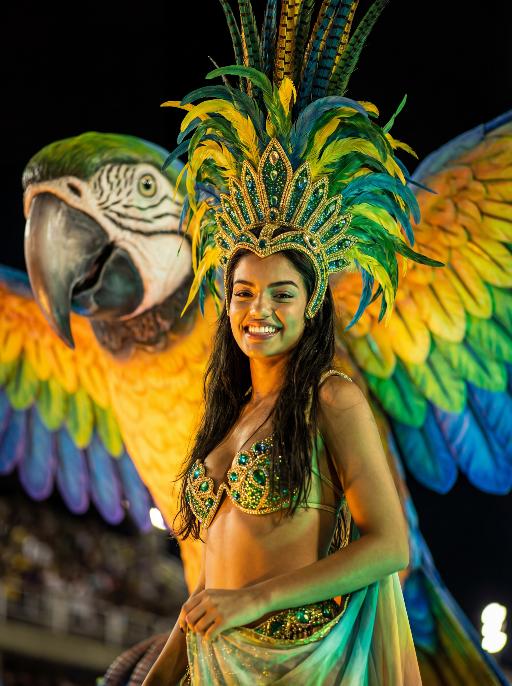
Use the facial features, gender and age of the character in the uploaded picture exactly as they are, reimagined as a stunning Brazilian Carnival queen. Bust shot, the character occupies the largest proportion of the frame, sharp focus on face to clearly capture the confident and joyful expression details. stands proudly atop a giant, brightly colored macaw float (only the macaw's head and upper wings are visible in the background to complement the scene). The macaw is a large, realistic sculpture with dazzling green, yellow, and blue iridescent feathers, a sharp black beak, and sharp, lively eyes. wears an elaborate and exquisite traditional Brazilian Carnival costume: a grand colorful feather headdress (matching the macaw's tones) with delicate gold trim, a jeweled bikini top in green and gold, and the upper part of a flowing colorful skirt with gold and green accents visible at the shoulder and waist. Set during the Rio Carnival night parade, dramatic stage lighting—warm golden spotlights, neon green and blue fill lights—illuminates face and upper body, with the dark, atmospheric night background slightly blurred (bokeh effect) to emphasize the subject. The overall style is a high-end fashion cinematic photograph, rich saturated colors, ultra-sharp details, 8K resolution, shallow depth of field, professional portrait lighting.

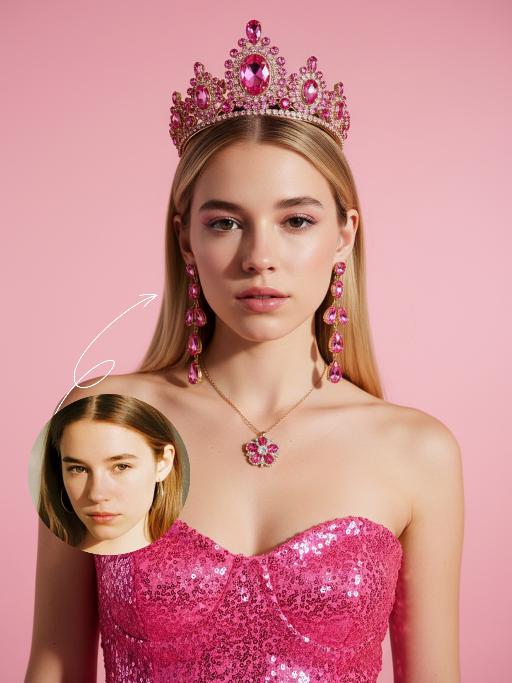
Barbie AI effects generated image

Barbie

The figure from the uploaded image (unchanged facial features, age and gender) – an ultra-realistic portrait photograph, bust close-up (with natural facial retouching and a fresh sheer makeup look), centered composition, the subject in a frontal pose and gazing directly at the camera.The figure is dressed in a pink sequined spaghetti-strap dress, paired with a pink gem crown (set with a large central pink gemstone accented by small decorative gemstones), long pink gem drop earrings (designed with multi-layered pink gemstones), and a gold chain necklace adorned with a pink and white floral pendant.Shot from an eye-level perspective with high-contrast studio lighting (bright illumination, dramatic light and shadow contrast, and translucent skin texture).Color scheme: Vibrant high-saturation pink (a pale pink gradient backdrop + pink attire) complemented by gold (long blonde hair + gold chain necklace). The overall colors are vivid and cohesive, with 8K ultra-high definition and realistic skin texture. The work features an avant-garde fashion photography style and a Barbie aesthetic.

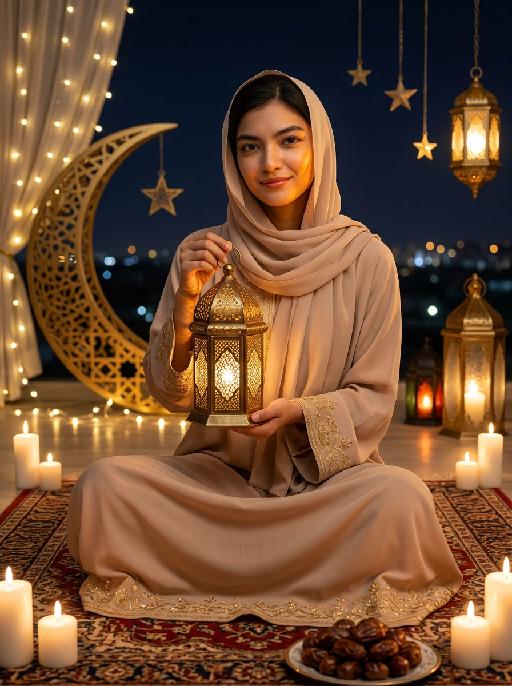
Moon&Lantern AI effects generated image

Moon&Lantern

Maintain the exact same facial features, gender, and age as the person in the uploaded image. A woman wearing a soft beige abaya with delicate gold embroidery on cuffs and hem, paired with a matching beige headscarf. She sits cross-legged on an ornate traditional Persian rug, holding a glowing ornate brass lantern with intricate lattice patterns in both hands, smiling gently at the camera. High contrast lighting, dramatic chiaroscuro, deep soft shadows on one side of the face, warm golden highlights on the other side, backlight creating a soft halo around hair and headscarf. Surrounding elements: lit white candles placed around the rug, a golden plate filled with plump dates in the foreground, a large decorative golden crescent moon with fairy lights, hanging star ornaments and glowing Arabic lanterns in the background, distant blurred city lights under a dark night sky. Cinematic warm lighting, photorealistic portrait, 8K, high detail, cozy and serene Ramadan/Eid atmosphere.

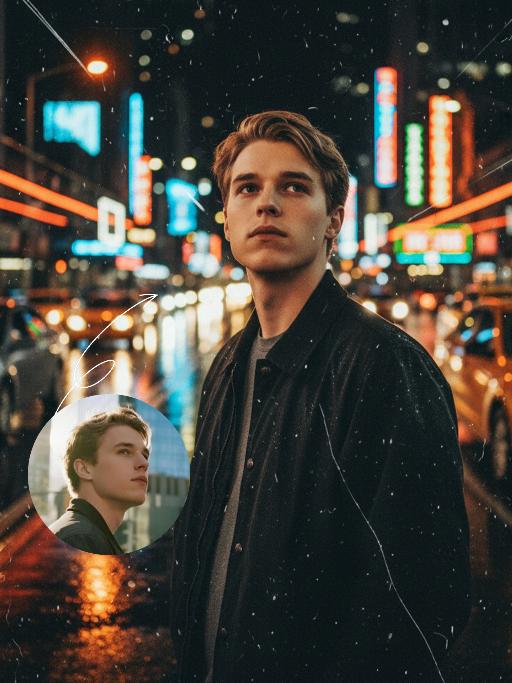
Midnight Neon AI effects generated image

Midnight Neon

Professional retro film-style portrait photography, with the first uploaded portrait used in the frame for strict identity consistency (unchanged facial features, hairstyle, skin tone and age). The figure’s face is naturally retouched for a flawless skin texture, paired with dramatic light and shadow contrast on the facial features. In this street photography portrait, the figure stands at the center of a bustling city street on a rainy night (the vibrant night view of Tokyo’s busy thoroughfares), captured in a close-up shot and positioned right at the frame’s center. The traffic flow in the background (vehicles and pedestrians speeding by to create blurred dynamic streaks) and neon lights feature dynamic motion blur effects, with smudged texture overlays to enhance the narrative mood. The dim lighting boasts high contrast; the wet road surfaces reflect warm orange glows and cool-toned neon light, with soft bokeh spots cast by street lamps and car headlights. Color palette: based on black and white tones, the neon hues are processed with high saturation, dominated by dark shades to create a striking contrast between warm and cool tones. The image is enhanced with film grain texture, depth of field breakup details, cinematic black aesthetic, and ultra-realistic, ultra-fine textures, plus a lifelike effect of raindrops splattering on the lens. Shot with a slow shutter speed, a large aperture and a low shutter setting; an orange vertical digital date watermark (2026:00:00) is added to the bottom right corner.

On the water

Use the uploaded portrait for strict facial features, gender, skin color, pupil color, clothing, hairstyle and gender locking. Select the main characters from the uploaded pictures. Have a natural expression, face the camera, and show a relaxed state. The camera suddenly switches from the front to the back of the character, changing from a frontal shot to a rear shot. Action: Face the camera, maintain a natural expression, suddenly turn around and leap, run on the water surface, as if possessing Chinese martial arts skills. When the character starts flying, the posture is to spread both arms and be in a flying state. The camera follows the character running on the water surface. The scene becomes a vast sea level, with a dreamy and beautiful scenery, with clouds and the sky in the distance.

Beast War

Use the user uploaded image as the subject identity source only. Preserve the uploaded subject’s recognizable identity and species. Do not force a specific gender, facial type, hairstyle, clothing design, or species. Transform the uploaded subject into a giant-scale version of itself standing upright in a ruined city battlefield, facing a fixed giant monster in a dramatic standoff. The uploaded subject should keep its original recognizable identity while adapting naturally into an action-ready upright pose with raised limbs or arms. The environment is a destroyed urban battlefield with collapsed skyscrapers, debris, cracked streets, smoke, burning fire, drifting embers, and lava-like fissures in the ground. Dark storm clouds fill the sky, with strong backlight breaking through the clouds, creating epic cinematic contrast. On the opposite side stands a fixed giant monster: massive kaiju body, dark charcoal-black armored skin, rough volcanic reptilian texture, huge muscular limbs, sharp claws, thick legs, large jagged dorsal spines, broad predatory head, glowing eyes, open roaring mouth, sharp fangs, ultra-detailed scales, cracked surfaces, scorched edges, ancient apocalyptic presence. Dramatic rim light from the sky and fiery reflections from below. Photorealistic, ultra detailed, high resolution, 8k, cinematic, sharp focus, volumetric light, realistic texture, epic destruction, intense confrontation energy. no face replacement, no identity change, no extra limbs, no deformed paws, no incorrect anatomy, no blurry monster, no cartoon style, no anime style, no low resolution, no soft details, no duplicated subjects, no oversized head distortion, no chaotic debris, no messy particles, no wrong scale relationship, no unrealistic lighting, no cute monster design

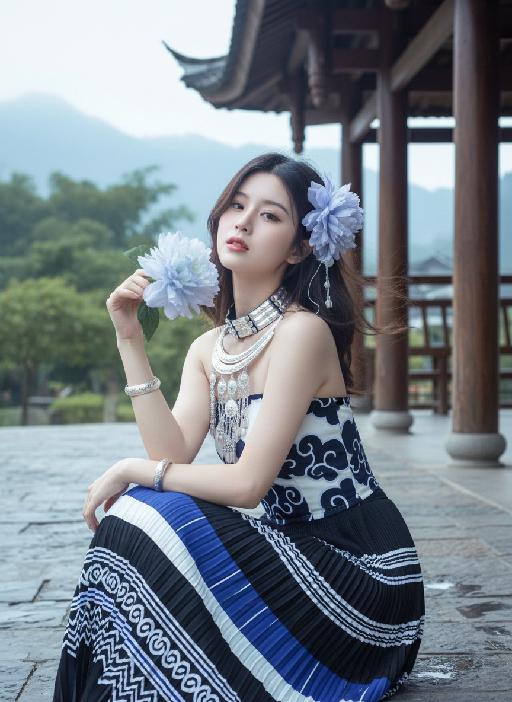
 Violet AI effects generated image

Violet

Strictly enforce facial feature lock: 100% identical to the first reference image, preserving every facial contour, skin texture, eye shape, lip shape, and youthful age with zero deviation. No artistic alteration allowed. Exact 1:1 copy of the original image, no creative interpretation or stylization permitted. A young East Asian woman with a cold, ethereal demeanor sits on damp bluestone paving, body angled 30° to the left, left arm folded across her torso, right hand gently gripping a large pale blue-white gradient flower, right elbow resting on her left forearm, left hand resting lightly on her right knee. She gazes at the camera with a detached, slightly lazy expression, lips pale pink and slightly parted. Her medium-length hair, a soft mix of dark brown and black, is adorned with large, ruffled light blue-purple gradient flower accessories on the right side, with a few strands of hair gently blowing in the breeze. She wears:A multi-layered Miao silver collar with delicate dangling silver beads. A wide, intricately carved silver bracelet on her right wrist. A slim silver bracelet on her left wrist. A strapless top with a crisp white base and bold dark blue swirling cloud motifs. A floor-length pleated skirt in a sharp black, white, and royal blue geometric pattern, with horizontal stripes and wave details on the hem Background is an exact replica of the original Dong-style wooden covered bridge: dark grey tiled roof, polished wooden pillars, distant lush green trees, and hazy mountain peaks under a soft, overcast sky. Precise lighting & tone lock (1:1 match to original):Soft, diffused morning backlight with a gentle, airy halo that wraps around the subject’s hair and shoulders, creating a subtle glow on the damp bluestone ground. The exact color palette of the original image is strictly preserved: cool, low-saturation tones dominated by crisp white, deep navy blue, and matte black, with a soft focus filter that gives the image a delicate, dreamlike cinematic quality. No over-saturation, color shifts, or harsh shadows are allowed. All elements must match the original image pixel-for-pixel; no creative additions or changes permitted.

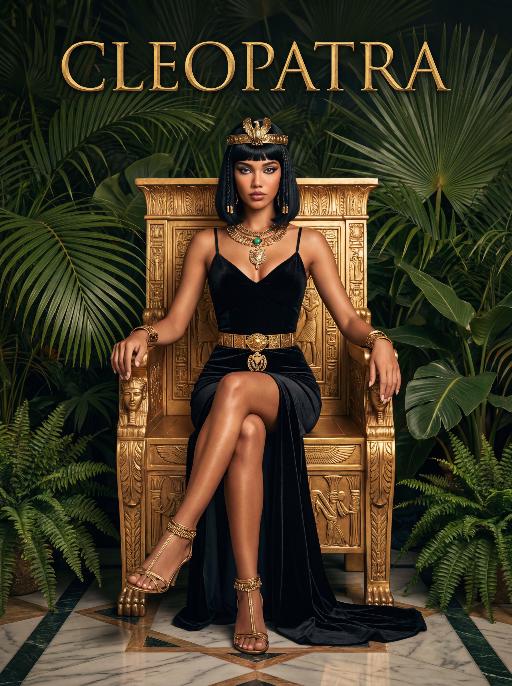
Queen AI effects generated image

Queen

The character in the uploaded picture (unchanged facial features, gender and age).A striking woman embodying the persona of Cleopatra, seated regally on an ornate golden throne. She has a sleek black bob haircut with blunt bangs, a sharp, confident gaze, and a poised, authoritative expression. She wears a form-fitting black velvet spaghetti-strap gown with a high slit, revealing one leg. Her accessories are opulent: a golden pharaoh-style headdress with a central eagle motif, a layered gold necklace culminating in a large, ornate pendant, a wide gold belt with a matching large pendant, gold bracelets on both wrists, and gold ankle bracelets paired with strappy gold sandals. She sits with one leg crossed over the other, one hand resting on the throne's armrest, the other on her lap. The throne is intricately carved with gold accents and topped with golden finials. The setting is a lush, verdant tropical jungle, filled with large, vibrant green palm fronds and broad-leafed ferns that frame the scene. The floor is a polished marble surface with a geometric pattern. Above her, the word "CLEOPATRA" is displayed in an elegant, golden, serif font. The image is rendered in a vintage Hollywood movie poster style, with dramatic, high-contrast lighting that emphasizes the richness of the black velvet and the sheen of the gold. The color palette is rich and saturated, with deep greens, luxurious golds, and stark blacks, creating an opulent, mysterious, and timeless atmosphere. The overall aesthetic is cinematic, detailed, and evocative of ancient Egyptian grandeur.

Load more

Next-Gen Multi-Model AI Video Architecture

Vivago AI isn't just one engine—it’s a unified hub for the world’s most advanced video AI. Whether you need cinematic realism or high-speed social content, we provide the right model for your creative vision.

Free Generate

Beauty and Dolphins

Vacation Time

Stellar Tear

Fish Tank Supervisor

Cinematic Quality & Precision Control

Enables 4K resolution with multi-lens motion control, generating delicate scene via text prompts for customized cinematography.​

TRY NOW

Dynamic AV Sync

Auto-generates original audio to avoid copyright issues. Build 3D immersive environments through layered sound design automatically.

TRY NOW

OpenAI Sora 2

​Advanced visual storytelling with unparalleled physics and consistency.

TRY NOW

Kling v2.6 Pro

Industry-leading cinematic image animation and motion control.

TRY NOW

Google Veo 3 & 3.1

Ultra-fast generation with enhanced realism for creative workflows.

TRY NOW

Vivago AI 2.0

Our proprietary model optimized for efficiency, speed, and cost-effective generation.

TRY NOW

Users' Voice

We listen carefully to the opinions of every user.
Free Generate
Contact Us
I tried the Lip Sync feature inside Vivago.ai’s AI Video Generator for my educational podcast, and the results were stunning! The avatar's lip movements perfectly matched my audio recording, creating a professional AI-generated video without complex editing. Compared with tools like OpenAI Sora 2 and Google Veo 3.1, Vivago Image-to-Video delivers fast, studio-quality results online. It saved me hours of post-production work.
ElenaM (Spain)
Vivago’s Image-to-Video AI transformed my marketing workflow. I uploaded a product image and described the launch scene in text, and it generated a 10-second cinematic AI video with background music and dynamic visuals. The output quality rivals Kling v2.6 Pro and Google Veo 3 Fast. It’s now my go-to AI video generator for social media ads and product campaigns.
KenjiT (Japan)
As a digital artist, I use Vivago.ai 2.0 daily for Image-to-Image and AI Image-to-Video creation. The e-book covers and animated visuals I generate for clients look cinematic and professional. Unlike many standalone AI tools, Vivago integrates multiple leading models into one platform, making it easier to create copyright-safe AI images and videos for publishing.
ChenL (China)
I tried the Lip Sync feature inside Vivago.ai’s AI Video Generator for my educational podcast, and the results were stunning! The avatar's lip movements perfectly matched my audio recording, creating a professional AI-generated video without complex editing. Compared with tools like OpenAI Sora 2 and Google Veo 3.1, Vivago Image-to-Video delivers fast, studio-quality results online. It saved me hours of post-production work.
ElenaM (Spain)
Vivago’s Image-to-Video AI transformed my marketing workflow. I uploaded a product image and described the launch scene in text, and it generated a 10-second cinematic AI video with background music and dynamic visuals. The output quality rivals Kling v2.6 Pro and Google Veo 3 Fast. It’s now my go-to AI video generator for social media ads and product campaigns.
KenjiT (Japan)
As a digital artist, I use Vivago.ai 2.0 daily for Image-to-Image and AI Image-to-Video creation. The e-book covers and animated visuals I generate for clients look cinematic and professional. Unlike many standalone AI tools, Vivago integrates multiple leading models into one platform, making it easier to create copyright-safe AI images and videos for publishing.
ChenL (China)
I absolutely love Vivago’s AI Image-to-Video Generator. As a travel blogger, static images often fail to capture real atmosphere, but Vivago helps me turn photos into vivid cinematic AI videos with motion effects. It feels comparable to OpenAI Sora 2 and Google Veo 3.1, but more accessible and faster for creators who need high-quality AI videos online.
LiamK (Australia)
I tried the Lip Sync feature inside Vivago.ai’s AI Video Generator for my educational podcast, and the results were stunning! The avatar's lip movements perfectly matched my audio recording, creating a professional AI-generated video without complex editing. Compared with tools like OpenAI Sora 2 and Google Veo 3.1, Vivago Image-to-Video delivers fast, studio-quality results online. It saved me hours of post-production work.
ElenaM (Spain)
Vivago’s Image-to-Video AI transformed my marketing workflow. I uploaded a product image and described the launch scene in text, and it generated a 10-second cinematic AI video with background music and dynamic visuals. The output quality rivals Kling v2.6 Pro and Google Veo 3 Fast. It’s now my go-to AI video generator for social media ads and product campaigns.
KenjiT (Japan)
As a digital artist, I use Vivago.ai 2.0 daily for Image-to-Image and AI Image-to-Video creation. The e-book covers and animated visuals I generate for clients look cinematic and professional. Unlike many standalone AI tools, Vivago integrates multiple leading models into one platform, making it easier to create copyright-safe AI images and videos for publishing.
ChenL (China)
I absolutely love Vivago’s AI Image-to-Video Generator. As a travel blogger, static images often fail to capture real atmosphere, but Vivago helps me turn photos into vivid cinematic AI videos with motion effects. It feels comparable to OpenAI Sora 2 and Google Veo 3.1, but more accessible and faster for creators who need high-quality AI videos online.
LiamK (Australia)
Using Vivago.ai’s Image-to-Video AI has greatly enhanced my classroom teaching. I transform textbook notes into historical AI videos with cinematic filters and dynamic animations. Compared with tools like Kling v2.6 Pro and Google Veo 3 Fast, Vivago offers faster generation and easier parameter control for educators who need reliable AI video creation.
RajivG (India)
I frequently create AI videos on Vivago and publish them on TikTok and YouTube Shorts. The AI video templates and trending content ideas help me produce viral-ready clips quickly. With Vivago’s integrated models—including advanced video engines similar to OpenAI Sora 2—I can generate anime-style and cinematic social media videos that drive high engagement.
MarieJ (Spain)
What attracts me most about Vivago.ai is not only the powerful AI Video Generator but also the active AIGC creator community. It combines AI Image-to-Video, Text-to-Video, and leading model integrations like Google Veo 3.1 into one creative platform.
TomW (India)
At first, I was hesitant about using AI video tools. But after trying Vivago Image-to-Video, I realized how easy it is to create professional AI-generated videos online. I just upload an image, add a short prompt, and adjust a few settings. The results are cinematic and copyright-safe, which is essential for commercial projects.
HectorC (Mexico)
Using Vivago.ai’s Image-to-Video AI has greatly enhanced my classroom teaching. I transform textbook notes into historical AI videos with cinematic filters and dynamic animations. Compared with tools like Kling v2.6 Pro and Google Veo 3 Fast, Vivago offers faster generation and easier parameter control for educators who need reliable AI video creation.
RajivG (India)
I frequently create AI videos on Vivago and publish them on TikTok and YouTube Shorts. The AI video templates and trending content ideas help me produce viral-ready clips quickly. With Vivago’s integrated models—including advanced video engines similar to OpenAI Sora 2—I can generate anime-style and cinematic social media videos that drive high engagement.
MarieJ (Spain)
What attracts me most about Vivago.ai is not only the powerful AI Video Generator but also the active AIGC creator community. It combines AI Image-to-Video, Text-to-Video, and leading model integrations like Google Veo 3.1 into one creative platform.
TomW (India)
At first, I was hesitant about using AI video tools. But after trying Vivago Image-to-Video, I realized how easy it is to create professional AI-generated videos online. I just upload an image, add a short prompt, and adjust a few settings. The results are cinematic and copyright-safe, which is essential for commercial projects.
HectorC (Mexico)