Image to Image

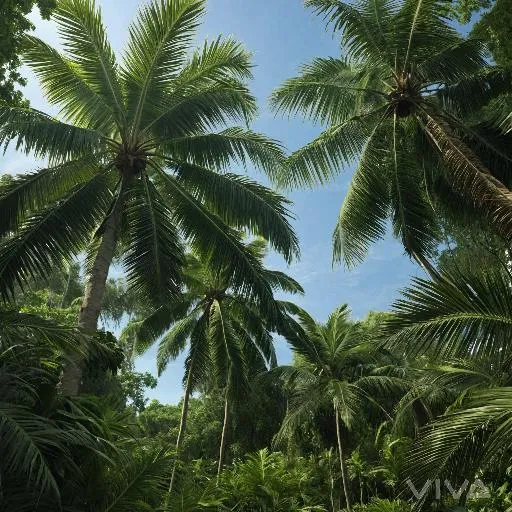
Immerse in a vibrant AI-generated tropical paradise with lush palm trees and vivid greenery. This lively wallpaper-style landscape offers depth and natural beauty, perfect for interior design. Create professional-grade visuals with Vivago.ai's AI tools for stunning decor.

Recreate
arrow
Image to Image

FAQs

How to generate images/videos from text prompts?

Describe the visual content in natural language (e.g., 'A cyberpunk cat wearing neon goggles') and our AI models will create outputs. Complex prompts trigger multi-stage NLP parsing for enhanced accuracy.

How to refine unsatisfactory results?

Use our Prompt Bot - an AI-powered optimizer that suggests technical modifiers. Simply describe your ideas, desired changes ('more metallic texture'), then you will get optimized prompt variants.

When should I use reference images?

Upload references to: 1) Guide character consistency (e.g., faces/outfits), 2) Control motion patterns in videos using our feature matching algorithm. Supports JPG/PNG

What's the credit system?

Daily login grants 100 credits. Upgrade options: 1) Premium Membership, 2) Credit Packs. Details: https://vivago.ai/subscribe

More From VIVAGO AI

Love Yourself AI effects generated image

Love Yourself

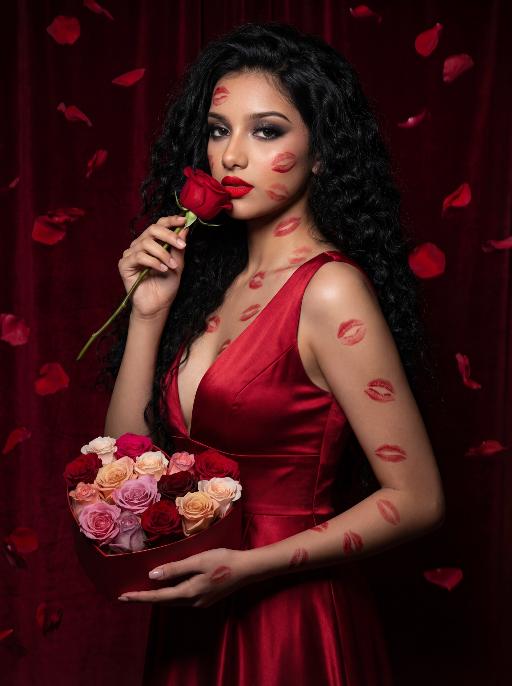
A charming and alluring figure in the uploaded picture (with unchanged facial features, gender and age), stands sideways and turns around, looking at the camera. She has long, fluffy, jet-black curly hair, exquisite eye makeup and a bright matte red lipstick. Red lipstick marks are all over her face, neck, chest and arms. She is wearing a luxurious deep V-neck red satin dress. One hand holds a heart-shaped box filled with various colored roses, and the other hand holds a rose placed near her mouth. Background: A dark red velvet texture studio background. Several red rose petals float slowly in the air in the background. Lighting hint: Low-key high-contrast dramatic light, soft directional highlights shining on her facial features and the satin dress, deep velvet-like shadows to enhance the sexy effect, with a cinematic sense of melancholy and depth. Tone hint: Rich, saturated deep red contrasts with dark black and soft charcoal gray, warm and passionate color combination, with subtle velvet texture in the shadow areas. Style: High-end fashion editing photography, highly realistic detail depiction, precise capture of skin texture and fabric luster, full of charm and allure Valentine's Day theme, with professional photography studio level, fashion pioneer photography

Pet's Love AI effects generated image

Pet's Love

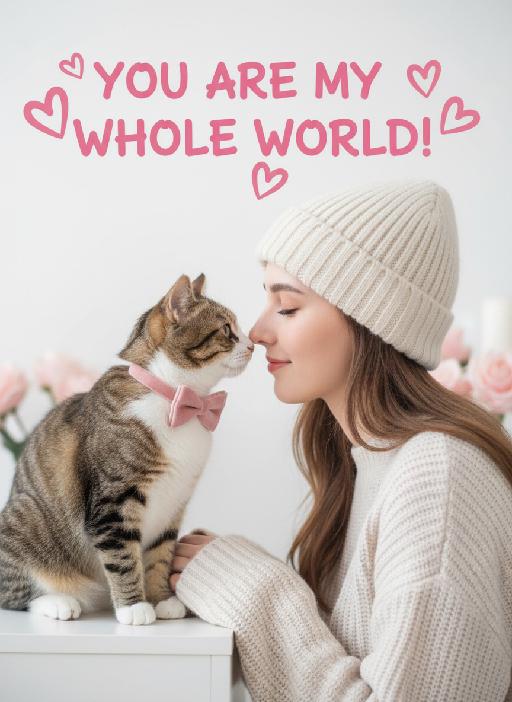
Close-up shots, side-view angles, symmetrical composition: The characters in the uploaded two pictures are neatly arranged within the frame. The character in the first picture uploaded (whose facial features, gender and age remain unchanged, wearing a cream-colored knitted warm hat and knitted sweater) is presented from a side view, with eyes closed, facing the pet in the second uploaded picture. The tip of this character's nose touches the tip of the pet's nose (the species characteristics of the pet remain unchanged, wearing a pink velvet bow); this is a romantic Valentine's Day interaction scene with symmetrical close-up composition, soft and uniform lighting, high brightness and softness, low contrast, slightly blurred background effect, elegant tones (with light and pale gray as background colors), and pink rose color. It has the texture of a fresh Japanese film, with a clean blank background, creating a sweet and soothing Valentine's Day atmosphere, fashionable photography, avant-garde photography art. An oversized pink artistic design headline text is added above: "YOU ARE MY WHOLE WORLD!" Surrounding it are some unique pink heart-shaped graffiti decorations. Like a movie's light and shadow contrast

Pure Lift

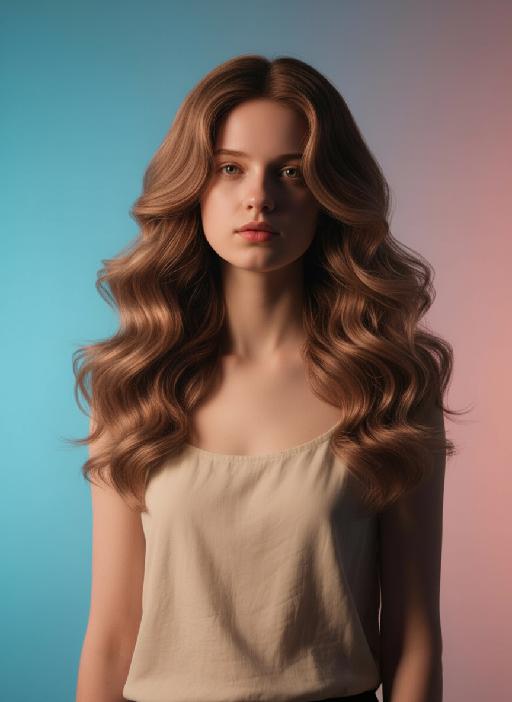
You must absolutely and strictly lock the reference subject’s species identity and exact appearance: it must remain the same species, the same face, and the same original natural look as in the reference image — not a similar one, not the same type, not a replacement, not a newly invented version. Preserve the exact original facial structure and identifiable appearance, including: head shape, face shape, forehead proportion, cheek contour, chin and muzzle structure, eye size and spacing, eye shape and gaze characteristics, eye color, ear shape/size/position/direction, nose shape/color/size, mouth shape, whiskers or facial hair details, facial markings and their exact left-right distribution, fur or skin color distribution, patch placement, gradient relationships, hairstyle or fur length/fluffiness/direction/texture, body proportion, limb thickness proportion, perceived age, gender temperament, and every unique recognizable trait. Do not change the species, do not change the face, do not change facial proportions, do not change the fur/skin color or pattern distribution, and do not lose the original recognizability. The result must be immediately recognizable as the exact same subject from the reference image, only with a new pose, outfit, and setting. If the reference subject is an animal, only convert it into an anthropomorphic upright standing pose, while keeping the face, fur color, markings, ears, nose, mouth, eyes, and body proportion fully consistent with the reference image. Only the pose, clothing, accessories, expression design, camera language, and scene may change. Place the subject at the center of a professional indoor weightlifting competition platform, facing the camera, holding a barbell in a standard ready stance. Dress the subject in a cute fully covered professional athletic one-piece outfit with shorts-style styling, optionally with wrist wraps. Scene: large indoor weightlifting arena, wooden lifting platform, audience stands, judges’ table, event banners, electronic competition screen, strong overhead stadium lights. Premium commercial sports photography, front medium shot, centered composition, shallow depth of field, naturally blurred background, cinematic lighting, photorealistic, high detail, 4K, realistic materials, strong professional competition atmosphere. The barbell must never clip through the body under any circumstance. It must stay fully visible and physically separated from the neck, head, chest, shoulders, arms, and torso at all times, with strictly correct contact and position.

Nobleman

Cinematic shot transition with frontal angle throughout, capturing the full process smoothly: starting with the uploaded character standing frontally on the deck of a luxury cruise ship, one beautiful Indonesian woman stands directly beside him (frontal view) and attentively helps him put on a black and gold haute couture suit—gently slipping the jacket over his shoulders from the front, adjusting the lapel face-on, fastening cufflinks with delicate frontal movements, and arranging the black bow tie in full frontal perspective. Four other beautiful Indonesian women stand quietly in a neat frontal formation beside them, wearing luxurious gold sequined and embroidered traditional kebaya with matching songket skirts, holding small accessories to assist in the frontal frame. The scene transitions naturally in the same frontal angle: the character, now fully dressed, sits down slowly on a gold-embellished throne-like armchair (frontal view of the chair and character), picking up a champagne glass in one hand. The five Indonesian women then gather around him in a frontal arrangement—one stays directly beside him to tidy the suit hem from the front, while the others take elegant frontal postures around the armchair, forming a graceful frontal cluster. All people are adorned with exquisite gold jewelry and ornaments, fully displayed in frontal perspective. Bright natural daylight bathes the frontal scene, high-quality commercial photography, opulent and noble atmosphere, high-end luxury magazine cover style, cinematic lighting and shadows that highlight the frontal dynamic process and details. Dynamic and vivid frontal character movements, 4K ultra-high definition intricate details—capturing fabric texture, jewelry luster, and subtle facial expressions from the front. Photorealistic texture, steady focus that follows the frontal action flow, ensuring smooth shot transition without any circling or walking movements, emphasizing the frontal suit-fitting process, seating action, and final frontal clustered composition.

Flame AI effects generated image

Flame

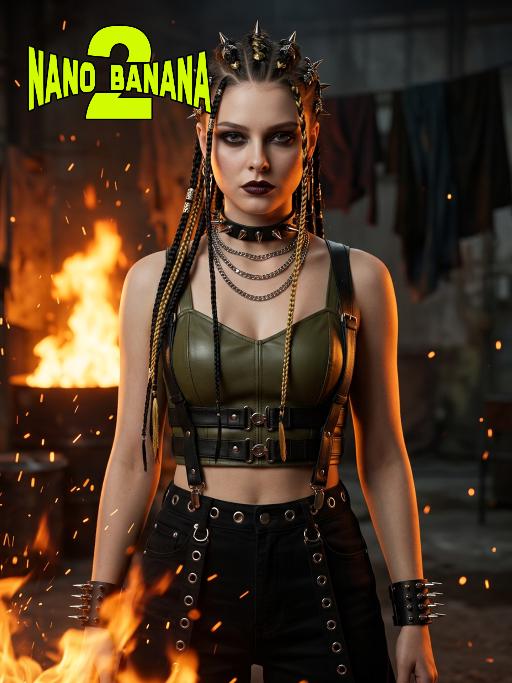
Medium-close-up shot (showing the upper body of the protagonist, shot from above the thighs): Using the exact same facial features, gender and age as the uploaded image. Ultra-realistic cyberpunk portrait, dark industrial style, intense and rebellious atmosphere, high detail, 8K super-realistic. Scene: Dim industrial space, with blazing dark orange flames in the background, black hanging fabrics, metal and rough textures. Hair: Long hair braided, with black and golden strands, styled with complex metal hair ornaments and spikes. Clothing: Olive green leather short top, paired with black leather suspenders, multiple yellow and black belts with metal clasps, high-waisted black leather pants, black leather ankle boots, with silver eyelets and laces. Accessories: Thick black leather necklace with metal rings and spikes, multiple silver chains hanging on the torso, black leather cuffs with metal nails, fingers wearing silver rings. Makeup: Smoke-like dark eyeshadow, bold dark lipstick, clear and sharp facial contours, intense and sharp eyes. Posture: Standing naturally, showing a dynamic and powerful posture. Lighting: Intense warm-toned firelight, casting orange light onto the skin and leather, high contrast, dark shadows, with flickering embers in the background. Composition: Medium shot, focusing clearly on the subject, shallow depth of field, the hot elements in the background blurred, bold and avant-garde color combination, no text or watermark. Wide aperture shooting, adding a lot of fire-burning effects in the foreground and the bottom of the frame, sparks flying special effects, the character's face illuminated by the fire, intense light and shadow contrast, avant-garde photography

Midnight Neon AI effects generated image

Midnight Neon

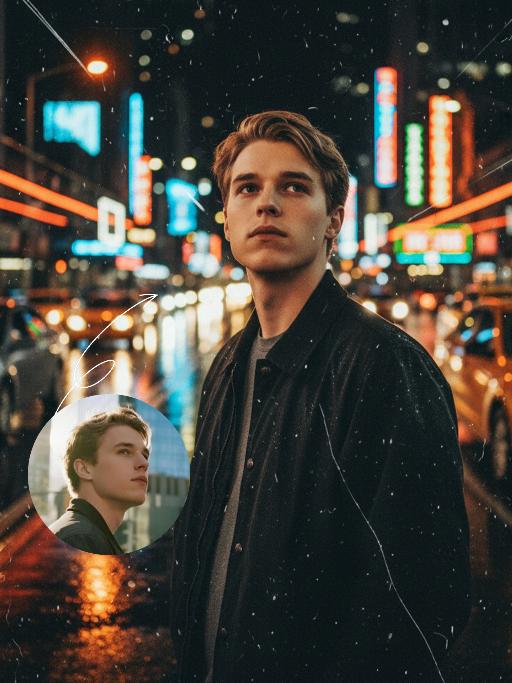
Professional retro film-style portrait photography, with the first uploaded portrait used in the frame for strict identity consistency (unchanged facial features, hairstyle, skin tone and age). The figure’s face is naturally retouched for a flawless skin texture, paired with dramatic light and shadow contrast on the facial features. In this street photography portrait, the figure stands at the center of a bustling city street on a rainy night (the vibrant night view of Tokyo’s busy thoroughfares), captured in a close-up shot and positioned right at the frame’s center. The traffic flow in the background (vehicles and pedestrians speeding by to create blurred dynamic streaks) and neon lights feature dynamic motion blur effects, with smudged texture overlays to enhance the narrative mood. The dim lighting boasts high contrast; the wet road surfaces reflect warm orange glows and cool-toned neon light, with soft bokeh spots cast by street lamps and car headlights. Color palette: based on black and white tones, the neon hues are processed with high saturation, dominated by dark shades to create a striking contrast between warm and cool tones. The image is enhanced with film grain texture, depth of field breakup details, cinematic black aesthetic, and ultra-realistic, ultra-fine textures, plus a lifelike effect of raindrops splattering on the lens. Shot with a slow shutter speed, a large aperture and a low shutter setting; an orange vertical digital date watermark (2026:00:00) is added to the bottom right corner.

Load more

Next-Gen Multi-Model AI Video Architecture

Vivago AI isn't just one engine—it’s a unified hub for the world’s most advanced video AI. Whether you need cinematic realism or high-speed social content, we provide the right model for your creative vision.

Free Generate

Beauty and Dolphins

Vacation Time

Stellar Tear

Fish Tank Supervisor

Cinematic Quality & Precision Control

Enables 4K resolution with multi-lens motion control, generating delicate scene via text prompts for customized cinematography.​

TRY NOW

Dynamic AV Sync

Auto-generates original audio to avoid copyright issues. Build 3D immersive environments through layered sound design automatically.

TRY NOW

OpenAI Sora 2

​Advanced visual storytelling with unparalleled physics and consistency.

TRY NOW

Kling v2.6 Pro

Industry-leading cinematic image animation and motion control.

TRY NOW

Google Veo 3 & 3.1

Ultra-fast generation with enhanced realism for creative workflows.

TRY NOW

Vivago AI 2.0

Our proprietary model optimized for efficiency, speed, and cost-effective generation.

TRY NOW

Users' Voice

We listen carefully to the opinions of every user.
Free Generate
Contact Us
I tried the Lip Sync feature inside Vivago.ai’s AI Video Generator for my educational podcast, and the results were stunning! The avatar's lip movements perfectly matched my audio recording, creating a professional AI-generated video without complex editing. Compared with tools like OpenAI Sora 2 and Google Veo 3.1, Vivago Image-to-Video delivers fast, studio-quality results online. It saved me hours of post-production work.
ElenaM (Spain)
Vivago’s Image-to-Video AI transformed my marketing workflow. I uploaded a product image and described the launch scene in text, and it generated a 10-second cinematic AI video with background music and dynamic visuals. The output quality rivals Kling v2.6 Pro and Google Veo 3 Fast. It’s now my go-to AI video generator for social media ads and product campaigns.
KenjiT (Japan)
As a digital artist, I use Vivago.ai 2.0 daily for Image-to-Image and AI Image-to-Video creation. The e-book covers and animated visuals I generate for clients look cinematic and professional. Unlike many standalone AI tools, Vivago integrates multiple leading models into one platform, making it easier to create copyright-safe AI images and videos for publishing.
ChenL (China)
I tried the Lip Sync feature inside Vivago.ai’s AI Video Generator for my educational podcast, and the results were stunning! The avatar's lip movements perfectly matched my audio recording, creating a professional AI-generated video without complex editing. Compared with tools like OpenAI Sora 2 and Google Veo 3.1, Vivago Image-to-Video delivers fast, studio-quality results online. It saved me hours of post-production work.
ElenaM (Spain)
Vivago’s Image-to-Video AI transformed my marketing workflow. I uploaded a product image and described the launch scene in text, and it generated a 10-second cinematic AI video with background music and dynamic visuals. The output quality rivals Kling v2.6 Pro and Google Veo 3 Fast. It’s now my go-to AI video generator for social media ads and product campaigns.
KenjiT (Japan)
As a digital artist, I use Vivago.ai 2.0 daily for Image-to-Image and AI Image-to-Video creation. The e-book covers and animated visuals I generate for clients look cinematic and professional. Unlike many standalone AI tools, Vivago integrates multiple leading models into one platform, making it easier to create copyright-safe AI images and videos for publishing.
ChenL (China)
I absolutely love Vivago’s AI Image-to-Video Generator. As a travel blogger, static images often fail to capture real atmosphere, but Vivago helps me turn photos into vivid cinematic AI videos with motion effects. It feels comparable to OpenAI Sora 2 and Google Veo 3.1, but more accessible and faster for creators who need high-quality AI videos online.
LiamK (Australia)
I tried the Lip Sync feature inside Vivago.ai’s AI Video Generator for my educational podcast, and the results were stunning! The avatar's lip movements perfectly matched my audio recording, creating a professional AI-generated video without complex editing. Compared with tools like OpenAI Sora 2 and Google Veo 3.1, Vivago Image-to-Video delivers fast, studio-quality results online. It saved me hours of post-production work.
ElenaM (Spain)
Vivago’s Image-to-Video AI transformed my marketing workflow. I uploaded a product image and described the launch scene in text, and it generated a 10-second cinematic AI video with background music and dynamic visuals. The output quality rivals Kling v2.6 Pro and Google Veo 3 Fast. It’s now my go-to AI video generator for social media ads and product campaigns.
KenjiT (Japan)
As a digital artist, I use Vivago.ai 2.0 daily for Image-to-Image and AI Image-to-Video creation. The e-book covers and animated visuals I generate for clients look cinematic and professional. Unlike many standalone AI tools, Vivago integrates multiple leading models into one platform, making it easier to create copyright-safe AI images and videos for publishing.
ChenL (China)
I absolutely love Vivago’s AI Image-to-Video Generator. As a travel blogger, static images often fail to capture real atmosphere, but Vivago helps me turn photos into vivid cinematic AI videos with motion effects. It feels comparable to OpenAI Sora 2 and Google Veo 3.1, but more accessible and faster for creators who need high-quality AI videos online.
LiamK (Australia)
Using Vivago.ai’s Image-to-Video AI has greatly enhanced my classroom teaching. I transform textbook notes into historical AI videos with cinematic filters and dynamic animations. Compared with tools like Kling v2.6 Pro and Google Veo 3 Fast, Vivago offers faster generation and easier parameter control for educators who need reliable AI video creation.
RajivG (India)
I frequently create AI videos on Vivago and publish them on TikTok and YouTube Shorts. The AI video templates and trending content ideas help me produce viral-ready clips quickly. With Vivago’s integrated models—including advanced video engines similar to OpenAI Sora 2—I can generate anime-style and cinematic social media videos that drive high engagement.
MarieJ (Spain)
What attracts me most about Vivago.ai is not only the powerful AI Video Generator but also the active AIGC creator community. It combines AI Image-to-Video, Text-to-Video, and leading model integrations like Google Veo 3.1 into one creative platform.
TomW (India)
At first, I was hesitant about using AI video tools. But after trying Vivago Image-to-Video, I realized how easy it is to create professional AI-generated videos online. I just upload an image, add a short prompt, and adjust a few settings. The results are cinematic and copyright-safe, which is essential for commercial projects.
HectorC (Mexico)
Using Vivago.ai’s Image-to-Video AI has greatly enhanced my classroom teaching. I transform textbook notes into historical AI videos with cinematic filters and dynamic animations. Compared with tools like Kling v2.6 Pro and Google Veo 3 Fast, Vivago offers faster generation and easier parameter control for educators who need reliable AI video creation.
RajivG (India)
I frequently create AI videos on Vivago and publish them on TikTok and YouTube Shorts. The AI video templates and trending content ideas help me produce viral-ready clips quickly. With Vivago’s integrated models—including advanced video engines similar to OpenAI Sora 2—I can generate anime-style and cinematic social media videos that drive high engagement.
MarieJ (Spain)
What attracts me most about Vivago.ai is not only the powerful AI Video Generator but also the active AIGC creator community. It combines AI Image-to-Video, Text-to-Video, and leading model integrations like Google Veo 3.1 into one creative platform.
TomW (India)
At first, I was hesitant about using AI video tools. But after trying Vivago Image-to-Video, I realized how easy it is to create professional AI-generated videos online. I just upload an image, add a short prompt, and adjust a few settings. The results are cinematic and copyright-safe, which is essential for commercial projects.
HectorC (Mexico)