Text to Image

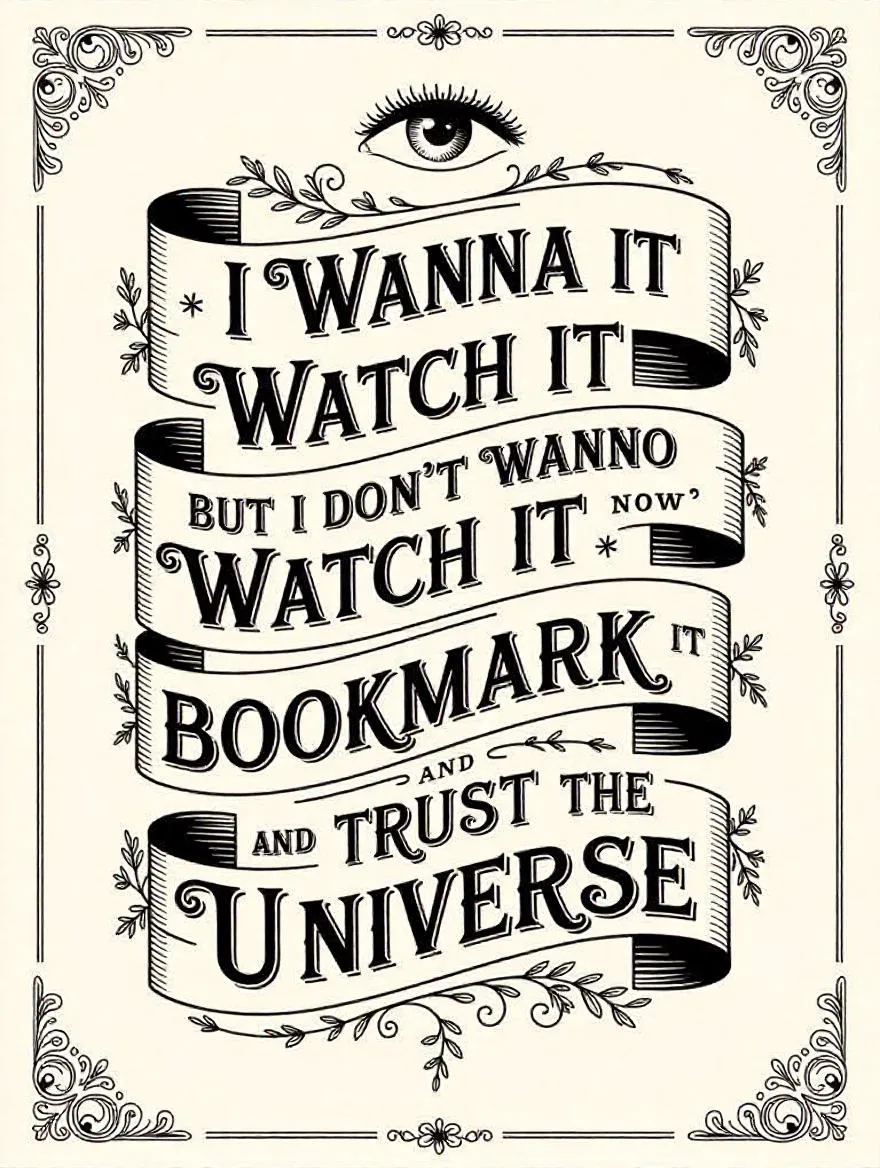
Victorian-era AI typographic design with ornate black lettering on cream, featuring "I wanna watch it" banners, intricate scrollwork, and botanical motifs. Includes "BOOKMARK IT" and "TRUST THE UNIVERSE" phrases in precise vector line art. High-contrast 19th-century commercial printing style with decorative borders, flourishes, and an etched eye emblem for vintage-inspired digital compositions.

Recreate
arrow
Text to Image

FAQs

How to generate images/videos from text prompts?

Describe the visual content in natural language (e.g., 'A cyberpunk cat wearing neon goggles') and our AI models will create outputs. Complex prompts trigger multi-stage NLP parsing for enhanced accuracy.

How to refine unsatisfactory results?

Use our Prompt Bot - an AI-powered optimizer that suggests technical modifiers. Simply describe your ideas, desired changes ('more metallic texture'), then you will get optimized prompt variants.

When should I use reference images?

Upload references to: 1) Guide character consistency (e.g., faces/outfits), 2) Control motion patterns in videos using our feature matching algorithm. Supports JPG/PNG

What's the credit system?

Daily login grants 100 credits. Upgrade options: 1) Premium Membership, 2) Credit Packs. Details: https://vivago.ai/subscribe

More From VIVAGO AI

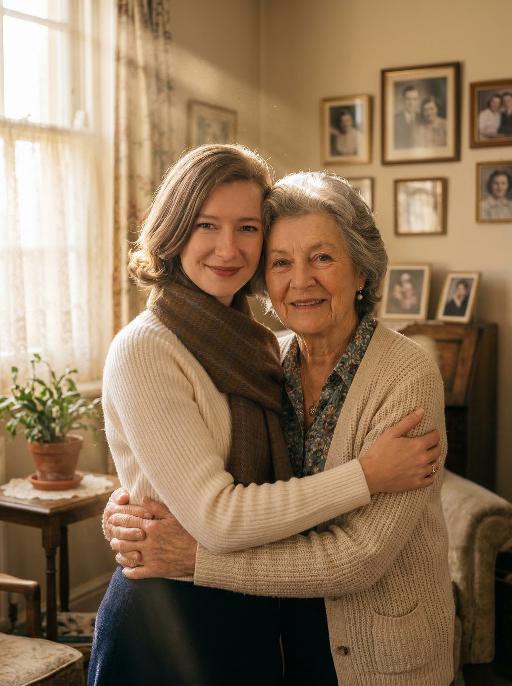
Hug Loved AI effects generated image

Hug Loved

Maintain the exact same facial features, gender, and age of the two individuals from the uploaded images. Photorealistic emotional portrait: the two people embracing tightly, sharing gentle, affectionate smiles toward the camera, with their original appearance and styling fully preserved.Background: a warm and cozy home interior scene—soft wooden furniture, a few family photos on the wall, and a small potted plant on the side table, creating a familiar and intimate family atmosphere. Lighting: natural warm sunlight streaming through sheer white curtains, forming distinct, visible Tyndall effect (god rays) filling the air. The light beams gently illuminate the faces of the two people, casting soft, warm highlights on their features and creating delicate, subtle shadows, with fill light to ensure facial details are clearly visible. Cinematic film grain, documentary photography style, 8K resolution, shot with a Sony A7R V camera paired with an 85mm f/1.4 lens, shallow depth of field, hyper-detailed textures of skin, hair and clothing. No logos, watermarks, text overlays, or play buttons are present in the image.

Lion Dance AI effects generated image

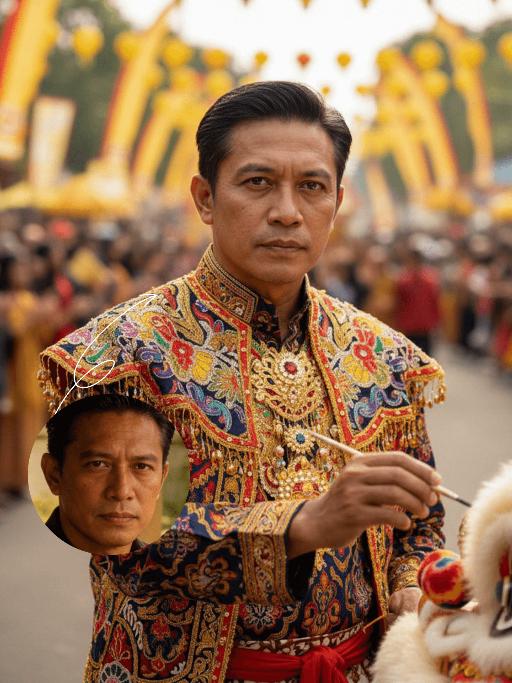
Lion Dance

Strictly lock the identity of the uploaded portrait (preserve facial contours, native Indian skin tone, hairstyle, and age). Aspect ratio 3:4, hyper-realistic photography, high definition and exquisite details, advanced light and shadow: A 40-year-old Indonesian man with a solemn, dignified demeanor, in the sacred ritual moment of dotting the eyes for traditional Indonesian lion dance. The figure is positioned exactly in the center of the frame, as the absolute main subject occupying more than 80% of the canvas; only a tiny corner of the traditional Indonesian lion dance head peeks into the edge of the frame, with an extremely small proportion. He is dressed in exquisite traditional Indonesian lion dance costume with classic ethnic patterns and delicate decorations, holding a delicate painting brush, his fingertips gently touching the eye-dotting position of the lion head, his arm slightly raised with a calm and steady posture. The background is a super bustling and lively festive scene with soft slight bokeh—filled with crowds of people in festive attires, colorful traditional lanterns, festive streamers, and lively parade elements, with bright festive ambient light and vibrant street decorations, presenting an extremely dynamic and jubilant festive atmosphere. Soft natural light outlines the man's firm facial lines and delicate hand details, the man's solemn ritualistic state forms a striking contrast with the lively background, the overall color palette is rich and bright with a sense of hierarchy, and all details of the character and costume are clear and textured

Neon AI effects generated image

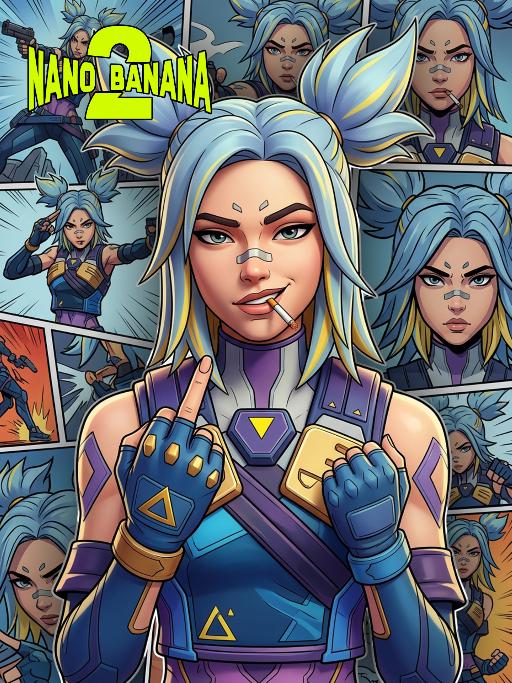
Neon

Based on the image of the protagonist in the uploaded picture (while retaining the facial features, gender and age of the character to ensure consistency with the character in the picture), create a 3D stereoscopic image work for the character in "Valorant", perfectly reproducing the artistic style of the game poster. The depiction of this character has 3D volume and structure, but adopts the aesthetic style of 3D game posters: clear thin black outlines, bright flat colors and exquisite 3D rendering, emphasizing the fine 3D rendering effect. The character's hair is light blue with yellow highlights, styled into two high and sharp ponytails. The face presents a confident and rebellious expression, with a cigarette in the mouth, making a middle finger gesture towards the audience, and there are some black projections and thick black strokes around the character, making it stand out from the background. The background is a collage of comic pages (presented in 2D comic style, with thick black strokes, comic design style), each page showing different close-up expressions of the same character (based on the image in the uploaded picture), forming a richly layered and self-referential composition. This character is wearing the iconic tactical clothing, equipped with blue, purple and gold decorations, including shoulder pads, chest decorations with yellow triangles and blue gloves. The lighting uses a movie-level 3D rendering effect, with high contrast, to highlight the character's attitude and this stylized 3D shape. The overall atmosphere is avant-garde, confident and visually impactful, perfectly combining the depth of 3D stereoscopic rendering with the style of comic, Maya, Blender and C4D OC renderers.

McDonald

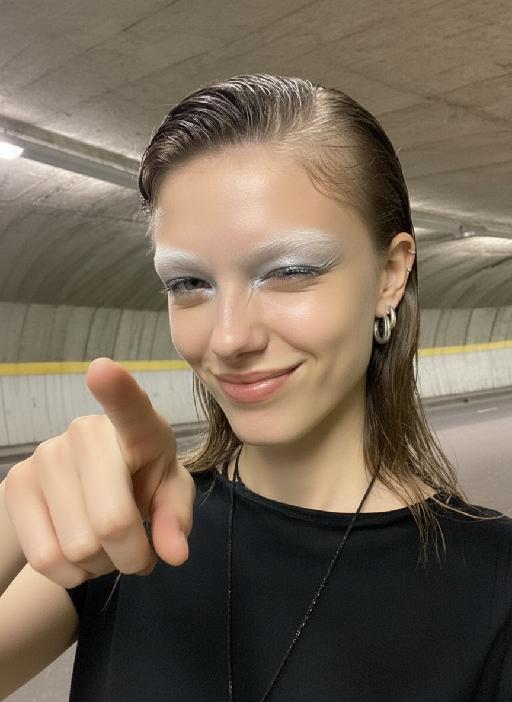
Ultra-realistic photography, ultra-fine details, sharp focus, 8K resolution, surreal composition. Composition: A giant child (with an oversized head proportion, far larger than the buildings) is lying on the roof of a realistic McDonald’s restaurant. Foreground: The child is smiling while holding an oversized crispy fried chicken drumstick (facing the camera, an extremely close perspective with a strong sense of perspective). Background: A realistic urban street with pedestrians coming and going, under a blue sky with white clouds. Subject: The figure from the uploaded image (unchanged facial features, age and gender). Posture: Lying on the roof (holding an oversized fried chicken drumstick toward the camera with one hand). Outfit: A yellow short-sleeved shirt paired with red work pants (with the yellow McDonald’s "M" logo). Accessories: A red beret (with the yellow McDonald’s "M" logo). Shooting perspective: Eye-level or a slightly low angle, a realistic lifestyle photography perspective. Light and shadow: Bright daytime with natural sunlight, soft and ample light, and natural, distinct shadows (e.g., the child’s shadow cast on the buildings). Color scheme: Dominated by McDonald’s iconic red and yellow (for the child’s outfit), paired with the black, yellow and white of the buildings, the golden brown of the fried chicken drumstick, featuring bright, high-saturation realistic colors. Cinematic texture with a Fuji filter effect.

Noir Gaze AI effects generated image

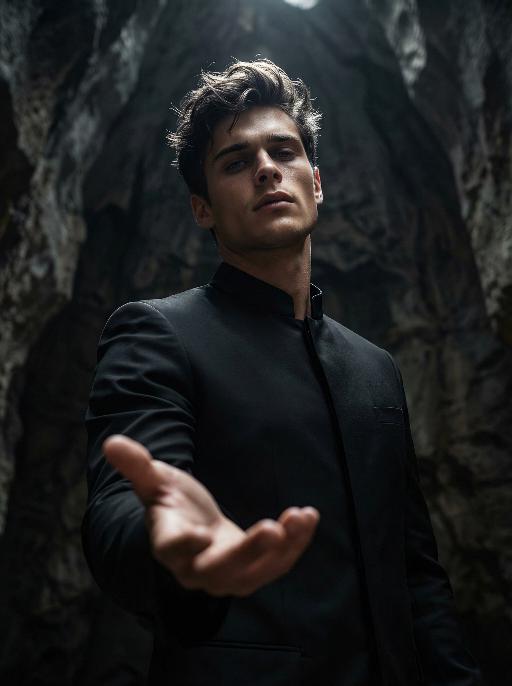
Noir Gaze

Use the exact same facial features, gender, and age as the character in the uploaded image. Photorealistic dramatic portrait, shot from a low-angle perspective with a wide-angle lens, creating a sense of grandeur and intimacy. Dark, slightly messy, textured hair with strands catching the light.The figure stands facing the camera, head tilted slightly upward, with a serious, smoldering expression.The right hand is extended forward, palm up, reaching directly toward the viewer, creating a compelling focal point and sense of immediacy.Wearing a sleek, black mandarin-collar jacket with a minimalist, formal design, which contrasts with the dark, cavernous, textured background.The lighting is dramatic and high-contrast, with a single, strong key light from above, creating a sharp highlight on the hair and face, while deep, moody shadows fill the background and sculpt the contours of the body.The overall mood is intense, mysterious, and cinematic.High detail skin texture, cinematic lighting, shallow depth of field, 8K, ultra-realistic, no text or watermarks.

Load more

Next-Gen Multi-Model AI Video Architecture

Vivago AI isn't just one engine—it’s a unified hub for the world’s most advanced video AI. Whether you need cinematic realism or high-speed social content, we provide the right model for your creative vision.

Free Generate

Beauty and Dolphins

Vacation Time

Stellar Tear

Fish Tank Supervisor

Cinematic Quality & Precision Control

Enables 4K resolution with multi-lens motion control, generating delicate scene via text prompts for customized cinematography.​

TRY NOW

Dynamic AV Sync

Auto-generates original audio to avoid copyright issues. Build 3D immersive environments through layered sound design automatically.

TRY NOW

OpenAI Sora 2

​Advanced visual storytelling with unparalleled physics and consistency.

TRY NOW

Kling v2.6 Pro

Industry-leading cinematic image animation and motion control.

TRY NOW

Google Veo 3 & 3.1

Ultra-fast generation with enhanced realism for creative workflows.

TRY NOW

Vivago AI 2.0

Our proprietary model optimized for efficiency, speed, and cost-effective generation.

TRY NOW

Users' Voice

We listen carefully to the opinions of every user.
Free Generate
Contact Us
I tried the Lip Sync feature inside Vivago.ai’s AI Video Generator for my educational podcast, and the results were stunning! The avatar's lip movements perfectly matched my audio recording, creating a professional AI-generated video without complex editing. Compared with tools like OpenAI Sora 2 and Google Veo 3.1, Vivago Image-to-Video delivers fast, studio-quality results online. It saved me hours of post-production work.
ElenaM (Spain)
Vivago’s Image-to-Video AI transformed my marketing workflow. I uploaded a product image and described the launch scene in text, and it generated a 10-second cinematic AI video with background music and dynamic visuals. The output quality rivals Kling v2.6 Pro and Google Veo 3 Fast. It’s now my go-to AI video generator for social media ads and product campaigns.
KenjiT (Japan)
As a digital artist, I use Vivago.ai 2.0 daily for Image-to-Image and AI Image-to-Video creation. The e-book covers and animated visuals I generate for clients look cinematic and professional. Unlike many standalone AI tools, Vivago integrates multiple leading models into one platform, making it easier to create copyright-safe AI images and videos for publishing.
ChenL (China)
I tried the Lip Sync feature inside Vivago.ai’s AI Video Generator for my educational podcast, and the results were stunning! The avatar's lip movements perfectly matched my audio recording, creating a professional AI-generated video without complex editing. Compared with tools like OpenAI Sora 2 and Google Veo 3.1, Vivago Image-to-Video delivers fast, studio-quality results online. It saved me hours of post-production work.
ElenaM (Spain)
Vivago’s Image-to-Video AI transformed my marketing workflow. I uploaded a product image and described the launch scene in text, and it generated a 10-second cinematic AI video with background music and dynamic visuals. The output quality rivals Kling v2.6 Pro and Google Veo 3 Fast. It’s now my go-to AI video generator for social media ads and product campaigns.
KenjiT (Japan)
As a digital artist, I use Vivago.ai 2.0 daily for Image-to-Image and AI Image-to-Video creation. The e-book covers and animated visuals I generate for clients look cinematic and professional. Unlike many standalone AI tools, Vivago integrates multiple leading models into one platform, making it easier to create copyright-safe AI images and videos for publishing.
ChenL (China)
I absolutely love Vivago’s AI Image-to-Video Generator. As a travel blogger, static images often fail to capture real atmosphere, but Vivago helps me turn photos into vivid cinematic AI videos with motion effects. It feels comparable to OpenAI Sora 2 and Google Veo 3.1, but more accessible and faster for creators who need high-quality AI videos online.
LiamK (Australia)
I tried the Lip Sync feature inside Vivago.ai’s AI Video Generator for my educational podcast, and the results were stunning! The avatar's lip movements perfectly matched my audio recording, creating a professional AI-generated video without complex editing. Compared with tools like OpenAI Sora 2 and Google Veo 3.1, Vivago Image-to-Video delivers fast, studio-quality results online. It saved me hours of post-production work.
ElenaM (Spain)
Vivago’s Image-to-Video AI transformed my marketing workflow. I uploaded a product image and described the launch scene in text, and it generated a 10-second cinematic AI video with background music and dynamic visuals. The output quality rivals Kling v2.6 Pro and Google Veo 3 Fast. It’s now my go-to AI video generator for social media ads and product campaigns.
KenjiT (Japan)
As a digital artist, I use Vivago.ai 2.0 daily for Image-to-Image and AI Image-to-Video creation. The e-book covers and animated visuals I generate for clients look cinematic and professional. Unlike many standalone AI tools, Vivago integrates multiple leading models into one platform, making it easier to create copyright-safe AI images and videos for publishing.
ChenL (China)
I absolutely love Vivago’s AI Image-to-Video Generator. As a travel blogger, static images often fail to capture real atmosphere, but Vivago helps me turn photos into vivid cinematic AI videos with motion effects. It feels comparable to OpenAI Sora 2 and Google Veo 3.1, but more accessible and faster for creators who need high-quality AI videos online.
LiamK (Australia)
Using Vivago.ai’s Image-to-Video AI has greatly enhanced my classroom teaching. I transform textbook notes into historical AI videos with cinematic filters and dynamic animations. Compared with tools like Kling v2.6 Pro and Google Veo 3 Fast, Vivago offers faster generation and easier parameter control for educators who need reliable AI video creation.
RajivG (India)
I frequently create AI videos on Vivago and publish them on TikTok and YouTube Shorts. The AI video templates and trending content ideas help me produce viral-ready clips quickly. With Vivago’s integrated models—including advanced video engines similar to OpenAI Sora 2—I can generate anime-style and cinematic social media videos that drive high engagement.
MarieJ (Spain)
What attracts me most about Vivago.ai is not only the powerful AI Video Generator but also the active AIGC creator community. It combines AI Image-to-Video, Text-to-Video, and leading model integrations like Google Veo 3.1 into one creative platform.
TomW (India)
At first, I was hesitant about using AI video tools. But after trying Vivago Image-to-Video, I realized how easy it is to create professional AI-generated videos online. I just upload an image, add a short prompt, and adjust a few settings. The results are cinematic and copyright-safe, which is essential for commercial projects.
HectorC (Mexico)
Using Vivago.ai’s Image-to-Video AI has greatly enhanced my classroom teaching. I transform textbook notes into historical AI videos with cinematic filters and dynamic animations. Compared with tools like Kling v2.6 Pro and Google Veo 3 Fast, Vivago offers faster generation and easier parameter control for educators who need reliable AI video creation.
RajivG (India)
I frequently create AI videos on Vivago and publish them on TikTok and YouTube Shorts. The AI video templates and trending content ideas help me produce viral-ready clips quickly. With Vivago’s integrated models—including advanced video engines similar to OpenAI Sora 2—I can generate anime-style and cinematic social media videos that drive high engagement.
MarieJ (Spain)
What attracts me most about Vivago.ai is not only the powerful AI Video Generator but also the active AIGC creator community. It combines AI Image-to-Video, Text-to-Video, and leading model integrations like Google Veo 3.1 into one creative platform.
TomW (India)
At first, I was hesitant about using AI video tools. But after trying Vivago Image-to-Video, I realized how easy it is to create professional AI-generated videos online. I just upload an image, add a short prompt, and adjust a few settings. The results are cinematic and copyright-safe, which is essential for commercial projects.
HectorC (Mexico)