Image to Image

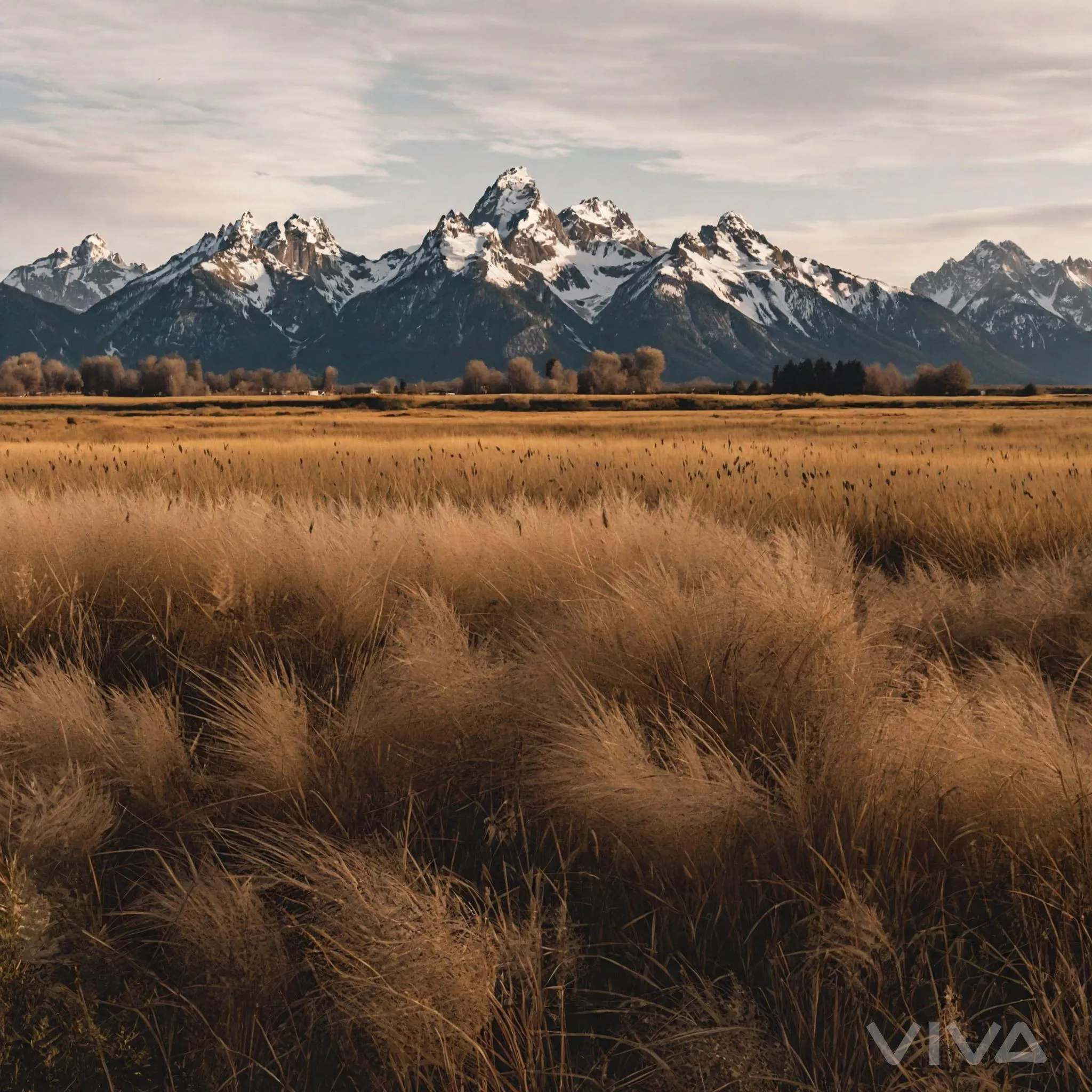
Capture the majestic Grand Tetons landscape with golden grass fields and snow-capped peaks in this AI-enhanced sunset scene. Perfect for nature-inspired phone wallpapers or photography projects. Elevate your visuals with serene mountain vistas and warm twilight hues using advanced AI tools.

Recreate
arrow
Image to Image

FAQs

How to generate images/videos from text prompts?

Describe the visual content in natural language (e.g., 'A cyberpunk cat wearing neon goggles') and our AI models will create outputs. Complex prompts trigger multi-stage NLP parsing for enhanced accuracy.

How to refine unsatisfactory results?

Use our Prompt Bot - an AI-powered optimizer that suggests technical modifiers. Simply describe your ideas, desired changes ('more metallic texture'), then you will get optimized prompt variants.

When should I use reference images?

Upload references to: 1) Guide character consistency (e.g., faces/outfits), 2) Control motion patterns in videos using our feature matching algorithm. Supports JPG/PNG

What's the credit system?

Daily login grants 100 credits. Upgrade options: 1) Premium Membership, 2) Credit Packs. Details: https://vivago.ai/subscribe

More From VIVAGO AI

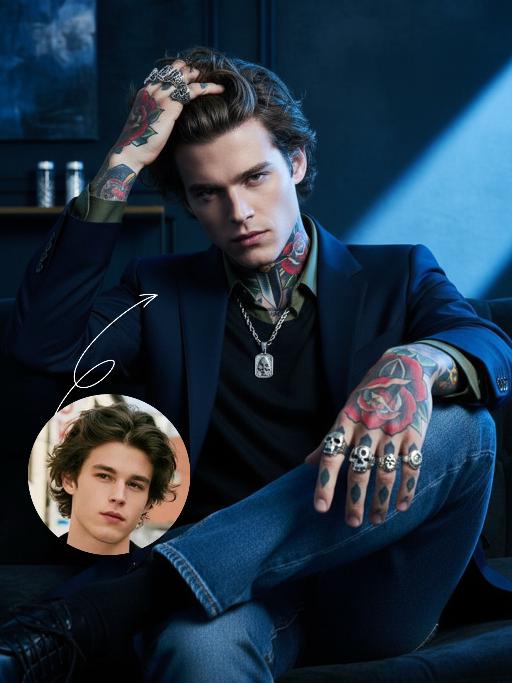
Cool Boss AI effects generated image

Cool Boss

The first uploaded portrait is used for strict identity consistency (with unchanged facial features, hairstyle, skin tone and age). His body is covered in traditional American realistic tattoos – an intricate rose and dagger pattern adorns his neck, and delicate skull and poker card motifs feature on both hands, with sharp lines and rich, saturated colors. He wears multiple heavy metal-style rings on his fingers and a silver necklace. The frame employs dramatic lighting in bold blue and dark tones, with a large wash of soft side light slanting in from the right side of the frame to create an extensive tintype effect, which outlines his facial contours and the fine details of his tattoos. His facial expression is fraught with tension, and his eyes are as sharp as an eagle’s. Boasting 8K resolution, the overall style embodies high-end, fashion-forward artistic photography. The man, dressed in a tailored suit blazer set with a dark green shirt and matching suit trousers, sits on a sofa in an utterly relaxed posture. He stares directly at the camera, exuding poise and confidence. He then slowly shifts his weight, crossing one leg over the other, before running his fingers through his hair. The camera pans slightly to the left, capturing his subtle movements and the way light casts over his tattoos, further amplifying the dynamic feel of the frame.

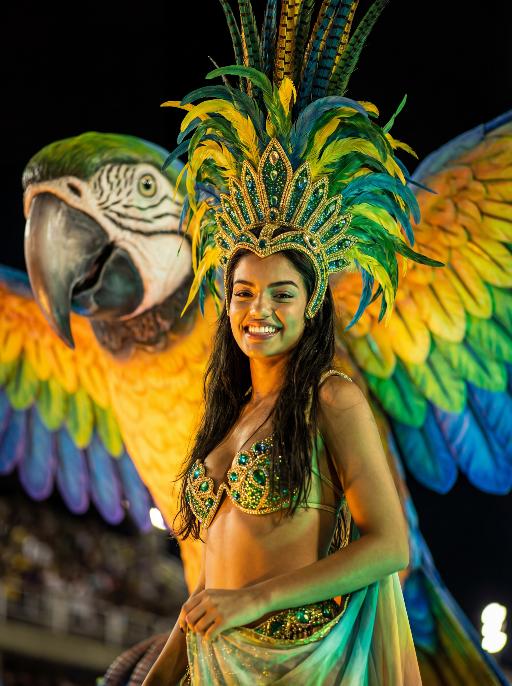
Feather Crown AI effects generated image

Feather Crown

Use the facial features, gender and age of the character in the uploaded picture exactly as they are, reimagined as a stunning Brazilian Carnival queen. Bust shot, the character occupies the largest proportion of the frame, sharp focus on face to clearly capture the confident and joyful expression details. stands proudly atop a giant, brightly colored macaw float (only the macaw's head and upper wings are visible in the background to complement the scene). The macaw is a large, realistic sculpture with dazzling green, yellow, and blue iridescent feathers, a sharp black beak, and sharp, lively eyes. wears an elaborate and exquisite traditional Brazilian Carnival costume: a grand colorful feather headdress (matching the macaw's tones) with delicate gold trim, a jeweled bikini top in green and gold, and the upper part of a flowing colorful skirt with gold and green accents visible at the shoulder and waist. Set during the Rio Carnival night parade, dramatic stage lighting—warm golden spotlights, neon green and blue fill lights—illuminates face and upper body, with the dark, atmospheric night background slightly blurred (bokeh effect) to emphasize the subject. The overall style is a high-end fashion cinematic photograph, rich saturated colors, ultra-sharp details, 8K resolution, shallow depth of field, professional portrait lighting.

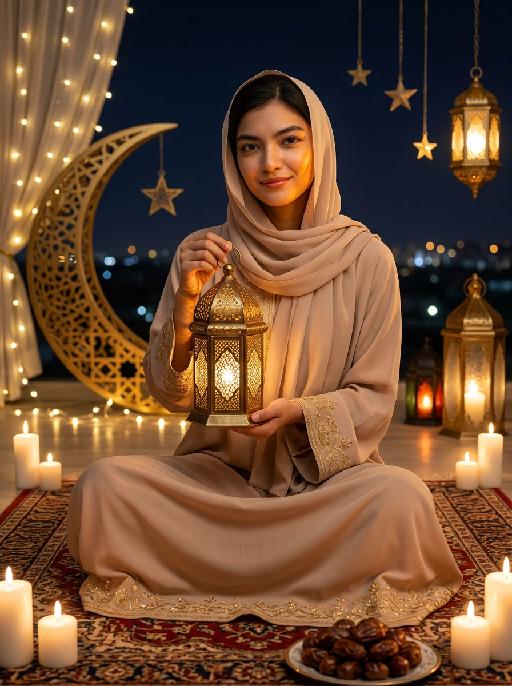
Moon&Lantern AI effects generated image

Moon&Lantern

Maintain the exact same facial features, gender, and age as the person in the uploaded image. A woman wearing a soft beige abaya with delicate gold embroidery on cuffs and hem, paired with a matching beige headscarf. She sits cross-legged on an ornate traditional Persian rug, holding a glowing ornate brass lantern with intricate lattice patterns in both hands, smiling gently at the camera. High contrast lighting, dramatic chiaroscuro, deep soft shadows on one side of the face, warm golden highlights on the other side, backlight creating a soft halo around hair and headscarf. Surrounding elements: lit white candles placed around the rug, a golden plate filled with plump dates in the foreground, a large decorative golden crescent moon with fairy lights, hanging star ornaments and glowing Arabic lanterns in the background, distant blurred city lights under a dark night sky. Cinematic warm lighting, photorealistic portrait, 8K, high detail, cozy and serene Ramadan/Eid atmosphere.

Black Rose

Preserve the original facial features of the uploaded figure. An ultra-realistic portrait photograph, close-up shot with a shallow depth of field (blurred background). The figure from the uploaded image (unchanged facial features) has messy shoulder-length hair in ash purple taupe, green eyes, light pink blush, nude pink lips, and faint freckles scattered across the cheeks and shoulders. They are wearing a black strapless slip dress with thin shoulder straps, small stud earrings and a delicate chain necklace, holding a bouquet of black roses close to the cheek, and turning half their body to look at the camera. Shooting angle: eye-level perspective, dramatic contrasting light from a flash against the night scene, a cool-toned color palette (black, ash purple taupe, pale skin tone, urban night view background), a melancholic and dreamy atmosphere, high level of detail, film texture, retro color tones, vintage film portrait style, grain texture, film light leak effects, ultra-high-definition details. An orange vertical digital date watermark (2026:00:00) is added to the bottom right corner.

Love Yourself AI effects generated image

Love Yourself

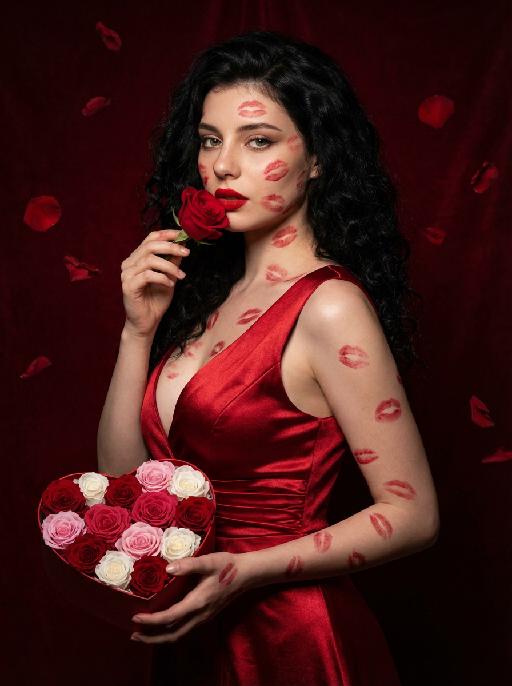
A charming and alluring figure in the uploaded picture (with unchanged facial features, gender and age), stands sideways and turns around, looking at the camera. She has long, fluffy, jet-black curly hair, exquisite eye makeup and a bright matte red lipstick. Red lipstick marks are all over her face, neck, chest and arms. She is wearing a luxurious deep V-neck red satin dress. One hand holds a heart-shaped box filled with various colored roses, and the other hand holds a rose placed near her mouth. Background: A dark red velvet texture studio background. Several red rose petals float slowly in the air in the background. Lighting hint: Low-key high-contrast dramatic light, soft directional highlights shining on her facial features and the satin dress, deep velvet-like shadows to enhance the sexy effect, with a cinematic sense of melancholy and depth. Tone hint: Rich, saturated deep red contrasts with dark black and soft charcoal gray, warm and passionate color combination, with subtle velvet texture in the shadow areas. Style: High-end fashion editing photography, highly realistic detail depiction, precise capture of skin texture and fabric luster, full of charm and allure Valentine's Day theme, with professional photography studio level, fashion pioneer photography.

With Deceased

Place the two characters from the uploaded pictures (with strict control over gender, age, clothing, and expression of sadness) in the same scene. The background is a beautiful scene of a warm yellow flower sea with a beautiful sunset. The sunlight shines on the characters' faces, illuminating them with a warm light, creating a warm and romantic atmosphere. The characters stand facing the camera in the middle of the frame, in a half-body close-up shot (the two shots uploaded are of them standing facing the camera). There is a bright light edge effect on the outline, with a smooth and natural transition. The picture quality is of a film level, with a realistic texture. It presents the texture of a reunion and memory. The shooting was done using a Canon 5D Mark IV full-frame camera and a 55mm f/1.4 wide-angle lens. The shallow depth of field effect was used. The warm-toned sunset natural light (golden dusk side backlight) was used to create a warm atmosphere. The high-resolution quality

Battle

These two individuals had angry and serious expressions, raised their fists, and assumed a fighting stance. They began to engage in a fierce struggle, launching a fierce confrontation. They quickly and powerfully punched each other's faces (one person hit the other's face three times in a row with a powerful punch, and the other person, in an angry state, roared and forcefully hit back three times). They also kicked each other's bodies with their feet. The camera captured the intensity of their movements, focusing on the tension of their bodies and the impact force generated by each punch. The background remained still, and the camera followed the movements of the characters, causing the dynamic confrontation between the two fighters to stand out, with powerful punches, the state of the boxers, and an intense and tense atmosphere.

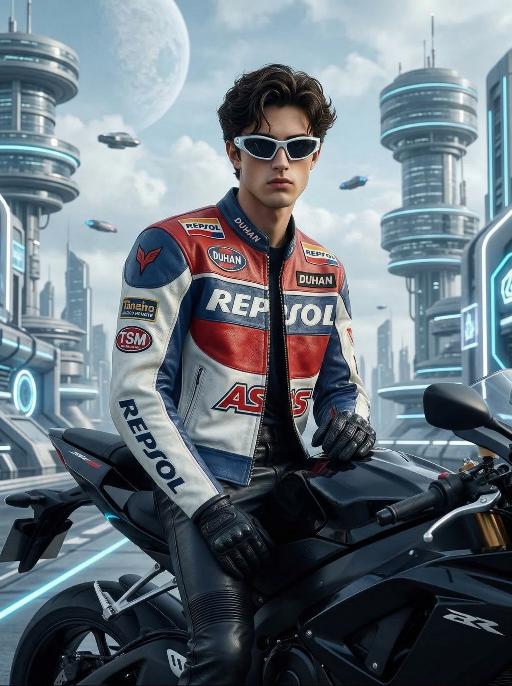
Future Rider AI effects generated image

Future Rider

Stylized digital portrait, strictly retaining the original facial features, gender, age, and hairstyle.Stylized fashion portrait of a handsome young man, messy voluminous black hair, wearing futuristic angular white sunglasses. Dressed in a vintage racing leather jacket with red, white, and blue color blocking, decorated with multiple sponsor patches including Repsol, Duhan, TSM, and AS logos. Wearing black leather pants and black gloves, sitting sideways on a black sport motorcycle. Background is a futuristic sci-fi cityscape: floating circular skyscrapers with layered dome structures, sleek vertical towers, glowing blue and white neon accents, water canals between buildings, flying vehicles in the sky, a large pale planet visible in the bright cloudy sky, clean bright daylight, soft blue and white color palette. Cinematic studio lighting with soft side shadows, sharp focus on the subject, hyper-detailed textures of leather and hair, 8K resolution, high contrast, fashion magazine aesthetic, no text or logos on the image.

Load more

Next-Gen Multi-Model AI Video Architecture

Vivago AI isn't just one engine—it’s a unified hub for the world’s most advanced video AI. Whether you need cinematic realism or high-speed social content, we provide the right model for your creative vision.

Free Generate

Beauty and Dolphins

Vacation Time

Stellar Tear

Fish Tank Supervisor

Cinematic Quality & Precision Control

Enables 4K resolution with multi-lens motion control, generating delicate scene via text prompts for customized cinematography.​

TRY NOW

Dynamic AV Sync

Auto-generates original audio to avoid copyright issues. Build 3D immersive environments through layered sound design automatically.

TRY NOW

OpenAI Sora 2

​Advanced visual storytelling with unparalleled physics and consistency.

TRY NOW

Kling v2.6 Pro

Industry-leading cinematic image animation and motion control.

TRY NOW

Google Veo 3 & 3.1

Ultra-fast generation with enhanced realism for creative workflows.

TRY NOW

Vivago AI 2.0

Our proprietary model optimized for efficiency, speed, and cost-effective generation.

TRY NOW

Users' Voice

We listen carefully to the opinions of every user.
Free Generate
Contact Us
I tried the Lip Sync feature inside Vivago.ai’s AI Video Generator for my educational podcast, and the results were stunning! The avatar's lip movements perfectly matched my audio recording, creating a professional AI-generated video without complex editing. Compared with tools like OpenAI Sora 2 and Google Veo 3.1, Vivago Image-to-Video delivers fast, studio-quality results online. It saved me hours of post-production work.
ElenaM (Spain)
Vivago’s Image-to-Video AI transformed my marketing workflow. I uploaded a product image and described the launch scene in text, and it generated a 10-second cinematic AI video with background music and dynamic visuals. The output quality rivals Kling v2.6 Pro and Google Veo 3 Fast. It’s now my go-to AI video generator for social media ads and product campaigns.
KenjiT (Japan)
As a digital artist, I use Vivago.ai 2.0 daily for Image-to-Image and AI Image-to-Video creation. The e-book covers and animated visuals I generate for clients look cinematic and professional. Unlike many standalone AI tools, Vivago integrates multiple leading models into one platform, making it easier to create copyright-safe AI images and videos for publishing.
ChenL (China)
I tried the Lip Sync feature inside Vivago.ai’s AI Video Generator for my educational podcast, and the results were stunning! The avatar's lip movements perfectly matched my audio recording, creating a professional AI-generated video without complex editing. Compared with tools like OpenAI Sora 2 and Google Veo 3.1, Vivago Image-to-Video delivers fast, studio-quality results online. It saved me hours of post-production work.
ElenaM (Spain)
Vivago’s Image-to-Video AI transformed my marketing workflow. I uploaded a product image and described the launch scene in text, and it generated a 10-second cinematic AI video with background music and dynamic visuals. The output quality rivals Kling v2.6 Pro and Google Veo 3 Fast. It’s now my go-to AI video generator for social media ads and product campaigns.
KenjiT (Japan)
As a digital artist, I use Vivago.ai 2.0 daily for Image-to-Image and AI Image-to-Video creation. The e-book covers and animated visuals I generate for clients look cinematic and professional. Unlike many standalone AI tools, Vivago integrates multiple leading models into one platform, making it easier to create copyright-safe AI images and videos for publishing.
ChenL (China)
I absolutely love Vivago’s AI Image-to-Video Generator. As a travel blogger, static images often fail to capture real atmosphere, but Vivago helps me turn photos into vivid cinematic AI videos with motion effects. It feels comparable to OpenAI Sora 2 and Google Veo 3.1, but more accessible and faster for creators who need high-quality AI videos online.
LiamK (Australia)
I tried the Lip Sync feature inside Vivago.ai’s AI Video Generator for my educational podcast, and the results were stunning! The avatar's lip movements perfectly matched my audio recording, creating a professional AI-generated video without complex editing. Compared with tools like OpenAI Sora 2 and Google Veo 3.1, Vivago Image-to-Video delivers fast, studio-quality results online. It saved me hours of post-production work.
ElenaM (Spain)
Vivago’s Image-to-Video AI transformed my marketing workflow. I uploaded a product image and described the launch scene in text, and it generated a 10-second cinematic AI video with background music and dynamic visuals. The output quality rivals Kling v2.6 Pro and Google Veo 3 Fast. It’s now my go-to AI video generator for social media ads and product campaigns.
KenjiT (Japan)
As a digital artist, I use Vivago.ai 2.0 daily for Image-to-Image and AI Image-to-Video creation. The e-book covers and animated visuals I generate for clients look cinematic and professional. Unlike many standalone AI tools, Vivago integrates multiple leading models into one platform, making it easier to create copyright-safe AI images and videos for publishing.
ChenL (China)
I absolutely love Vivago’s AI Image-to-Video Generator. As a travel blogger, static images often fail to capture real atmosphere, but Vivago helps me turn photos into vivid cinematic AI videos with motion effects. It feels comparable to OpenAI Sora 2 and Google Veo 3.1, but more accessible and faster for creators who need high-quality AI videos online.
LiamK (Australia)
Using Vivago.ai’s Image-to-Video AI has greatly enhanced my classroom teaching. I transform textbook notes into historical AI videos with cinematic filters and dynamic animations. Compared with tools like Kling v2.6 Pro and Google Veo 3 Fast, Vivago offers faster generation and easier parameter control for educators who need reliable AI video creation.
RajivG (India)
I frequently create AI videos on Vivago and publish them on TikTok and YouTube Shorts. The AI video templates and trending content ideas help me produce viral-ready clips quickly. With Vivago’s integrated models—including advanced video engines similar to OpenAI Sora 2—I can generate anime-style and cinematic social media videos that drive high engagement.
MarieJ (Spain)
What attracts me most about Vivago.ai is not only the powerful AI Video Generator but also the active AIGC creator community. It combines AI Image-to-Video, Text-to-Video, and leading model integrations like Google Veo 3.1 into one creative platform.
TomW (India)
At first, I was hesitant about using AI video tools. But after trying Vivago Image-to-Video, I realized how easy it is to create professional AI-generated videos online. I just upload an image, add a short prompt, and adjust a few settings. The results are cinematic and copyright-safe, which is essential for commercial projects.
HectorC (Mexico)
Using Vivago.ai’s Image-to-Video AI has greatly enhanced my classroom teaching. I transform textbook notes into historical AI videos with cinematic filters and dynamic animations. Compared with tools like Kling v2.6 Pro and Google Veo 3 Fast, Vivago offers faster generation and easier parameter control for educators who need reliable AI video creation.
RajivG (India)
I frequently create AI videos on Vivago and publish them on TikTok and YouTube Shorts. The AI video templates and trending content ideas help me produce viral-ready clips quickly. With Vivago’s integrated models—including advanced video engines similar to OpenAI Sora 2—I can generate anime-style and cinematic social media videos that drive high engagement.
MarieJ (Spain)
What attracts me most about Vivago.ai is not only the powerful AI Video Generator but also the active AIGC creator community. It combines AI Image-to-Video, Text-to-Video, and leading model integrations like Google Veo 3.1 into one creative platform.
TomW (India)
At first, I was hesitant about using AI video tools. But after trying Vivago Image-to-Video, I realized how easy it is to create professional AI-generated videos online. I just upload an image, add a short prompt, and adjust a few settings. The results are cinematic and copyright-safe, which is essential for commercial projects.
HectorC (Mexico)