Text to Image

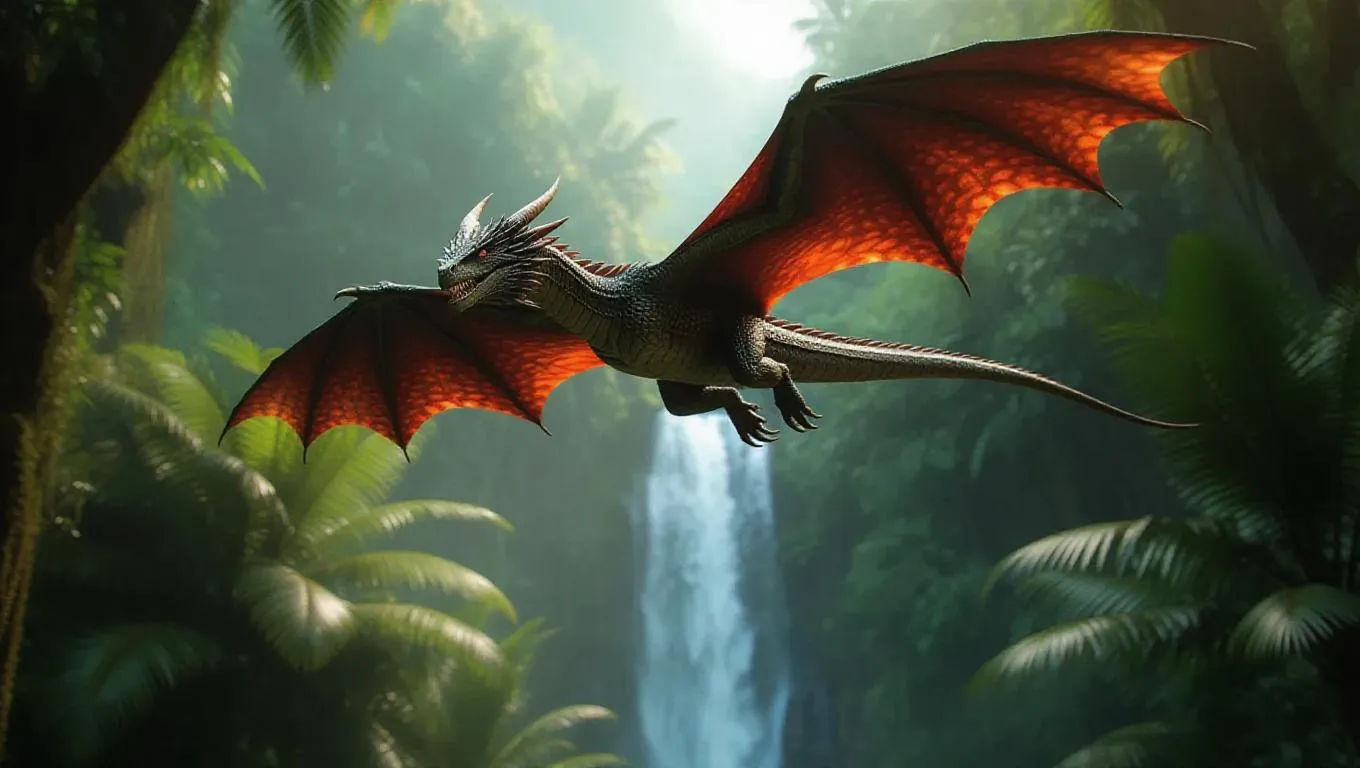
Create AI-generated dragons soaring through jungle skies with dynamic motion effects. Transform text prompts into vivid animations using Vivago.ai's AI video tools. Craft professional-grade, imaginative visuals with curated effects and editing features for stunning aerial jungle scenes.

Recreate
arrow
Text to Image

FAQs

How to generate images/videos from text prompts?

Describe the visual content in natural language (e.g., 'A cyberpunk cat wearing neon goggles') and our AI models will create outputs. Complex prompts trigger multi-stage NLP parsing for enhanced accuracy.

How to refine unsatisfactory results?

Use our Prompt Bot - an AI-powered optimizer that suggests technical modifiers. Simply describe your ideas, desired changes ('more metallic texture'), then you will get optimized prompt variants.

When should I use reference images?

Upload references to: 1) Guide character consistency (e.g., faces/outfits), 2) Control motion patterns in videos using our feature matching algorithm. Supports JPG/PNG

What's the credit system?

Daily login grants 100 credits. Upgrade options: 1) Premium Membership, 2) Credit Packs. Details: https://vivago.ai/subscribe

More From VIVAGO AI

With Deceased

Place the two characters from the uploaded pictures (with strict control over gender, age, clothing, and expression of sadness) in the same scene. The background is a beautiful scene of a warm yellow flower sea with a beautiful sunset. The sunlight shines on the characters' faces, illuminating them with a warm light, creating a warm and romantic atmosphere. The characters stand facing the camera in the middle of the frame, in a half-body close-up shot (the two shots uploaded are of them standing facing the camera). There is a bright light edge effect on the outline, with a smooth and natural transition. The picture quality is of a film level, with a realistic texture. It presents the texture of a reunion and memory. The shooting was done using a Canon 5D Mark IV full-frame camera and a 55mm f/1.4 wide-angle lens. The shallow depth of field effect was used. The warm-toned sunset natural light (golden dusk side backlight) was used to create a warm atmosphere. The high-resolution quality

Midnight Neon

Professional retro film-style portrait photography, with the first uploaded portrait used in the frame for strict identity consistency (unchanged facial features, hairstyle, skin tone and age). The figure’s face is naturally retouched for a flawless skin texture, paired with dramatic light and shadow contrast on the facial features. In this street photography portrait, the figure stands at the center of a bustling city street on a rainy night (the vibrant night view of Tokyo’s busy thoroughfares), captured in a close-up shot and positioned right at the frame’s center. The traffic flow in the background (vehicles and pedestrians speeding by to create blurred dynamic streaks) and neon lights feature dynamic motion blur effects, with smudged texture overlays to enhance the narrative mood. The dim lighting boasts high contrast; the wet road surfaces reflect warm orange glows and cool-toned neon light, with soft bokeh spots cast by street lamps and car headlights. Color palette: based on black and white tones, the neon hues are processed with high saturation, dominated by dark shades to create a striking contrast between warm and cool tones. The image is enhanced with film grain texture, depth of field breakup details, cinematic black aesthetic, and ultra-realistic, ultra-fine textures, plus a lifelike effect of raindrops splattering on the lens. Shot with a slow shutter speed, a large aperture and a low shutter setting; an orange vertical digital date watermark (2026:00:00) is added to the bottom right corner.

Belly dance

The facial features of the uploaded figure remain unchanged, with natural skin retouching for a smooth complexion and exquisite facial makeup. The figure is dressed in a stunning navy blue off-the-shoulder deep V belly dance costume, which is densely inlaid with sparkling blue gemstones (each gemstone reflects light, emanating a dazzling radiance and showcasing a sleek texture) and diamonds. Its multi-layered ruffled high-slit skirt features intricate detailing of crystal waterfalls and dangling gemstone embellishments. The scene is set in a magnificent and opulent golden palace ballroom (with blurred dining tables and crystal chandeliers hanging in the background). Cinematic warm golden lighting focuses on the crystal adornments of the costume, highlighting their shimmering luster and the bright sparkles on the fabric. Quality: 8K ultra-high resolution, sharp and distinct textures of the crystals and costume, vivid and saturated colors, no blurriness at all. Shot Type: Medium Shot Portrait, framing the figure from the top of the head to the thighs to fully display the upper body and part of the lower body; Framing Distance: the figure is at a medium distance from the camera, with neither close-up magnified facial details nor a full panoramic view of the entire body.

Golden 2026 AI effects generated image

Golden 2026

The figure from the uploaded image (with unchanged facial features, age and gender, natural skin retouching on the face, and a fresh, sheer makeup look). This is a fashion portrait photography piece with a centered composition and an eye-level shooting perspective, captured with a Canon EOS R5 camera paired with an 85mm f/1.4 lens. The figure holds golden number balloons (20 and 26) in each hand, with arms raised naturally, body slightly turned and head tilted gently. Their gaze is directed diagonally upward, with a playful pout and a relaxed expression, striking an elegant posture. They are dressed in a high-customized gold sequined one-shoulder slim-fit dress with a distinctive design, and wear a gold glitter party hat, paired with high-end, luxurious and exquisitely designed accessories (necklace, rings, earrings, bracelet). Set against a solid pale off-white background with soft warm studio lighting, the image features high-texture skin details and sharply defined sequin details, presenting a delicate and sophisticated visual effect. It adopts an avant-garde fashion photography style with high-end photographic quality and a low-saturation color palette.

Bali Bride AI effects generated image

Bali Bride

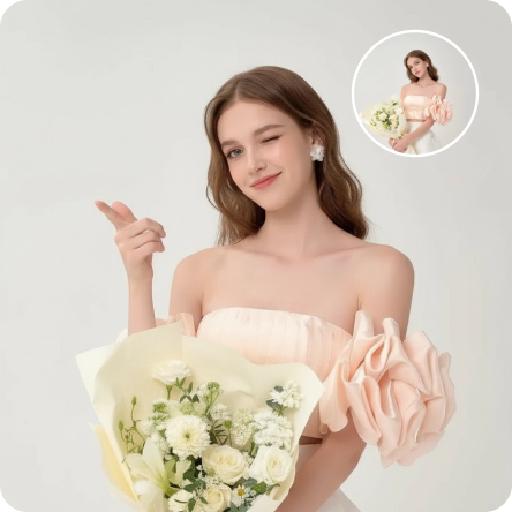
Strictly lock the facial features of the uploaded portrait (preserve facial contours, native Indonesian skin tone, hairstyle and age). Extremely minimal negative space, the subject occupies 90% of the vertical frame, tight half-body portrait photography, hyper-realistic style, 4K ultra-high definition, soft warm tropical daylight, authentic Balinese cultural ceremony atmosphere . A young Indonesian Balinese woman with delicate features and a gentle warm smile, half-squatting in a sacred Balinese temple courtyard (close framing) . She wears an elaborate traditional Balinese ceremonial outfit: deep maroon strapless dress with intricate golden floral & phoenix embroidery, ornate hand-carved golden headdress, golden necklace, drop earrings and bracelet . Her right hand rests on an intricately carved Balinese wooden frame decorated with gold, blue and pink floral motifs . Background (weathered temple stone walls, traditional yellow Balinese payung) is extremely softly blurred to highlight the subject. Warm diffused sunlight creates a glowing golden tone throughout the scene, sharp focus on her facial expression, the rich texture of the golden embroidery and intricate headdress details. Capture the vibrant authentic Balinese cultural ambiance

Super Shoes

A stylish 25-year-old Korean man in a room, standing in front of a shoe cabinet filled with numerous shoe boxes. He is wearing a fashionable jacket and denim jeans, exuding a modern yet vintage aesthetic. Use the uploaded image as the hero.He holds the product( (as shown in the uploaded image), facing the camera and confidently showcasing the product, as if introducing them in a casual, fashion blogger-style video. The scene is a close-up, focusing only on his upper body, hands, and the sneakers, without showing his feet. The background has a realistic, lived-in vibe with no blur, mimicking the feel of an iPhone shot. Soft, natural lighting illuminates both the man and the sneakers, creating warmth and balance, typical of smartphone photography with its crisp details and smooth gradients. The atmosphere feels authentic and relatable, with an Instagram-style aesthetic that highlights the mobile phone's natural, clean feel.

Birthday Photo AI effects generated image

Birthday Photo

Drawing on the overall facial structure, three-dimensional facial features, skin tone range and age vibe of the uploaded model's image (without strict identity replication), a new female figure is created: a stunning woman with sophisticated elegance, graceful in appearance and self-assured in demeanor, exuding a warm, charming and blissful aura. She is wearing an upscale black off-the-shoulder corset dress with a form-fitting cut and clean, sharp lines; crafted from a premium, fine-textured material, it embodies a sleek yet understated fashion aesthetic. A delicate, petite tiara-style hair accessory adorns her hair, nestled like a princess’s finishing touch—its elegant and restrained design serves as a perfect focal point that elevates the entire look. She holds an exquisitely designed white cream cake with both hands, decorated with several lit candles whose soft, warm glow symbolizes birthday wishes and blessings. A warm, blissful smile graces her face, natural and sincere; her eyes are bright and gentle, fully conveying emotions of joy, contentment and being cherished. The overall atmosphere is intimate and lovely. The background is a solid dark gray hue, simple and uncluttered with no extraneous elements, making the figure’s silhouette and the cake the distinct focal points. The lighting adopts a modern photographic style with dramatic chiaroscuro: the key light illuminates the woman’s face and the cake centrally, while a rim light subtly outlines her figure’s contours. The background remains understated, further enhancing the layered dimensionality of the subject. The overall color palette is kept to a minimalist scheme, dominated by black, white and gray, rendering the frame restrained and sophisticated. The style is contemporary, fashionable and exquisite, with high-definition photorealistic quality, rich and well-defined details, naturally realistic skin texture, and clearly discernible textures of the dress and the cake. The image as a whole presents the visual effect of a high-end fashion birthday portrait.

Load more

Next-Gen Multi-Model AI Video Architecture

Vivago AI isn't just one engine—it’s a unified hub for the world’s most advanced video AI. Whether you need cinematic realism or high-speed social content, we provide the right model for your creative vision.

Free Generate

Beauty and Dolphins

Vacation Time

Stellar Tear

Fish Tank Supervisor

Cinematic Quality & Precision Control

Enables 4K resolution with multi-lens motion control, generating delicate scene via text prompts for customized cinematography.​

TRY NOW

Dynamic AV Sync

Auto-generates original audio to avoid copyright issues. Build 3D immersive environments through layered sound design automatically.

TRY NOW

OpenAI Sora 2

​Advanced visual storytelling with unparalleled physics and consistency.

TRY NOW

Kling v2.6 Pro

Industry-leading cinematic image animation and motion control.

TRY NOW

Google Veo 3 & 3.1

Ultra-fast generation with enhanced realism for creative workflows.

TRY NOW

Vivago AI 2.0

Our proprietary model optimized for efficiency, speed, and cost-effective generation.

TRY NOW

Users' Voice

We listen carefully to the opinions of every user.
Free Generate
Contact Us
I tried the Lip Sync feature inside Vivago.ai’s AI Video Generator for my educational podcast, and the results were stunning! The avatar's lip movements perfectly matched my audio recording, creating a professional AI-generated video without complex editing. Compared with tools like OpenAI Sora 2 and Google Veo 3.1, Vivago Image-to-Video delivers fast, studio-quality results online. It saved me hours of post-production work.
ElenaM (Spain)
Vivago’s Image-to-Video AI transformed my marketing workflow. I uploaded a product image and described the launch scene in text, and it generated a 10-second cinematic AI video with background music and dynamic visuals. The output quality rivals Kling v2.6 Pro and Google Veo 3 Fast. It’s now my go-to AI video generator for social media ads and product campaigns.
KenjiT (Japan)
As a digital artist, I use Vivago.ai 2.0 daily for Image-to-Image and AI Image-to-Video creation. The e-book covers and animated visuals I generate for clients look cinematic and professional. Unlike many standalone AI tools, Vivago integrates multiple leading models into one platform, making it easier to create copyright-safe AI images and videos for publishing.
ChenL (China)
I tried the Lip Sync feature inside Vivago.ai’s AI Video Generator for my educational podcast, and the results were stunning! The avatar's lip movements perfectly matched my audio recording, creating a professional AI-generated video without complex editing. Compared with tools like OpenAI Sora 2 and Google Veo 3.1, Vivago Image-to-Video delivers fast, studio-quality results online. It saved me hours of post-production work.
ElenaM (Spain)
Vivago’s Image-to-Video AI transformed my marketing workflow. I uploaded a product image and described the launch scene in text, and it generated a 10-second cinematic AI video with background music and dynamic visuals. The output quality rivals Kling v2.6 Pro and Google Veo 3 Fast. It’s now my go-to AI video generator for social media ads and product campaigns.
KenjiT (Japan)
As a digital artist, I use Vivago.ai 2.0 daily for Image-to-Image and AI Image-to-Video creation. The e-book covers and animated visuals I generate for clients look cinematic and professional. Unlike many standalone AI tools, Vivago integrates multiple leading models into one platform, making it easier to create copyright-safe AI images and videos for publishing.
ChenL (China)
I absolutely love Vivago’s AI Image-to-Video Generator. As a travel blogger, static images often fail to capture real atmosphere, but Vivago helps me turn photos into vivid cinematic AI videos with motion effects. It feels comparable to OpenAI Sora 2 and Google Veo 3.1, but more accessible and faster for creators who need high-quality AI videos online.
LiamK (Australia)
I tried the Lip Sync feature inside Vivago.ai’s AI Video Generator for my educational podcast, and the results were stunning! The avatar's lip movements perfectly matched my audio recording, creating a professional AI-generated video without complex editing. Compared with tools like OpenAI Sora 2 and Google Veo 3.1, Vivago Image-to-Video delivers fast, studio-quality results online. It saved me hours of post-production work.
ElenaM (Spain)
Vivago’s Image-to-Video AI transformed my marketing workflow. I uploaded a product image and described the launch scene in text, and it generated a 10-second cinematic AI video with background music and dynamic visuals. The output quality rivals Kling v2.6 Pro and Google Veo 3 Fast. It’s now my go-to AI video generator for social media ads and product campaigns.
KenjiT (Japan)
As a digital artist, I use Vivago.ai 2.0 daily for Image-to-Image and AI Image-to-Video creation. The e-book covers and animated visuals I generate for clients look cinematic and professional. Unlike many standalone AI tools, Vivago integrates multiple leading models into one platform, making it easier to create copyright-safe AI images and videos for publishing.
ChenL (China)
I absolutely love Vivago’s AI Image-to-Video Generator. As a travel blogger, static images often fail to capture real atmosphere, but Vivago helps me turn photos into vivid cinematic AI videos with motion effects. It feels comparable to OpenAI Sora 2 and Google Veo 3.1, but more accessible and faster for creators who need high-quality AI videos online.
LiamK (Australia)
Using Vivago.ai’s Image-to-Video AI has greatly enhanced my classroom teaching. I transform textbook notes into historical AI videos with cinematic filters and dynamic animations. Compared with tools like Kling v2.6 Pro and Google Veo 3 Fast, Vivago offers faster generation and easier parameter control for educators who need reliable AI video creation.
RajivG (India)
I frequently create AI videos on Vivago and publish them on TikTok and YouTube Shorts. The AI video templates and trending content ideas help me produce viral-ready clips quickly. With Vivago’s integrated models—including advanced video engines similar to OpenAI Sora 2—I can generate anime-style and cinematic social media videos that drive high engagement.
MarieJ (Spain)
What attracts me most about Vivago.ai is not only the powerful AI Video Generator but also the active AIGC creator community. It combines AI Image-to-Video, Text-to-Video, and leading model integrations like Google Veo 3.1 into one creative platform.
TomW (India)
At first, I was hesitant about using AI video tools. But after trying Vivago Image-to-Video, I realized how easy it is to create professional AI-generated videos online. I just upload an image, add a short prompt, and adjust a few settings. The results are cinematic and copyright-safe, which is essential for commercial projects.
HectorC (Mexico)
Using Vivago.ai’s Image-to-Video AI has greatly enhanced my classroom teaching. I transform textbook notes into historical AI videos with cinematic filters and dynamic animations. Compared with tools like Kling v2.6 Pro and Google Veo 3 Fast, Vivago offers faster generation and easier parameter control for educators who need reliable AI video creation.
RajivG (India)
I frequently create AI videos on Vivago and publish them on TikTok and YouTube Shorts. The AI video templates and trending content ideas help me produce viral-ready clips quickly. With Vivago’s integrated models—including advanced video engines similar to OpenAI Sora 2—I can generate anime-style and cinematic social media videos that drive high engagement.
MarieJ (Spain)
What attracts me most about Vivago.ai is not only the powerful AI Video Generator but also the active AIGC creator community. It combines AI Image-to-Video, Text-to-Video, and leading model integrations like Google Veo 3.1 into one creative platform.
TomW (India)
At first, I was hesitant about using AI video tools. But after trying Vivago Image-to-Video, I realized how easy it is to create professional AI-generated videos online. I just upload an image, add a short prompt, and adjust a few settings. The results are cinematic and copyright-safe, which is essential for commercial projects.
HectorC (Mexico)