Image to Video

Create dynamic dance visuals with VivaGo AI! Effortlessly animate movement using our dance effect generator. Transform prompts into professional-grade dance animations, videos, or stylized images. AI-powered tools bring your dance scenes to life. Make captivating moving dance art. #DanceVideoGenerator #AIDanceEffect.

Recreate
arrow

FAQs

How to generate images/videos from text prompts?

Describe the visual content in natural language (e.g., 'A cyberpunk cat wearing neon goggles') and our AI models will create outputs. Complex prompts trigger multi-stage NLP parsing for enhanced accuracy.

How to refine unsatisfactory results?

Use our Prompt Bot - an AI-powered optimizer that suggests technical modifiers. Simply describe your ideas, desired changes ('more metallic texture'), then you will get optimized prompt variants.

When should I use reference images?

Upload references to: 1) Guide character consistency (e.g., faces/outfits), 2) Control motion patterns in videos using our feature matching algorithm. Supports JPG/PNG

What's the credit system?

Daily login grants 100 credits. Upgrade options: 1) Premium Membership, 2) Credit Packs. Details: https://vivago.ai/subscribe

More From VIVAGO AI

Goofy AI effects generated image

Goofy

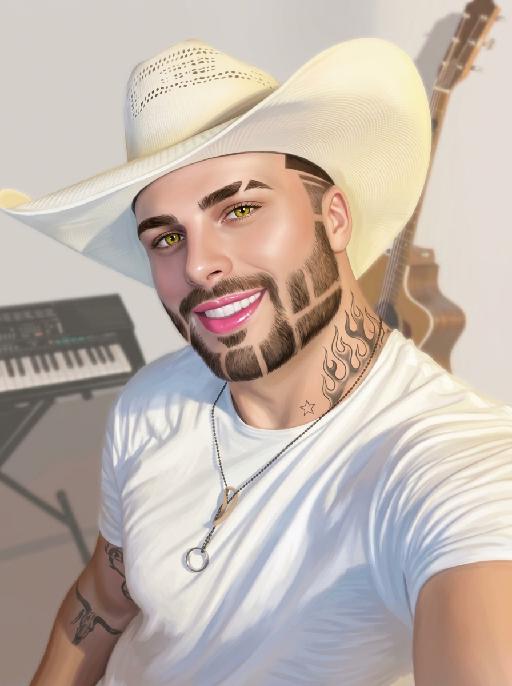
The person's skin has a porcelain-like smoothness with a photo-retouching effect. The posture and facial features of the person in the uploaded picture remain unchanged (the posture is consistent, the hairstyle and clothing have not been modified, the hairstyle and clothing remain the same, and the picture background has not been altered). However, the triangular incision at the hairline + side straight shaving lines, sharp eyebrows + obvious broken eyebrows (with a mid-section cut-off gap) design, and also neat gaps with cut segments on the beard; the overall style of the entire picture has transformed into a portrait style that combines 60% digital painting style and 40% real photography style. The person's skin is as smooth and flawless as porcelain, having undergone deep beauty treatment. The eyes are gold-green contact lenses, the lips are painted with shiny pink lipstick, there is a tribal flame tattoo on the neck, and a small star tattoo on the collarbone. The background is the same as the original picture, with a bright filter added, presenting a low saturation and blurry effect, 8K resolution, and beautiful Instagram filter effect. The lines are simple and smooth, with a low overall contrast, a plain style but with bright and rich colors.

Purple Grace AI effects generated image

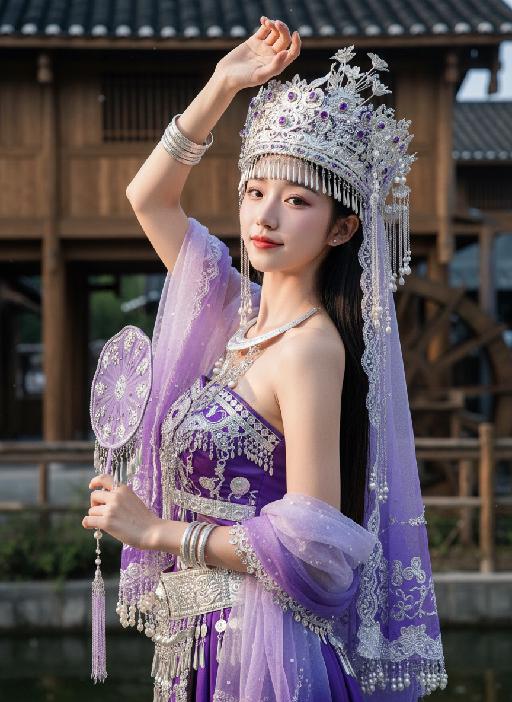
Purple Grace

Strictly lock facial features: fully preserving the original facial contours, skin texture, eye shape, lip shape, and youthful appearance with zero deviations allowed. Precise image quality adjustments: Quality +20, Contrast -10, Orange Saturation -20, Brightness +15, Blue Brightness +30, soft light effect, Grain +15, presenting a delicate and soft film texture. Half-body close-up (subject occupies 80% of the frame), slight downward perspective to clearly showcase facial features and a seductive, curvy figure. A young East Asian woman with a soft and charming temperament stands in a full sideways stance, body forming a more graceful and seductive S-shaped curve—waist slightly twisted, hips gently tilted outward to highlight the charming curves of the waist and hips, shoulders slightly tilted back to show the slender neck and collarbone lines, presenting a natural and enchanting posture without stiffness; face slightly tilted with a sweet and coquettish smile, eyes alluring and seductive, eyes half-closed with a hint of charm; makeup is fresh and charming: pink blush, glossy red lips, shimmery soft eye makeup; long black hair, partially covered by the veil. Exact action replication (matching the image) with natural and enchanting adjustments: One hand raised high above the head with palm facing downward, fingers slightly curved in a relaxed state (not stiff), the other hand gently holding a delicate purple Miao-style silk fan (decorated with silver filigree, purple gemstones and pearl tassels) instead of pressing together, fan surface slightly open, wrist naturally bent to fit the seductive posture, elbows naturally bent and lifted to maintain an elegant dance posture, the gradient purple tulle shawl wrapped around the arms flutters slightly with the posture, adding a sense of dynamics. Wearing: - Headdress: Dazzling purple Miao silver headdress, decorated with intricate silver filigree, dangling silver tassels, and embedded purple gemstones, paired with a gradient purple-white lace veil (edge adorned with pearl tassels and Miao-style embroidery) - Accessories: Multi-layered Miao silver bracelets and arm cuffs with delicate silver pendants, exaggerated Miao silver collar with carved patterns - Dazzling purple Miao clothing: Top: Slim-fit purple Miao bandeau, heavily embroidered with silver threads and beadwork, tightly fitted to highlight the waistline Shawl: Gradient purple tulle shawl, wrapped around the arms, with Miao silver embroidery and pearl tassels along the edge Waist ornament: Wide Miao silver waistband with dangling silver tassels to accentuate the curvy figure Background: Softly blurred Chinese ancient village scene, with a wooden stilt house (black tile roof) and wooden waterwheel in the distance; warm golden sunlight shines from the upper right side of the frame, creating distinct light and shadow contrast—bright highlights on the Miao silver ornaments, tulle shawl, silk fan and glossy lips, soft natural shadows on the neck, waist and the edge of the costume, enhancing the three-dimensional sense of the figure and the seductive atmosphere; the Miao silver ornaments catch the sunlight to emit a more dazzling luster, the picture is transparent and elegant, dominated by purple, silver and white tones, strictly 1:1 replicate the original image's facial features, pose and light and shadow atmosphere

Miss World AI effects generated image

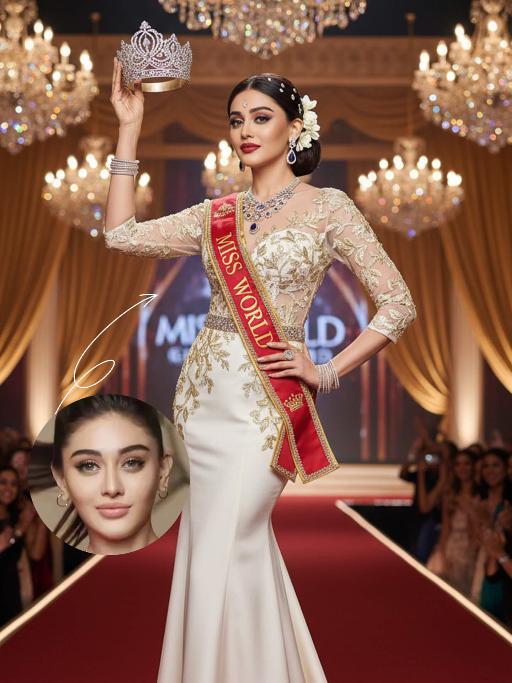
Miss World

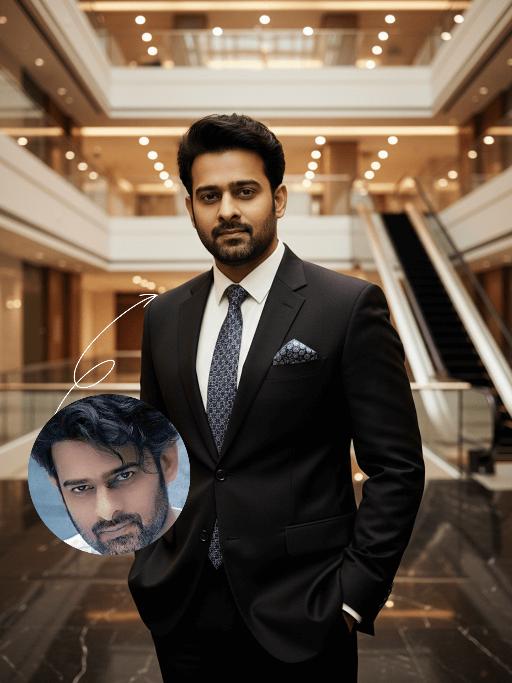
The identity of the uploaded portrait is strictly preserved (retaining facial contours, authentic Indian skin tone, hairstyle and age). This is a full-body portrait with a 3:4 aspect ratio and a 1:6 head-to-body ratio to accentuate her tall and exquisite figure. The subject is a stunning and glamorous Indian Miss World champion with sophisticated and elegant makeup: deep three-dimensional eye makeup paired with a matte true red lip, a Swarovski crystal bindi adorned on her forehead, and a fresh, flawless base that exudes the high-end texture of a beauty pageant. Her hair is styled into an elegant low chignon with pearl hair chains twined around the ends and white gardenia petals dotted at the temples. She is wearing a tailor-made ivory white mermaid gown: the bodice features a lace patchwork sheer design fully embellished with golden vine embroidery, a diamond-paved waist cincher at the waist tightens the waistline to outline perfect body curves; the skirt is crafted from silk with an exquisite drape, and its floor-length cut exudes inherent grandeur. She holds the diamond-encrusted Miss World crown high in her right hand, and a red sash printed with the words Miss World is slung over her left shoulder, with golden traditional Indian totems embroidered along the sash’s edges. Accessory details: a multi-layered diamond clavicle chain around her neck, teardrop-shaped sapphire earrings at her ears, stacked platinum bangles on her wrists, and golden platform high heels on her feet. The background is the award stage of the Miss World final: dazzling crystal chandeliers hang overhead, golden backdrops drape on both sides, the blurred cheering crowd and sparkling flash halos fill the audience below, and the stage floor is covered with a red velvet carpet. Professional red carpet portrait lighting is adopted: the key light illuminates the subject’s entire body, fill light outlines the lace texture of the gown and the luster of the jewelry, and backlight creates a halo around the hair, building a glorious atmosphere of the championship-winning moment. The style is a high-end fashion beauty pageant portrait with 8K ultra-high definition, abundant details and bright, saturated colors, fully showcasing the confidence, elegance and championship aura of the Indian woman.

Hollywood Star AI effects generated image

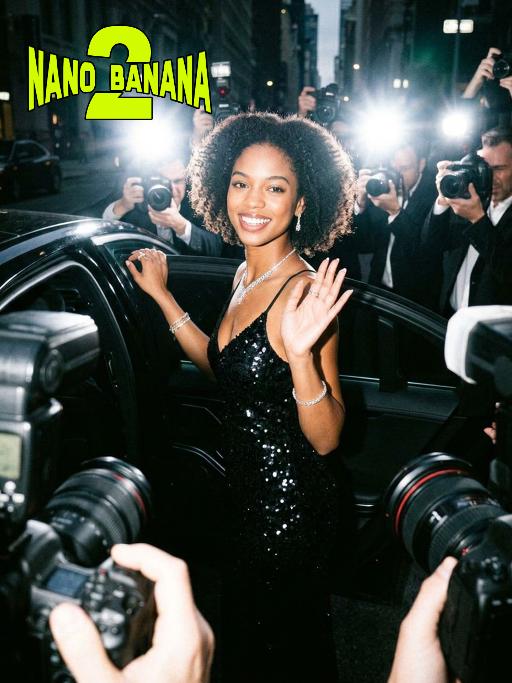
Hollywood Star

A medium close-up shot from a frontal perspective with a slight upward tilt, the camera angle is slightly tilted forward. This shot was taken using a professional full-frame digital SLR camera and a 50mm f/1.2 wide-angle fixed-focus lens. The uploaded image shows a person (with unchanged facial features, gender, age, and hairstyle), wearing a tight black sequined sexy dress and wearing high-end custom accessories. This figure is preparing to get into a black luxury car with open doors. The figure turns halfway and looks at the camera, raising one hand and making a gentle waving or shielding gesture. The person has a relaxed and confident smile on their face, with bright and expressive eyes. The scene is on a night-time city street, illuminated by a group of paparazzi and a large number of flashes, creating a high-contrast light and shadow effect, with shadows and bright highlights, and the foreground also includes cameras and flashes, creating the feeling that the celebrity figure is surrounded by paparazzi and cameras. This aesthetic style is the street style of Hollywood celebrity paparazzi, featuring grainy film texture, clear focus on the subject, blurred background and dark tones. The person's face is illuminated by the flash, and the makeup characteristic of the figure is exaggerated false eyelashes, clear cheekbones, nude matte lip color and bright highlights used to enhance the three-dimensionality; the picture adds dark corners at the four corners and bright parts in the middle, creating a strong contrast between light and shadow.

Ramadan Glow

Maintain the exact same facial features, gender, and age as the person in the uploaded image. A young Muslim people wearing a deep navy blue abaya with intricate silver floral embroidery along the front placket and wide cuffs, paired with a soft beige headscarf draped elegantly over her shoulders. She stands gently, holding a glowing ornate golden brass lantern with delicate filigree patterns in both hands, smiling softly at the camera. Background: elegant indoor space with polished white marble walls and floor, hanging vintage Arabic lanterns (fanous) with warm amber light, suspended star-shaped fairy lights, and large illuminated golden marquee letters spelling "RAMADAN KAREEM" (text kept as decorative element). Floor scattered with warm white fairy lights, creating a cozy festive glow. High contrast dramatic chiaroscuro lighting, deep soft shadows on one side of the face, warm golden highlights on the other side, strong light-dark contrast to define facial contours, visible golden sunbeams (Tyndall effect) streaming through the air, catching dust particles and illuminating the lantern glow. Cinematic warm tone, photorealistic portrait, 8K, ultra-detailed textures, luxurious and serene Ramadan atmosphere.

Indonesian Sari

Use the uploaded reference image as the primary identity reference. Create a high-end Indonesian fashion editorial portrait of the same person, preserving facial features, skin tone, expression, and body proportions exactly. The subject wears a luxurious traditional Indonesian kebaya in deep green with intricate gold embroidery, paired with a matching songket skirt with rich golden batik patterns and a red silk inner camisole with delicate gold trim. Exquisitely crafted Indonesian traditional jewelry set including a statement golden Balinese necklace, chandelier gem-encrusted earrings, stacked gold bangles, and gem-set rings. Seductive and glamorous makeup with smoky cat eyes, vivid bold red lips and contoured cheekbones, exuding irresistible striking feminine allure, Graceful standing pose, one hand resting near the waist, front-facing or slightly angled body posture. Soft cinematic lighting, realistic texture of kebaya and songket fabric, delicate embroidery details. Background inspired by classic Indonesian palace interiors with intricate Balinese wooden carvings and batik heritage murals, warm and luxurious atmosphere with refined cultural charm. Ultra-realistic photography, high-end fashion magazine style, natural skin texture with subtle shimmer, ultra-high detail, sharp focus, the portrait exudes premium Indonesian cultural elegance and bold attractive femininity

Seagull AI effects generated image

Seagull

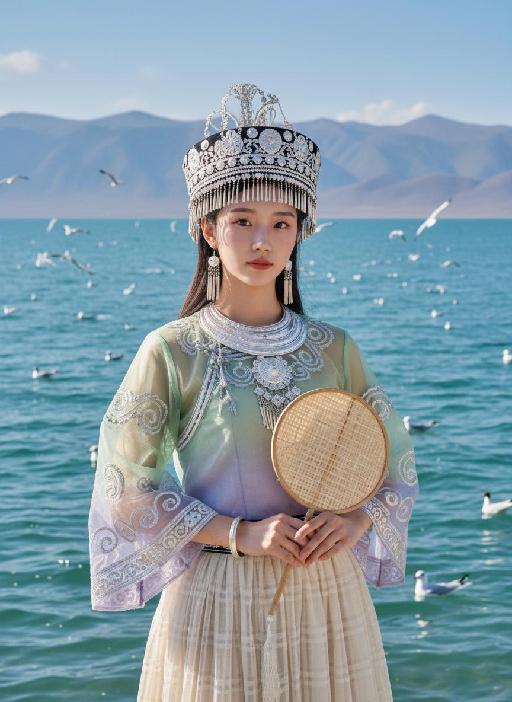
Strictly lock facial features: fully preserving the original facial contours, skin texture, eye shape, lip shape, and youthful appearance with zero deviations allowed. Camera zoomed in for a tighter composition, eye-level perspective, half-body close-up (subject occupies 85% of the frame), a young East Asian woman with a gentle temperament stands facing forward, hands naturally holding a bamboo-woven round fan in front of her, posture dignified, expression gentle and calm, eyes soft looking at the camera; Facial state exactly as original: fresh nude makeup, transparent porcelain base, natural pink lips, soft eye makeup, no heavy colors. Sheer tulle clothing exactly as original: - Headdress: Traditional Miao silver headdress, black base with multiple layers of silver tassels and carvings, hanging pearl strings on both sides - Accessories: Multi-layered Miao silver collar, silver bracelets - Top: Sheer tulle Miao top with gradient from light green to light purple, round neck design, wide sleeves covered with scroll grass pattern embroidery, edged with silver patterns, presenting a light and semi-transparent texture - Skirt: Light beige sheer tulle plaid pleated long skirt, with strong drape and a light, flowing hem Lighting and image quality exactly as original: Bright outdoor natural light with soft diffusion, sheer tulle fabric showing transparent luster, silver ornaments showing natural highlights, high-definition and transparent image quality, fresh and soft colors, with delicate natural grain, restoring the film texture of the original image. Background exactly as original (partially cropped due to zoom): Plateau lake scene, azure blue water with sparkling waves, distant continuous gray-blue mountains, multiple black-headed gulls in the blue sky (some flying, some swimming on the water surface); the picture is dominated by light green, silver white and blue tones, strictly 1:1 replicate the original image's movements, clothing details and light and shadow atmosphere.

Load more

Next-Gen Multi-Model AI Video Architecture

Vivago AI isn't just one engine—it’s a unified hub for the world’s most advanced video AI. Whether you need cinematic realism or high-speed social content, we provide the right model for your creative vision.

Free Generate

Beauty and Dolphins

Vacation Time

Stellar Tear

Fish Tank Supervisor

Cinematic Quality & Precision Control

Enables 4K resolution with multi-lens motion control, generating delicate scene via text prompts for customized cinematography.​

TRY NOW

Dynamic AV Sync

Auto-generates original audio to avoid copyright issues. Build 3D immersive environments through layered sound design automatically.

TRY NOW

OpenAI Sora 2

​Advanced visual storytelling with unparalleled physics and consistency.

TRY NOW

Kling v2.6 Pro

Industry-leading cinematic image animation and motion control.

TRY NOW

Google Veo 3 & 3.1

Ultra-fast generation with enhanced realism for creative workflows.

TRY NOW

Vivago AI 2.0

Our proprietary model optimized for efficiency, speed, and cost-effective generation.

TRY NOW

Users' Voice

We listen carefully to the opinions of every user.
Free Generate
Contact Us
I tried the Lip Sync feature inside Vivago.ai’s AI Video Generator for my educational podcast, and the results were stunning! The avatar's lip movements perfectly matched my audio recording, creating a professional AI-generated video without complex editing. Compared with tools like OpenAI Sora 2 and Google Veo 3.1, Vivago Image-to-Video delivers fast, studio-quality results online. It saved me hours of post-production work.
ElenaM (Spain)
Vivago’s Image-to-Video AI transformed my marketing workflow. I uploaded a product image and described the launch scene in text, and it generated a 10-second cinematic AI video with background music and dynamic visuals. The output quality rivals Kling v2.6 Pro and Google Veo 3 Fast. It’s now my go-to AI video generator for social media ads and product campaigns.
KenjiT (Japan)
As a digital artist, I use Vivago.ai 2.0 daily for Image-to-Image and AI Image-to-Video creation. The e-book covers and animated visuals I generate for clients look cinematic and professional. Unlike many standalone AI tools, Vivago integrates multiple leading models into one platform, making it easier to create copyright-safe AI images and videos for publishing.
ChenL (China)
I tried the Lip Sync feature inside Vivago.ai’s AI Video Generator for my educational podcast, and the results were stunning! The avatar's lip movements perfectly matched my audio recording, creating a professional AI-generated video without complex editing. Compared with tools like OpenAI Sora 2 and Google Veo 3.1, Vivago Image-to-Video delivers fast, studio-quality results online. It saved me hours of post-production work.
ElenaM (Spain)
Vivago’s Image-to-Video AI transformed my marketing workflow. I uploaded a product image and described the launch scene in text, and it generated a 10-second cinematic AI video with background music and dynamic visuals. The output quality rivals Kling v2.6 Pro and Google Veo 3 Fast. It’s now my go-to AI video generator for social media ads and product campaigns.
KenjiT (Japan)
As a digital artist, I use Vivago.ai 2.0 daily for Image-to-Image and AI Image-to-Video creation. The e-book covers and animated visuals I generate for clients look cinematic and professional. Unlike many standalone AI tools, Vivago integrates multiple leading models into one platform, making it easier to create copyright-safe AI images and videos for publishing.
ChenL (China)
I absolutely love Vivago’s AI Image-to-Video Generator. As a travel blogger, static images often fail to capture real atmosphere, but Vivago helps me turn photos into vivid cinematic AI videos with motion effects. It feels comparable to OpenAI Sora 2 and Google Veo 3.1, but more accessible and faster for creators who need high-quality AI videos online.
LiamK (Australia)
I tried the Lip Sync feature inside Vivago.ai’s AI Video Generator for my educational podcast, and the results were stunning! The avatar's lip movements perfectly matched my audio recording, creating a professional AI-generated video without complex editing. Compared with tools like OpenAI Sora 2 and Google Veo 3.1, Vivago Image-to-Video delivers fast, studio-quality results online. It saved me hours of post-production work.
ElenaM (Spain)
Vivago’s Image-to-Video AI transformed my marketing workflow. I uploaded a product image and described the launch scene in text, and it generated a 10-second cinematic AI video with background music and dynamic visuals. The output quality rivals Kling v2.6 Pro and Google Veo 3 Fast. It’s now my go-to AI video generator for social media ads and product campaigns.
KenjiT (Japan)
As a digital artist, I use Vivago.ai 2.0 daily for Image-to-Image and AI Image-to-Video creation. The e-book covers and animated visuals I generate for clients look cinematic and professional. Unlike many standalone AI tools, Vivago integrates multiple leading models into one platform, making it easier to create copyright-safe AI images and videos for publishing.
ChenL (China)
I absolutely love Vivago’s AI Image-to-Video Generator. As a travel blogger, static images often fail to capture real atmosphere, but Vivago helps me turn photos into vivid cinematic AI videos with motion effects. It feels comparable to OpenAI Sora 2 and Google Veo 3.1, but more accessible and faster for creators who need high-quality AI videos online.
LiamK (Australia)
Using Vivago.ai’s Image-to-Video AI has greatly enhanced my classroom teaching. I transform textbook notes into historical AI videos with cinematic filters and dynamic animations. Compared with tools like Kling v2.6 Pro and Google Veo 3 Fast, Vivago offers faster generation and easier parameter control for educators who need reliable AI video creation.
RajivG (India)
I frequently create AI videos on Vivago and publish them on TikTok and YouTube Shorts. The AI video templates and trending content ideas help me produce viral-ready clips quickly. With Vivago’s integrated models—including advanced video engines similar to OpenAI Sora 2—I can generate anime-style and cinematic social media videos that drive high engagement.
MarieJ (Spain)
What attracts me most about Vivago.ai is not only the powerful AI Video Generator but also the active AIGC creator community. It combines AI Image-to-Video, Text-to-Video, and leading model integrations like Google Veo 3.1 into one creative platform.
TomW (India)
At first, I was hesitant about using AI video tools. But after trying Vivago Image-to-Video, I realized how easy it is to create professional AI-generated videos online. I just upload an image, add a short prompt, and adjust a few settings. The results are cinematic and copyright-safe, which is essential for commercial projects.
HectorC (Mexico)
Using Vivago.ai’s Image-to-Video AI has greatly enhanced my classroom teaching. I transform textbook notes into historical AI videos with cinematic filters and dynamic animations. Compared with tools like Kling v2.6 Pro and Google Veo 3 Fast, Vivago offers faster generation and easier parameter control for educators who need reliable AI video creation.
RajivG (India)
I frequently create AI videos on Vivago and publish them on TikTok and YouTube Shorts. The AI video templates and trending content ideas help me produce viral-ready clips quickly. With Vivago’s integrated models—including advanced video engines similar to OpenAI Sora 2—I can generate anime-style and cinematic social media videos that drive high engagement.
MarieJ (Spain)
What attracts me most about Vivago.ai is not only the powerful AI Video Generator but also the active AIGC creator community. It combines AI Image-to-Video, Text-to-Video, and leading model integrations like Google Veo 3.1 into one creative platform.
TomW (India)
At first, I was hesitant about using AI video tools. But after trying Vivago Image-to-Video, I realized how easy it is to create professional AI-generated videos online. I just upload an image, add a short prompt, and adjust a few settings. The results are cinematic and copyright-safe, which is essential for commercial projects.
HectorC (Mexico)