Text to Video

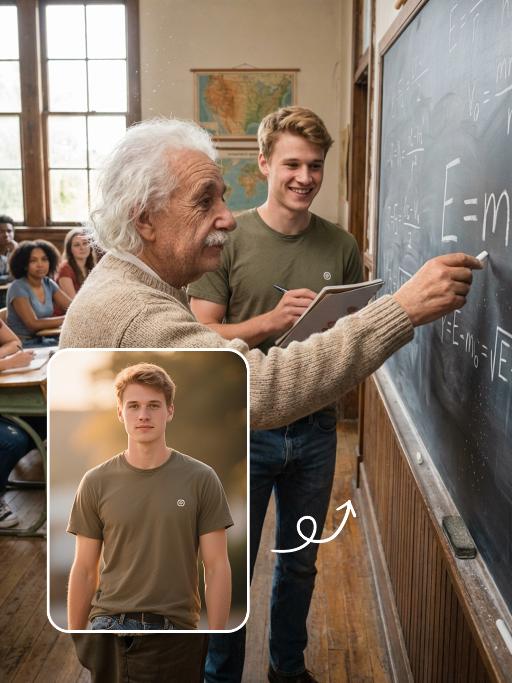
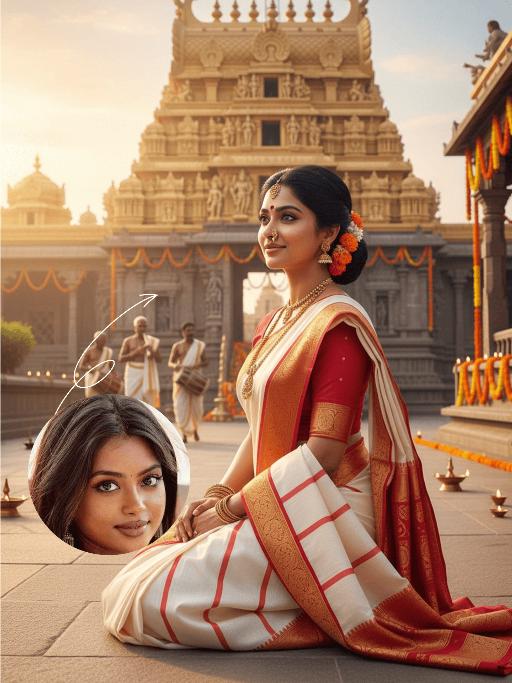
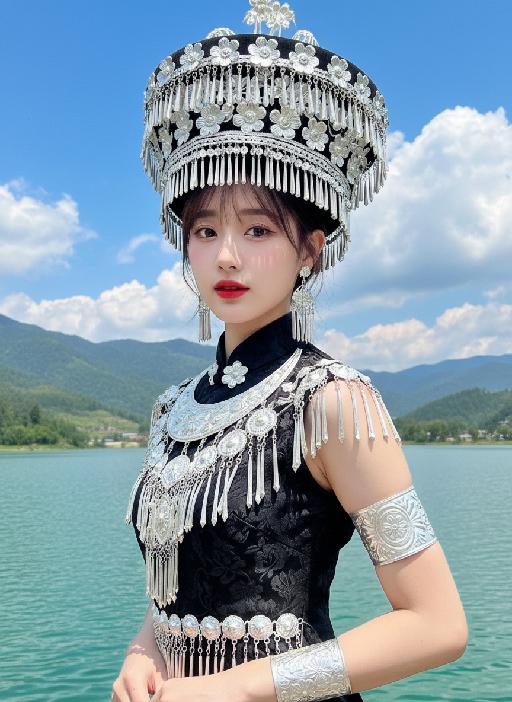
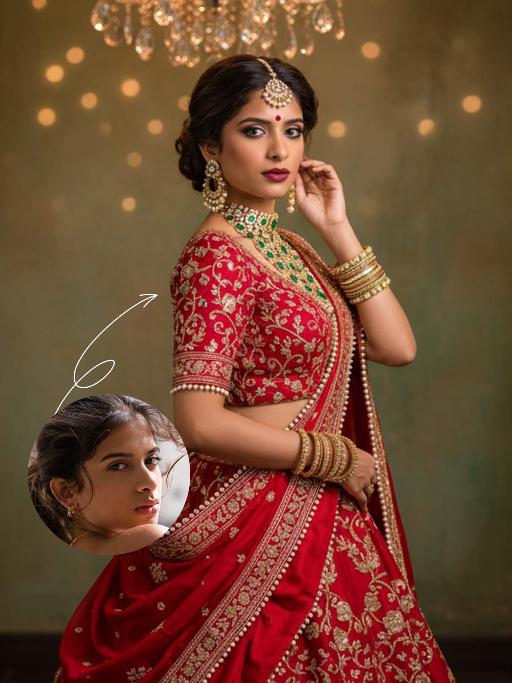
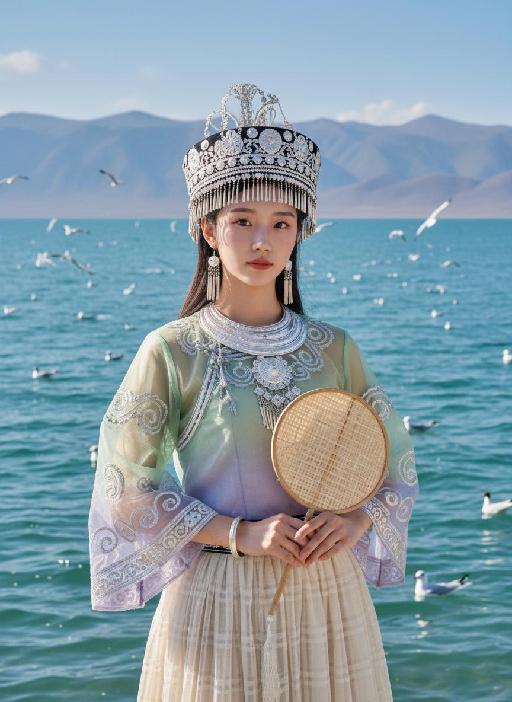
Capture the essence of a vibrant, sunlit moment with this AI-generated cinematic HDR photo. Featuring a stylish hipster girl with wind-blown brunette hair, bold makeup, and striking accessories, enhanced by vivid details, realistic shadows, and intense contrast. Transform your prompts into stunning visuals with VivaGo.ai's AI image tools for professional-grade, dynamic creativity.

Recreate
arrow

FAQs

How to generate images/videos from text prompts?

Describe the visual content in natural language (e.g., 'A cyberpunk cat wearing neon goggles') and our AI models will create outputs. Complex prompts trigger multi-stage NLP parsing for enhanced accuracy.

How to refine unsatisfactory results?

Use our Prompt Bot - an AI-powered optimizer that suggests technical modifiers. Simply describe your ideas, desired changes ('more metallic texture'), then you will get optimized prompt variants.

When should I use reference images?

Upload references to: 1) Guide character consistency (e.g., faces/outfits), 2) Control motion patterns in videos using our feature matching algorithm. Supports JPG/PNG

What's the credit system?

Daily login grants 100 credits. Upgrade options: 1) Premium Membership, 2) Credit Packs. Details: https://vivago.ai/subscribe

More From VIVAGO AI

Bikini AI effects generated image

Bikini

The figure from the uploaded image (unchanged facial features, age and gender, with natural facial retouching and a fresh sheer makeup look). An extreme close-up selfie shot from a first-person perspective, the figure stands close to the camera, captured with an iPhone 14 in a casual street photography style. The figure’s eyes are wide open, lips pouted and eyes round in an exaggerated wide stare, with vivid and playful facial expressions; they look straight at the camera, sipping a drink through a green-and-white striped straw. They are wearing a cute colorful bikini, accessorized with colorful Y2K-style jewelry and oversized dark green sunglasses – the sunglasses slip down to the tip of the nose, revealing the eyes, with the surrounding scenery reflected on the lenses. The figure holds a clear plastic cup filled with light green iced drink and ice cubes. The scene is bathed in bright outdoor sunlight, in clear daylight with soft shadows and vibrant natural light. Color palette: bright green, deep blue, light green, warm brown (wooden boardwalk), bright blue (sky). Background: beach, seaside sand, a sun-drenched boardwalk, with a vibrant and casual seaside vibe. The overall style features a dopamine color scheme, Y2K accessories and a distinct Y2K aesthetic. Adorable iPhone emoji-style stickers are randomly scattered around the figure and across the entire frame as decorations (🐶、☁️、✨、😄、☀️、🥥、🥤、💗、❤️、👍、🐶、🏖️、🏝️). The shot uses an ultra-wide-angle lens with extreme perspective, making the figure’s head appear oversized.

White Horse AI effects generated image

White Horse

Medium close-up shot: The image in the uploaded picture (with facial features, gender and age unchanged) is located on the right side of the frame, while a close-up of the side head of a white horse is on the left side. This work presents a sweet and dreamy theme characteristic of the Chinese Year of the Horse, with a fairy-tale-like atmosphere and the festive atmosphere of the New Year. The picture has a delicate film texture; Color: Using professional indoor lighting, high-contrast warm light illuminates the person's face and the white horse, the prominent hair light (contour light) forms a golden halo at the edge of the hair, the color is clean and bright, the white horse contrasts strongly with the richly saturated red background, the light contrast is intense, creating a dreamy and warm atmosphere, with a fashionable and avant-garde photography art atmosphere; Color: The main color is a low-saturation dark red background, pure white horse, silver (horses' reins, stars on the skirt), low-saturation, high-quality and warm harmonious colors; Composition: Balanced medium close-up composition. The white steed (one side of the head) occupies the left half of the frame (about 45% - 50%), the person (upper body + head) occupies the right half of the frame (about 40% - 45%), the person and the steed are closely embraced, forming the visual center; Shooting angle: Horizontal perspective, the camera is at the same level as the person's face in the uploaded picture and the side head of the white horse, creating a natural and friendly interaction feeling; Person's posture: The body slightly tilts towards the camera, the upper body gently leans against the white horse, the head is close to the horse's face, with a sweet and brilliant smile, looking straight at the camera, the arms are naturally placed in front of the body, the posture is relaxed and intimate; Clothing: A high-end custom-designed white formal dress (covered with silver star sequins and glitter powder), wearing small and exquisite hair ornaments on the head, silver star glitter makeup around the eyes; Wearing exquisite high-end custom accessories; Fashionable and avant-garde, exquisite and elegant; Image content proportions: Horses (45% - 50%), People (40% - 45%), Red background (about 10%). Image content proportions: Horses (45% - 50%), People (40% - 45%), Red background (about 10%). The authenticity of the film, its artistic quality, the ultra-high-definition 8K image quality of the film, the style of fashion magazines, the avant-garde fashion art style of photography, and the top-notch lighting effects.

Happy 2026 AI effects generated image

Happy 2026

Subject & Posture: The figure from the uploaded image (unchanged facial features, age and gender) gazes at a mirror with a gentle smile, holding a lipstick to write on the mirror surface. The left hand grips a red lipstick with a gold case, writing on the mirror with it; the figure strikes a relaxed off-the-shoulder pose. Attire & Accessories: A burgundy off-the-shoulder fuzzy sweater with fine glitter texture; a red lipstick with a gold case held in hand. Composition & Perspective: Mirror reflection composition, medium close-up shot with the subject centered; shot with a 35mm lens and shallow depth of field (blurred background), the mirror shows partial reflections of the hand and lipstick. Lighting & Color Scheme: Dark, low-key background, with soft key light illuminating the face and clothing, plus tiny bokeh light spots; main color tones: burgundy, black and warm orange-red, creating a warm atmosphere with soft color contrast. Background & Details: In the bottom right corner of the background, the artistic handwritten phrase Be happy every day in 2026 in bold orange-red lipstick lettering; ultra-realistic texture with natural skin grain, and clear fuzzy & fine glitter fabric details of the garment. Natural skin retouching with well-preserved realistic light and shadow transitions, a Fuji film filter effect, and a warm, cozy ambiance enhanced by soft room lighting in the background. The figure’s reflection in the mirror is physically accurate and consistent with the figure outside the mirror.

Elephant Dance

The features of the figure in the uploaded image remain unchanged, standing in an anthropomorphic pose (upper limbs resting naturally on the waist, lower limbs standing on the ground). Adopting the Disney 3D animation style, bright and highly saturated vivid colors are used to create a soft, cute and chibi cartoon image with oversized bright eyes and long, slender eyelashes, and a sweet, endearing expression. The costume features Indian traditional festive style adornments and styling: a gorgeous forehead ornament with geometric patterns (in green, red, yellow and purple) plus colorful tassel beading; delicate traditional Indian colorful patterns on the face and nose; a shawl with fan-shaped patterns (in primary colors of red, purple and blue) trimmed with golden geometric motifs on the edges; green and white striped bands with golden beading worn on the limbs; and small colorful flower ornaments in the style of yellow base + red center + green trim dotted on the ears and body. The overall adornment is intricate with rich color clashing (blending hues of red, green, yellow, purple, blue and more), boasting ultra-realistic details, cinematic artistic effects and high-end artistic presentation.

Load more

Next-Gen Multi-Model AI Video Architecture

Vivago AI isn't just one engine—it’s a unified hub for the world’s most advanced video AI. Whether you need cinematic realism or high-speed social content, we provide the right model for your creative vision.

Free Generate

Beauty and Dolphins

Vacation Time

Stellar Tear

Fish Tank Supervisor

Cinematic Quality & Precision Control

Enables 4K resolution with multi-lens motion control, generating delicate scene via text prompts for customized cinematography.​

TRY NOW

Dynamic AV Sync

Auto-generates original audio to avoid copyright issues. Build 3D immersive environments through layered sound design automatically.

TRY NOW

OpenAI Sora 2

​Advanced visual storytelling with unparalleled physics and consistency.

TRY NOW

Kling v2.6 Pro

Industry-leading cinematic image animation and motion control.

TRY NOW

Google Veo 3 & 3.1

Ultra-fast generation with enhanced realism for creative workflows.

TRY NOW

Vivago AI 2.0

Our proprietary model optimized for efficiency, speed, and cost-effective generation.

TRY NOW

Users' Voice

We listen carefully to the opinions of every user.
Free Generate
Contact Us
I tried the Lip Sync feature inside Vivago.ai’s AI Video Generator for my educational podcast, and the results were stunning! The avatar's lip movements perfectly matched my audio recording, creating a professional AI-generated video without complex editing. Compared with tools like OpenAI Sora 2 and Google Veo 3.1, Vivago Image-to-Video delivers fast, studio-quality results online. It saved me hours of post-production work.
ElenaM (Spain)
Vivago’s Image-to-Video AI transformed my marketing workflow. I uploaded a product image and described the launch scene in text, and it generated a 10-second cinematic AI video with background music and dynamic visuals. The output quality rivals Kling v2.6 Pro and Google Veo 3 Fast. It’s now my go-to AI video generator for social media ads and product campaigns.
KenjiT (Japan)
As a digital artist, I use Vivago.ai 2.0 daily for Image-to-Image and AI Image-to-Video creation. The e-book covers and animated visuals I generate for clients look cinematic and professional. Unlike many standalone AI tools, Vivago integrates multiple leading models into one platform, making it easier to create copyright-safe AI images and videos for publishing.
ChenL (China)
I tried the Lip Sync feature inside Vivago.ai’s AI Video Generator for my educational podcast, and the results were stunning! The avatar's lip movements perfectly matched my audio recording, creating a professional AI-generated video without complex editing. Compared with tools like OpenAI Sora 2 and Google Veo 3.1, Vivago Image-to-Video delivers fast, studio-quality results online. It saved me hours of post-production work.
ElenaM (Spain)
Vivago’s Image-to-Video AI transformed my marketing workflow. I uploaded a product image and described the launch scene in text, and it generated a 10-second cinematic AI video with background music and dynamic visuals. The output quality rivals Kling v2.6 Pro and Google Veo 3 Fast. It’s now my go-to AI video generator for social media ads and product campaigns.
KenjiT (Japan)
As a digital artist, I use Vivago.ai 2.0 daily for Image-to-Image and AI Image-to-Video creation. The e-book covers and animated visuals I generate for clients look cinematic and professional. Unlike many standalone AI tools, Vivago integrates multiple leading models into one platform, making it easier to create copyright-safe AI images and videos for publishing.
ChenL (China)
I absolutely love Vivago’s AI Image-to-Video Generator. As a travel blogger, static images often fail to capture real atmosphere, but Vivago helps me turn photos into vivid cinematic AI videos with motion effects. It feels comparable to OpenAI Sora 2 and Google Veo 3.1, but more accessible and faster for creators who need high-quality AI videos online.
LiamK (Australia)
I tried the Lip Sync feature inside Vivago.ai’s AI Video Generator for my educational podcast, and the results were stunning! The avatar's lip movements perfectly matched my audio recording, creating a professional AI-generated video without complex editing. Compared with tools like OpenAI Sora 2 and Google Veo 3.1, Vivago Image-to-Video delivers fast, studio-quality results online. It saved me hours of post-production work.
ElenaM (Spain)
Vivago’s Image-to-Video AI transformed my marketing workflow. I uploaded a product image and described the launch scene in text, and it generated a 10-second cinematic AI video with background music and dynamic visuals. The output quality rivals Kling v2.6 Pro and Google Veo 3 Fast. It’s now my go-to AI video generator for social media ads and product campaigns.
KenjiT (Japan)
As a digital artist, I use Vivago.ai 2.0 daily for Image-to-Image and AI Image-to-Video creation. The e-book covers and animated visuals I generate for clients look cinematic and professional. Unlike many standalone AI tools, Vivago integrates multiple leading models into one platform, making it easier to create copyright-safe AI images and videos for publishing.
ChenL (China)
I absolutely love Vivago’s AI Image-to-Video Generator. As a travel blogger, static images often fail to capture real atmosphere, but Vivago helps me turn photos into vivid cinematic AI videos with motion effects. It feels comparable to OpenAI Sora 2 and Google Veo 3.1, but more accessible and faster for creators who need high-quality AI videos online.
LiamK (Australia)
Using Vivago.ai’s Image-to-Video AI has greatly enhanced my classroom teaching. I transform textbook notes into historical AI videos with cinematic filters and dynamic animations. Compared with tools like Kling v2.6 Pro and Google Veo 3 Fast, Vivago offers faster generation and easier parameter control for educators who need reliable AI video creation.
RajivG (India)
I frequently create AI videos on Vivago and publish them on TikTok and YouTube Shorts. The AI video templates and trending content ideas help me produce viral-ready clips quickly. With Vivago’s integrated models—including advanced video engines similar to OpenAI Sora 2—I can generate anime-style and cinematic social media videos that drive high engagement.
MarieJ (Spain)
What attracts me most about Vivago.ai is not only the powerful AI Video Generator but also the active AIGC creator community. It combines AI Image-to-Video, Text-to-Video, and leading model integrations like Google Veo 3.1 into one creative platform.
TomW (India)
At first, I was hesitant about using AI video tools. But after trying Vivago Image-to-Video, I realized how easy it is to create professional AI-generated videos online. I just upload an image, add a short prompt, and adjust a few settings. The results are cinematic and copyright-safe, which is essential for commercial projects.
HectorC (Mexico)
Using Vivago.ai’s Image-to-Video AI has greatly enhanced my classroom teaching. I transform textbook notes into historical AI videos with cinematic filters and dynamic animations. Compared with tools like Kling v2.6 Pro and Google Veo 3 Fast, Vivago offers faster generation and easier parameter control for educators who need reliable AI video creation.
RajivG (India)
I frequently create AI videos on Vivago and publish them on TikTok and YouTube Shorts. The AI video templates and trending content ideas help me produce viral-ready clips quickly. With Vivago’s integrated models—including advanced video engines similar to OpenAI Sora 2—I can generate anime-style and cinematic social media videos that drive high engagement.
MarieJ (Spain)
What attracts me most about Vivago.ai is not only the powerful AI Video Generator but also the active AIGC creator community. It combines AI Image-to-Video, Text-to-Video, and leading model integrations like Google Veo 3.1 into one creative platform.
TomW (India)
At first, I was hesitant about using AI video tools. But after trying Vivago Image-to-Video, I realized how easy it is to create professional AI-generated videos online. I just upload an image, add a short prompt, and adjust a few settings. The results are cinematic and copyright-safe, which is essential for commercial projects.
HectorC (Mexico)