AI Video Enhance

Transform text into stunning visuals with vivago.ai's AI image/video generator. Explore curated effects, professional editing tools, and seamless creativity for high-quality content. Ideal for innovators and creators.

Recreate
arrow

FAQs

How do I animate static images using vivago.ai?

Upload any image (JPG/PNG), and our AI models will automatically detect content layers and generate 5/10-second video clips with dynamic motion patterns.

Can I control specific movement directions?

Yes. Combine image uploads with text prompts like 'swaying leaves left-to-right' or 'a girl waves her hands'.

What if AI-generated videos don't match my expectation?

Utilize iterative refinement cycles: 1) Try a few more times, 2) Modify prompts, 3) Visit the Explore section to use templates for more consistent results.

What membership benefits does Pro offer?

Pro membership offers better outcomes, more generation credits, and premium features. Details available at: https://vivago.ai/subscribe

More From VIVAGO AI

Red Packet AI effects generated image

Red Packet

Strictly lock the facial features of the uploaded portrait (completely preserve facial contours, native skin tone, hairstyle and age); young sweet and cool girl with Korean-style looks, delicate facial features paired with a slightly drunk eye makeup and blush, slightly upturned eye corners, super lively single-eye wink, light brown long curly hair with a blue denim baseball cap worn backwards, dressed in a white tight sleeveless tank top, wearing silver vintage neck-hung headphones, arms stretched forward in a playful gesture of grabbing red envelopes; pure black background with precisely placed 10 red Year of the Horse red envelopes featuring cartoon chibi horses, golden auspicious cloud patterns, and hot-stamped text "Good Luck in the Year of the Horse" and "Happy Chinese New Year", the red envelopes float and fly with dynamic motion blur, embellished with golden particle light effects, neon light strips and firework sparkles, integrated with cyberpunk neon lighting and tech-inspired lines; overall style is a fusion of cyberpunk and New Year festivity, with Korean magazine photo shoot texture, high saturated colors, strong contrast, cinematic lighting and motion blur effects, full of immersive atmosphere, high-definition details, 8K ultra-clear, realistic human photography, flawless

Snowfield

In the night snow, the figure from the uploaded image retains their original facial features and sits on the snow, wearing a sweater with white patterns, a red scarf, fluffy fleece pants and snow boots, holding a lit, sparkling handheld sparkler. The words "Hello 2026" are written in the snow. In the background, there are soft, blurred warm bokeh lights and blooming fireworks. The atmosphere is warm and healing, with a gentle light contrast between the cool blue-and-white snow scene and the warm sparks. Boasting rich details, the figure’s face is in sharp focus with natural shadows and realistic textures, exuding a sophisticated artistic photography aesthetic. Captured with an ultra-high-definition camera, the image features artistic photography styling, with the figure’s skin naturally retouched for a delicate finish. The shot is taken from a top-down perspective, with a full-screen realistic snowfall effect.

Magazine Cover AI effects generated image

Magazine Cover

This is the cover of the high-end fashion magazine series, with the title in a large, dark green font: "PIONEER". The figure is in front of the text, captured in a medium close-up shot. The cover showcases a radiant image (with no changes in facial features, gender, or age), presented through the uploaded picture. She has several flowing and slender black braids, wearing a well-tailored dark green outfit, with soft black fur decorations on the shoulders, holding a retro high-end custom cross-body bag, her body in an inclined hanging position, arms stretched out, with an enchanting expression and exquisite makeup. The background is a gradient of pale green, the strong contrast of light highlights the facial contours and hair texture. The focal length is 50mm, captured with a professional portrait camera, clear focus, using an elegant editing style, with modern and avant-garde aesthetics. The small and exquisite text layout adds the content: "Take Control of the Moment. # Modern Desires"

Dark Pharaoh AI effects generated image

Dark Pharaoh

The character in the uploaded picture (unchanged facial features, gender and age). A striking young man embodying the persona of an ancient Egyptian pharaoh, captured in a hyper-realistic, cinematic portrait. He has long, dark curly hair, a chiseled jawline, and a direct, commanding gaze that exudes divine authority. He is bare-chested, showcasing a muscular physique. He wears an opulent, ornate headdress with large, fan-like golden and lapis lazuli blue wings, crowned with a central symbol. His neck is adorned with multiple layers of intricate golden pectoral necklaces, inlaid with vibrant lapis lazuli and carnelian, featuring sacred Egyptian motifs like scarabs. He wears detailed golden armbands and bracelets etched with hieroglyphics on both arms. A black, flowing fabric is draped over his left shoulder. His waist is cinched with a wide, elaborately decorated belt featuring gold, blue, and red inlays and hieroglyphic carvings. He walks forward with a regal, confident stride, radiating power and pharaonic grandeur. The setting is the grand interior of an ancient Egyptian palace, with towering stone columns, intricate hieroglyphic carvings on the walls, and shafts of golden light streaming through high windows. Blurred figures of attendants in similar golden attire follow in the background, enhancing the sense of scale and majesty. The image is rendered in a hyper-realistic, epic historical drama style, with dramatic, cinematic lighting that highlights the intricate details of the golden regalia, the texture of the fabric, and the weathered stone of the palace. The color palette is rich and opulent, featuring deep golds, vibrant blues, and earthy stone tones, creating a timeless, majestic, and awe-inspiring atmosphere. The overall aesthetic is detailed, lifelike, and reminiscent of a scene from a grand historical epic film

Queen AI effects generated image

Queen

The character in the uploaded picture (unchanged facial features, gender and age).A striking woman embodying the persona of Cleopatra, seated regally on an ornate golden throne. She has a sleek black bob haircut with blunt bangs, a sharp, confident gaze, and a poised, authoritative expression. She wears a form-fitting black velvet spaghetti-strap gown with a high slit, revealing one leg. Her accessories are opulent: a golden pharaoh-style headdress with a central eagle motif, a layered gold necklace culminating in a large, ornate pendant, a wide gold belt with a matching large pendant, gold bracelets on both wrists, and gold ankle bracelets paired with strappy gold sandals. She sits with one leg crossed over the other, one hand resting on the throne's armrest, the other on her lap. The throne is intricately carved with gold accents and topped with golden finials. The setting is a lush, verdant tropical jungle, filled with large, vibrant green palm fronds and broad-leafed ferns that frame the scene. The floor is a polished marble surface with a geometric pattern. Above her, the word "CLEOPATRA" is displayed in an elegant, golden, serif font. The image is rendered in a vintage Hollywood movie poster style, with dramatic, high-contrast lighting that emphasizes the richness of the black velvet and the sheen of the gold. The color palette is rich and saturated, with deep greens, luxurious golds, and stark blacks, creating an opulent, mysterious, and timeless atmosphere. The overall aesthetic is cinematic, detailed, and evocative of ancient Egyptian grandeur.

Image To Video

Create a close-up of a 1/7 scale figure of the characters, placed on a circular rotating music box base. The music box should have intricate details, with a smooth, elegant design, emphasizing its fine craftsmanship. The figure should capture the character's pose, facial expression, and features in high detail, with realistic textures for the clothing, accessories, hair, and face. The close-up shot should focus on the figure and music box, highlighting the fine details, such as the sculpting of the character’s outfit and accessories. The background should be a dreamy, soft-focus display window, with a magical ambiance that suggests a whimsical atmosphere. Soft, natural lighting should enhance the refined and timeless feel of the scene, bringing attention to the figure and music box in the foreground.

Temple AI effects generated image

Temple

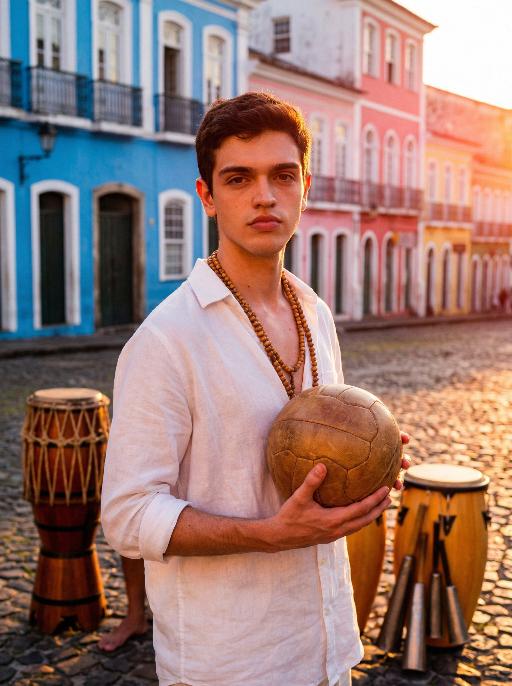
Strictly lock the facial features of the uploaded portrait (preserve facial contours, native Indonesian skin tone, hairstyle and age). close-up photorealistic half-body portrait, model occupies 3/4 of the frame, focus sharply on facial features and serene expression, minimal headroom with zero empty space above the head, the model as the absolute dominant subject, 30-year-old native Indonesian man, native skin tone and natural short black hair, wearing traditional Indonesian batik long-sleeve shirt with deep indigo and gold patterns + dark brown hand-woven sarong, simple wooden beaded bracelet on wrist, standing in front of ancient Balinese stone temple with intricate carvings and tiered meru towers, golden sunset light bathing the scene, soft warm backlighting, hazy orange-pink sky with gentle sun flare bokeh, calm and serene expression, gentle wind brushing his hair, strong nostalgic atmospheric mood, film grain texture, authentic Indonesian cultural details, ultra-detailed fabric and temple carvings, 3:4 aspect ratio, cinematic sunset ambiance

Load more

Next-Gen Multi-Model AI Video Architecture

Vivago AI isn't just one engine—it’s a unified hub for the world’s most advanced video AI. Whether you need cinematic realism or high-speed social content, we provide the right model for your creative vision.

Free Generate

Beauty and Dolphins

Vacation Time

Stellar Tear

Fish Tank Supervisor

Cinematic Quality & Precision Control

Enables 4K resolution with multi-lens motion control, generating delicate scene via text prompts for customized cinematography.​

TRY NOW

Dynamic AV Sync

Auto-generates original audio to avoid copyright issues. Build 3D immersive environments through layered sound design automatically.

TRY NOW

OpenAI Sora 2

​Advanced visual storytelling with unparalleled physics and consistency.

TRY NOW

Kling v2.6 Pro

Industry-leading cinematic image animation and motion control.

TRY NOW

Google Veo 3 & 3.1

Ultra-fast generation with enhanced realism for creative workflows.

TRY NOW

Vivago AI 2.0

Our proprietary model optimized for efficiency, speed, and cost-effective generation.
TRY NOW

Users' Voice

We listen carefully to the opinions of every user.
Free Generate
Contact Us
I tried the Lip Sync feature inside Vivago.ai’s AI Video Generator for my educational podcast, and the results were stunning! The avatar's lip movements perfectly matched my audio recording, creating a professional AI-generated video without complex editing. Compared with tools like OpenAI Sora 2 and Google Veo 3.1, Vivago Image-to-Video delivers fast, studio-quality results online. It saved me hours of post-production work.
ElenaM (Spain)
Vivago’s Image-to-Video AI transformed my marketing workflow. I uploaded a product image and described the launch scene in text, and it generated a 10-second cinematic AI video with background music and dynamic visuals. The output quality rivals Kling v2.6 Pro and Google Veo 3 Fast. It’s now my go-to AI video generator for social media ads and product campaigns.
KenjiT (Japan)
As a digital artist, I use Vivago.ai 2.0 daily for Image-to-Image and AI Image-to-Video creation. The e-book covers and animated visuals I generate for clients look cinematic and professional. Unlike many standalone AI tools, Vivago integrates multiple leading models into one platform, making it easier to create copyright-safe AI images and videos for publishing.
ChenL (China)
I tried the Lip Sync feature inside Vivago.ai’s AI Video Generator for my educational podcast, and the results were stunning! The avatar's lip movements perfectly matched my audio recording, creating a professional AI-generated video without complex editing. Compared with tools like OpenAI Sora 2 and Google Veo 3.1, Vivago Image-to-Video delivers fast, studio-quality results online. It saved me hours of post-production work.
ElenaM (Spain)
Vivago’s Image-to-Video AI transformed my marketing workflow. I uploaded a product image and described the launch scene in text, and it generated a 10-second cinematic AI video with background music and dynamic visuals. The output quality rivals Kling v2.6 Pro and Google Veo 3 Fast. It’s now my go-to AI video generator for social media ads and product campaigns.
KenjiT (Japan)
As a digital artist, I use Vivago.ai 2.0 daily for Image-to-Image and AI Image-to-Video creation. The e-book covers and animated visuals I generate for clients look cinematic and professional. Unlike many standalone AI tools, Vivago integrates multiple leading models into one platform, making it easier to create copyright-safe AI images and videos for publishing.
ChenL (China)
I absolutely love Vivago’s AI Image-to-Video Generator. As a travel blogger, static images often fail to capture real atmosphere, but Vivago helps me turn photos into vivid cinematic AI videos with motion effects. It feels comparable to OpenAI Sora 2 and Google Veo 3.1, but more accessible and faster for creators who need high-quality AI videos online.
LiamK (Australia)
I tried the Lip Sync feature inside Vivago.ai’s AI Video Generator for my educational podcast, and the results were stunning! The avatar's lip movements perfectly matched my audio recording, creating a professional AI-generated video without complex editing. Compared with tools like OpenAI Sora 2 and Google Veo 3.1, Vivago Image-to-Video delivers fast, studio-quality results online. It saved me hours of post-production work.
ElenaM (Spain)
Vivago’s Image-to-Video AI transformed my marketing workflow. I uploaded a product image and described the launch scene in text, and it generated a 10-second cinematic AI video with background music and dynamic visuals. The output quality rivals Kling v2.6 Pro and Google Veo 3 Fast. It’s now my go-to AI video generator for social media ads and product campaigns.
KenjiT (Japan)
As a digital artist, I use Vivago.ai 2.0 daily for Image-to-Image and AI Image-to-Video creation. The e-book covers and animated visuals I generate for clients look cinematic and professional. Unlike many standalone AI tools, Vivago integrates multiple leading models into one platform, making it easier to create copyright-safe AI images and videos for publishing.
ChenL (China)
I absolutely love Vivago’s AI Image-to-Video Generator. As a travel blogger, static images often fail to capture real atmosphere, but Vivago helps me turn photos into vivid cinematic AI videos with motion effects. It feels comparable to OpenAI Sora 2 and Google Veo 3.1, but more accessible and faster for creators who need high-quality AI videos online.
LiamK (Australia)
Using Vivago.ai’s Image-to-Video AI has greatly enhanced my classroom teaching. I transform textbook notes into historical AI videos with cinematic filters and dynamic animations. Compared with tools like Kling v2.6 Pro and Google Veo 3 Fast, Vivago offers faster generation and easier parameter control for educators who need reliable AI video creation.
RajivG (India)
I frequently create AI videos on Vivago and publish them on TikTok and YouTube Shorts. The AI video templates and trending content ideas help me produce viral-ready clips quickly. With Vivago’s integrated models—including advanced video engines similar to OpenAI Sora 2—I can generate anime-style and cinematic social media videos that drive high engagement.
MarieJ (Spain)
What attracts me most about Vivago.ai is not only the powerful AI Video Generator but also the active AIGC creator community. It combines AI Image-to-Video, Text-to-Video, and leading model integrations like Google Veo 3.1 into one creative platform.
TomW (India)
At first, I was hesitant about using AI video tools. But after trying Vivago Image-to-Video, I realized how easy it is to create professional AI-generated videos online. I just upload an image, add a short prompt, and adjust a few settings. The results are cinematic and copyright-safe, which is essential for commercial projects.
HectorC (Mexico)
Using Vivago.ai’s Image-to-Video AI has greatly enhanced my classroom teaching. I transform textbook notes into historical AI videos with cinematic filters and dynamic animations. Compared with tools like Kling v2.6 Pro and Google Veo 3 Fast, Vivago offers faster generation and easier parameter control for educators who need reliable AI video creation.
RajivG (India)
I frequently create AI videos on Vivago and publish them on TikTok and YouTube Shorts. The AI video templates and trending content ideas help me produce viral-ready clips quickly. With Vivago’s integrated models—including advanced video engines similar to OpenAI Sora 2—I can generate anime-style and cinematic social media videos that drive high engagement.
MarieJ (Spain)
What attracts me most about Vivago.ai is not only the powerful AI Video Generator but also the active AIGC creator community. It combines AI Image-to-Video, Text-to-Video, and leading model integrations like Google Veo 3.1 into one creative platform.
TomW (India)
At first, I was hesitant about using AI video tools. But after trying Vivago Image-to-Video, I realized how easy it is to create professional AI-generated videos online. I just upload an image, add a short prompt, and adjust a few settings. The results are cinematic and copyright-safe, which is essential for commercial projects.
HectorC (Mexico)